Anime Expeditions Fiery Staff Guide
Fiery Staff is Secret, Unit-type equipment for Anime Expeditions, and only Head Captain (Char) can equip it. The supported route is the Tidal Siege Summer Shop, where it costs 10,000 Sand Dollars when the event and shop are available.
Sand Dollars come from Tidal Siege Event Mode. Portal Mode is a separate reward route, so it should not be your assumed farming path for this purchase. Event menus, shop stock, and availability can change with updates, so check the live client before you spend time farming.
Buy the Fiery Staff from Tidal Siege’s Summer Shop
Use the event menu to reach the shop:
- Open the Event menu.
- Select Tidal Siege.
- Open Shop.
- Buy Fiery Staff for 10,000 Sand Dollars when it is listed.
Event Mode uses infinite waves and event quests to provide the Sand Dollars for this route. Portal Mode has its own reward path, while the Tidal Siege event guide explains how the two modes fit together. The menu path is tidy, which is a rare kindness from an event screen.
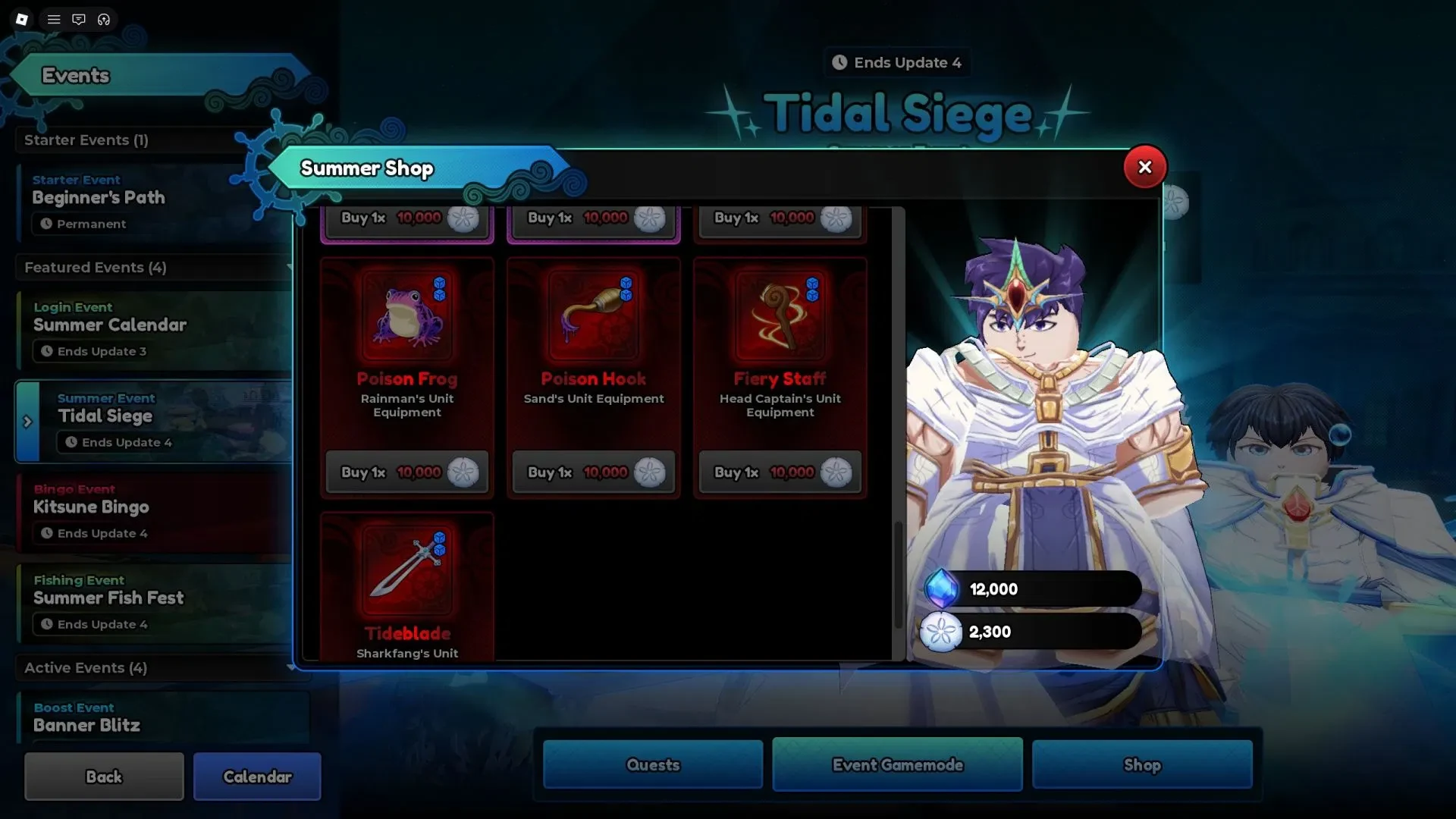
If Tidal Siege or Fiery Staff is missing in your client, the event or shop state may have changed. Use the live event menu to confirm the listing and price.
Equip it on Head Captain (Char) and check South
Fiery Staff is unit-specific. Select Head Captain (Char) when you equip it. The Head Captain (Yamamoto) guide gives more context for the unit.
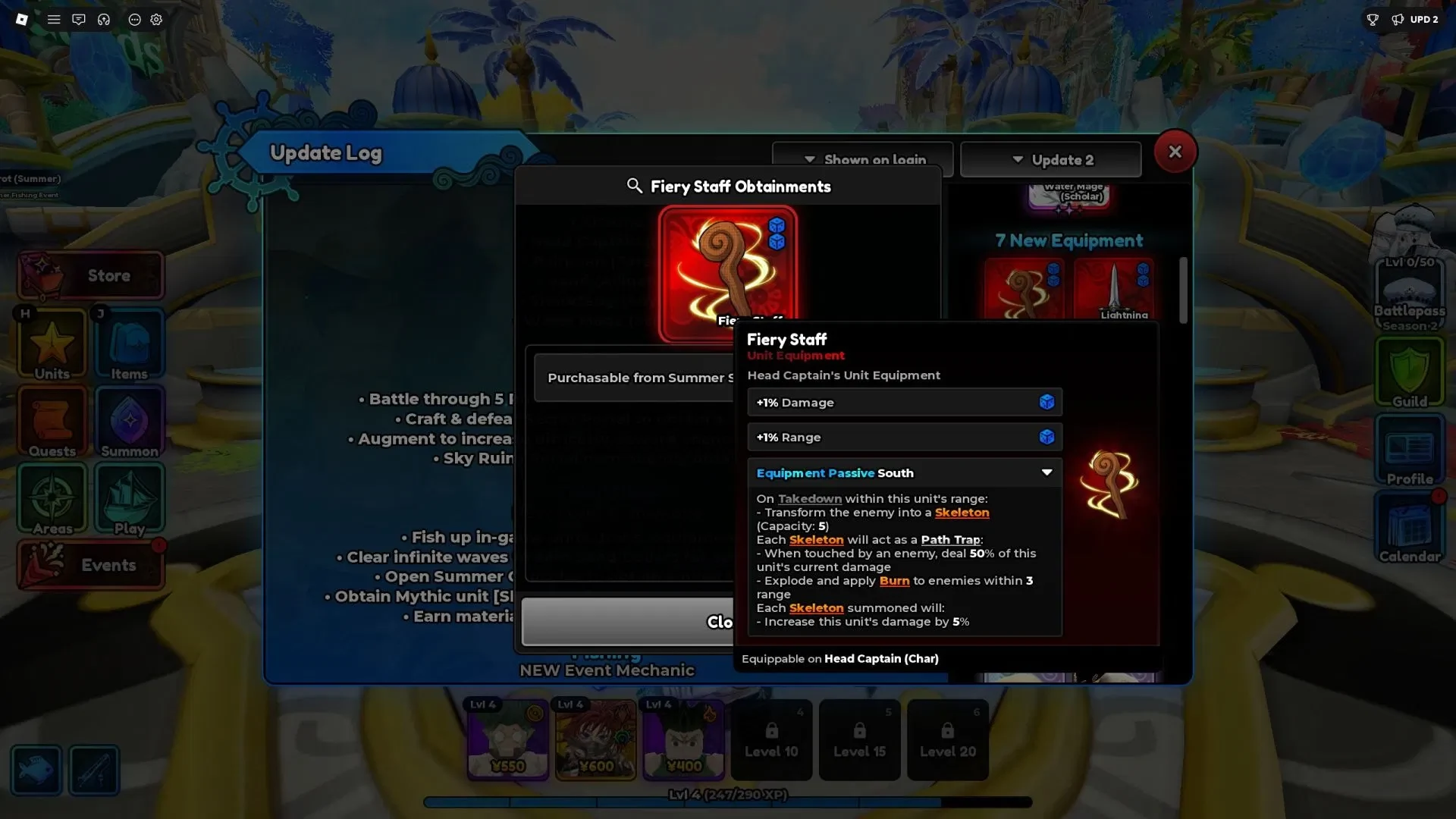
Fiery Staff has three passive slots. Damage and Range are the rollable lines. Working rolls are Damage +1% to +10% and Range +1% to +5%. The upper Range value is reported inconsistently, so verify the live in-game panel before treating +5% as final. The +1% Damage and +1% Range shown below are sample values, not the full range.
South is fixed. A takedown within Head Captain (Char)’s range turns the enemy into an allied Skeleton, with a maximum of five Skeletons active at once. Each Skeleton becomes a Path Trap.
When an enemy touches a Path Trap, it deals 50% of Head Captain (Char)’s current damage, explodes, and applies Burn within 3 studs. Each active Skeleton also gives Head Captain (Char) +5% damage, up to +25%. Five tiny trap-makers can make a lane surprisingly busy.
Equipment Reroll changes the unlocked Damage and Range lines. Equipment Lock protects a line you want to keep, so lock a useful roll before rerolling the others. South stays fixed. The stat reroll guide explains that system, while the Lightning Dagger guide gives another equipment example to compare with.