Anime Expeditions Tidal Siege is the limited Summer Siege event where you defend against waves, fish beside the arena, and spend Sand Dollars on event rewards. Check the live event timer, shop stock, and prices in-game because these values can change.
Open Tidal Siege from the Events menu and choose your mode
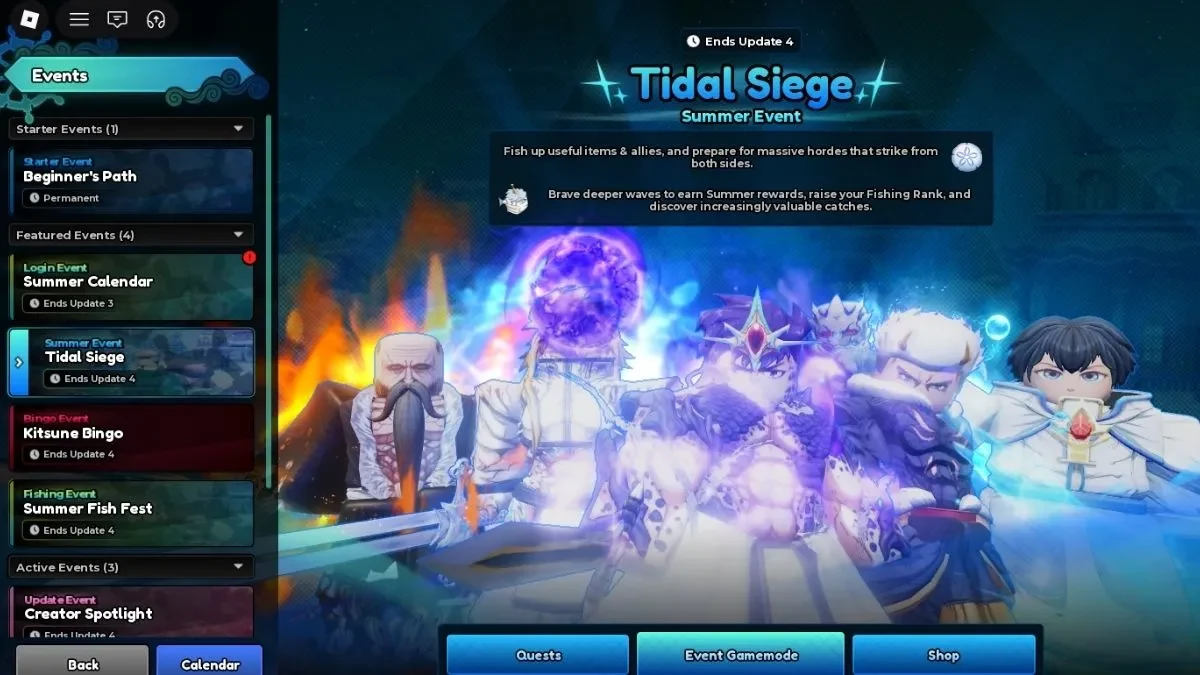
Open the left-side Events menu and select Tidal Siege. Its panel includes Quests, Event Gamemode, and Shop, so you can check tasks and rewards before entering a run.
Choose Event Gamemode to enter the available defence stage or difficulty. Event Mode is the infinite-wave tower-defence route. Portal Mode is a separate portal-based stage that can give Summer Portals, Gems, Gold, Player EXP, and Unit EXP. Do not treat it as the same run as Event Mode.
The panel can show an end marker such as Ends Update 4. Trust the timer in your client instead of a fixed date. If you need a starting team first, the Anime Expeditions beginners guide covers the early setup.
Place units, then fish while the waves attack from both sides
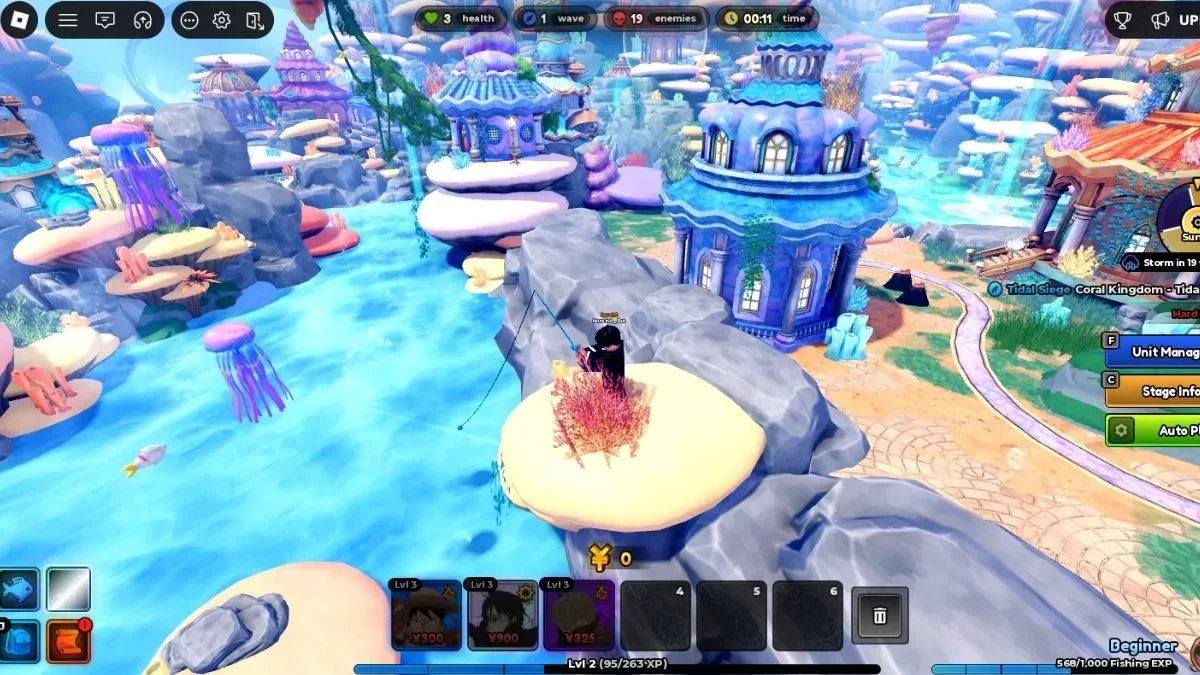
Place your first units before going to the pond. Enemies can approach from both sides, so leaving one path uncovered can end the run while you are busy fishing. The Anime Expeditions tier list can help you compare the roles of the units you already own.
- Select the available Event Mode stage or difficulty. Pick a setting your team can sustain for many waves.
- Cover both approaches. Place damage and support near both paths so neither side is left open.
- Upgrade the defence. Give your units enough damage and support before you focus on fishing.
- Move to the nearby or central pond. Equip your rod from the fishing UI and cast while your units keep defending.
- Watch the wave UI. Finish the catch minigame, then return to the paths if enemies start getting through.
The fishing minigame asks you to keep the bar aligned with the fish. Fishing can give catches and Fishing XP, with possible results including units, traits, equipment, or other items. Treat each result as a chance, not a guaranteed drop.
Spend Sand Dollars on the rewards you actually want
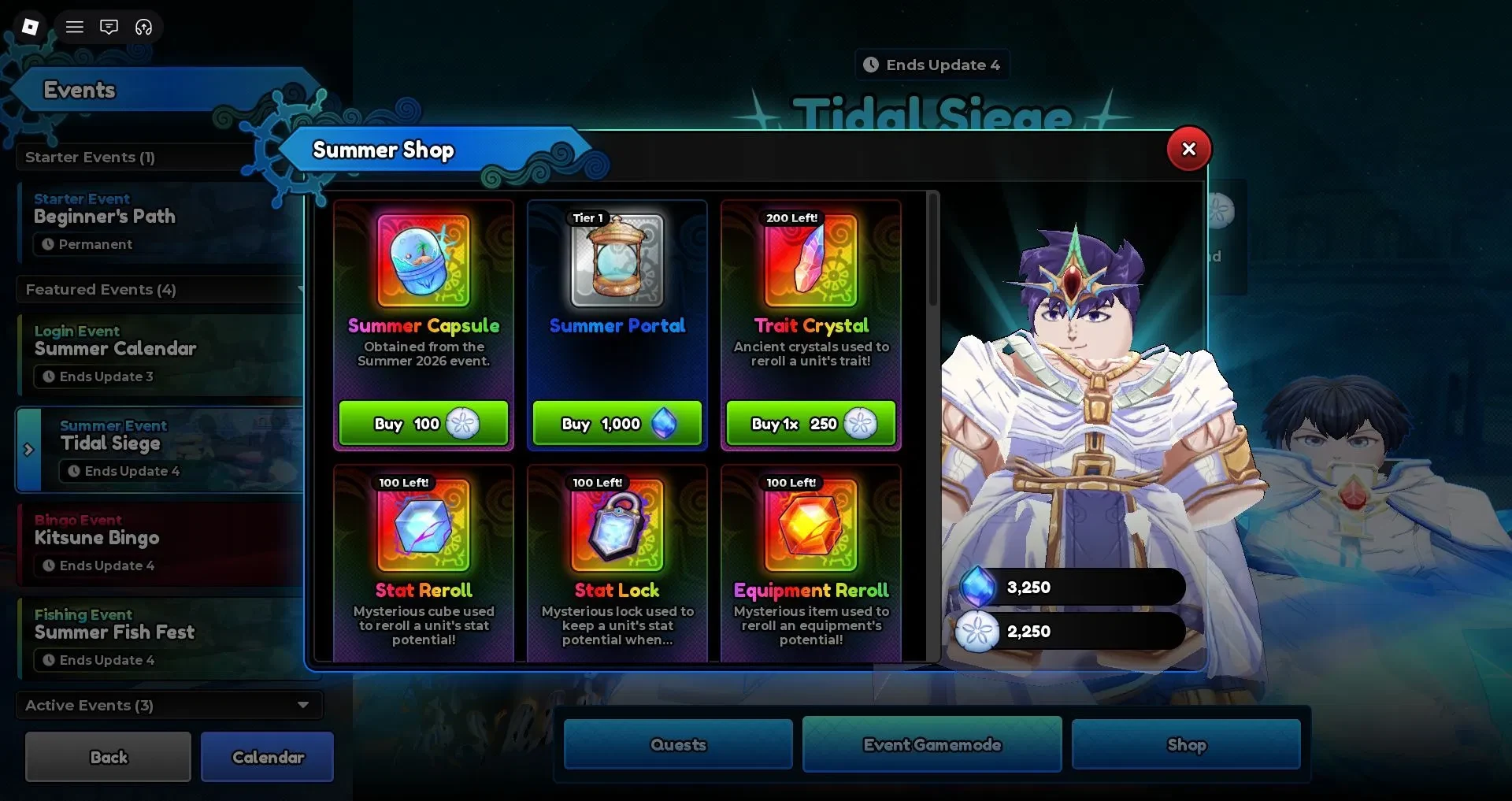
Sand Dollars are the event currency used in the Tidal Siege or Summer Shop. Quests and wave clears can add Sand Dollars and Player EXP. Other event reward routes include Djinn’s Treasure, Summer Capsules, and progress towards Sharkfang and Sovereign.
The event also shows Sharktooth Conch and Sovereign's Secret Portal as part of its progression. Check the requirements in the live event panel before spending items. These are possible rewards or routes, not guaranteed results from every run.
Use the following shop view as a live snapshot, not a permanent price list:
| Shop row | Price shown | Use |
|---|---|---|
| Summer Capsule | 100 Sand Dollars | Limited event capsule |
| Tier 1 Summer Portal | 1,000 Gems | Portal Mode item |
| Trait Crystal | 250 Sand Dollars | Trait item |
| Stat Reroll | 100 Sand Dollars | Rerolls a stat |
| Equipment Reroll | 100 Sand Dollars | Rerolls equipment |
| Stat Lock | 100 Sand Dollars | Locks a stat |
| Equipment Lock | 100 Sand Dollars | Locks equipment |
A capsule suits a limited-reward chase. Reroll and lock items are more useful once you have a unit or equipment piece you plan to keep. Save your Gems for portal purchases only when that route matches your goal. Tidal Siege uses a different loop from Raids, so the Anime Expeditions raids guide is useful for that separate mode.
Prices, stock limits, and the event timer can change. Check the live shop and event panel before each purchase or farming session.