

Bloxodes

Bloxodes for Chrome

Roblox codes, without leaving the game.

See active codes and seven-day player history on the Roblox game page. Sign in to keep your used codes in sync.

Add to Chrome
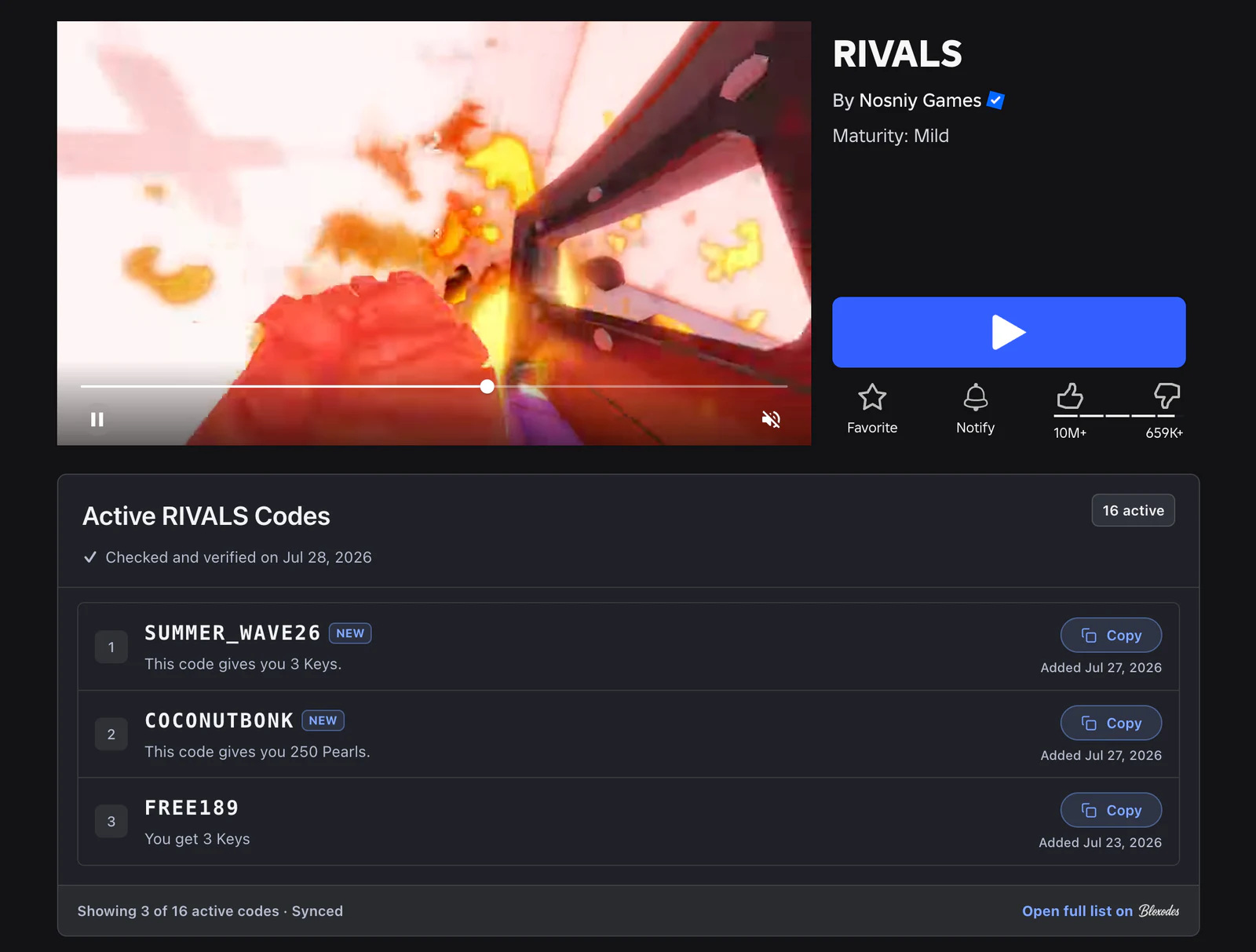
Bloxodes active RIVALS codes displayed on the Roblox game page in dark mode
RIVALS codes, fully visible without leaving the game page.

Active codes

See verified codes for supported games and copy them in one click.

Player history

View the last seven days of player activity below Roblox's game stats.

Synced progress

Sign in to keep used codes matched across the extension, website, and your devices.
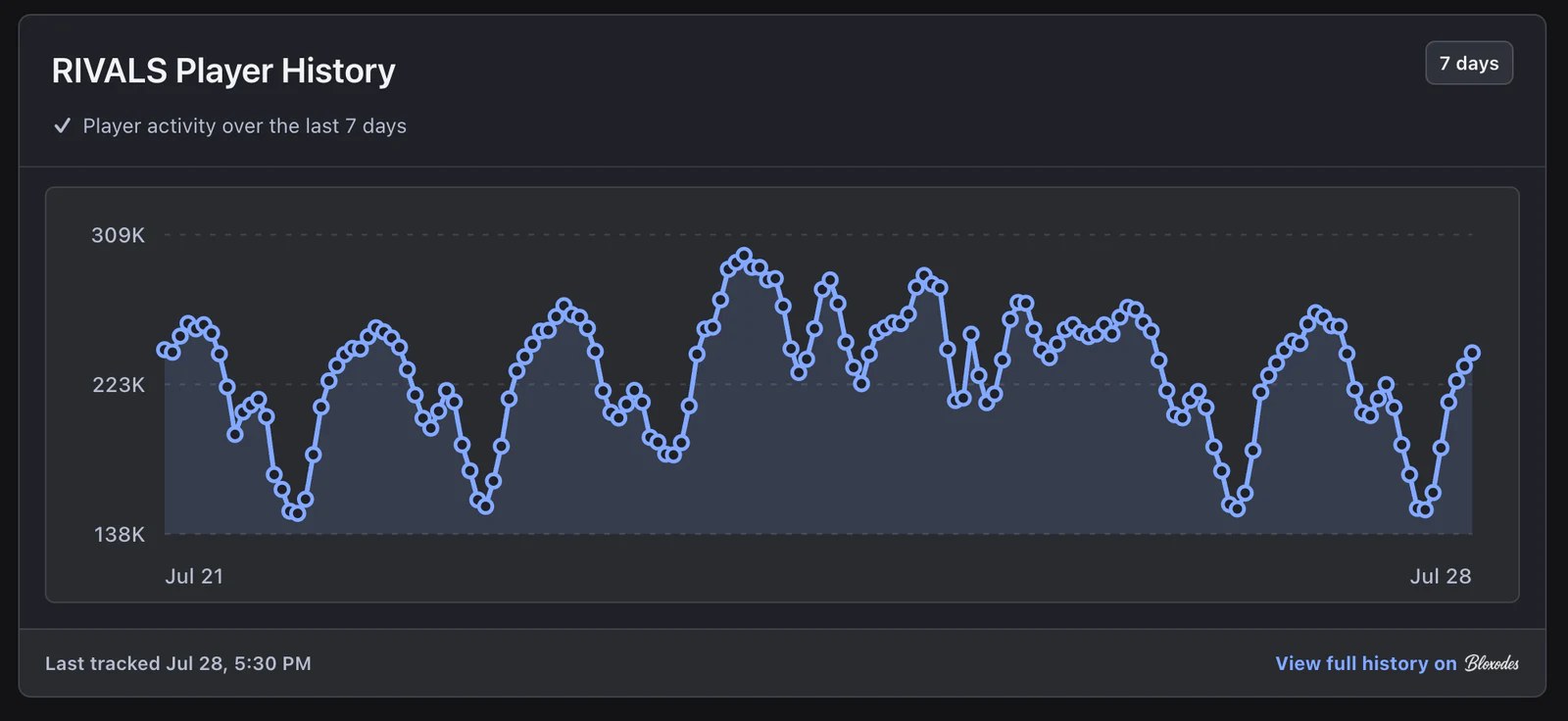
Bloxodes seven-day RIVALS player history displayed below Roblox game statistics in dark mode
Seven-day player history, placed below Roblox's own game stats.

Your game-page setup, one click away.

Open Bloxodes from the Chrome toolbar to sign in and choose whether active codes or player history appear. Changes apply immediately.
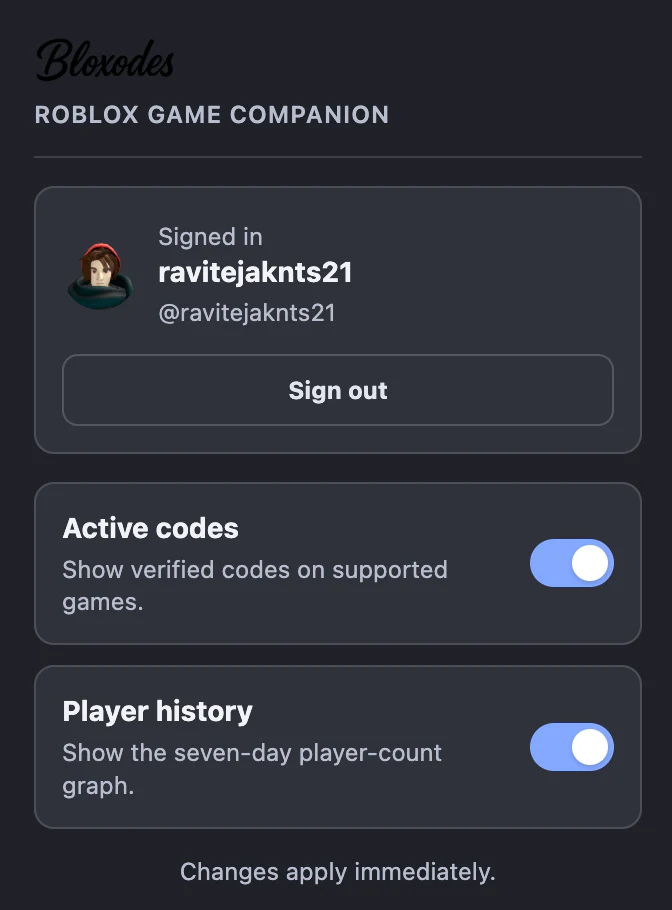
Bloxodes extension popup in dark mode with active codes and player history enabled
Sign in and control both widgets from the extension popup.