

Bloxodes’ Roblox Music Codes Catalog is a large, up-to-date collection of working Roblox Music Codes/IDs, also called song IDs or sound IDs.
Whether you want chill background music, bass-heavy tracks, memes, or seasonal vibes, this page helps you find an ID fast and try it in any experience that supports custom audio or Boombox.
Because Roblox audio availability changes often, Bloxodes actively removes broken or private codes and adds new working ones, so you are not relying on outdated codes.
Looking for images instead of audio? Browse our Roblox decal IDs catalog.
All Music Codes
Broad music ID discovery beyond the daily top list.
Trending
Daily Roblox top songs, capped at 500 music IDs.
Charts
Weekly, monthly, and yearly Creator Store music charts.
Game Specific
Music, radio, and sound IDs organized around supported Roblox games.
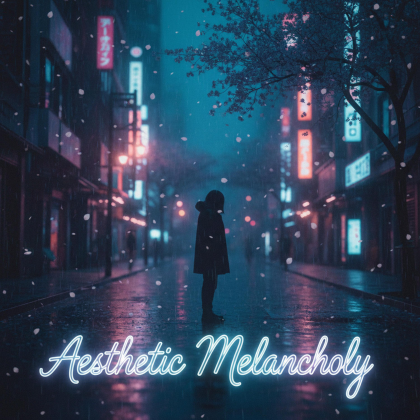

Kawaii Cat Lofi

Ruins of Tomorrow
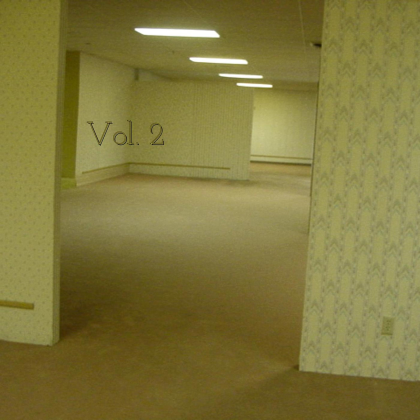
lost in the backrooms



Morning Mood (f."peer Gynt Suite No.1")
Swing With Me (Electro Swing Mix)
Game Lobby

Cloud
ARK Survival Evolved (Main Menu)

+100k AURA PHONK
Sound that stays out of the way
The Still, Sad Music Of Humanity

Quiet Interlude
Four Seasons - Winter
Gymnopedie No. 1
What are Roblox Music Codes?
A Roblox Music Code is a numeric audio asset ID that points to a sound or music file uploaded to Roblox. Games that support custom audio can use this number to play music through a boombox, radio, DJ booth, or music player.
A Music Code is always a number. You copy it and paste it into a supported game.
Example:
- Music Code:
1234567890
Music Codes only work in experiences that allow custom music input. If a game does not support custom audio, the Code will not play even if the audio itself is valid.
What this catalog includes
This is a searchable, long-term catalog rather than a short recommendation list. It is designed for both quick lookups and deep browsing.
Here is what you can do on this page:
- Browse Roblox Music Codes with detailed metadata
- Search by song name, artist, album, genre, or keyword
- Filter music by genre or artist
- Sort results by popularity, newest, duration, or A–Z
- Copy any Music Code instantly
- Avoid broken audio thanks to regular cleanup and updates
This structure makes it useful for casual players as well as creators and power users.
If you also like collecting free avatar gear, browse our free Roblox items catalog.
Games that support custom Roblox music
Many Roblox experiences allow players to play their own music using Music Codes. Support depends on the game, server settings, and sometimes player permissions.
Below are some popular games where custom music is commonly supported:
- Brookhaven RP
- Catalog Heaven
- Roblox High School 2 (Boombox + Custom Music)
- FREE RADIO [BOOMBOX] HANGOUT
- Boombox Island
- Identity Thief
- Craftwars
- Royale High Apartment
- Super Hero Life 3
Some experiences require a gamepass, in-game currency, or private server to use music features. Availability may also change with updates.
If a game does not allow custom audio, Music Codes will not work there even if the ID itself is valid.
How to use Roblox Music Codes
Playing music with a Roblox Music Code is straightforward once you are in a supported experience. You only need the Music Code and access to the game’s music menu.
- Join a Roblox experience that supports custom music.
- Open the boombox, radio, DJ booth, or music player.
- Copy a Music Code from this catalog.
- Paste the Music Code into the input box.
- Press Play and keep your volume turned on.
Some games restrict music to certain players or require a gamepass. If you are unsure, test the Code in a free music-testing experience like FREE RADIO [BOOMBOX] HANGOUT.
Music card labels explained
Each entry in the catalog includes labels to help you understand what the audio is and how it can be used.
- Music ID – The numeric Roblox audio asset ID a.k.a Music Code. Paste any Roblox link or ID into the Roblox ID Extractor to confirm what type it is.
- Song Title – Name of the track, when available
- Artist / Album – Uploaded or detected metadata
- Duration – Length of the audio
- Genre / Tags – Used for filtering and discovery
- Top # – Popularity indicator based on internal ranking signals
- Copy – Copies the Music Code to your clipboard
- Play on Roblox – Opens the Roblox audio asset or playback page, if supported
Roblox Music Code not working? Common reasons and fixes
If a Roblox Music Code does not play, it does not always mean the ID is broken. Most issues are caused by moderation, permissions, or game restrictions.
Why Music Codes stop working
Roblox audio availability can change at any time. Common reasons include:
- The audio was deleted or moderated by Roblox
- The creator made the audio private
- Audio permissions were changed or restricted
- The game does not allow custom music
- The game only supports whitelisted or approved audio
To reduce this problem, Bloxodes regularly checks the catalog and removes Codes that no longer work.
What to try before moving on
If an Code does not play, try the following steps:
- Copy and paste the Music Code again to avoid errors.
- Restart Roblox and rejoin the game.
- Test the Code in a different experience that supports music.
- Check whether the audio is private or deleted.
- Make sure your sound settings and volume are enabled.
- If the game restricts music, the ID may not be playable there.
If the Code still does not work, it is best to try another Music Code from the catalog.
Copyright, safety, and availability
Bloxodes does not knowingly promote illegal or unlicensed uploads. All audio moderation is handled by Roblox, and availability can change without notice.
Some sounds may work in one game but not another due to different permission systems. This catalog is provided for discovery and convenience, not guaranteed playback in every experience.
Report broken Music Codes or submit new ones
If you find a Music Code that no longer works or want to suggest a new one, please contact us.
Use the Contact Us page to report broken Codes or submit new Music Codes. Including the Code and where you tested it helps us review and update the catalog faster.