Wait for the Wandering Trader event notification, then search the main lobby in Anime Expeditions. The merchant appears at a random lobby spot when the event is available. Stock and timing can change, so let the in-game event and shop panels win any argument with your memory.

How to find the Wandering Trader in the lobby
A server notification is your cue to start looking. The trader appears in the lobby, not on an Expedition map. If you are running stages and hoping he appears beside the portal, the game is quietly laughing at the plan.
Look for an NPC shaped like the Stone Alchemist, then confirm the green Wandering Trader label. On keyboard, press E to interact.

Start with these two known routes:
- Check the Summons side. From the central lobby, cross the bridge toward Summons, go up the hill, and scan the golden grass.
- Check the left bridge. Cross it and inspect the building corner in front.
The golden-grass route is a useful visual reference when the lobby starts looking like one large pile of buildings.
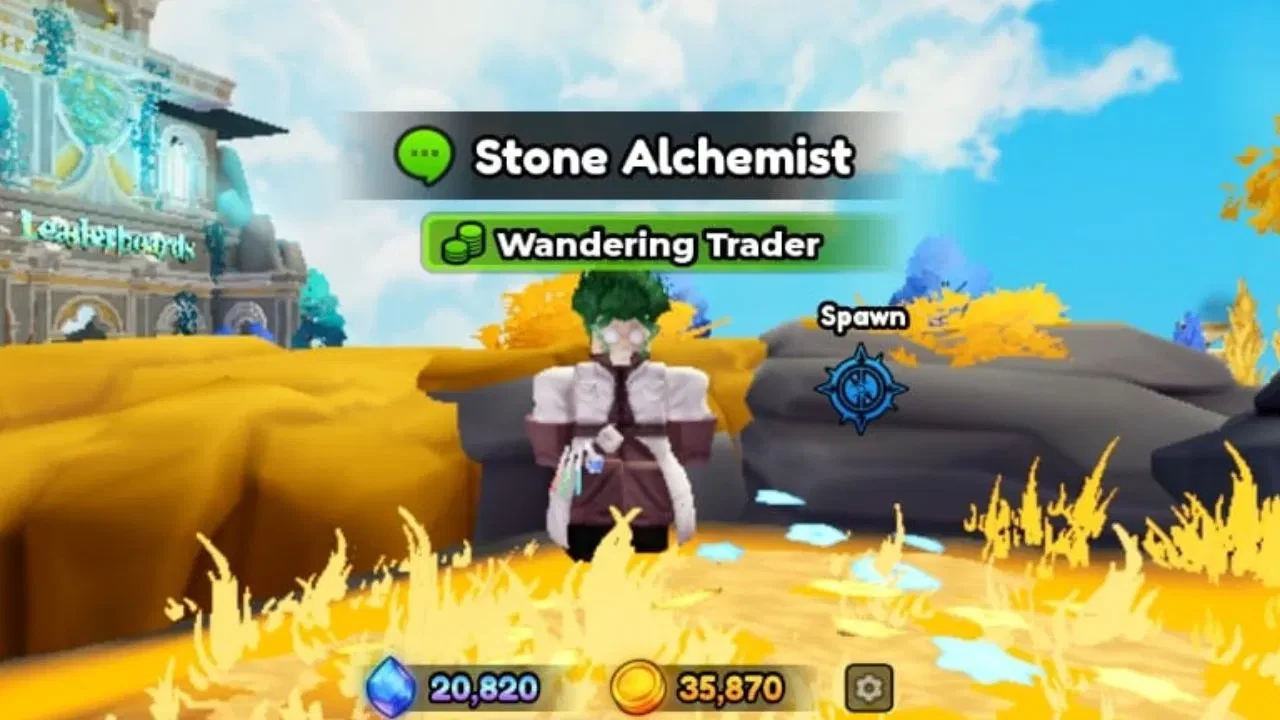
If both routes are empty, check outside Guilds, the yellow rock ledges above the lobby, and the Forbidden Teacher or Raid Shop portal. These are search tips, not an exhaustive spawn map. Lobby landmarks can move with updates, so keep your eyes open instead of trusting yesterday's perfect route.
What he sells and the Customer quests
All purchases use Gems. The shelf may include Equipment Lock, Equipment Reroll, Luck Potion, Stat Lock, Stat Reroll, and Trait Crystal. Check the live shop for the price and remaining count of anything outside the two rows with set numbers below.
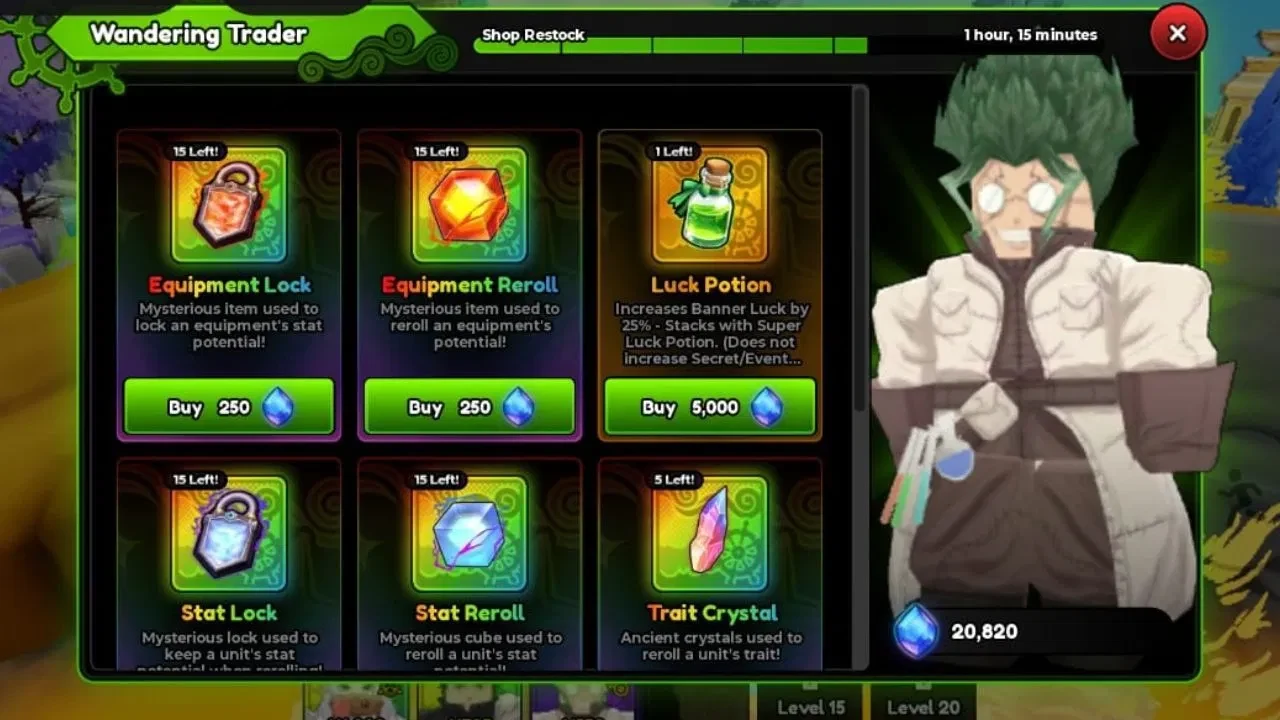
Customer quests count purchases, not one named item. Use the live panel for the current shelf, then track the milestones here:
| Entry | Cost or purchase count | Stock or reward |
|---|---|---|
| Stat Lock | 250 Gems | Up to 5 purchases per appearance |
| Stat Reroll | 250 Gems | Up to 5 purchases per appearance |
| Wandering Trader Customer 1 | 5 purchases | 20 Event Coins |
| Wandering Trader Customer 2 | 10 purchases | 40 Event Coins |
| Wandering Trader Customer 3 | 15 purchases | 60 Event Coins |
The three Customer milestones pay 120 Event Coins in total. Open the Events panel to check progress, then follow the claim prompt shown by the current UI.
Stock is capped for that appearance and does not refill while the trader is there. Check a later appearance for a new stock state. If you want to compare the two stat items before spending Gems, the Anime Expeditions stat reroll guide explains their use, while the Anime Expeditions shops collection covers the wider shop index.