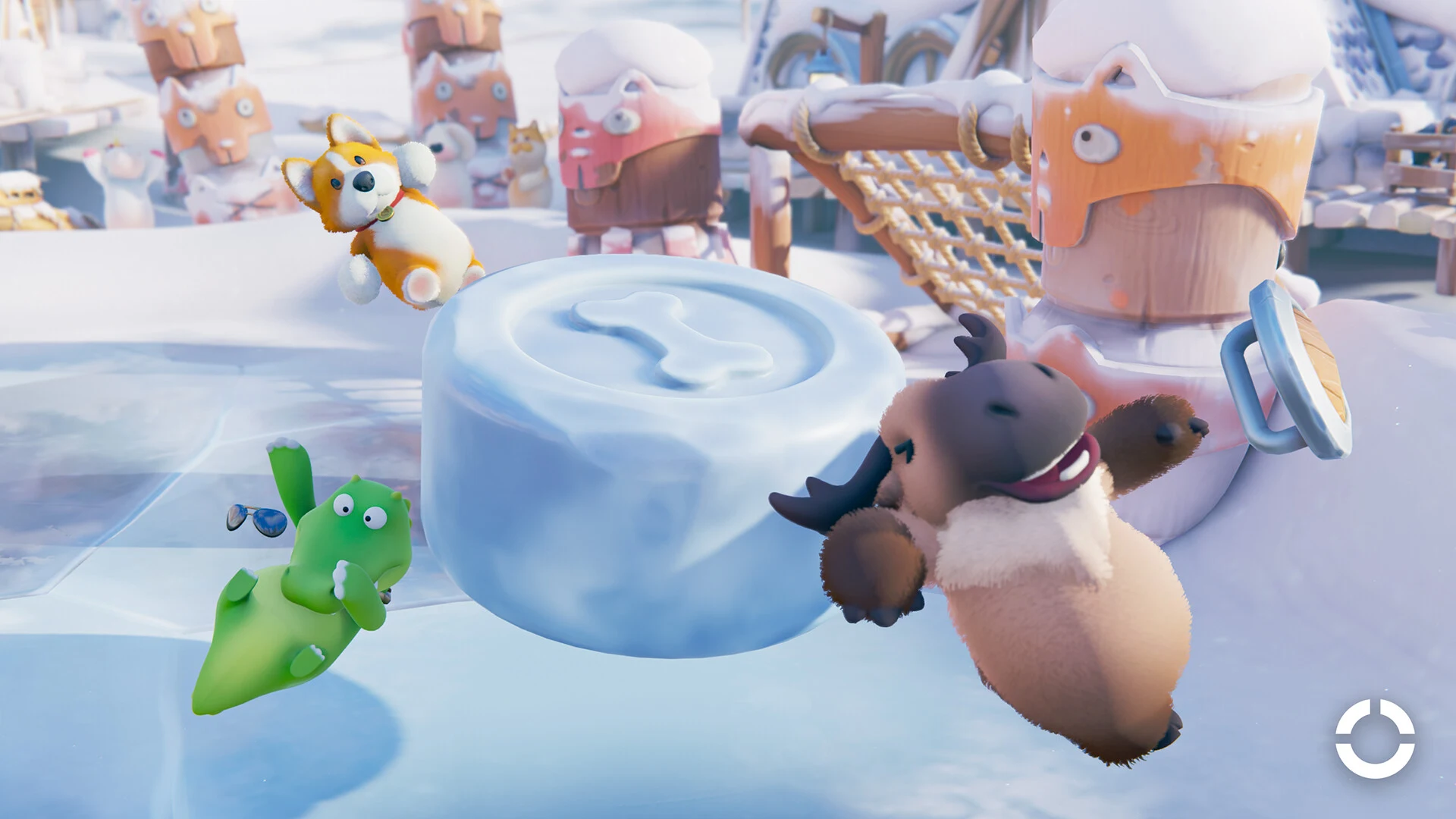
Yes. Party Animals is a multiplayer party game where players grab, toss, and knock each other around, and friends on Windows PC, Xbox, and PS5 can play together in the same matches. You add friends by their in-game ID, then team up with them in a Quick Match party or a private Custom Game lobby.
| Platform | Where to get it | Plays with |
|---|---|---|
| Windows PC | Steam | Xbox One, Xbox Series X|S, PS5 |
| Xbox One | Xbox Store | Windows PC, Xbox Series X|S, PS5 |
| Xbox Series X|S | Xbox Store | Windows PC, Xbox One, PS5 |
| PS5 | PlayStation Store | Windows PC, Xbox One, Xbox Series X|S |
Xbox also lists Xbox Cloud Gaming as a way to stream the game. The game isn't listed on Nintendo Switch, PS4, or mobile, so players on those systems aren't part of this cross-play group.
Does Party Animals Have Cross-Progression Between Platforms?
No. Cross-play lets you share matches, but it doesn't link your accounts. Unlocks and account progress stay with the platform account they were earned on, because account data isn't shared or transferable between platforms. If you play on PC and a friend plays on PS5, you each keep your own progress.
What Online Play Requires on PS5 and Xbox
Party Animals is always online, so local play with friends still needs an internet connection. On top of that, PS5 and Xbox each need a subscription for online play:
- PS5: PS Plus is required.
- Xbox: An active Game Pass subscription is required.
Check that everyone in your group has the right subscription before you plan a session. Without one, a friend can't join your online matches.
How to Add Friends in Party Animals
Friends are added by their in-game ID, so you'll need to find yours first. Your ID is shown on your profile, and you can copy it to send to a friend.
- Click or tap your avatar in the bottom menu bar to open your profile.
- Copy your in-game ID from your profile and send it to your friend.
- Open the Friend List with the button in the bottom-right corner.
- Choose Add New, then enter your friend's ID.
| Screen | Image |
|---|---|
| Your profile with your in-game ID | 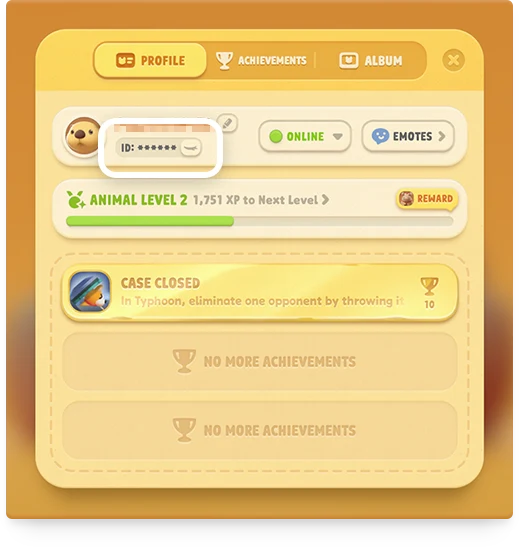 |
| Friend List with Add New | 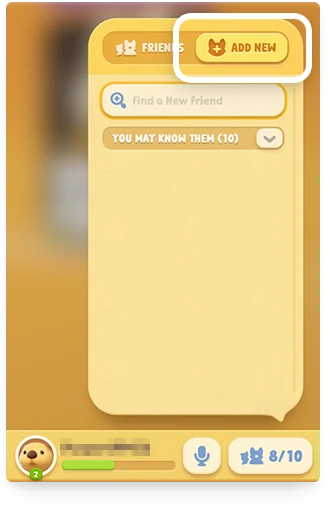 |
Your friend does the same to add you. Once you're both on each other's list, you can invite each other from there. Both of you also need to be on the same server first. The Asian and Global servers are separate, and players on one can't add players on the other as in-game friends.
How to Invite Friends to a Quick Match Party
Quick Match is the automatic matchmaking mode, where the game puts you into a match with players it finds. You can bring friends along by building a party from your in-game friend list. A party holds up to four players, which means you and up to three friends.
- Open your Friend List with the button in the bottom-right corner.
- Invite up to three friends to form your party.
- Start Quick Match, and the whole party enters matchmaking together.
Once matchmaking finishes, players get to vote on the map for the match.
How to Make a Password-Protected Custom Game Lobby
A lobby is the waiting room where players gather before a match starts. Custom Game lets you set up your own lobby with the mode, map, and rules you want, then lock it with a password.
- Choose Custom Game from the main menu.
- Click Create at the top right.
- Choose the mode and map you want to play.
- Click the lock icon at the top right and set a password.
- Invite your friends from the lobby.
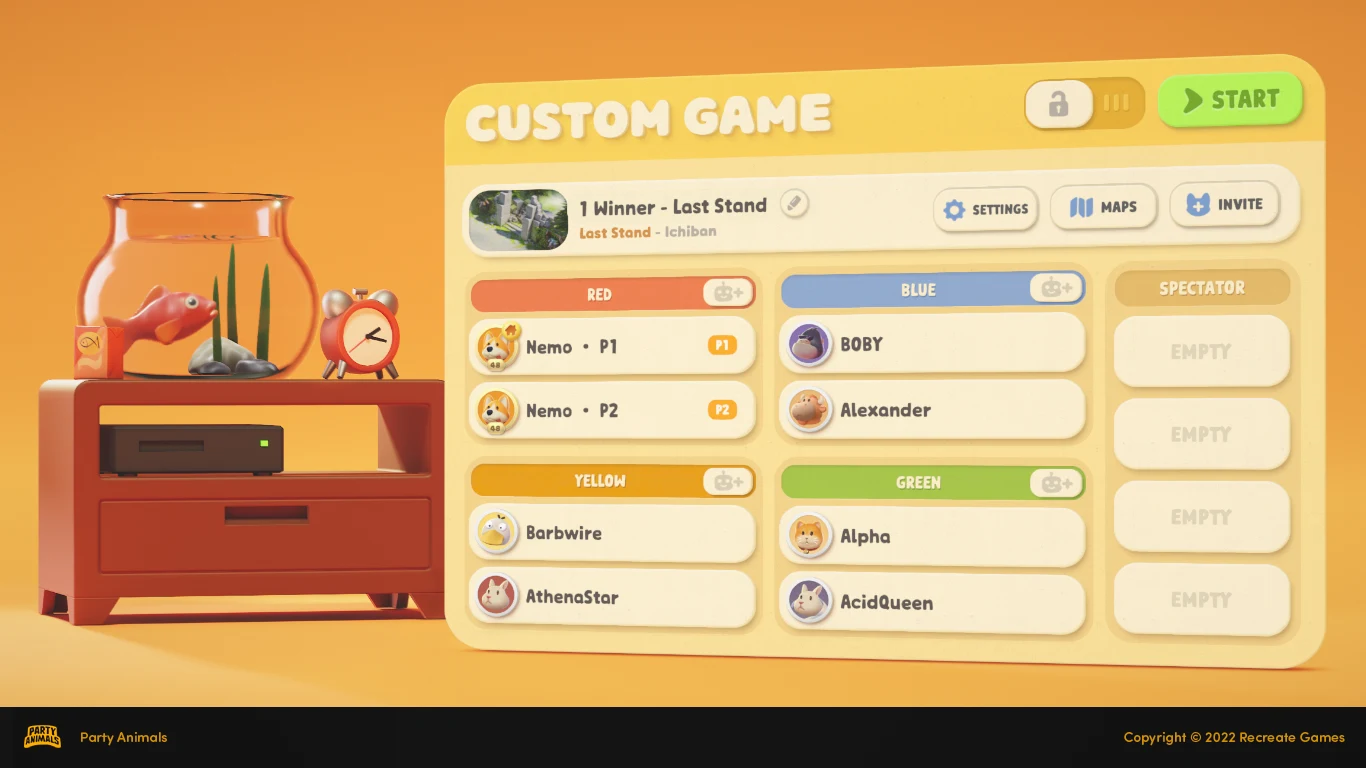
As the lobby owner, you can also set the lobby name and player count, and remove players if needed. The password is a privacy setting for your room, not an offline mode, so the match is still played online.
How Friends Join a Custom Game Lobby
Invite friends from the lobby, and they can accept the invitation to join. If a friend can't find your lobby in the lobby list, they can also join through their friend list.
Each server has its own lobby list, which is why a lobby can seem to be missing for a friend on a different server. Checking that you're both on the same server helps avoid that problem.
How Many Players Can Join a Party Animals Match
In general, online matches support up to 8 players. Winter Cabin supports up to 12 players, and Crisis can run 8-, 9-, or 12-player matches.
Other modes may have their own limits, so don't assume the 8-player number applies everywhere. When you create a Custom Game lobby, set the player count there before you invite everyone.
How to Play Party Animals on One Screen
Local play lets friends share one screen, with each extra player using their own controller. You can add a local player from the team-up screen or from a Custom Game lobby with open slots.
On PC, the new player needs a connected controller, and Player 1 can keep using a keyboard and mouse. On PlayStation or Xbox, at least two controllers need to be connected first.
- Go to the team-up screen, or open a Custom Game lobby with open slots.
- Press LB + RB on the controller for the new player. On PlayStation, press L1 + R1.
- Use that same controller to select Yes on the pop-up. It now belongs to the new local player.
- To remove a local player, press the same button combo on their controller.
Once a controller belongs to a local player, it can't navigate menus until the match starts. Player 1 handles all menu navigation with a keyboard, mouse, or controller.
A lobby can hold more players than you have local players. Online friends and bots fill the remaining slots.
Local Split-Screen Player Limits for Each Mode
How many people can share one screen depends on the mode and platform.
| Where | Mode | Local players |
|---|---|---|
| Quick Match | Classic Mode | Up to 4 |
| Quick Match | SMASH | Up to 2 |
| Quick Match | Nemo Kart | Up to 2 |
| Custom Lobby | Last Stand | Up to 4 |
| Custom Lobby | Team Score | Up to 4 |
| The Lab | SMASH | Up to 2 |
| The Lab | Nemo Kart | Up to 2 |
| The Lab | Final Destination | Up to 4 |
| The Lab | Black Sails, Winter Cabin, Crisis | Not supported |
| Console Local Mode (Xbox and PS) | Last Stand | Up to 2 |
| Console Local Mode (Xbox and PS) | Team Score | Up to 2 |
| Console Local Mode (Xbox and PS) | The Lab | Not supported |
Console Local Mode supports two players at most, due to performance limits. On Xbox One, every split-screen mode is capped at two players, and Console Local Mode there can't add extra local players at all.
A later patch added four-player split-screen to JAWS, a Last Stand map, on PS5. Newer modes and maps can have their own limits, so don't assume one for them.