Net a Fish! is a free-to-play fishing game on Roblox. To get started, throw your net to catch fish, showcase your best ones in your pool so they earn Cash every second, and spend that money on upgrades. Rebirth comes later, when you're ready for new worlds.
| Action | Control |
|---|---|
| Move | W, A, S, D |
| Jump | Spacebar |
| Interact | E |
| Cast your net (stand near water) | C, or click the THROW NET button |
How to Catch Your First Fish in Net a Fish
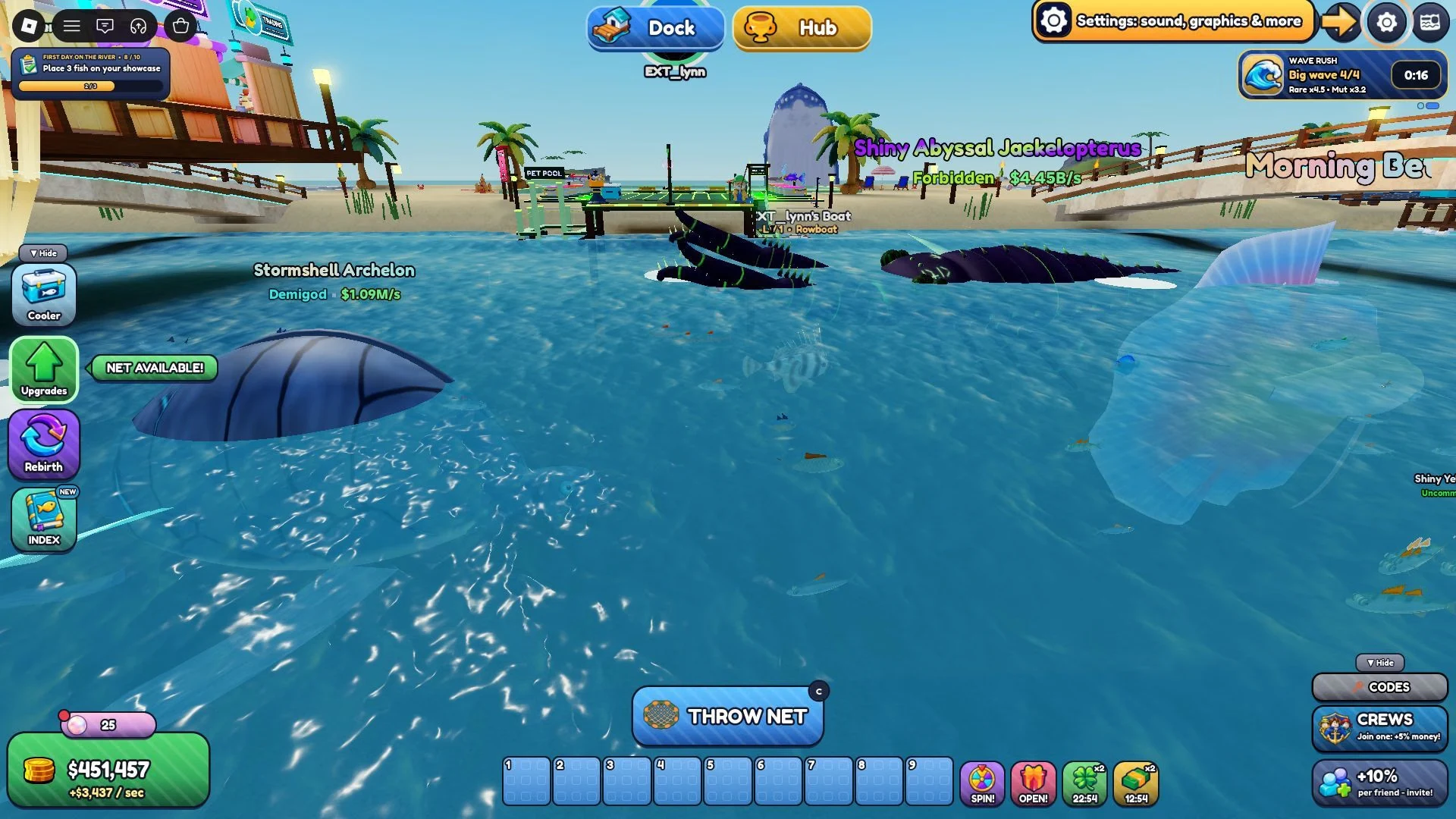
Walk to the edge of the water and cast your net. Casting only works near water, so get close to it before you try. Most of the fishing is handled automatically, and the fish you land is decided by chance, so you can't pick a specific fish on any single throw.
Keep casting early on. Every fish you catch is something you can showcase, and showcased fish are where your income comes from.
Showcase Fish in Your Pool to Earn Cash
Once you have a fish, place it in your pool. Every showcased fish earns Cash every second, so your income keeps building while you go out and catch more. Your total is shown on the counter at the bottom left of the screen.
Showcasing is the main way to make money in the game, so treat the pool as the center of your early progress. The more fish you showcase, the more your pool earns, and that Cash pays for the upgrades that come next.
How to Spend Cash on Nets, Fishing, and Market Upgrades
Your Cash goes into the Upgrades menu, which is split into three tabs. The Nets tab lets you buy additional fishing nets, the Fishing tab gives you stat boosts, and the Market tab offers passive abilities. Better gear helps you catch more valuable fish, and those fish make your pool stronger.
Some items stay locked until you reach a certain Rebirth level, so you can't buy them yet even with enough Cash. Look through the menu early on to see what's waiting for you, so you know what to aim for.
Dock Helpers: Fisherman, Fish Cooler, and Spear Gun
Your dock has helpers worth knowing about early. The Fisherman is an NPC, a character the game controls, who stays on your dock and catches duplicates of fish you already own. That gives you a steady supply of extras, and you can upgrade him with Cash to make him more efficient.
Those duplicates are what the Fish Cooler on your dock uses. Interact with it to fuse duplicate fish, and each fused fish earns Cash at a higher rate, which makes it worth more in your pool. The Fisherman helps you reach fusion more quickly, so putting some Cash into him early is a good habit.
The Spear Gun is a mounted device for catching high-tier fish. It's required to catch the rarest fish in the game, and by default it only catches fish above Common rarity. Upgrade it as soon as you can, because the rarest fish are out of reach without it.
Index Rewards and Pets From Crates
Catching fish fills your Index, and each new entry you unlock gives you a one-time reward. Those rewards include Cash and Mutation boosts, so they're a quick way to get extra resources and move a step closer to your next Rebirth. Check the Index every so often so you don't miss rewards you've already earned.
Pets are the other source of extra help. You hatch them from Ocean Crates and Abyss Crates, and they help you fish. Hatch one as soon as you have the means to do it, since each pet adds help to your fishing.
Rebirth: What It Resets and How to Prepare
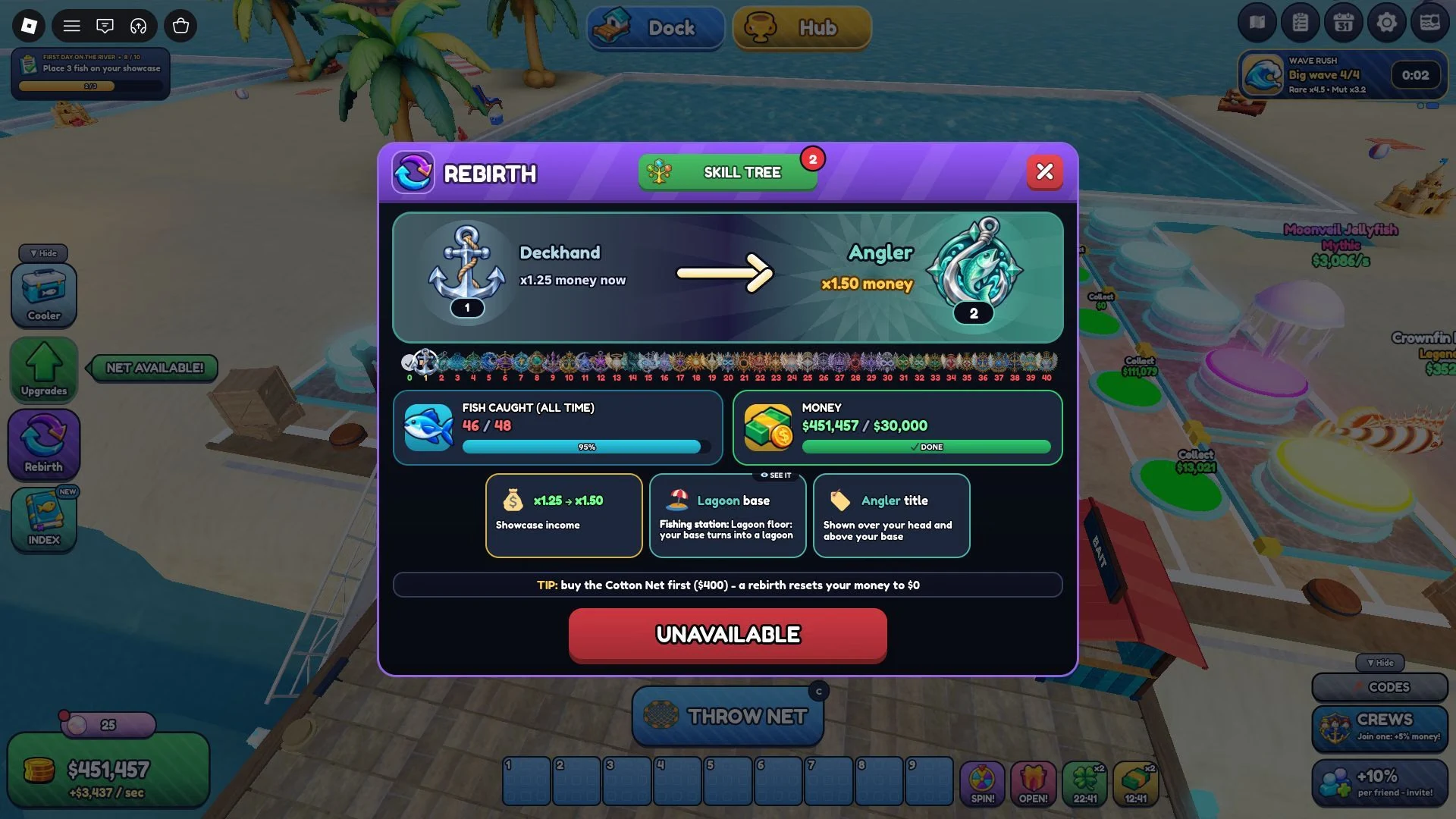
Rebirth is the reset that unlocks new worlds, and each new world offers bigger rewards than the one before. Each Rebirth also gives you three Skill Points for the Skill Tree, which has Net, Luck, Fortune, and Crew & Dock trees for passive boosts.
Each Rebirth has requirements: a set number of fish and a set amount of Cash, both shown on the Rebirth menu. Those numbers change as you progress, so read the menu when you get there instead of planning around a fixed figure.
Rebirth also resets your money to $0, and the Rebirth screen in the game warns about it. Before you go ahead, run through a few checks:
- Open the Rebirth menu and confirm the fish count and Cash amount it lists.
- Buy the Cotton Net for $400 first if you still need it, since the menu recommends it.
- Expect to build back up from $0, and start with the upgrades you want most.