Clans in Search for the Needle are easiest to understand as a menu-to-reward loop. You create or join a Clan, open Quests, earn Tokens, and work toward Clan Chests. This guide explains what each Clan tab does, how the reported creation and join routes work, and what the dated reward reports actually support.
The details below come from September 21-22, 2026 panel reports. Roblox's current event listing no longer includes CLANS, so use the live Clan and Chest panels as the final word if your build shows different costs, tabs, or rewards.
What Clans are in Search for the Needle
Open the Clan menu from the lobby HUD. The menu groups the system into these areas:
| Tab | What to expect |
|---|---|
| Clan | Create a Clan, view your Clan, or check invitations. |
| Quests | Find the reported daily Clan Quests that award Tokens. |
| Chest | Check the Clan Chest reward panel and its current rows. |
| Top Clans | Browse open Clan listings and each listing's own join requirements. |
| Chat | Use Clan-only chat after you become a member or owner. |
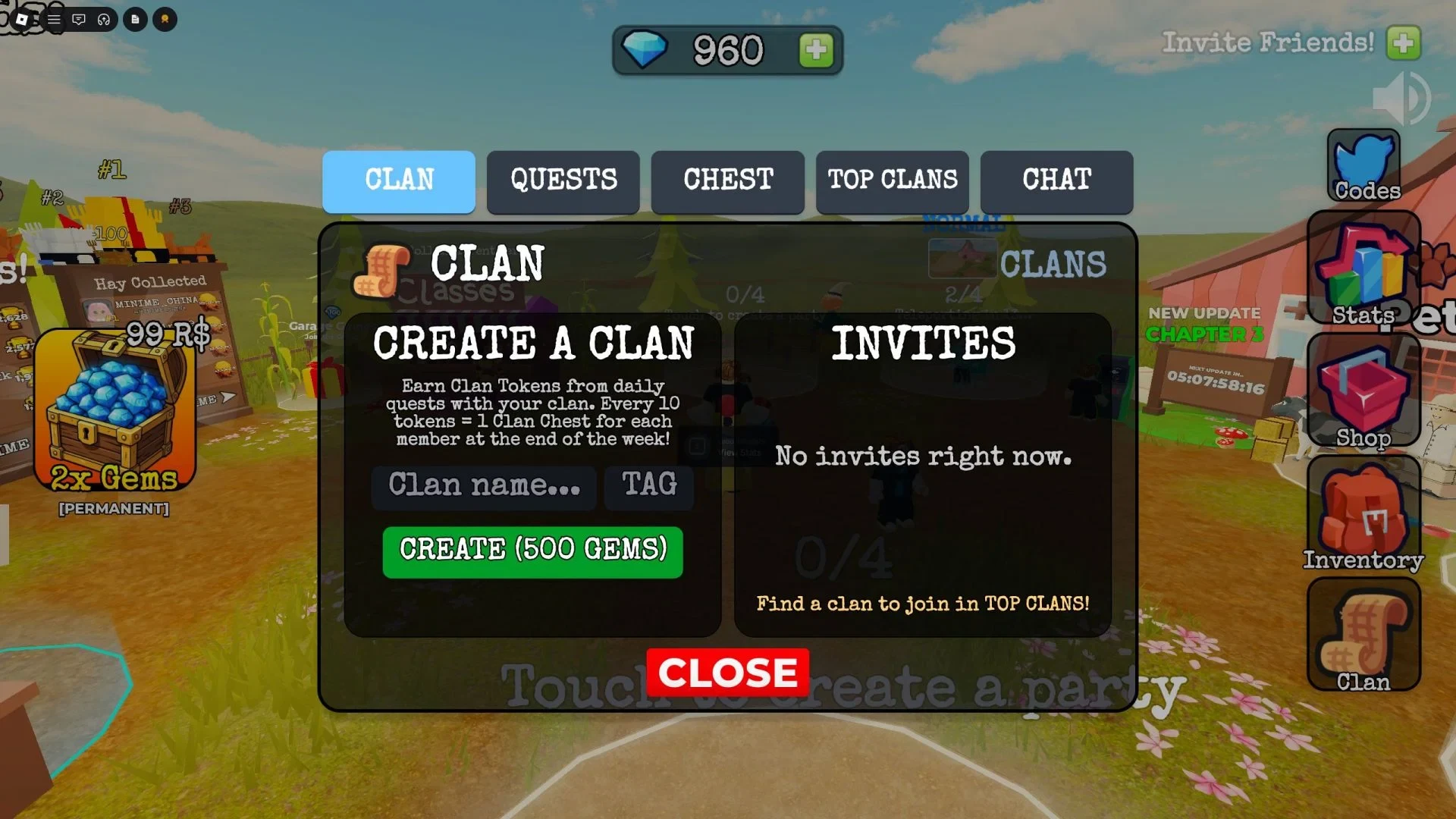
The Clan tab is where you start a group or handle an invitation. Quests and Chest are the progress and reward parts of the menu, while Top Clans is the place to look for an existing group. Together, the tabs show where to set up a Clan, find one to join, track Tokens, and check rewards.
How to create or join a Clan in Search for the Needle
You have two practical ways into the system. You can pay the reported creation cost and manage your own Clan, or you can find an open group or accept an invitation.
Create a Clan
The reported creation flow is:
- Open the Clan menu from the lobby HUD.
- Enter a Clan name and a Clan tag.
- Check the price shown by the live panel before using the create control. The dated reports put the cost at 500 Gems.
- Choose whether players can send join requests or whether the Clan is invite-only, then press Create to finish.
The 500-Gem price comes from the dated panel reports, so confirm it in your own menu before spending Gems. Because the event record is dated, this cost may change.
Join an existing Clan
Open Top Clans and look for a group with an available slot. A Clan can also appear in your Clan tab after its owner sends you an invitation. Read the requirement on the individual listing before trying to join, because a Clan may set its own win requirement. One listing's requirement should not be treated as a game-wide rule.
How Clan Quests and Tokens lead to weekly Chests
After joining, open the Quests tab. Daily Clan Quests award Clan Tokens, but the full quest rotation and the Token amount for each task are not specified.
The reported threshold is one Clan Chest for each member at the end of the week for every 10 Tokens earned. The available details do not give a weekly cap, so check the live Quests tab for the tasks and progress that your Clan currently has.
What a Clan Chest can contain in Search for the Needle
Two dated panel transcriptions agree on the Gem ranges and the Viking Hat row below. They also name three Clan tools, but the exact tool odds conflict. Treat these as reported panel values, not a complete or permanent drop table.
| Reward | Dated panel detail |
|---|---|
| 50-75 Gems | 65% in both transcriptions. |
| 100-225 Gems | 27.3% in both transcriptions. |
| Viking Hat | 2.7% in both transcriptions. |
| Clan Pitchfork | Named in both reports; their exact odds conflict. |
| Clan Dynamite | Named in both reports; their exact odds conflict. |
| Clan Vacuum | Named in both reports; their exact odds conflict. |
There is no safe single percentage to quote for the three Clan tools. One dated list also names a Spartan Hat, but another omits it, so it is not a confirmed current reward. Do not treat it as the rarest drop or assume that one older list is still in the live game. Open the current Chest tab before planning around any reward.
Clan Chests are separate from Alien Chests. If you are checking the other reward system, use the Search for the Needle Alien Coins guide instead of applying its items or odds to the Clan menu.
What changes after joining a Clan
The Chat tab is reported to become usable for a Clan member or owner. Before you join, it may be visible but unavailable. After joining, it gives members a way to talk with their Clan rather than using the menu only to browse listings and rewards.
If you plan to create a Clan, check the live creation price and access settings before confirming. If you plan to join one, read its own listing requirement. Once you are in, use the live Quests and Chest panels as your guide, especially while the dated reward reports and the current event listing do not line up perfectly.