The fastest way to grow cash in Supermarket Together is to price stock just under the point where customers walk away, keep the shelves that sell stocked, and move shoppers through checkout without long lines. Spend on new stock, staff and expansions only once your cash can cover the bills that come with them. Supermarket Together is a free-to-play PC store simulator where you stock the shelves, run the registers and pay your own invoices.
| Money move | What it does | What it needs |
|---|---|---|
| Price stock near the customer limit | Earns more per sale without losing buyers | Checking the "too expensive" count in the Manager's Blackboard statistics |
| Reprice when market prices change on Thursdays | Keeps your margins matched to the new prices | Checking each product's market price on the scanner |
| Keep fast-selling shelves full | Turns shelf space into sales | Enough shelf space and cash for restocking |
| Hire a cashier first | Stops lines from pushing customers out | One employee assigned to checkout |
| Marketing Courses I | Gives employee-run checkouts a money bonus | Hygiene I unlocked on the Franchise Board |
| Wifi Connection and Air Conditioning | Bring in more customers each day | Staff and checkouts that can handle the crowd |
| Recycling Courses | Earns more from empty boxes | Unlocked on the Franchise Board |
| The Big One layout | Adds extra customers from day one | Logistics Desk transfers need a Classic and a Plaza store |
Price Stock Just Under the Customer Limit
Customers won't pay more than about double the market price, minus around 10 cents. Go past that point and the item stays on the shelf while the customer leaves without it. Price too low and you give up margin on every sale, so the goal is to sit as close to the limit as you safely can.
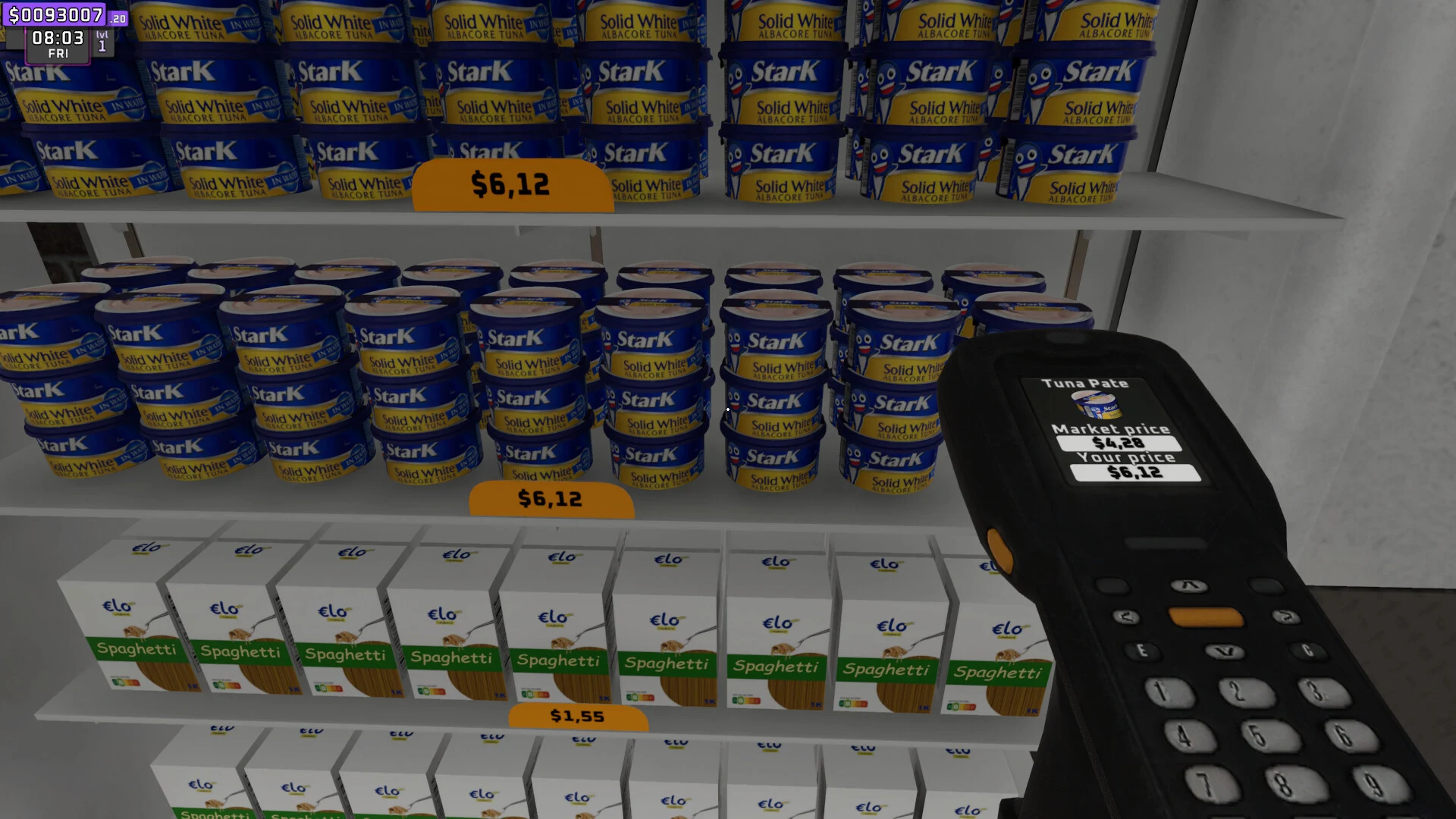
Start at about 195 percent of the market price, which stays within the limit for anything that costs $2 or more. Cheaper items need the sum instead: double the market price, minus 10 cents, and stay under that figure. Move toward 199 percent only when the statistics show customers aren't pushing back, since the exact cut-off can shift with rounding and game updates.
The check happens on the statistics tab of the Manager's Blackboard, which counts products customers found too expensive. If that count keeps climbing for an item, lower its price a little. If it stays quiet, you can test a few cents higher.
How Market Prices Change on Thursdays and When to Reprice
Market prices change on Thursdays, so a price that worked last week can be off this week. Check the scanner for each product before you open on Thursday, and reset your sale prices to match. Don't rely on a number you remember, because the change doesn't always move every item by the same amount or all at once.
The timing is worth planning around. Order restock before you close on Wednesday so the shelves are full when the new week begins, then reprice once the new market prices appear. Repricing item by item takes a while, so the Central Pricing Machine can help by applying prices to many items at once. The MART OS 2.0 perk adds automated pricing, and it's worth working toward on the Franchise Board.
Stock the Shelves That Sell Before Buying New Licenses
Every new product needs a license, shelf space and cash for its first batch. A license you can't display or afford leaves boxes stuck in the back and nothing on the floor to sell. Before you buy one, make sure the matching shelf, fridge or freezer has room, and keep at least $1,000 aside for the opening stock.
Once the shelves are set, use the statistics to decide where extra space goes. The same tab also lists products customers couldn't find, which points to a gap you could fill with something that sells. A product marked too expensive usually needs a price change more than extra stock.
Profit per shelf comes down to two numbers. Each sale earns the difference between your price and the market price, and a shelf only earns as fast as its products sell. To compare products in your own store:
- Work out the profit per unit: your sale price minus the market price.
- Check how many units each product sells in a day using the sales data.
- Multiply the two numbers, then give the most space and stock to the products at the top.
A pricier item earns more on each sale, but it only pays off if it sells, and the best sellers change from one store to the next. Trust your own sales numbers over any fixed list. Deep freezers hold more stock than standing freezers, while standing ones make low stock easier to spot, so choose based on how you like to manage restocking rather than expected profit.
Hire a Cashier First to Keep Checkout Lines Short
Checkout is where stock turns into cash, so a slow line costs you sales. Once a line grows past about five people, shoppers start giving up, and customers who get tired of waiting can turn into thieves. A cashier is the first hire for that reason.
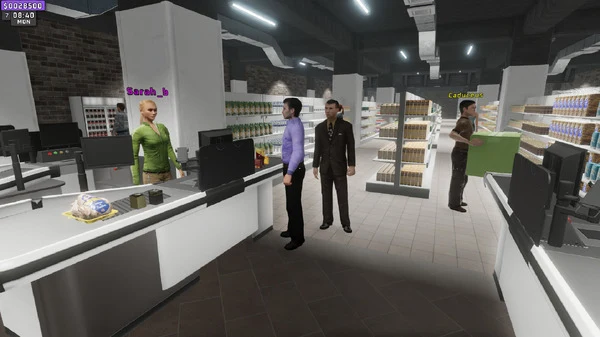
When you're starting out, hire roles in this order of importance: cashier, security, restocker, technician, packaging, manufacturing, then storage. Security stands outside, chases thieves and recovers dropped items, and a restocker keeps fast-moving shelves from running empty. Storage comes last because any employee can do it, and it only happens at night before closing.
Marketing Courses I is worth the wait once someone is working the till. It comes after Hygiene I on the Franchise Board and gives employees 10 percent more money from checkouts, so the bonus only helps when a cashier is there to earn it.
Give exact change. Handing back more than you owe is money you give away, and the red button, which skips the manual change step, costs 20 percent of the bill.
Add Franchise Perks That Bring In Customers and Cash
Perks are unlocked with Franchise Points, which your store earns from the money it takes in. A simple early path looks like this:
- Basic Product I
- Wifi Connection
- The first employee perk
- Basic Product II, III and IV
Wifi comes early on this path, so watch your checkout lines once it's unlocked. Air Conditioning also brings in more shoppers and is worth adding once your staff and checkouts can handle the extra crowd. Extra shoppers only add sales when they get served, so these perks pay off only when your lines can keep up.
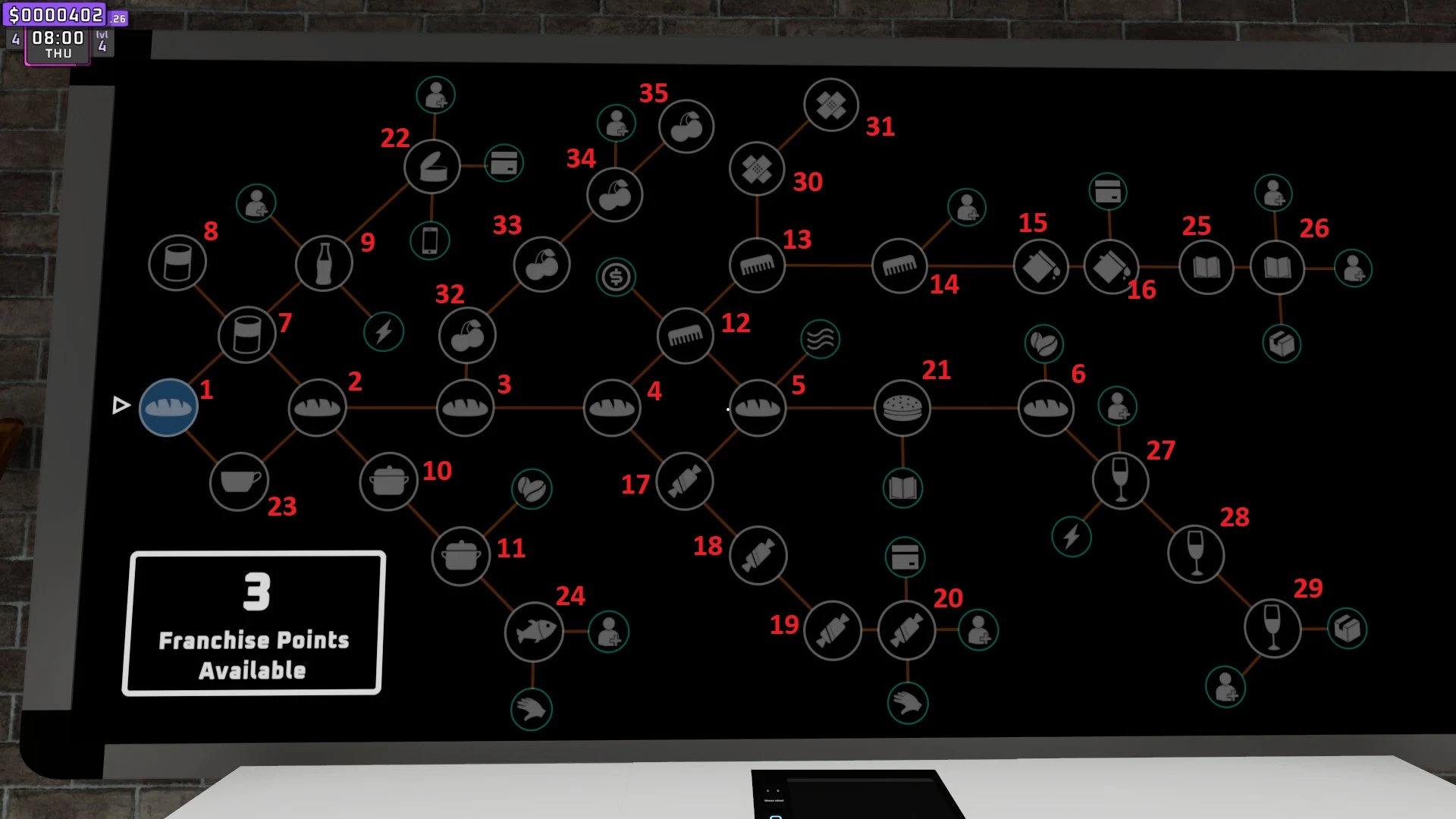
Recycling Courses raise box recycling income fourfold, from $1.50 to $6 per box. That's useful extra cash from the empty boxes your restockers already handle, but it's side income rather than a replacement for product sales.
Use The Big One Layout for a Quick Start in Supermarket Together
The Big One is about twice the size of the other layouts. It skips the tutorial, starts you with 5 Franchise Points, and adds extra customers from the first day, with that number rising to as many as 80 more on a later day.
Those points and shoppers are only a head start if you plan for them. Spend the starting points on perks that help you serve more people, and add stock and checkout space as the crowd grows. A large store with empty shelves and long lines wastes the extra traffic.
If you already own a Classic store and a Plaza store, the Logistics Desk in the devices tab can move up to $2,000 a day into The Big One. Without both store types, that transfer isn't available, so the layout starts without that boost.
Keep Enough Cash for Invoices Before You Expand
Cash on hand isn't the same as profit. The invoices tab on the Manager's Blackboard tracks wages, rent and utilities, and those bills come out of what your store earns. Every hire adds a wage, so a new employee only pays off when the sales they help with cover it.
Hold off on big spending until your daily sales cover the bills with room to spare. Bigger projects like the online and manufacturing departments cost far more than a few shelves, so budget for the purchase itself, your invoices and a full restock before you commit.