Moving gives you +1 Speed, then web shooters help you cross the escape route in +1 Web Swing Escape. Open the Roblox experience by 0 ccu Grappling Games, read the live prompt for your device, and learn the safe route before chasing races or leaderboards.
Start by building Speed and learning the swing loop
After the game loads, follow the opening prompt and keep moving. Movement feeds your Speed progression, so the first few minutes are for learning the route as much as reaching the next platform. Use the control prompt shown in your current game instead of copying a fixed PC input to mobile or console.
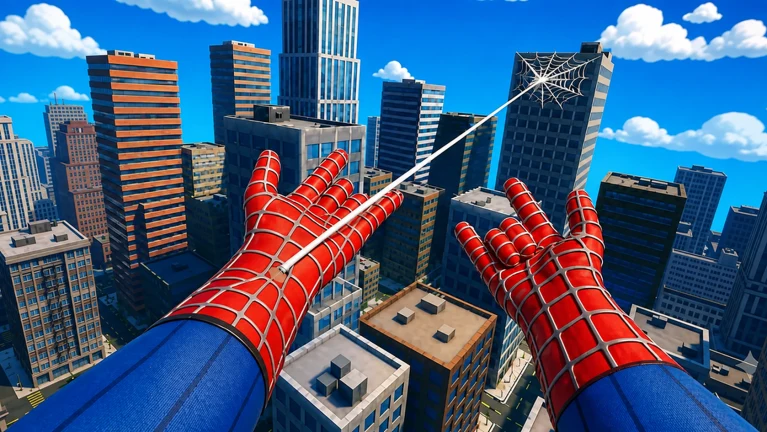
Before each swing, look at the next safe surface. Aim for a reachable attachment point, use the web-shooter input shown on screen, watch your arc, and finish on a wide platform. The useful rhythm is aim, swing, land. A wide landing beats a brave miss.
The game warns that one wrong move can send you back to the start. If that happens, change the next aim point or landing instead of repeating the same attempt. Being sent back is a route setback, not proof that your account progress was erased.
Turn early progress into useful unlocks and races
Keep training Speed and check the unlock prompts as they appear. Suit unlocks and extra web shooters are part of the advertised progression, but you should follow the current names, effects, and requirements shown in your server rather than rely on a copied number.
Practise the route before joining a race. Races with other players and server leaderboards become more useful once you can land consistently. A shortcut that ends at the start is still a shortcut, technically.
If the prompt appears, liking the experience and joining 0 ccu Grappling Games are optional checks for its listed rewards. Read the prompt before expecting a specific item or amount.
If you already have a code, open Shop, scroll to the code field, enter the string exactly, and confirm. Check the result shown in the game because code availability and rewards can change.