The Blurple 8-Bit Wings are easy to miss because they are not part of the normal The Hunt: Roblox 20 hub reward track. This back accessory comes from a separate Roblox Discord Quest: accept the promotion in Discord, play the official Hunt experience for 15 minutes, claim the resulting redemption code, and enter it on Roblox.
The Discord promotion is the short-lived part of the event and is listed through September 19, 2026. The wider Hunt event lasts longer, but its September 28 end date does not extend this Discord reward. Here is the complete route and the checks to make if the Quest or its progress does not appear.
Blurple 8-Bit Wings Discord Quest Requirements
Have these ready before you start:
- An eligible Discord account that can see the Roblox Quest. Discord says Quest availability can vary by region.
- The Discord desktop app, signed in while you play. The timed Play Quest uses the desktop app to track your session.
- Access to the official The Hunt: Roblox 20 experience by Roblox Presents.
- About 15 minutes to play the experience and time to claim the reward before the Discord promotion disappears.
You do not need to search the Hunt hub for a special year objective or complete the normal event reward track for this item. The mobile availability of the wider Roblox event also does not remove the desktop Discord requirement for this timed Quest.
How to Accept the Blurple 8-Bit Wings Quest in Discord
- Open the Discord desktop app and sign in.
- Select Discover, then open Quests.
- Find the Roblox promotion named Claim Blurple 8-Bit Wings or the card referencing The Hunt: Roblox 20.
- Select Accept Quest.
After you accept it, open the Quest card again so you can see its objective and progress. The card is the place to confirm that Discord has started tracking the promotion.
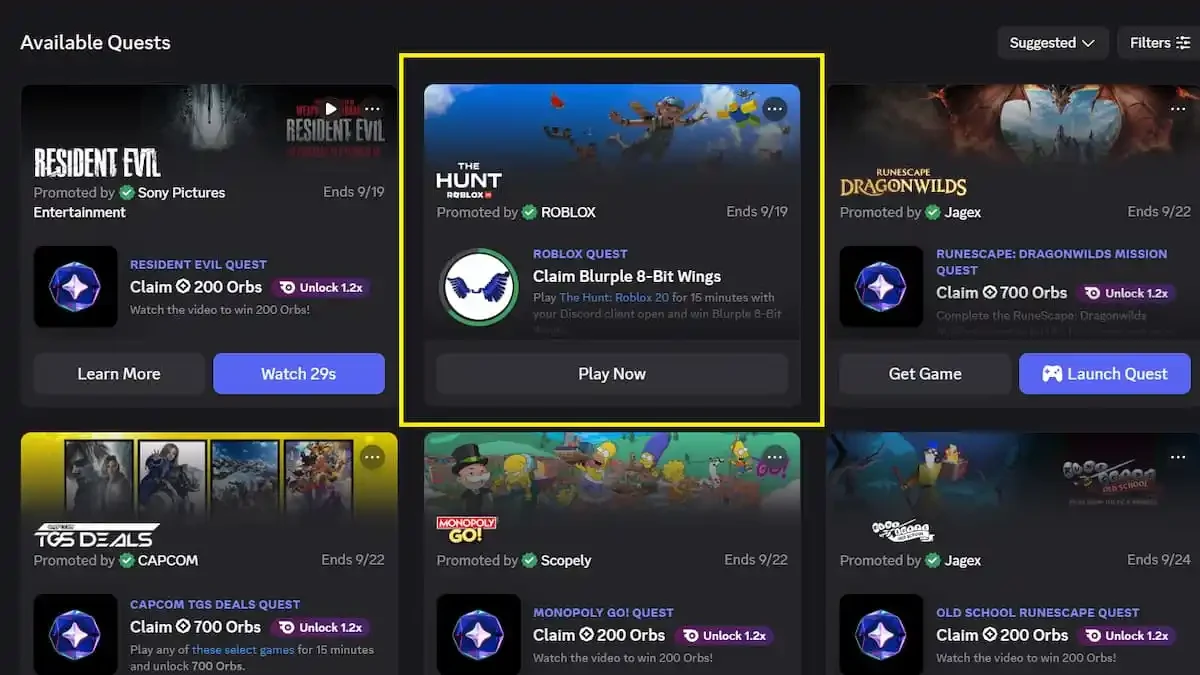
How to Complete the 15-Minute Roblox 20 Quest
With the Quest accepted, launch the official The Hunt: Roblox 20 experience. Keep the Discord desktop app open and signed in while you join Roblox, then play the experience for 15 minutes.
The Quest route has one timed objective: play the experience for 15 minutes. Watch the Quest page's timer or progress indicator so you know when the requirement has registered. Once the objective is marked complete, return to the Quest card in Discord rather than waiting for the main Hunt event page to award the accessory.
How to Claim and Redeem Blurple 8-Bit Wings
When Discord shows that the play requirement is complete:
- Return to the completed Roblox Quest in Discord.
- Select Claim Reward.
- Copy the redemption code Discord gives you.
- Open the official Roblox redemption page, sign in to the Roblox account where you want the item, and enter the code.
- After the redemption succeeds, check your avatar inventory under back accessories for Blurple 8-Bit Wings.
The Discord button supplies a redemption code for the partnered Roblox reward. It is not a permanent public code that can be copied from this guide, so claim your own code from the completed Quest.
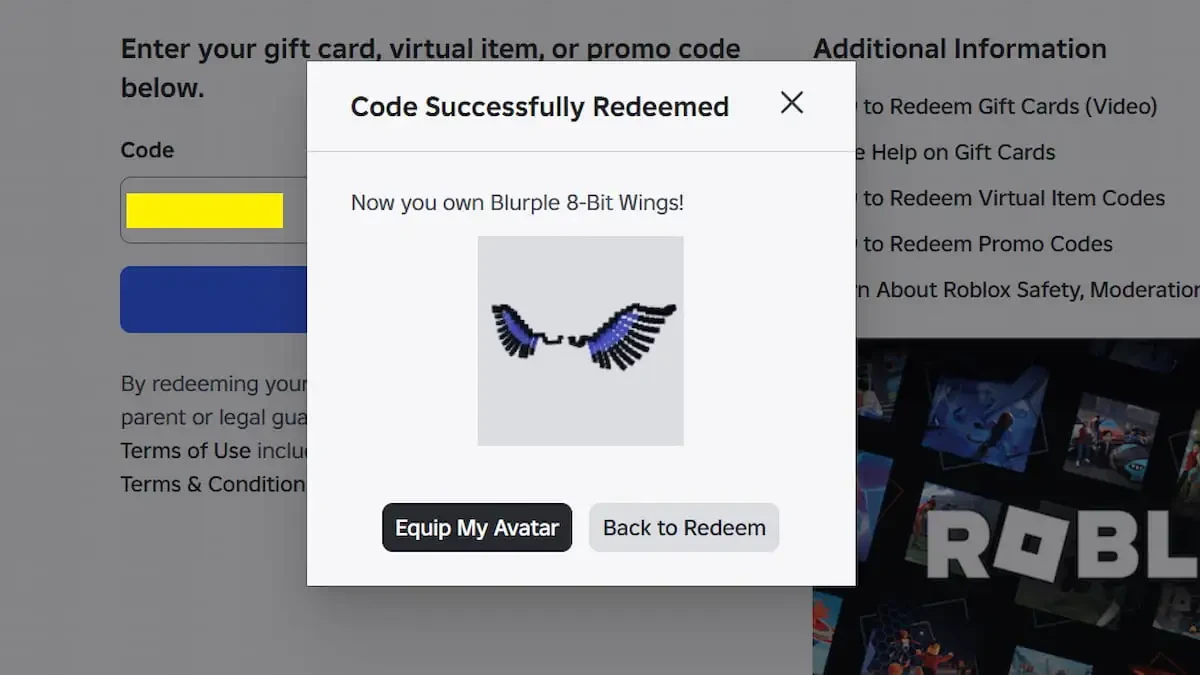
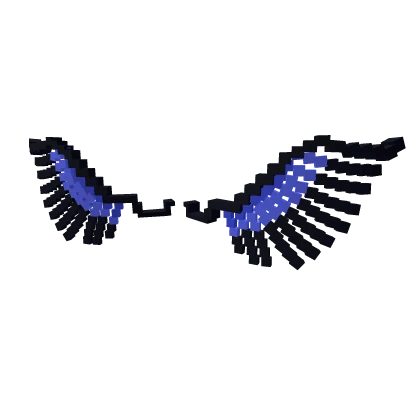
Blurple 8-Bit Wings Quest Troubleshooting
The Blurple 8-Bit Wings Quest is missing
Search from the Discord desktop app under Discover and Quests, and check that you are looking for the Roblox promotion rather than a normal Hunt hub reward. If the card still is not available, the promotion may not be offered in your region or may have ended. Discord's Quest availability rules do not guarantee that every account can access every promotion. If it is unavailable in your region, the regular Hunt event page will not provide this separate reward.
Discord is not showing play progress
Make sure you accepted the Quest and are signed in to the Discord desktop app while The Hunt: Roblox 20 is running. Discord notes that progress for some game-action Quests can be delayed; if the timer stays stale after the 15-minute session, restart or update Discord, reopen the Quest card, and check again.
I claimed the Quest but cannot find the wings
Claiming the Quest and redeeming the code are two separate steps. First return to the completed Quest and select Claim Reward. Then enter that code at the official Roblox redemption page and check the account's back accessories. If the September 19 promotion is no longer visible, the general Hunt event page does not replace the Discord Quest code.
Complete the Discord step while the promotion is available, then redeem the code promptly. The September 28 Hunt event deadline is for the wider event, not an extension of the Blurple 8-Bit Wings Discord Quest.