Dungeon Lootr rewards a clear first-session order: prepare a class, enter a randomly generated dungeon, clear its rooms, collect drops, defeat the boss, and extract. The ClickBytes experience has 30+ classes, stat builds, Boss Rush, and Challenge Dungeon, but your first target is one run you can repeat without losing track of the next action.
Choose the Roblox experience named Dungeon Lootr by ClickBytes before joining. Comparing what you bring back with what you already own is a useful dungeon RPG habit, much like the beginner progression in Dungeon Quest Reborn.
Set up a class you can actually use in the lobby
Start in the lobby and prepare these basics before entering a dungeon:
- Choose the correct experience. Search for Dungeon Lootr and check that ClickBytes is the creator. Roblox search can show similarly named experiences, so check this before you spend time in the wrong lobby.
- Open Classes. Use the Classes menu and spin to obtain a class. Equip one, then read its current info panel. A class changes your moveset, so check its attacks, skills, and defensive options before you enter.
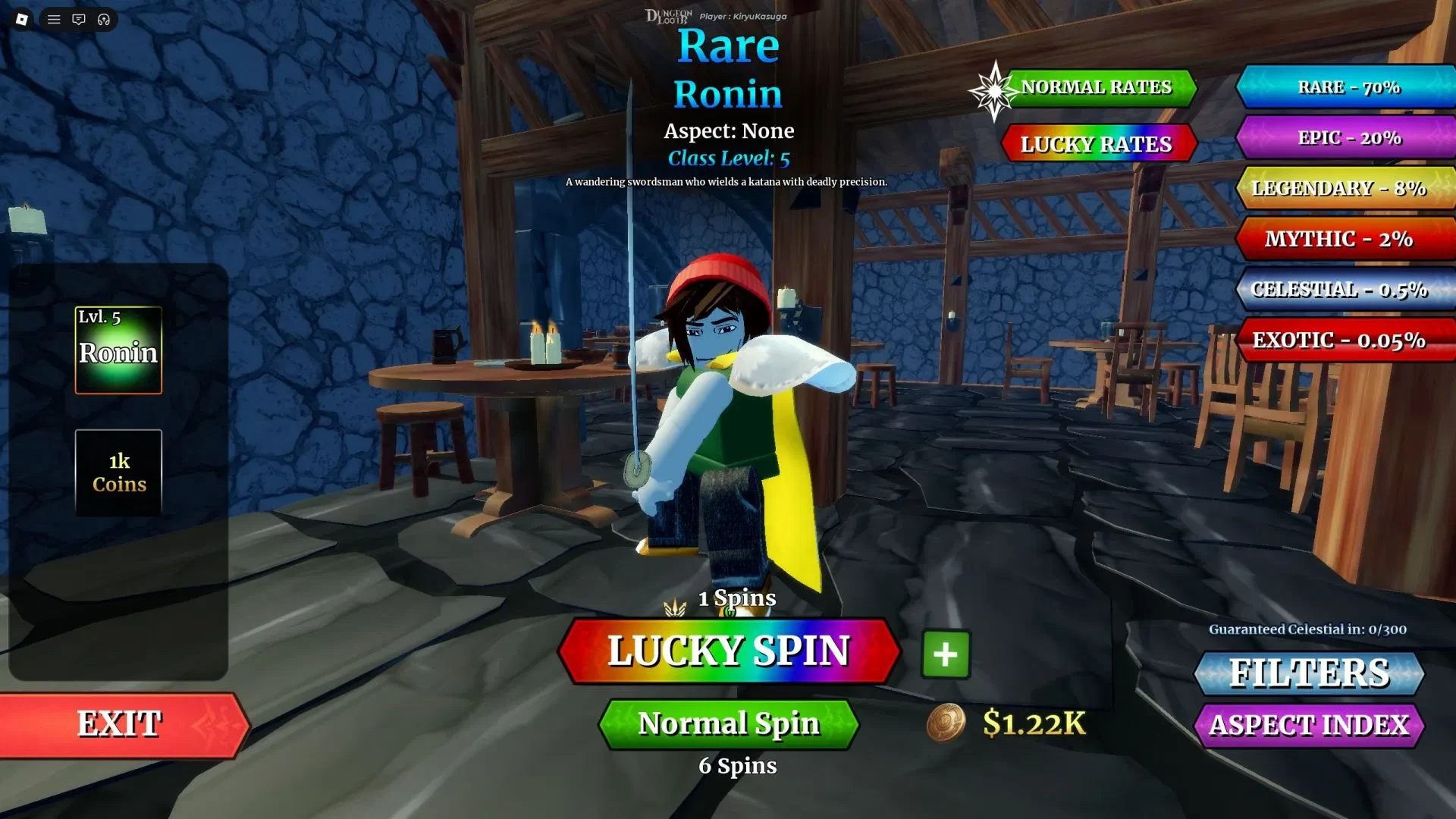
- Choose a kit you can read. If you have a choice, pick the class whose attack range, skill timing, and defensive action make sense to you. There is no single beginner class that removes the need to learn the room and boss patterns.
- Use the Training Area. If it is available in the lobby, try each skill on a target. Check the numbered hotbar slots and learn the current prompts for evade, block, or parry. Trust the labels on your screen if a control differs after an update.
- Check Inventory. If the current build shows a starter reward, inspect it before spending Coins or materials. Equip it only when it fits the class you plan to use.
Clear rooms, take the loot, and extract
Enter the first accessible dungeon and treat every room as a short loop. The layout is random, so follow the visible objectives instead of trying to memorise a route.
- Clear the current room. Use basic attacks on enemies and trigger the skills shown on your hotbar. Watch the enemy counter or clear feedback, then move on when the area is finished.
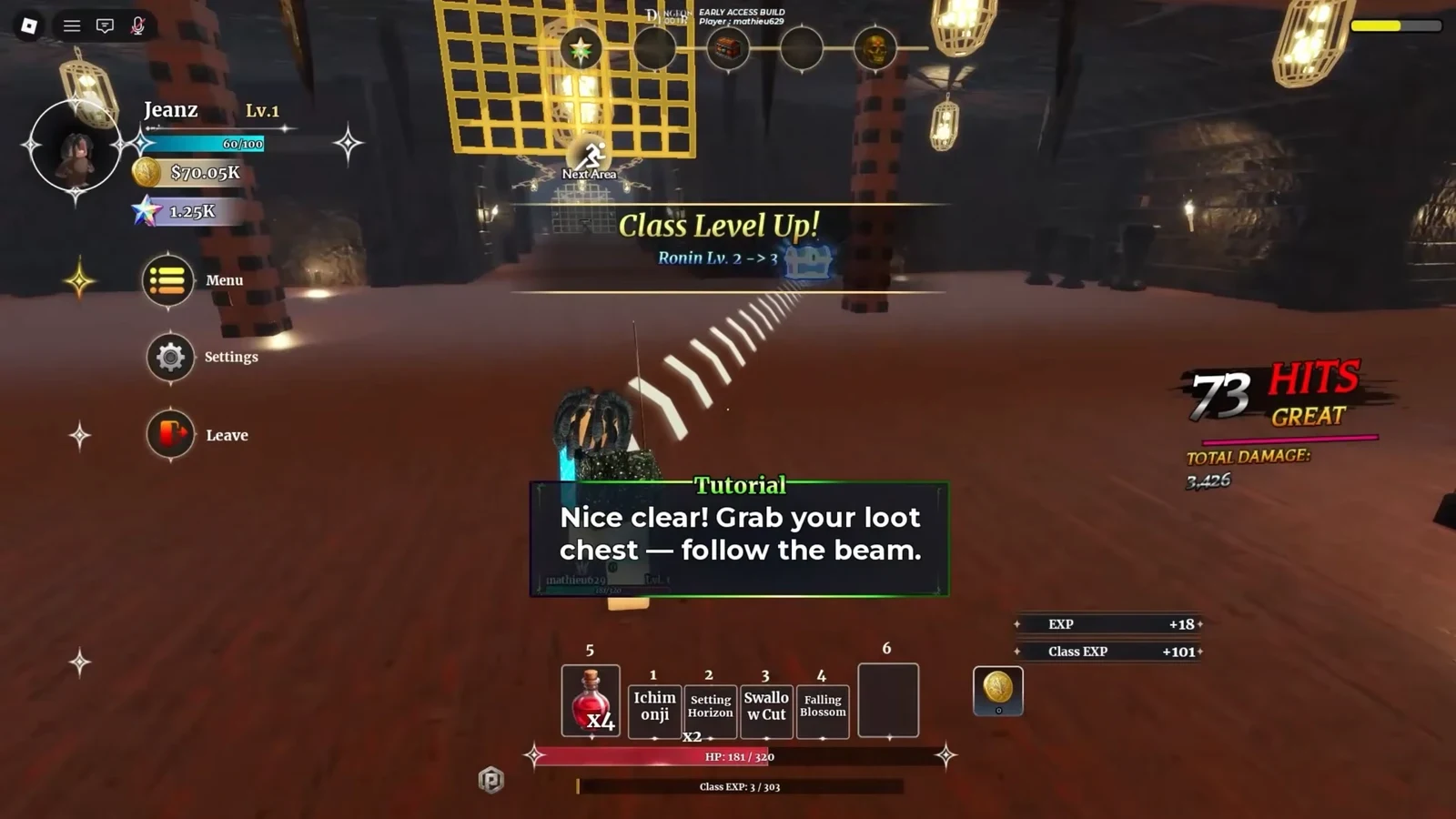
- Follow the loot signal. After a clear, follow the glowing beam when the tutorial prompt points to a chest. Open chests and collect visible enemy drops before leaving. The beam is the dungeon's tiny arrow, so it is worth following before you wander into the next fight.
- Refill your potions. Use a potion-refill cauldron when you need to restore available potions. Treat the refill as preparation for the next fight, not as a reason to ignore damage.
- Read the zone-clear screen. A cleared area can show the enemy counter at zero and list rewards such as Iron Ore and Coins before the next section. Use that feedback to confirm that you collected the room's rewards and are ready to follow the boss route.
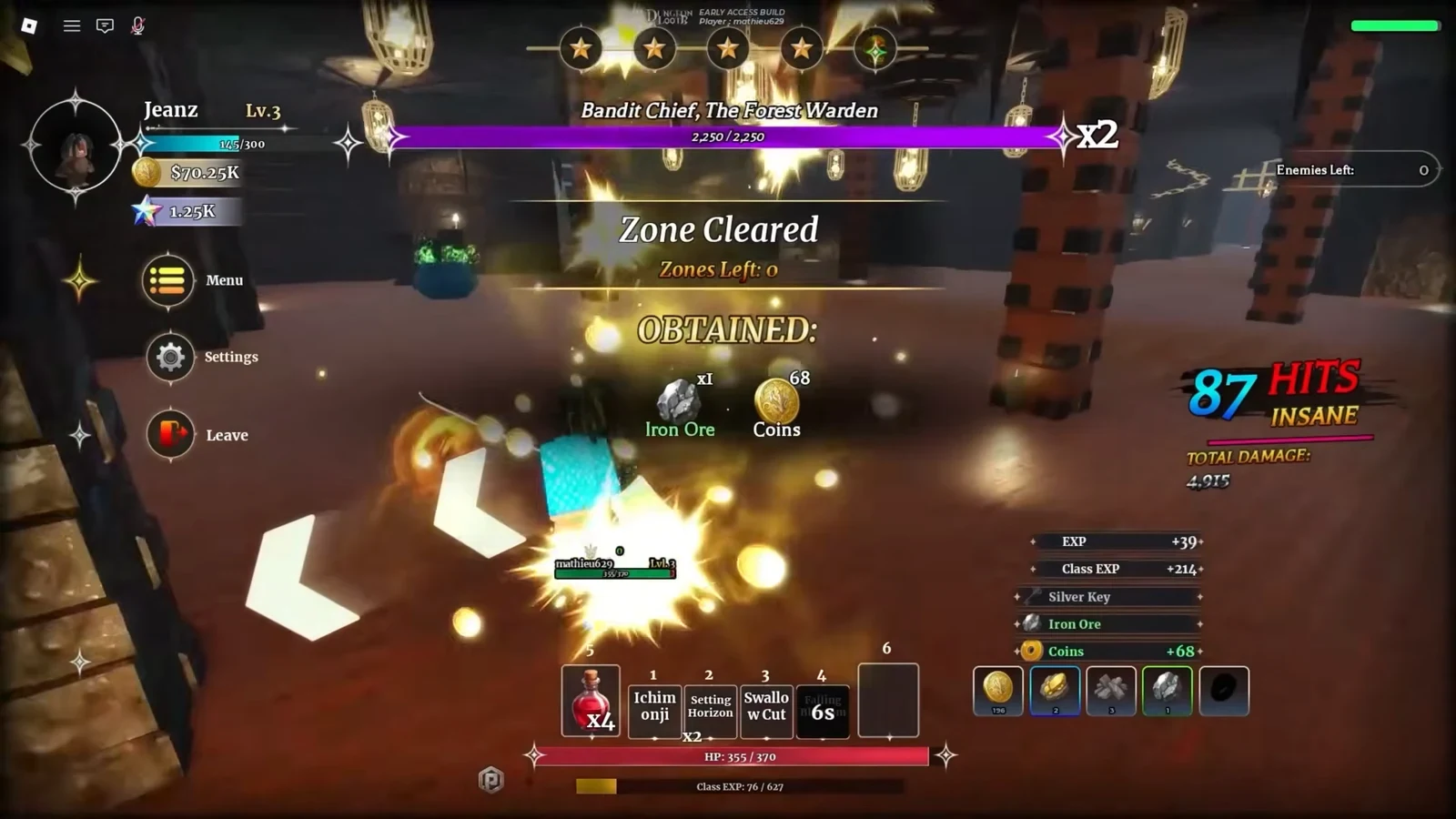
- Reach the boss with recovery left. Watch the boss's attack signals and use your class skills when the current opening allows it. Keep a potion or defensive option available instead of spending every recovery tool on the first exchange.
- Take the reward and extract. Choose the reward option or options shown by the current screen, then follow the extraction prompt. Loot is unsecured until a successful extraction returns you to the lobby. If the run ends early, treat anything you have not extracted as at risk.
Forge the next run before you push harder
Pause in the lobby after a successful extraction and turn the result into one clear improvement:
- Review Inventory. Compare recovered gear with what you have equipped. Look at the displayed stats and class fit instead of choosing an item only because its name or appearance stands out.
- Use the Forge or Blacksmith. Spend the materials and Coins you have on an item that supports your class or fixes a clear weakness. Check the current menu for the exact cost and available options, since those details can change.
- Retest the setup. Return to the Training Area if it is available and confirm that the new item and hotbar skills still feel manageable.
- Push harder content after the loop is repeatable. Clear, loot, defeat the boss, and extract consistently before following the in-game labels for higher difficulty. Boss Rush and Challenge Dungeon are later destinations, not first-run requirements.
That between-run check is also useful in Dungeon Quest Reborn's beginner progression. When you want another starting point after your first extraction, Roblox RPGs for beginners has more low-friction games to try.