Roblox's anniversary Classic Theme is not a confirmed public setting. A leak report claims that a red-hat Roblox logo can unlock a retro look, but the official controls you can rely on are Light, Dark, and System.
Status: unconfirmed leak. The claimed release timing, platform support, Roblox Plus eligibility, and availability window are unresolved. Use the reported steps only if the matching logo state appears on your account, and stop when it does not.
| What you see | What it means |
|---|---|
| Light, Dark, or System in Settings | Confirmed Roblox theme controls |
| A red hat on the Roblox O | Reported leak trigger, not an official setting |
| Play on roblox.com | Launches the installed Roblox Player |
The Classic Theme is not a confirmed Roblox setting yet
Roblox officially documents three ordinary theme choices: Light, Dark, and System. Its theme settings instructions separate the desktop app and mobile menu from the website menu, and list console and VR as dark-only for these standard theme controls.
Roblox has also announced app themes for Roblox Plus subscribers under Settings > Device preferences. That confirms a real theme system, but the announcement does not name the anniversary Classic Theme or confirm who can use it.
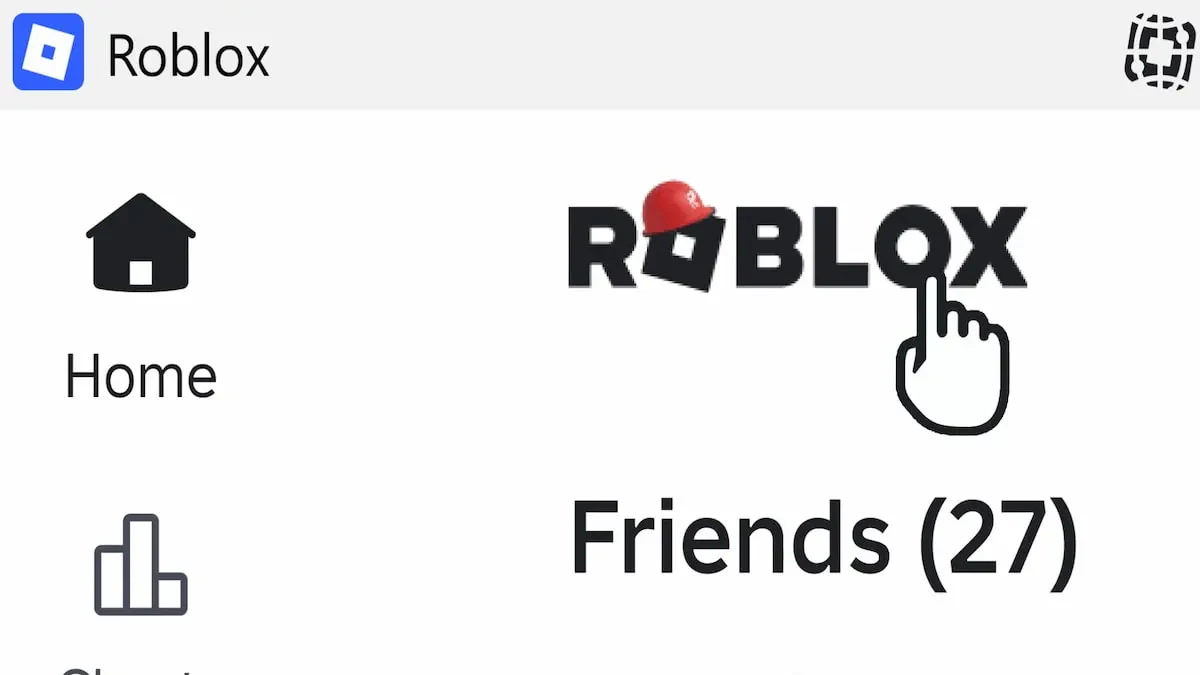
The Classic report describes a separate trigger: a red hat appears on the Roblox O, the logo letters react as you select them, and the retro UI then applies. There is no confirmed click count, platform list, launch time, or Roblox Plus requirement.
One rumor places the feature around September 12, 2026, close to Roblox's RDC26 event window. That timing is a guess, not a release promise.
If the rollout is live, the leaked unlock sequence starts at the Roblox logo
Try these steps only when the reported red-hat state is visible. The leak does not establish a universal account or device path, so a missing hat is not a problem you can solve with a special setting.
- Open the Roblox account or home screen where the Roblox logo is visible. Do not enter an experience first.
- Look for the Roblox logo wearing a red hat. If the hat is missing, stop and treat the reported feature as unavailable on that rollout.
- Select the O in the logo. Continue only if the letters visibly turn red or progress as described by the report.
- Check for a broader UI change on the home screen. A small logo animation by itself does not confirm that the retro theme applied.
Leak-attributed logo screenshot: This image shows the reported red-hat trigger with a pointer at the O. It is leak material, not an official Roblox instruction.
On roblox.com, selecting Play launches the installed Roblox Player. An experience does not run inside the browser. Roblox's install and play instructions describe that launch flow.
What to check when the theme does not appear
No hat, no logo progress, or no retro UI means the reported state is not available to you. It may be a staged test, an account or device mismatch, or an incorrect rumor.
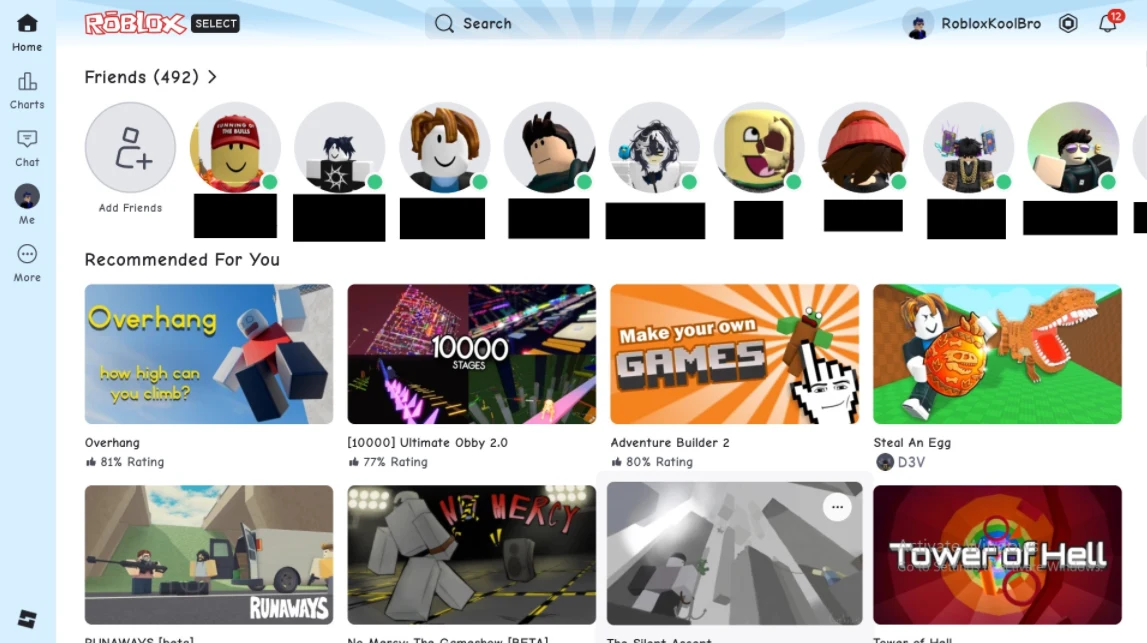
Reddit user-report screenshot: This player-posted image shows a claimed retro home screen with a red outlined logo and blue navigation rail. It is an example of a reported result, not proof that the feature is available to every account.
1. Check the confirmed theme menu
On the desktop app or mobile, use More > Settings > Device preferences > Device level theme. On the website, use the gear > Settings > Browser preferences > Theme. Seeing only Light, Dark, and System means you are viewing the confirmed controls, not proof that Classic is enabled.
2. Refresh Roblox normally
- Close and reopen the Roblox app.
- Reload the Roblox account page if you are checking the website.
- Install any update offered through the normal app or official Roblox download flow.
Do not keep trying random click counts when the logo does not progress. A normal refresh can reload a staged feature, but it cannot create access that Roblox has not assigned.
3. Treat platform reports as unresolved
Community reports disagree about the desktop app, website, and mobile access. The standard theme documentation lists console and VR as dark-only, but that does not settle whether a separate Classic test exists there. Do not infer support for your device from a screenshot taken on another platform.
4. Stop before using unofficial workarounds
Do not install browser extensions, third-party scripts, or alternate update channels to force the theme. If the app closes before Settings opens, use the Roblox PC closing fixes. For a separate error code, Roblox errors and fixes is a better starting point.
If the logo never appears after these normal checks, leave the account unchanged and wait for an official Roblox announcement.