Your first sale in Make Rugs takes four stations and one customer. Spin for yarn, tuft a design, shave the rug, add a border if you want one, then place it on an empty stand. Placing it doesn't pay you. The Cash comes when a customer walks up to the register with an offer and you accept it, and that last step is easy to miss.
The rest of this guide covers the PC controls, what makes one rug worth more than another, and what to buy with your first Cash.
How to Make and Sell Your First Rug in Make Rugs
Spinning Yarn at the Yarn Dispenser
Start at the Yarn Dispenser and spin. Spins are free, but the yarn you get is random, so you may need to spin again until you have what your design calls for. When the spin finishes, collect the result from the tray.
Yarn comes in different types and rarities, and both change how much the finished rug sells for. More on that below.
Tufting the Rug on the Frame
Take your yarn to the Tufting Frame and pick a design. You start with a basic design, and more unlock as you make more rugs. The starter Simple Mat uses one yarn. Multi-color designs need a yarn assigned to each marked area before you start, so the Inset Heart example uses one color for its outer area and a second for the heart.
Use the Left Mouse Button to work the tool across the cloth until the whole rug is covered. The Finish button doesn't appear until tufting reaches 100%, so keep going until the meter gets there.
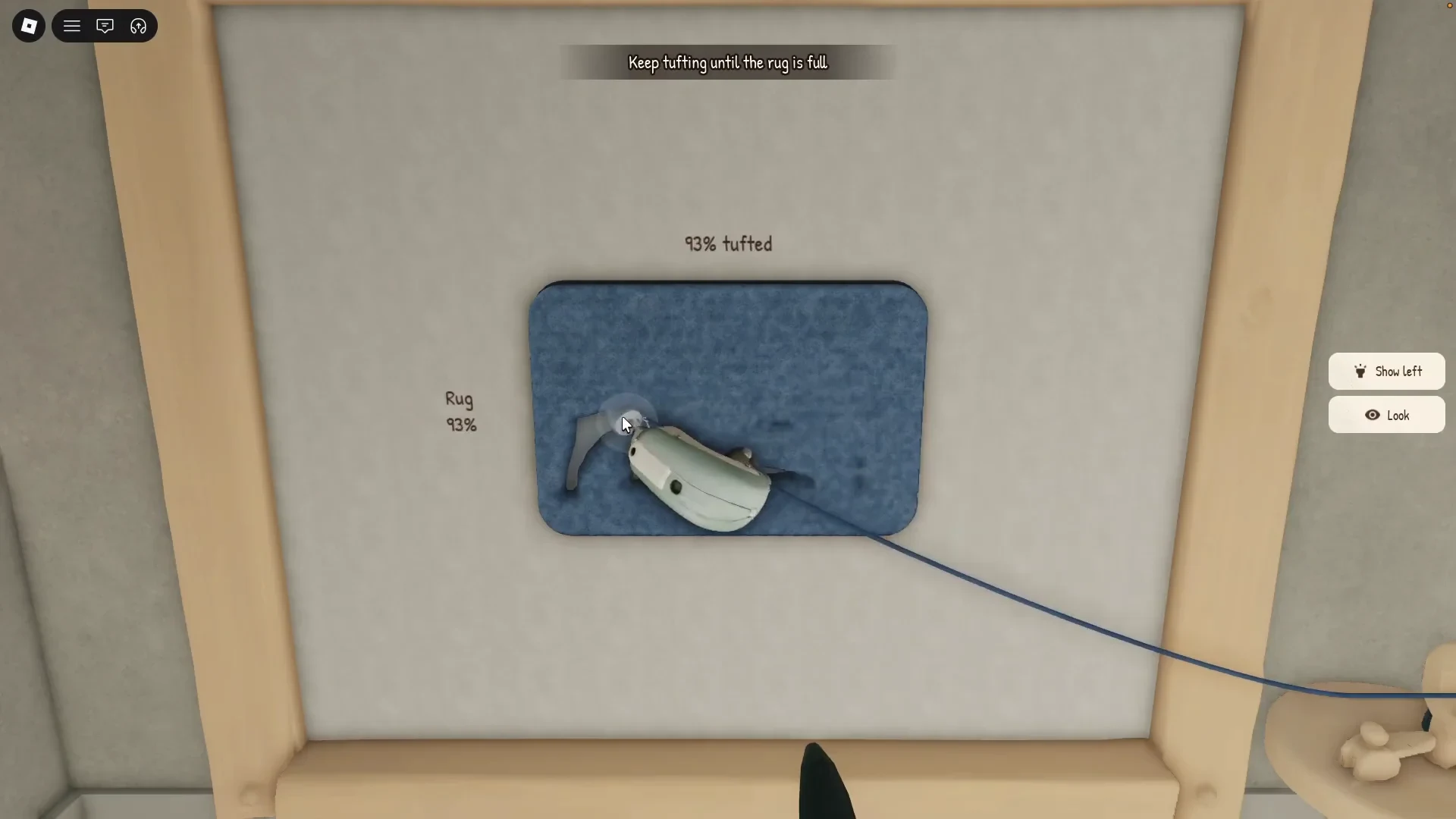
Image via Playmade
Shaving the Rug and Adding a Border
Move to the Shaving Table and run the clippers over the pile to trim the longer threads. The progress meter at the top tracks how close you are. Shaving to 100% gives the best sale value. A rug shaved to about 90% can still sell, but for less Cash, so it's worth taking the shave all the way.
Once the shave is full, pick a border color or choose None to skip it. The border is optional, and it can raise the rug's value. Press Finish to complete the station.
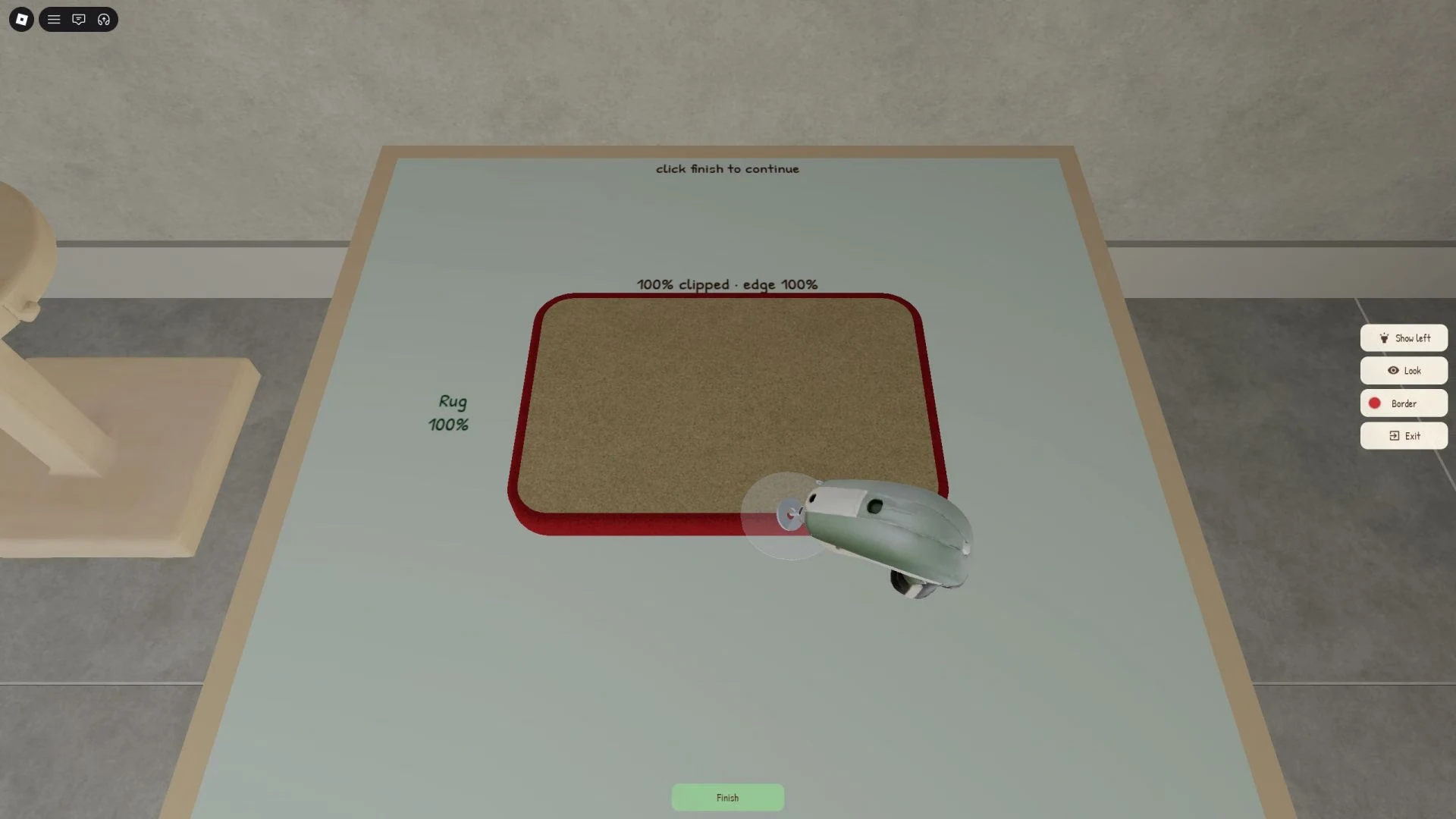
Image via Roblox
Placing the Rug and Getting an Offer
Place the finished rug on an empty display stand in your showroom. A rug on a stand is eligible for sale, but nothing sells until a customer shows up. A little while later, a customer walks up to the register with an offer. Pick Sell to take it, or Decline to pass.
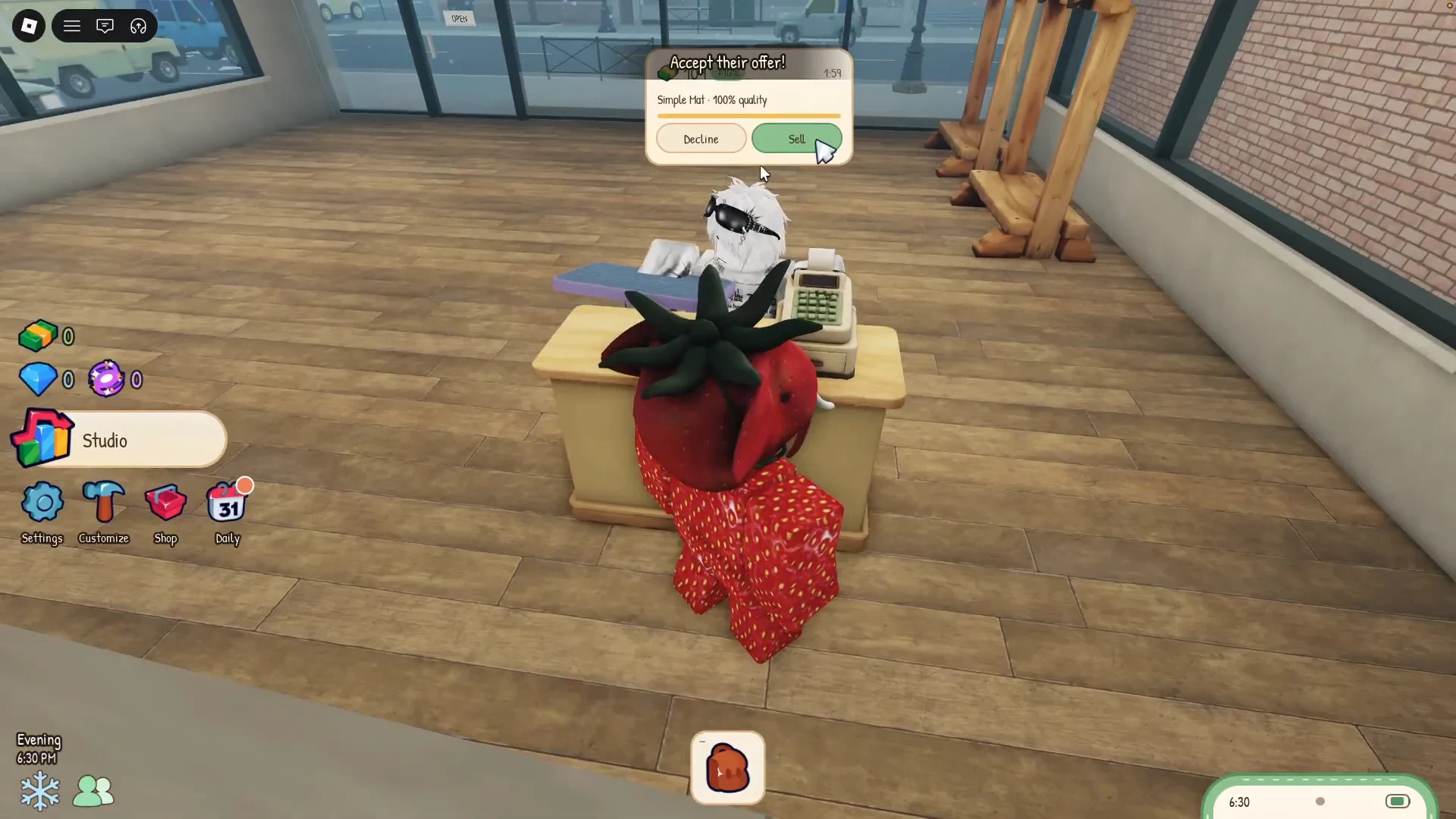
Image via Playmade
Make Rugs PC Controls
Four inputs cover the whole loop on PC.
| Action | PC input |
|---|---|
| Move | W, A, S, D |
| Jump | Spacebar |
| Interact | E |
| Use a station's tool | Left Mouse Button |
Walk up to a station, press E to interact, then use the Left Mouse Button to run its tool.
How Yarn, Designs and Borders Change Rug Value
Yarn type and rarity are random, and both feed into the finished rug's value. The design you pick also affects the rug's displayed value, and some designs need more yarn than others. Here's how two designs compare.
| Design | Yarn colors | What to know |
|---|---|---|
| Simple Mat | One | The starter design you begin with |
| Inset Heart (Level 0) | Two, one for the outer area and one for the heart | Costs $40, and its display stand showed $117 in one playthrough |
Those numbers come from one recorded playthrough, so treat them as examples rather than prices. The Simple Mat is the easier first rug, since one yarn keeps the tufting simple. Save the two-color design until you're comfortable with the full loop.
Shaving and the border also feed into the price, so the steps you skip cost you value.
What to Buy First in Make Rugs
Rug sales pay Cash. Gems come from other sources, such as the seven-day Daily Rewards track, whose listed rewards add up to 31 Gems, 250 Cash and a Gift Box.
Spend your first Cash on the yarn dispenser upgrade. It raises your baseline earnings more than the other shop upgrades. The tufting tool and display stands can be upgraded too, and upgrades to these tools improve your rug-making efficiency, which means more Cash.
Some dispenser upgrades cost Cash, but a dispenser slot upgrade costs 15 Gems and adds one extra yarn per roll. Check the price and currency on the exact upgrade you open before you spend.
Cash also goes toward designs and shop expansions. Showroom upgrades can add display stands, so more rugs can be ready for sale at once.
When to Accept a Customer's Offer
Compare each offer with the base value shown for your rug. A practical rule of thumb is to accept an offer about 20% above that base value. It's a rule of thumb, not a fixed game rule, so judge each offer against the number on screen.
Declining gives you a shot at a buyer who pays more Cash, but there's no guarantee the next one does. One 100% Simple Mat got a $30 offer, but offers vary by customer. Use the base value shown for your rug as your anchor.
How Employees and Phone Orders Grow Your Shop
Employees are a one-time purchase that automates part of the selling process, and their services stay available permanently. Employees can help you handle multiple orders at once. A Cashier for the register is one of the hires you can make. Enchantments give employees passive abilities that make them better at their jobs, so check the hiring lists now and then, since better workers can show up.
As your shop gains popularity, certain orders start appearing on your in-game phone. These are custom rugs, and they pay more than a regular sale. The exact popularity level that unlocks them isn't clear yet, so don't wait on a number. Just check your phone as the shop grows.
Your next move is to sell a few Simple Mats, buy the yarn dispenser upgrade once you've checked its price, and then save toward the two-color designs.