Trading lets you swap Fish an Anime RNG characters or potions with another player. It is useful for duplicates and Index progress, but an income multiplier is not a fixed trade price. Check the exact items in the window instead of trusting a promise in chat. For other progression help, use the Fish an Anime RNG codes page.
Find the Trade Hub and send a request
Both players need to be in the same server. The Trade Hub is in the middle of the map, and Yuno Gasai handles the trade request.
Go to the Trade Hub in the middle of the map.
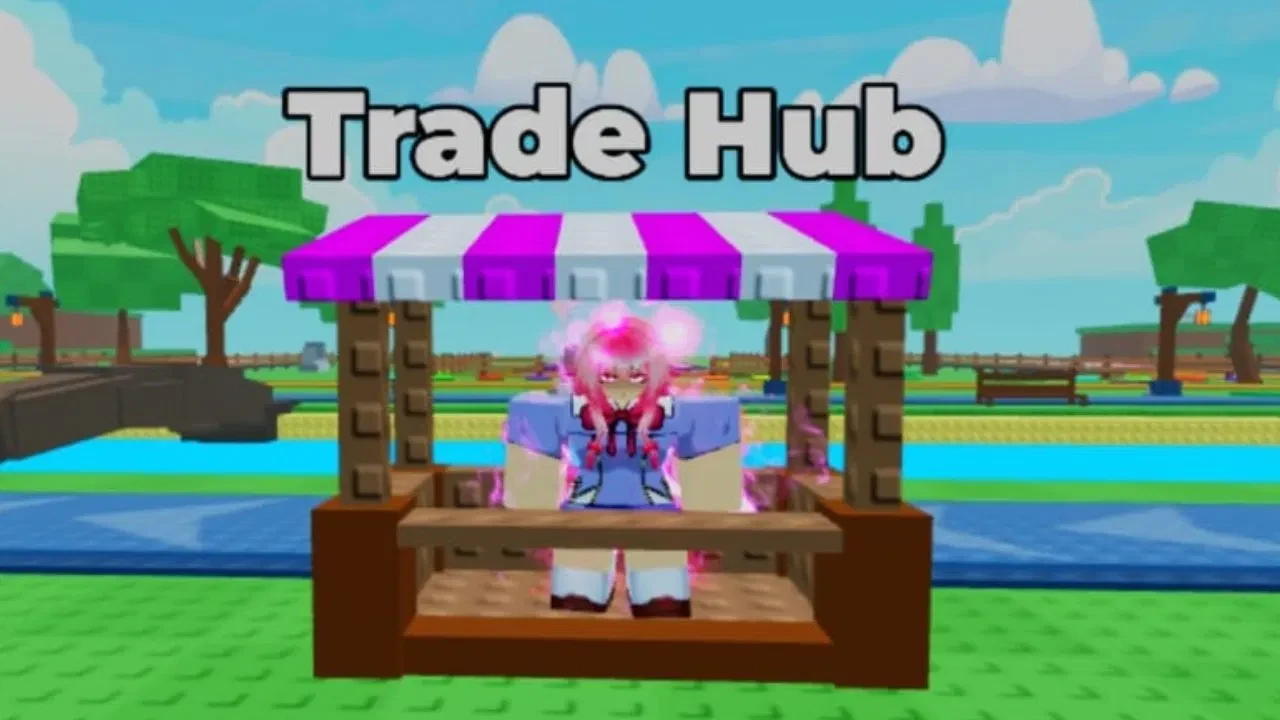
Talk to Yuno Gasai. On keyboard, hold
Ewhen the interaction prompt appears.Turn Trade Requests on using the green setting button.
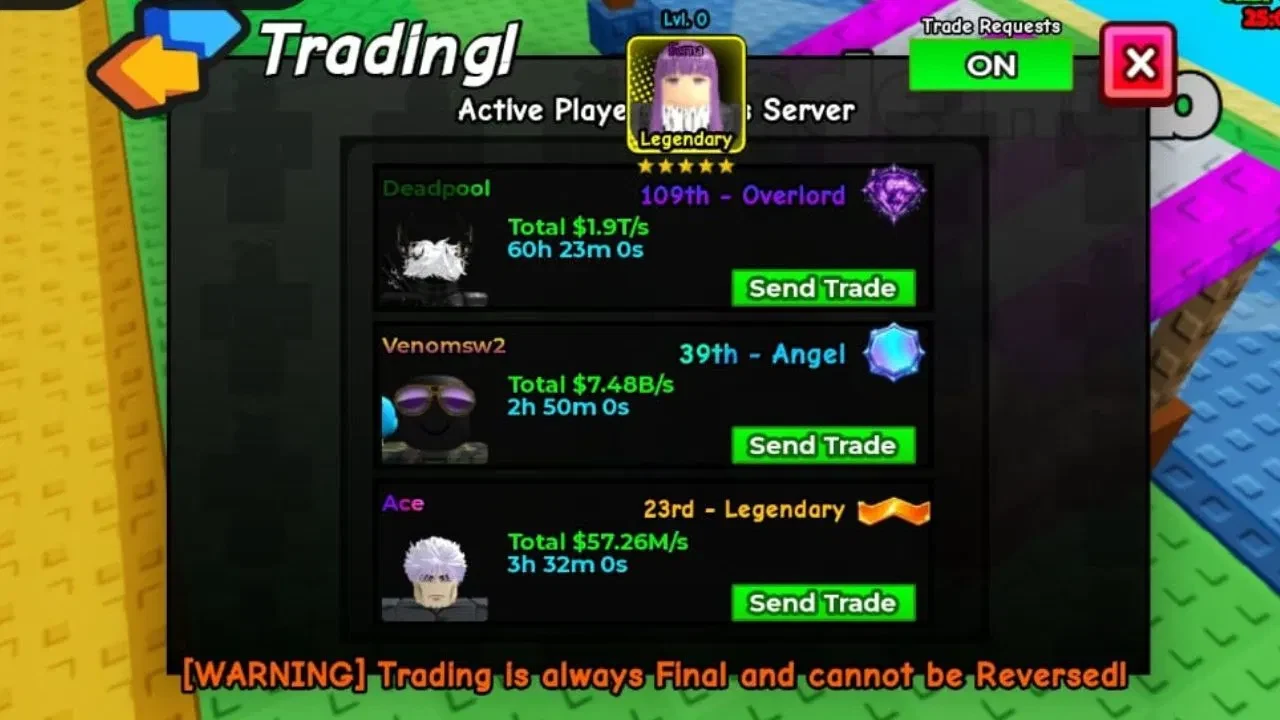
Find the other player under Active Players in Server.
Select Send Trade beside their name.
Wait for the other player to accept the request before adding items.
If the player does not appear, check the server and request setting first. The list only helps you contact players who are available there.
Check the offer before both players accept
After the request is accepted, both players add the items they agreed to exchange. These trade rules can change with updates:
| Item | Trade status | Detail |
|---|---|---|
| Characters | Tradable | Up to three characters can be offered in one trade. Any rarity or mutation can be placed. |
| Potions | Tradable | Potions can be exchanged. No fixed potion-slot limit is confirmed. |
| Fishing rods | Not tradable | Unavailable for trading under the current rule. |
A deal that depends on a fourth character, a rod, or an unknown potion limit needs a check in the live trade window before you promise it. Game UI rules can change without asking your plans first.
The in-game Wiki gives the safest final check: compare each item’s name, rarity, level, and mutation.
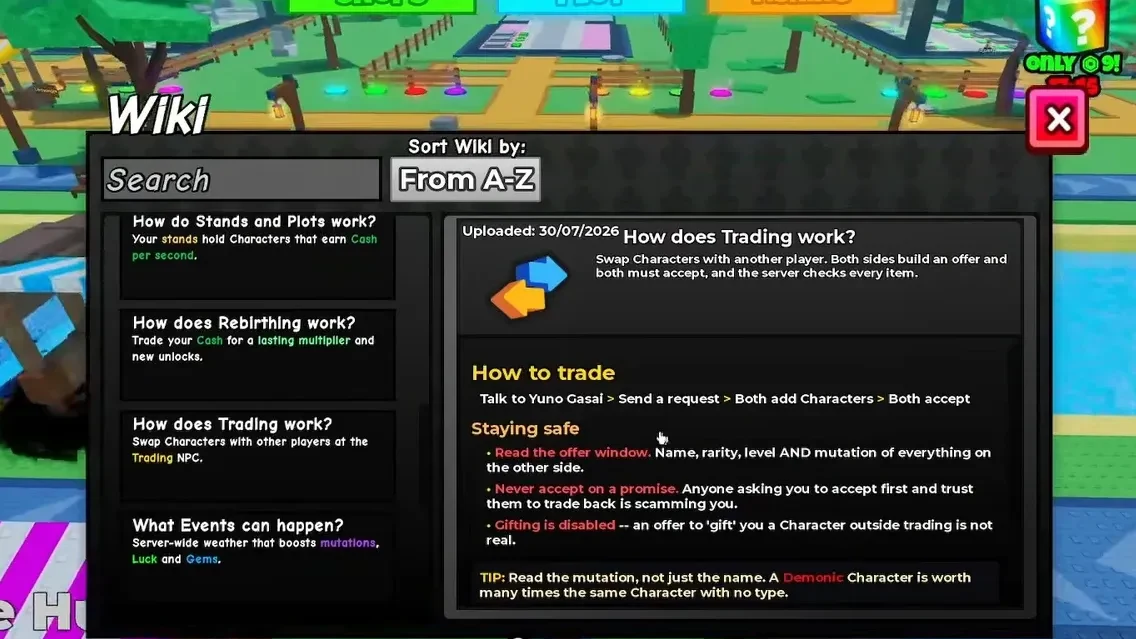
Do not accept if even one detail differs from the agreed offer. A mutation may affect how desirable a character is, but its income multiplier does not set a universal player-trade value. Both players must review their sides and accept the same final deal. The safe-trading basics are useful when you are checking a stranger’s offer too.
Fish an Anime RNG trading FAQ
Can you trade fishing rods in Fish an Anime RNG?
Not under the current rule. Fishing rods are unavailable for trading, though an update can change that.
How do you turn Trade Requests on?
Go to Yuno Gasai at the Trade Hub and use the green Trade Requests setting. Turn it on before selecting Send Trade.
How many characters can you offer in one trade?
The current limit is up to three characters per trade. This does not confirm a total item cap or a potion-slot limit.
Do both players have to accept a Fish an Anime RNG trade?
Yes. Both players add their agreed items, check the offer, and accept before the exchange completes.