Yes. Where Winds Meet supports cross-play and cross-progression across PC, PlayStation 5, iOS and Android, and Xbox, as long as you're in the same server region. Cross-play lets you play online with people on other platforms, and cross-progression lets your character and progress follow you to a different device. To bring an existing character along, link your account before you create a character on the new platform.
| Platform | Cross-play | Cross-progression | How to link |
|---|---|---|---|
| PC (Steam, Epic Games, PC launcher) | Yes | Yes | Title screen or in-game settings |
| PlayStation 5 | Yes | Yes | Title screen or in-game settings |
| iOS and Android | Yes | Yes | Link before creating a new character |
| Xbox Series X and S, Xbox on PC, Xbox Cloud | Yes | Yes | Account Center on the game's website |
What Carries Over Between Platforms in Where Winds Meet
Cross-progression covers more than your character. Once your accounts are linked and you log in with the same account, you share:
- Characters and character data
- Items and martial arts
- Game progress
- Purchases, including top-ups
The idea is simple: your account carries your game, not the device you're on. Log in with the same account on any supported platform, and your characters and progress will be waiting for you.
How to Link Your Account Before Creating a Character
Order is the one thing to get right here. A new platform can only bring in your existing character if the account there doesn't already have one. If both accounts have character data, linking isn't possible at all, so you link first and create a character second.
- Start the game on the new platform and log in to the title screen. Don't create a character yet.
- Open User Center and choose Link Account.
- Connect the platform account that already holds your character and progress.
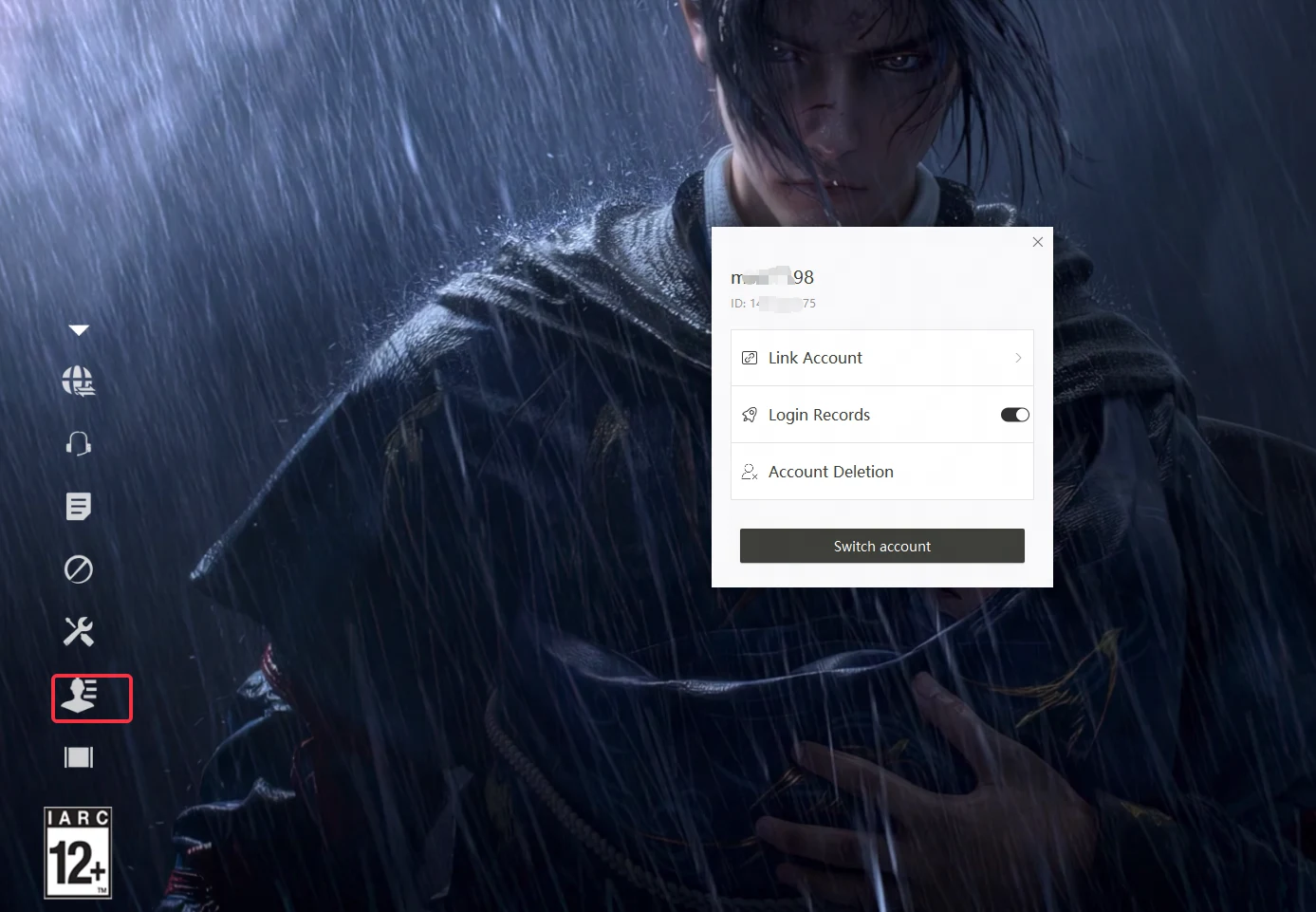
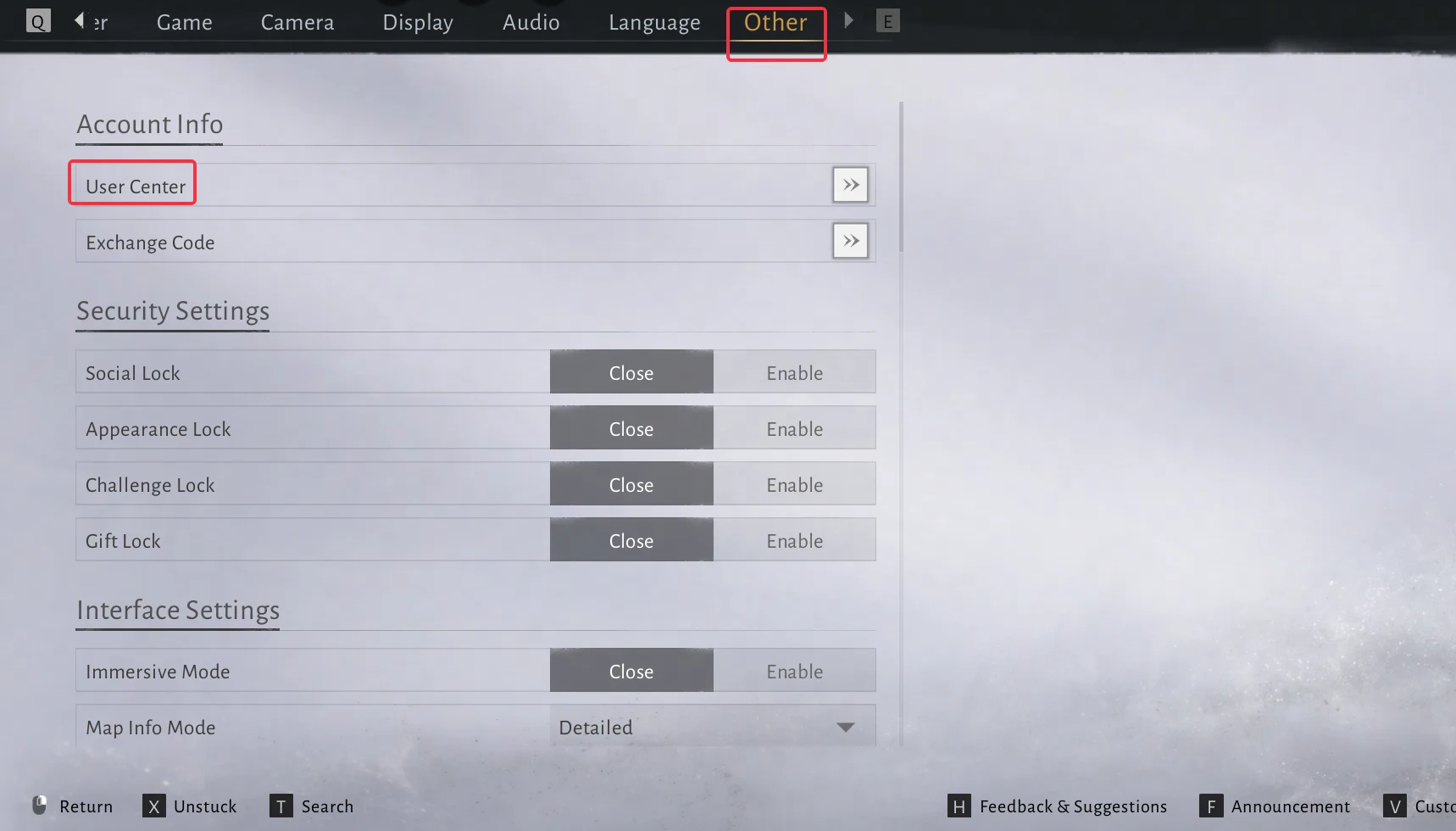
You can also do this in the game. Go to Settings, then Other, then User Center, and choose Link Account. Either way, finish the link before you create a new character on that platform.
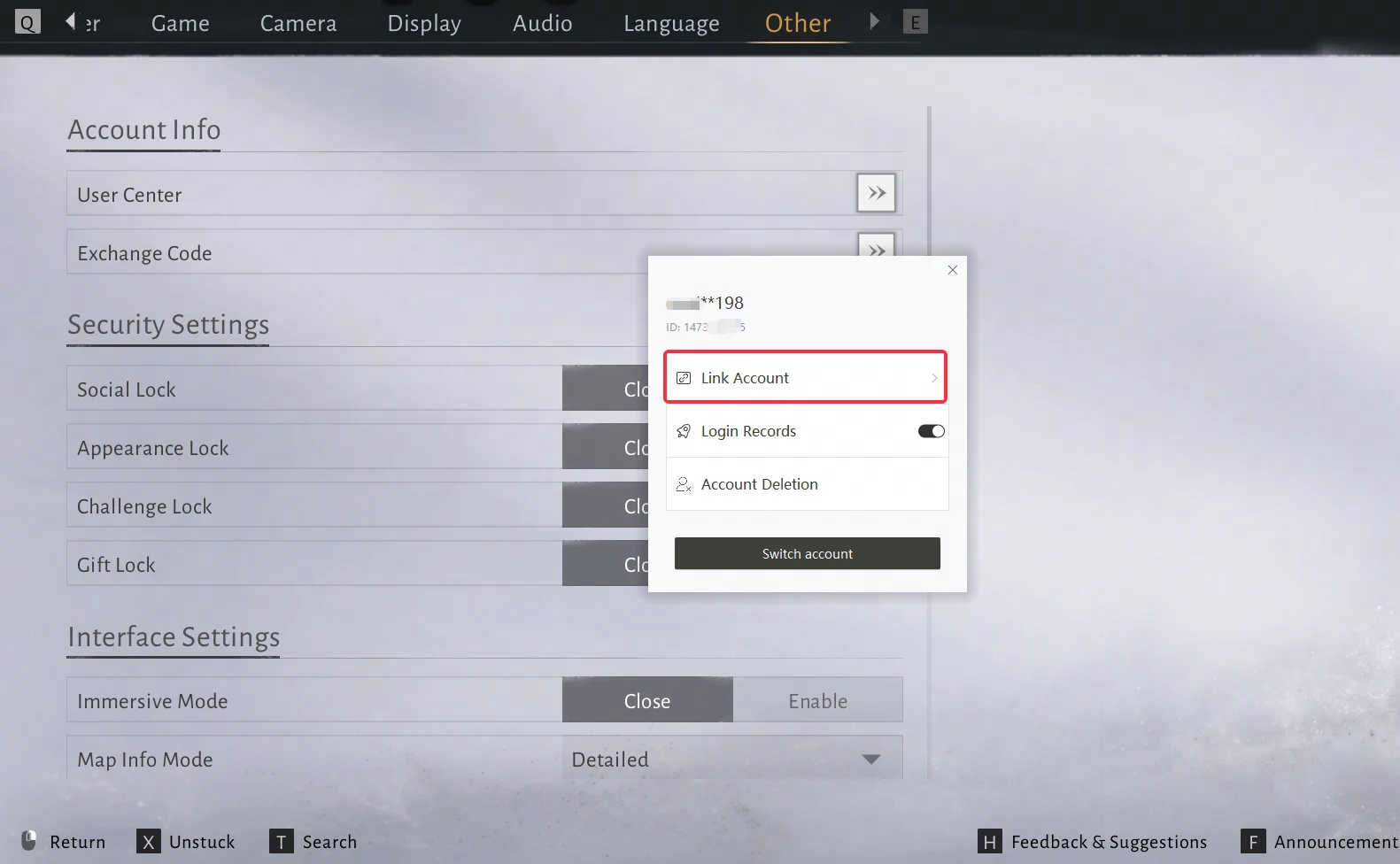
Say you've been playing on Steam and want to continue on PlayStation 5. Log in to the title screen on PlayStation 5, link your Steam account, and only then create a character. You'll continue with the same progress across both platforms.
How to Link Your Xbox Account
Xbox links through the game's Account Center on the website, and that step comes before you sign in on the console.
- If you already have a character, open the Account Center and link your Xbox account to the account you already use.
- Sign in to the Xbox version with that same account, and your existing save comes with you.
The order is the part to watch. If you sign in on Xbox and create a character there first, that Xbox account can't be linked to an existing account from another platform. Link first, then sign in.
Keeping Cross-Play and Cross-Progression in One Server Region
Cross-play and cross-progression only work between players in the same server region, and character data can't be moved from one region to another. This applies to every platform you use. If your PC account and your PlayStation 5 account are in different regions, you won't be able to play together or share progress between them.
Before you link, confirm that the new platform is in the same region as your existing character.
Linked Accounts Can't Be Unlinked on Your Own
Once accounts are linked, you can't unlink them yourself. For security reasons, the game doesn't allow manual unlinking, so if you need to separate accounts, you'll have to contact Customer Support for help. Take a moment to confirm which account holds your character before you start, so you link the right pair.