San Diego Border Roleplay's vehicle trading feature sends you to a separate Trading Hub, where players post vehicles for a dedicated Gold currency. The route starts in the city parking structure, then splits into two actions: use a green browse circle to shop, or claim an empty bay to list an eligible vehicle.
Cash and Gold are separate, and the documented system is a player listing marketplace rather than a confirmed direct-swap window. The San Diego Border Roleplay wiki covers the wider vehicle, checkpoint, and team loop, while the border cities collection helps with city landmarks.
Find the Trading Hub
Start at the multi-storey city parking area. Look for the new trading section or the The Underground entrance, then accept the prompt to enter the Trading Hub. Follow the exact sign or prompt wording shown in your server if it uses a slightly different label.
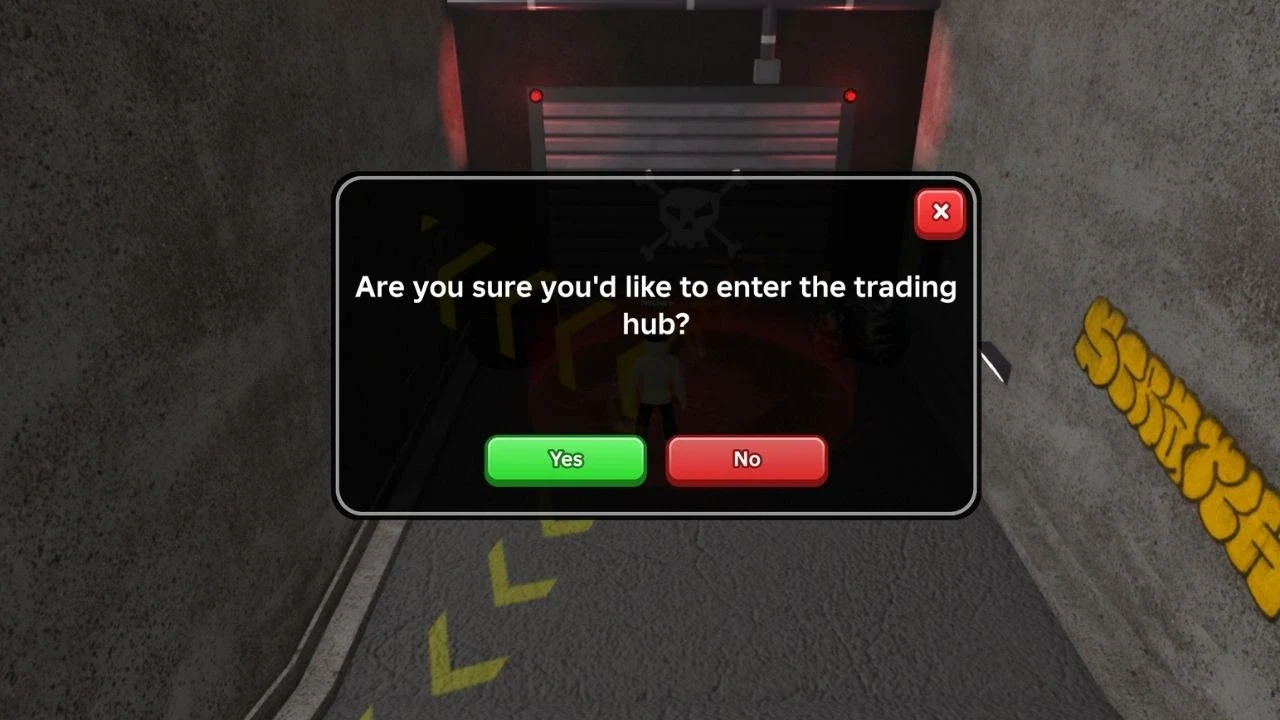
Keep the way out in mind before you start browsing. You can leave through the exit door or use the exit control on the right side when it is available. The Trading Hub is separate from the ordinary vehicle spawn area, so returning to the parking structure is part of the route.
Buy a listed vehicle
Walk to a green circle inside the hub and interact with it to open the player listings. The Global Trading Terminal shows vehicle cards, seller details, and asking amounts in Gold. Compare several listings before choosing one because there is no safe fixed value list for every vehicle.
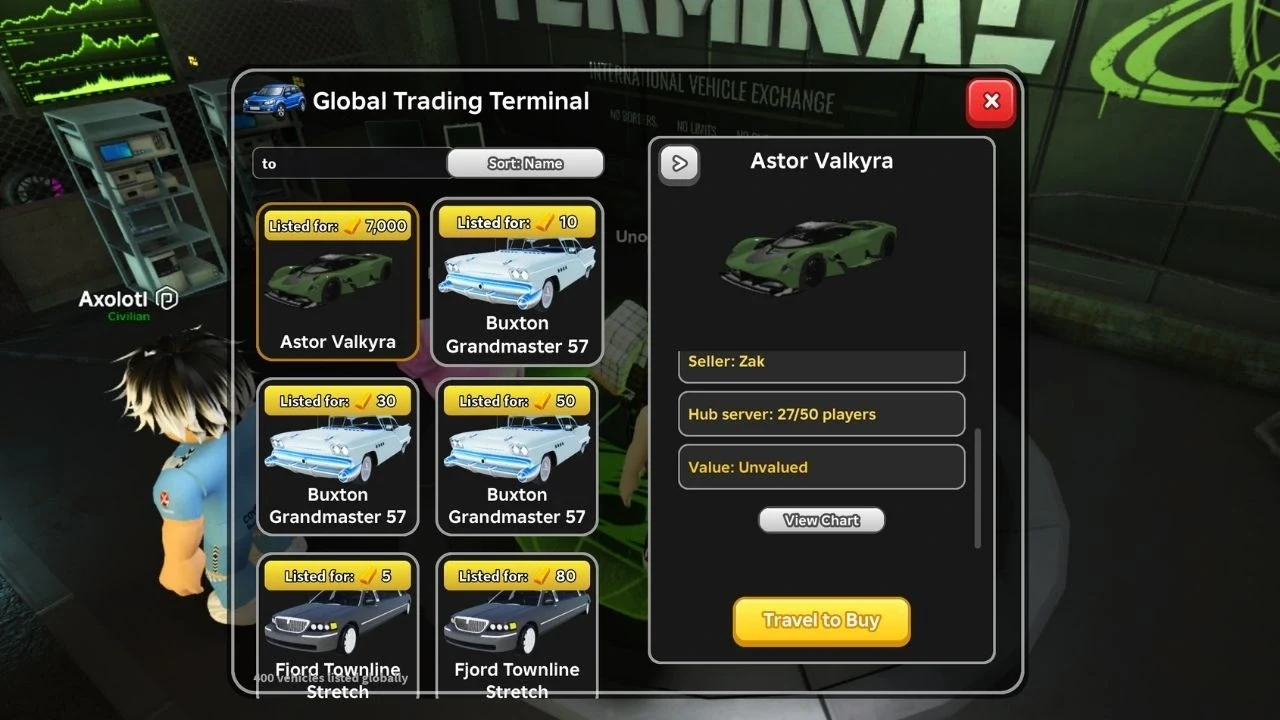
Select a listing that fits your budget, then use Travel to Buy or the matching purchase control shown by the terminal. Complete the purchase with Gold, not the Cash used by other parts of the game. Read the confirmation panel before accepting so the vehicle and asking amount match what you meant to choose.
This flow is a listing marketplace: one player posts a vehicle and another player buys that listing. It does not confirm a direct vehicle-for-vehicle swap window, a Cash trade, or a fixed fee or resale rule.
List your own vehicle from an empty bay
Use the live vehicle picker as the final eligibility check. The available feature information does not establish that every owned, limited, or team vehicle can be listed.
- Find an empty parking space. Interact with an unclaimed bay in the Trading Hub.
- Choose an eligible vehicle. Select the vehicle the live prompt allows you to list.
- Enter an asking amount. Set the price in Gold, then review the amount before confirming.
- Confirm the listing. The vehicle becomes available to other players through the hub listing view.
The documented sale flow credits the seller with the listed Gold amount after another player buys the vehicle. Treat the live confirmation message as the final word on the transaction rather than assuming a fee, tax, or settlement delay.
If you need to take the vehicle off sale, open Manage Listing when that control is shown and use the option to unlist or unclaim the space. If the label changes, follow the control attached to your own listing.
The reported Gold routes are bank robberies and Robux purchases. Bank robbery is a civilian activity in the normal game loop, but no fixed nugget count, payout, or exclusive free-source rule is established here.
Keep Gold ready before you browse, compare listings before setting your own asking amount, and remember that the hub's labels and eligible vehicle choices can change with future updates.