What If Disasters is a Roblox survival game with 26 disasters spread across 18 maps. Each round opens with a "What if…?" question, such as the Moon falling toward Earth, and puts you in a themed map where the danger grows in stages. To get through your first round, stand on the central pad before the lobby countdown ends, use the 30-second warm-up to learn the map, and move as soon as the yellow prompt changes.
| Phase | What you see | What to do |
|---|---|---|
| Lobby | "NEXT DISASTER" countdown | Stand on the central pad before it reaches 00:00 |
| Loading in | "ENTERING SIMULATION" | Nothing. Everyone on the pad is moved in together |
| Warm-up | "DISASTER IN 00:30" | Explore, find high ground, and learn the layout |
| Disaster | "WHAT IF…" banner and a yellow objective circle | Follow the prompt, such as GET SOMEWHERE SAFE or GET SOMEWHERE HIGH |
| Results | "X OF Y SURVIVED" with survivor and casualty lists | Check how the group did, then head back to the lobby |
Get on the Central Pad Before the Lobby Countdown Ends
Between rounds, you wait in the lobby while the "NEXT DISASTER" countdown runs. The central pad is the carpeted area in the middle of the lobby. When the countdown hits zero, the game moves everyone standing on it into the new map at the same time.
Anyone who isn't on the pad when the countdown ends is left out of that round. The lobby has plenty to pull you away, from the shop to the other buttons, so make the pad your first stop every time. Arriving early also means you start with the same warm-up as everyone else instead of rushing for a spot in the final seconds.
Use the 30-Second Warm-Up to Learn the Map and Your Controls
Once the round loads, the screen shows "DISASTER IN 00:30." The scenario stays hidden until that timer runs out, so this is your only quiet window. Use it to note where the roads, buildings, and open ground are, and find high ground you can reach quickly. Working out a route now is much easier than searching for shelter once the ground starts moving.
Use the same window to test the PC controls, because you'll rely on them once things get busy:
- W, A, S, D: move
- Spacebar: jump
- E: interact, such as opening a garage or getting into a car
When you're near something you can use, the screen shows an [E] prompt, so watch for it.
Survive Each Disaster by Reading Its Prompts and Adapting
When a disaster starts, a "WHAT IF…" banner appears and a yellow objective circle shows up on the map. The circle marks the kind of position the current stage rewards, and its countdown shows how long you have to reach it. The prompt beside it tells you what to do, such as GET SOMEWHERE SAFE or GET SOMEWHERE HIGH.
Treat the prompt as your instruction for the stage you're in. When it changes, the disaster has moved on, and a spot that was safe a moment ago may no longer be the right one. Start moving right away, because the circle's countdown is already running.
Adapting matters as much as reading. Each disaster needs a different response. In a Sandstorm, for example, you can't outrun high-speed winds and an advancing wall of sand, so the better move is to get indoors with several walls between you and the storm. Some disasters call for cover, while others call for putting distance between you and the danger.
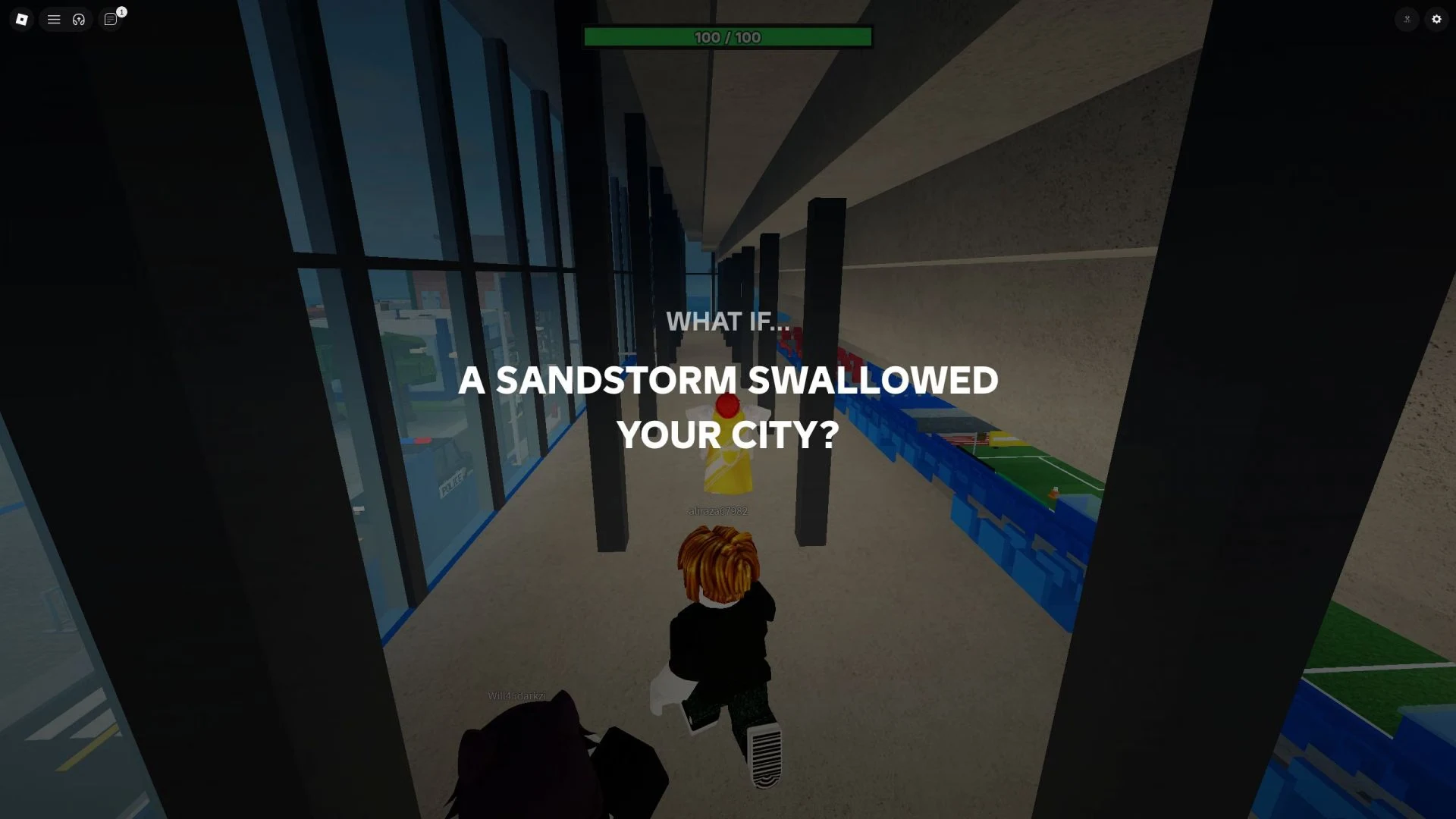
The disaster's description also changes as the threat intensifies. Read it when it appears, and if your first approach stops working, switch to another. Pick a plan that can hold up through the whole round.
Earn XP and Credits by Surviving Rounds
Surviving a round earns you XP and Credits. Credits are the currency for the shop, so each round you come through pays toward something you might want to buy.
Missions add more on top of round rewards. Open MISSIONS from the lobby buttons to see what's active. Every mission involves surviving disasters, either a set number of times or a specific disaster type. Daily Missions give Credits every day, and Weekly Missions give a larger amount once a week.
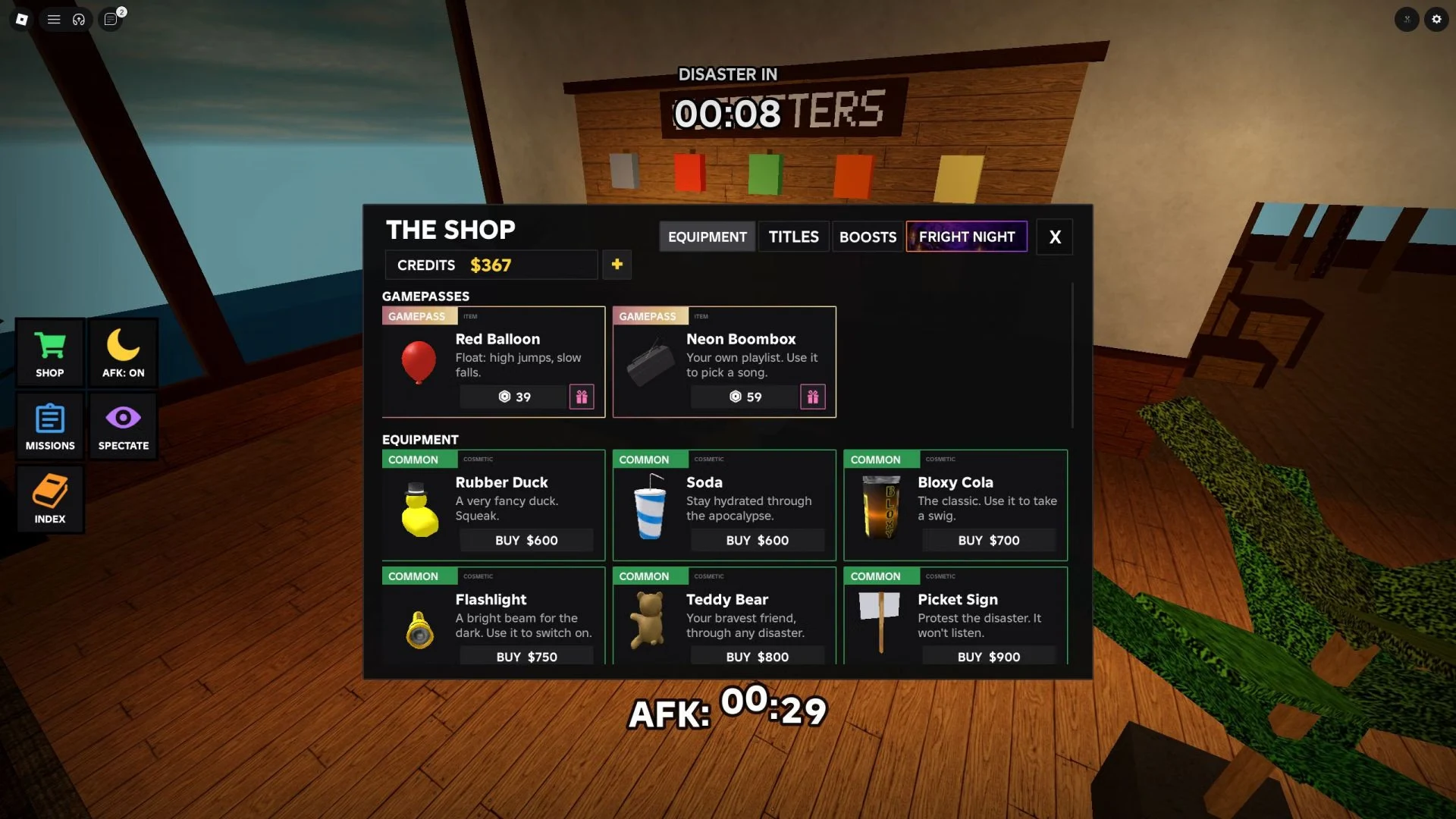
Spend Credits on Equipment, Which Is Mostly for Looks
Equipment is one of the shop's tabs, and you buy its items with Credits. Most items offer only cosmetic or novelty effects, so you don't need them to survive a disaster. Think of them as a way to personalize your character or collect pieces you like.
Track Your Progress in Index and Prestige Each Disaster
Index is the lobby button for tracking your progress, so check it between rounds to see how you're doing.
Prestige is the longer goal. Once you've experienced and survived a particular disaster five times, you can prestige it. Prestige raises the XP and Credits you earn from that disaster only, so each disaster has its own five-survival milestone.