If one of your Anime Dice units is already earning Cash at your base, a Grade can make that same unit much more valuable. Grades are per-unit Income multipliers, and changing one requires a Gem, so you should know which unit you plan to keep before you spend the resource.
This guide explains what Grades change, where to get Gems, how to use the Grades station in the Hub, and what each current Grade multiplier means.
What Do Grades Do in Anime Dice?
A Grade increases the Income multiplier of the unit that holds it. In practical terms, it improves the Cash that unit generates while it is stationed at your base. Each unit can hold one Grade, and the reroll gives that unit one random result.
Treat Grades as a separate Income-focused system from Traits, unit upgrades, and Dice Luck. The Grade values listed for the current system are Income multipliers, so a Grade reroll is a way to improve Cash generation rather than a reason to expect a Damage or Health increase.
What You Need to Reroll an Anime Dice Grade
You need two things before opening the reroll menu:
- A unit in your inventory that you want to improve.
- A Gem for the reroll.
Each reroll uses one Gem. You can get Gems from the Daily Rewards menu and by clearing enemy waves in the Tower challenge.
Because a unit keeps one Grade, choose a unit you expect to use for a while. Spending a Gem on a temporary unit can leave you rerolling again when you replace it.
How to Reroll a Grade in Anime Dice
The current in-game path is short, but the station labels may change after an update. Follow these steps:
- Teleport to the Hub.
- Walk to the Grades station.
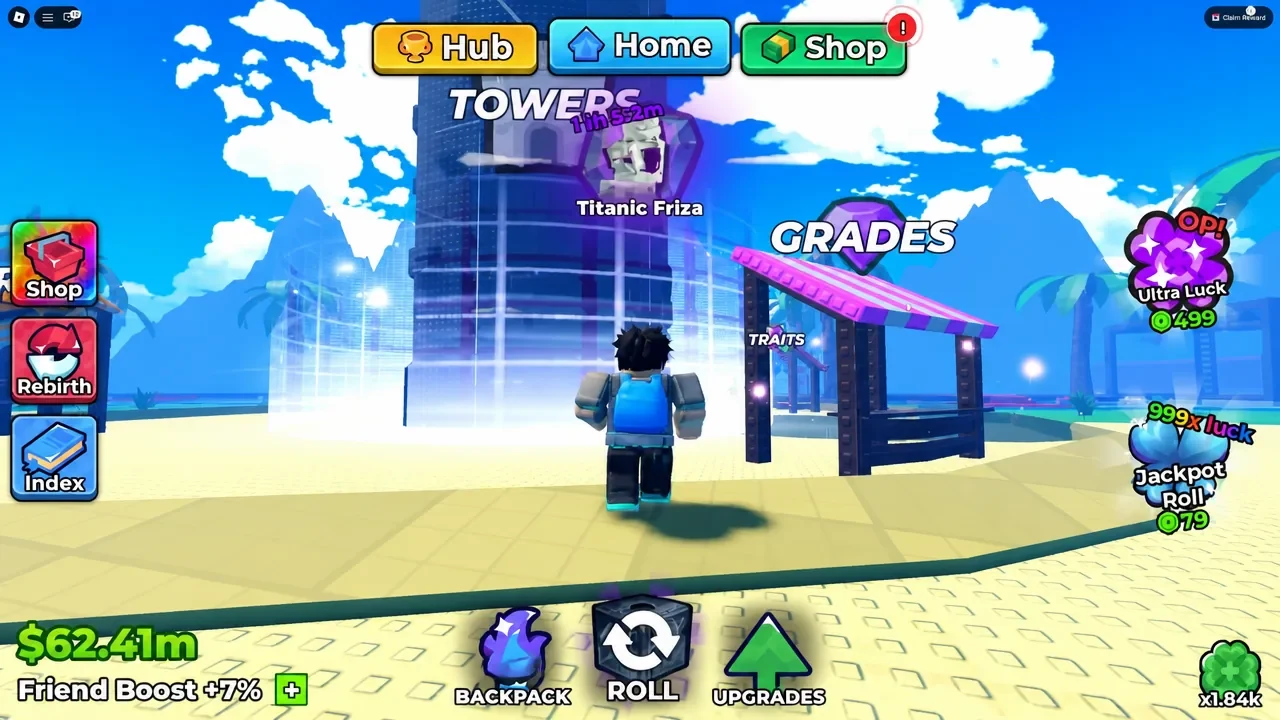
- Open the Grades menu and press the + icon.
- Select the unit from your inventory whose Grade you want to change.
- Press the Gem icon to start the reroll.
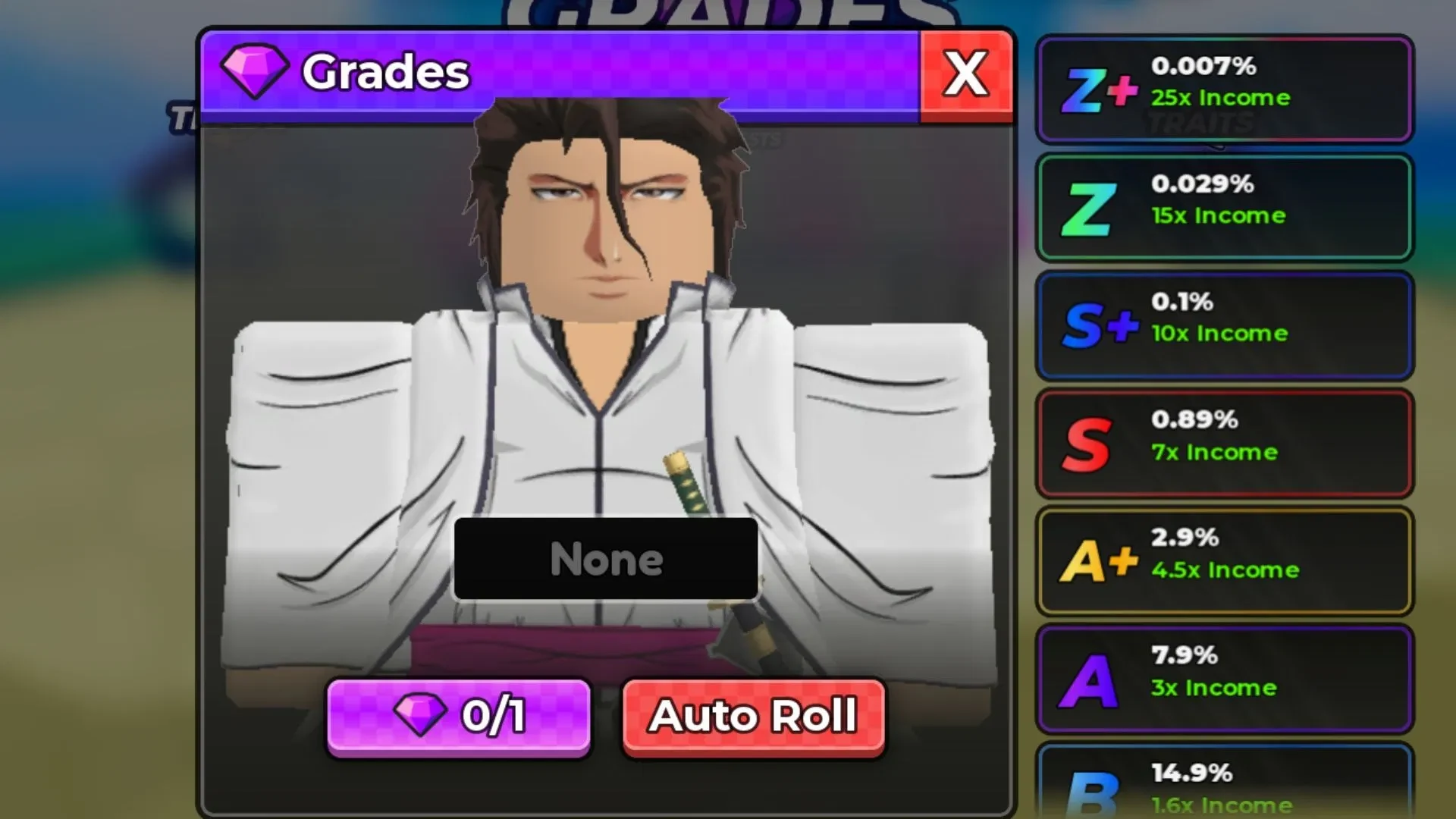
The game then assigns one random Grade to the selected unit. Check the result and its Income multiplier in the Grades menu before deciding whether that unit is worth another Gem later.
Anime Dice Grades and Income Multipliers
The Grades menu currently lists nine Grades and the following Income multipliers. These values can change with game updates, so use the in-game menu as the final check before spending another Gem:
| Grade | Income multiplier |
|---|---|
| Z+ | 25x |
| Z | 15x |
| S+ | 10x |
| S | 7x |
| A+ | 4.5x |
| A | 3x |
| B | 1.6x |
| C | 1.2x |
| D | 1.1x |
These values show why the Grade on your main Cash earner matters. A Z+ result has a far higher listed Income multiplier than a D result, while the middle Grades give you smaller but still measurable boosts.
Which Grade Is Best in Anime Dice?
Z+ is the best Grade for Income, with the highest listed multiplier at 25x. If you have a Gem ready, focus your rerolls on the strongest long-term unit you plan to leave at your base, especially if it is already one of your better Cash earners.
Your practical choice is the keeper that will continue earning for you, not a unit you are about to replace. Once you have that unit selected, return to the Hub Grades station when you have a Gem and use the reroll path above.
The Grade table reflects the current menu values, so check the in-game Grades menu again after updates before spending another Gem.