Eating Simulator lets you grow from a tiny eater to a massive giant by munching on all kinds of food. The game’s charm lies in how you gradually become huge, but gathering enough food and coins takes patience. That’s where Eating Simulator codes come in handy. These codes unlock extra food, coins, and sometimes pets, giving you a helpful push without the usual grind. If you’ve played the game, you know how valuable these boosts are to speed up your growth and explore more of the map with your giant character.
Checked and verified on October 11, 2026 (Today)
ZOTKITTENSThis code gives you 100K Food.
CHRISTMASSOONThis code gives you 100K Coins.
How to Redeem Eating Simulator Codes
There are no special requirements or level restrictions to redeem codes in Eating Simulator. You just need to be in the game and ready to enter the codes. Here’s how you do it step-by-step:
- Launch Eating Simulator in Roblox.
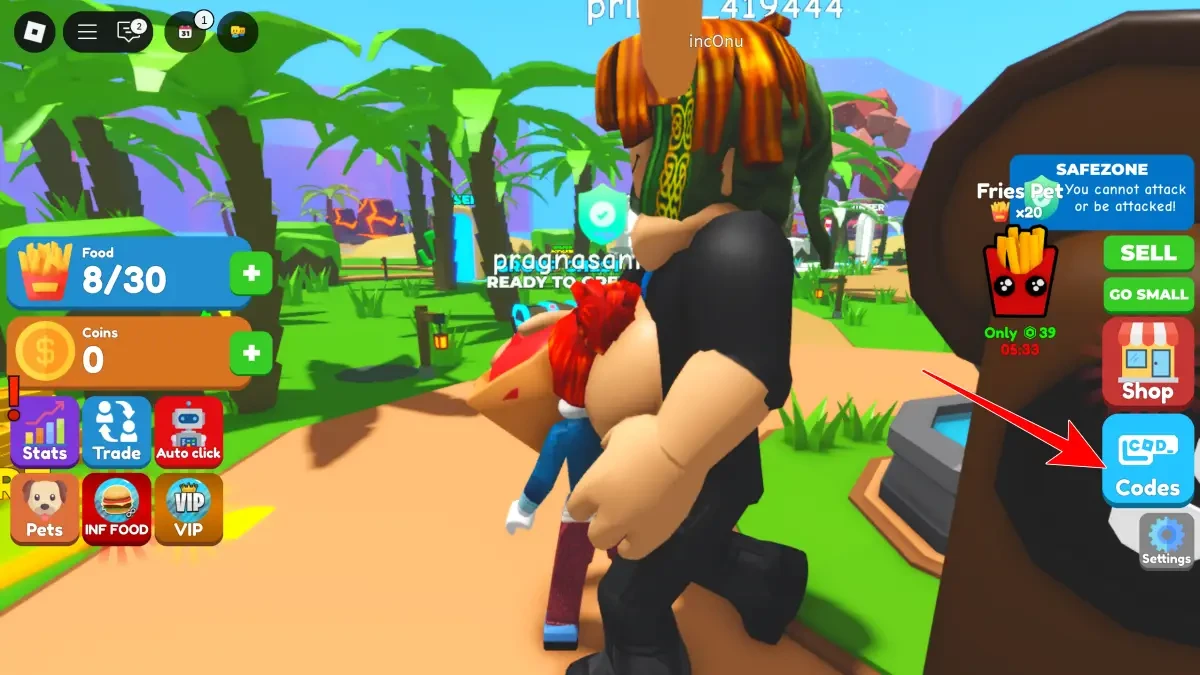
- Look for the Codes icon on the right side of your screen and click it.
- A text box labeled “Enter Code Here” will appear.
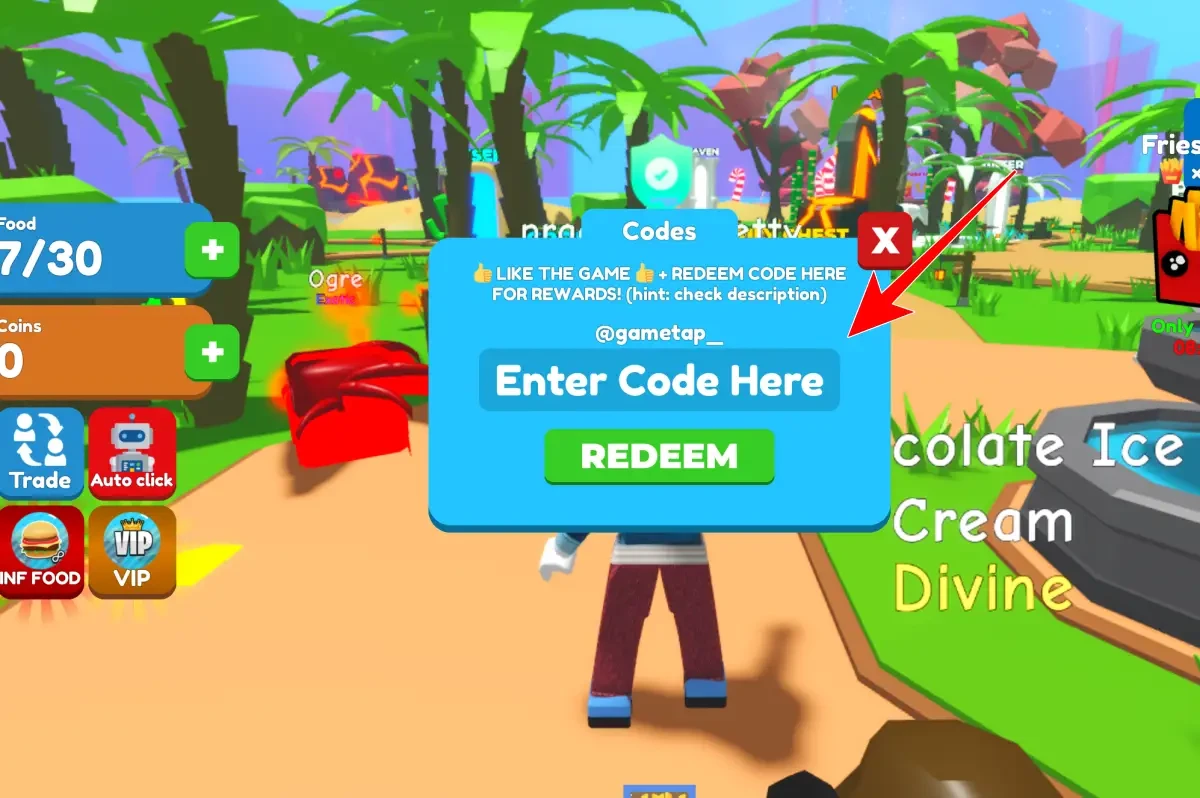
- Type or paste the code exactly as it appears.
- Click the Redeem button to claim your rewards.
That’s it! Your rewards like coins, food, or pets will be added to your account immediately so you can keep growing bigger and faster.
If you enjoy simulation games like this, check out these genre-similar titles: Anime Immortals codes, Anime Kingdom Simulator codes, and Anime Multiverse codes.
These codes are expired and no longer work.
Why Codes Might Not Work
Sometimes, codes don’t redeem properly because they have expired or have been used already. The game doesn’t require any level or progress restrictions to redeem codes, so that’s rarely the issue. To fix problems:
- Double-check the code spelling and capitalization; codes are case-sensitive.
- Make sure you’re entering the code in the correct input box within the game.
- Confirm the code hasn’t expired by checking official sources like the developer’s Roblox group or social media.
If the code still doesn’t work after these checks, it’s likely expired and no longer valid.
What Rewards You Normally Get?
When you redeem codes in Eating Simulator, you mostly receive food and coins, which are the core resources for growing bigger. Occasionally, you can also unlock pets that assist your eating journey. Here’s a clear look at what each reward type means:
| Reward Type | Description |
|---|---|
| Food | Large amounts of food (like 100K units) instantly increase your size and help you level up faster. |
| Coins | Coins let you buy upgrades and unlock new areas, speeding up your progress. |
| Pets | Special pets can boost your eating speed or provide other helpful perks during gameplay. |
These rewards are tailored to help you reach giant status quicker and enjoy the game’s evolving challenges without waiting endlessly.
Where to Find New Eating Simulator Codes
Eating Simulator codes are usually shared by the developer YUM during major updates or when player milestones are reached. The best places to find new codes are the official YUM Roblox group and the developer’s X and YouTube channels. Codes drop occasionally, so checking these sources regularly helps. The developer’s socials are listed below for easy access.
We keep track of these sources and update this page as soon as new codes drop. Bookmark this page or follow our channels to get the codes right away.