To use the Sakura Incubator in Steal an Egg, get a Crane from Cherry Blossom, unlock the machine, collect Sakura Crystals during Great Bloom, and charge an egg. Great Bloom's timing and the final mutation can change with updates, so use the live machine prompt and charge meter as your final check.
Get a Crane and unlock the Sakura Incubator
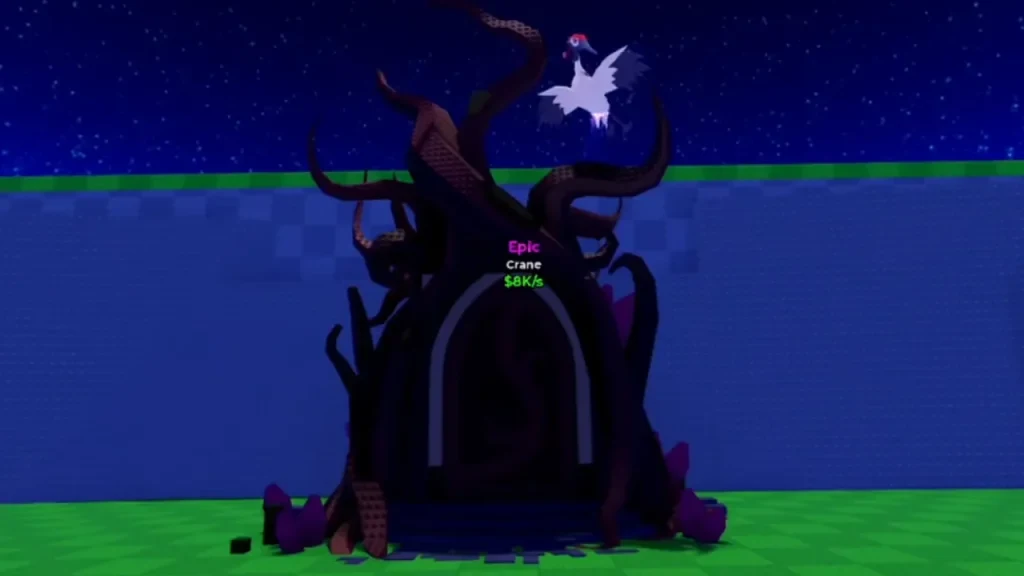
Crane is an Epic pet found in Cherry Blossom eggs. The Steal an Egg wiki hub covers the game's steal, return, hatch, and income loop, while the biome reference gives broader route context if you are still working toward Cherry Blossom.
The Sakura Incubator is a sealed, tree-shaped machine in the Cherry Blossom Zone.
Follow this order when you are ready to unlock it:
- Get a Crane from an egg in Cherry Blossom.
- Keep the Crane available in your inventory.
- Travel to the sealed Sakura Incubator in Cherry Blossom.
- Interact with the machine and submit the Crane when the prompt appears.

One detail is still unsettled. The unlock flow implies that submitting Crane consumes it and permanently unlocks the machine, while another instruction says the Crane stays in your inventory. Check the prompt and your inventory after interacting with the machine before assuming either result.
Farm Sakura Crystals during Great Bloom
Great Bloom is the event window for Sakura Crystals. It usually appears about every 30 minutes and lasts around three minutes, but updates can change both the timing and duration.
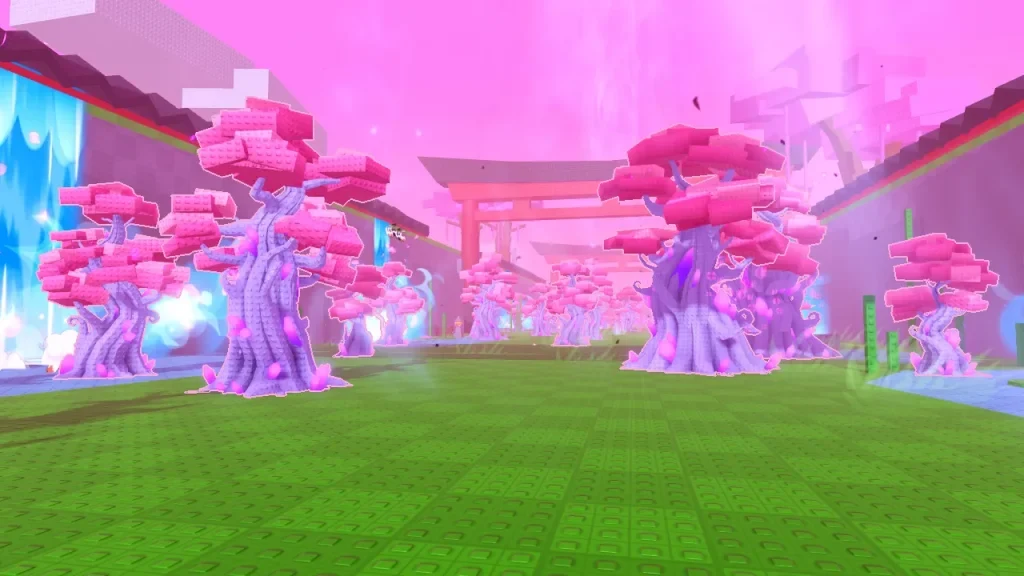
When Great Bloom starts:
- Travel to Cherry Blossom.
- Equip the Bat.
- Hit the Crystal Cherry Blossom Trees.
- Collect the Sakura Crystals they provide.
The exact crystal yield and respawn behavior are not established. Gather what the event gives you, then return to the unlocked Incubator instead of planning around a universal crystal count.
Put an egg in the Incubator and charge it
After unlocking the machine, place an egg from your inventory into the Sakura Incubator. Use the deposit control to add Sakura Crystals, then follow the charge meter until the machine finishes its cycle.
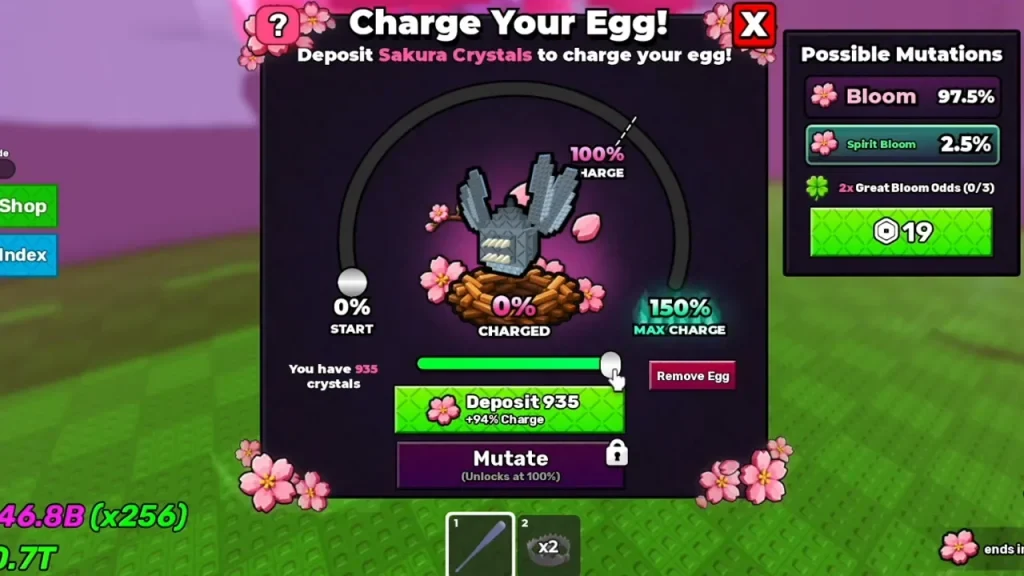
The visible values in a charge panel are session examples, not a universal crystal-to-charge formula. Use the live meter rather than copying a number from a screenshot or treating a suggested amount as a required cost.
The two named outcomes are Bloom and Spirit Bloom. The exact outcome odds and any guaranteed result are not settled, so treat the Incubator as a chance-based upgrade and do not promise a particular mutation before the egg finishes.
Sakura Incubator FAQ
Do you lose the Crane after unlocking the Incubator?
The instructions disagree. One version says the submitted Crane is consumed after the permanent unlock, while another says it stays in your inventory. Check the live prompt and inventory result before assuming either outcome.
Is there a fixed Sakura Crystal cost?
No universal cost is established. Add Sakura Crystals while watching the live charge meter instead of copying the amount shown in a screenshot or a player recommendation.