Mine a Planet is Skydog Games' Roblox idle miner. Your laser drones dig a voxel planet, you sell ore for Cash, and you put that money into a stronger fleet and a better world.
First hours work best in a clear order: get drones mining, spend Cash on the real bottleneck, then save for planet evolution when local upgrades stall. Redeem free packs early through Settings (gear icon), and keep the live list on the Mine a Planet codes page instead of hunting names in chat. Server traffic for the experience sits on the Mine a Planet stats page if you want a quick look at how busy it is.
Get a fleet mining first
Finish the tutorial, then watch one full mine → carry → return → sell cycle. Note where time goes: stuck chipping ore, flying with a full hold, or limping home with almost nothing in cargo.
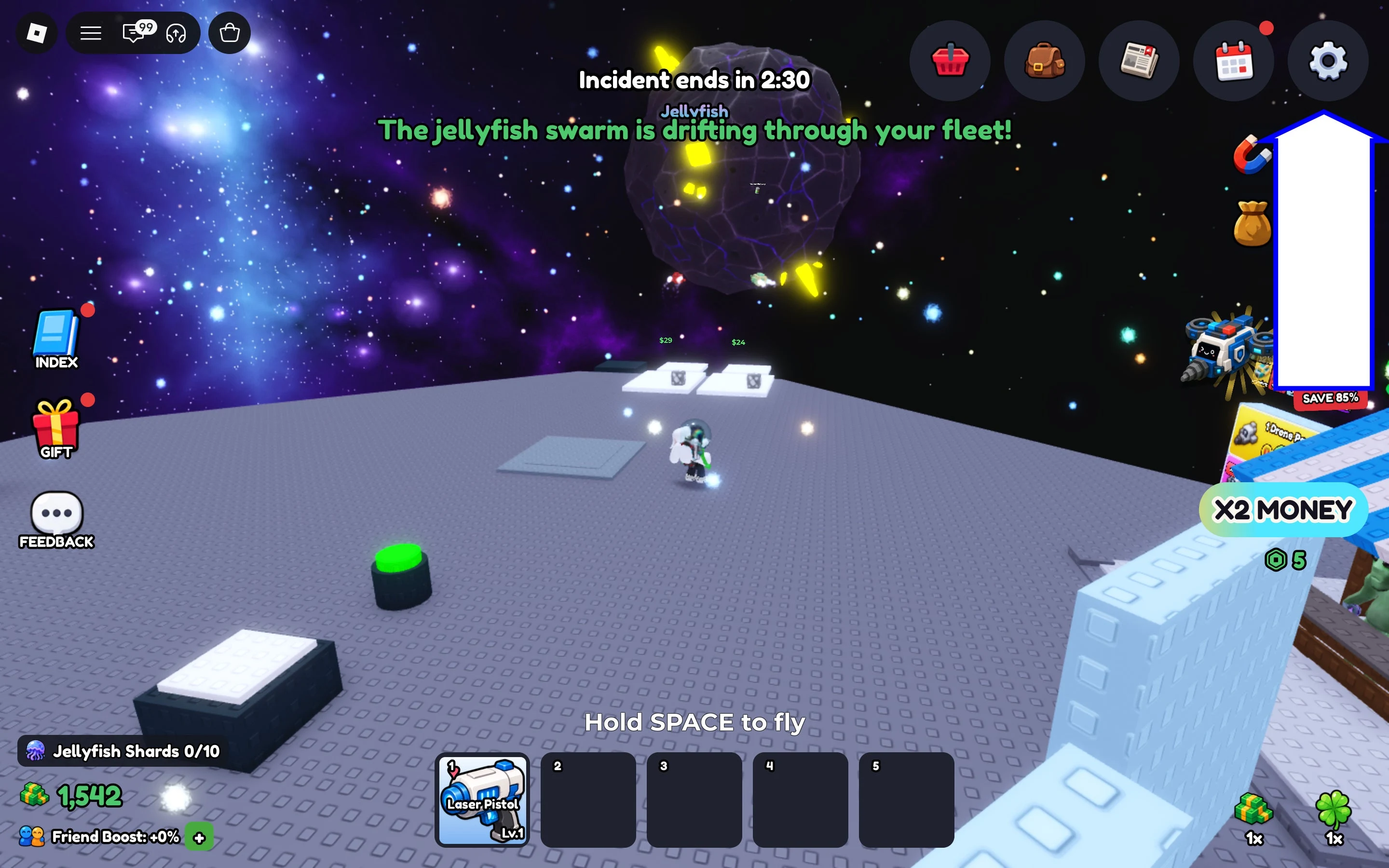
Drones come from free unlimited rolls. Buy the ones worth a dock slot. Unlock more dock platforms when you need space. Assign a drone so that slot earns. Recall a weak unit when a better pull lands.
Prefer readable stats over rarity color alone. An empty dock earns nothing. A shiny drone parked in inventory earns nothing too. Fill every unlocked slot before you chase ultra-rare flex rolls.
Early fleet setup in order:
- Roll for a drone (rolls stay free and unlimited).
- Buy keepers that beat what you already run.
- Unlock dock platforms so more drones can work at once.
- Assign a drone to every open slot.
- Recall weaker drones when something better shows up.
Claim free packs through Settings early, then get back to filling docks. Codes are a boost, not a substitute for a fleet that actually mines.
Spend cash on the bottleneck, not every button
The official fleet trio is Mining Power, Cargo, and Speed. Watch a cycle, then buy the stat that is actually slow.
- Ore takes forever to break → buy Mining Power.
- Holds fill fast and drones bounce home on tiny trips → buy Cargo.
- Most of the time is flying between rocks and base → buy Speed.
- Strong drones sit idle → unlock more dock platforms.
- Slots sit empty → roll or buy a cheaper active drone, then assign it.
Spreading Cash evenly across every button feels busy and usually is not. Dumping consumables like Strong Batteries or Super Alien Treat on throwaway starters is another quiet trap. Save boosts for keepers you plan to keep docked.
If you sell often, giant storage upgrades matter less than a fleet that finishes cycles. Build income first. Side systems can wait.
While you are online, mining by hand on top of a deployed fleet can stack extra Cash versus pure AFK. Still leave your best drones docked before you log out.
Drone Index bonuses for new discoveries, aliens as platform boosts, and UFO / token shop items are multipliers on top of a working fleet. Get every dock earning before you chase pets and weather toys.
When a special multiplier event is live, run your best drones. When it is not, the same bottleneck rules still apply.
When planet evolution is worth saving for
Planet evolution unlocks rarer ore and bigger worlds. Official tier examples move from ores like Azurite toward Aurum and past that as you keep evolving.
Save for evolution when local fleet upgrades feel stalled and you still have Cash left to re-upgrade after. Evolving broke with empty pockets is how harder ore sits there while income crawls.
After you evolve, expect tougher rocks. Income can feel worse for a while until Mining Power and Cargo catch up (and Speed if travel got worse). Read the live confirmation screen for cost and any other warnings before you click through.
Do not treat evolution like an automatic win the second the button lights up. Treat it like a planned jump: strong docks, a clear catch-up plan, and a quick re-check of what is slow on the new planet.
First-session checklist:
- Deploy your best drones in every unlocked dock before you log off (the fleet keeps mining while you are away).
- Redeem freebies via Settings, then return to the Mine a Planet codes list when you need fresh free packs.
- After every big buy or evolution, rewatch one cycle and spend on the new bottleneck only.
- Prefer stats that fix the cycle over rarity flexes and empty inventory keepers.