Harpoon a Fish is a Roblox fishing game where you spear fish underwater and raise them in an aquarium to earn Cash. To make your first catch, eat at the Mukbang Table to build up weight, dive into the water, aim and fire your harpoon, then hit the timing prompt. Bring the fish back to your island, place it in your aquarium, and use the Cash it earns to upgrade and reach deeper water.
| Step | What you do | What you get |
|---|---|---|
| 1 | Eat at the Mukbang Table | Weight, which decides how deep you can go |
| 2 | Press Dive at the shoreline and aim at a school of fish | Access to the water and a target |
| 3 | Fire the harpoon and complete the timing prompt | A fish in your bag |
| 4 | Surface and head back to the island | Your catch, ready to place |
| 5 | Use the PLACE A FISH prompt at your aquarium | Cash every second |
| 6 | Spend Cash on upgrades and more food | Access to deeper water |
Eat at the Mukbang Table to Build Weight
The Mukbang Table is where you eat, and eating is what raises your weight. Sit down at the table and your character keeps eating on its own for as long as you stay there. How deep you can go depends on your body weight, not on your gear.
The table has a fat meter labeled "Get FAT to SINK DEEPER!" It starts at 0/100 and fills as your character eats. The starting waters are where you begin, but once the meter reaches 100/100, you can go past them into deeper zones.
Dive and Aim Your Harpoon in Harpoon a Fish
Press Dive at the shoreline to go underwater. Once you reach a set depth, your avatar holds steady, which lets you aim. Pick a school of fish and fire your harpoon at it. Fish arrive in groups with gaps in between, and a countdown labeled "NEXT FISH SPAWN IN" shows when the next group will appear.
On PC, the controls are:
- W, A, S, D: Move
- Spacebar: Jump
- E: Interact
- Left mouse button: Fire the harpoon while underwater
- Mouse wheel: Change depth while underwater
Once you can reach deeper water, the mouse wheel lets you switch between the depths you have access to. If an on-screen prompt shows different keys, follow the prompt, since controls can differ by device or after an update.
Land Your Catch With the Timing Prompt
A harpoon hit doesn't guarantee a catch. It starts a timing minigame, and you need to press the left mouse button when the marker is inside the highlighted area. You get a limited number of tries. A mistimed press costs you a heart, and if you miss several times, the fish gets away.
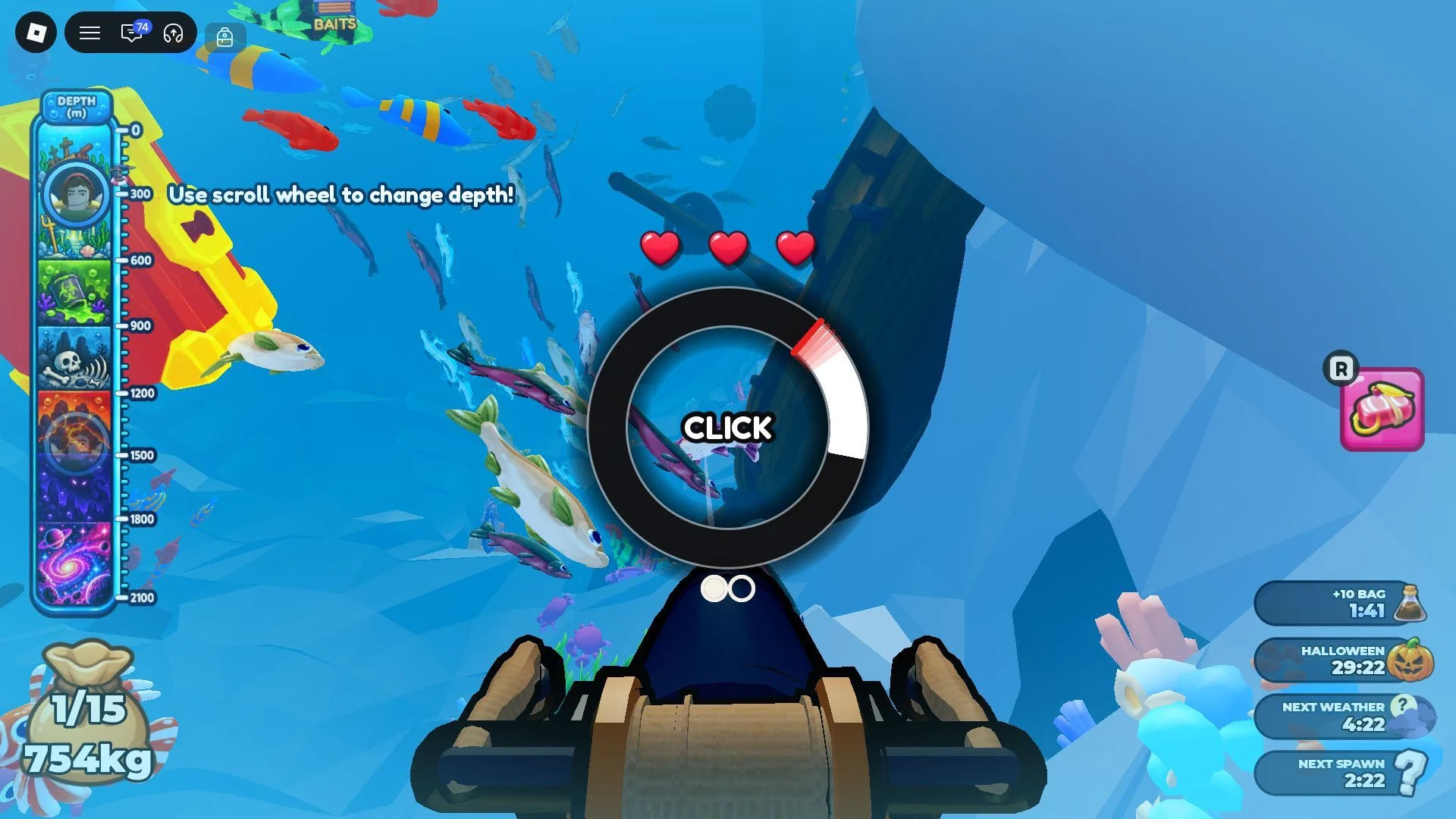
The minigame gets harder with rarer fish. A high-rarity fish has a faster cursor and needs more correct presses, and the minigame for Legendary and higher fish is tough. Practice on common fish first so you learn the rhythm before you go after the big ones.
A successful catch brings up a card that identifies the fish, its rarity and its weight. Rarity and weight are tracked separately, so a common fish can outweigh a rare one.
Bring Your Catch Back and Manage the Bag
Your bag decides how long each dive lasts. A new account carries only two fish, so early dives are short. Finishing the tutorial permanently adds 3 to your bag size, so your next dive holds five fish. The tutorial ends after your first visit to the Mukbang Table, and it shows "TUTORIAL COMPLETE" when it's done.
When the bag fills, the screen shows "BAG FULL! GO FEED YOUR FISH!" and "PRESS SPACE TO RETURN." Press Space to head back to the island. You can also return before the bag is full, whenever you're ready.
Catches reach the island when you surface, and that's when they can go into your aquarium and start earning Cash.
Place Fish in the Harpoon a Fish Aquarium to Earn Cash
On the island, use the PLACE A FISH prompt to add a catch to your aquarium. Each fish on display generates Cash every second without any extra work from you. This steady income is what pays for most of your upgrades, which makes the aquarium the center of your progress.
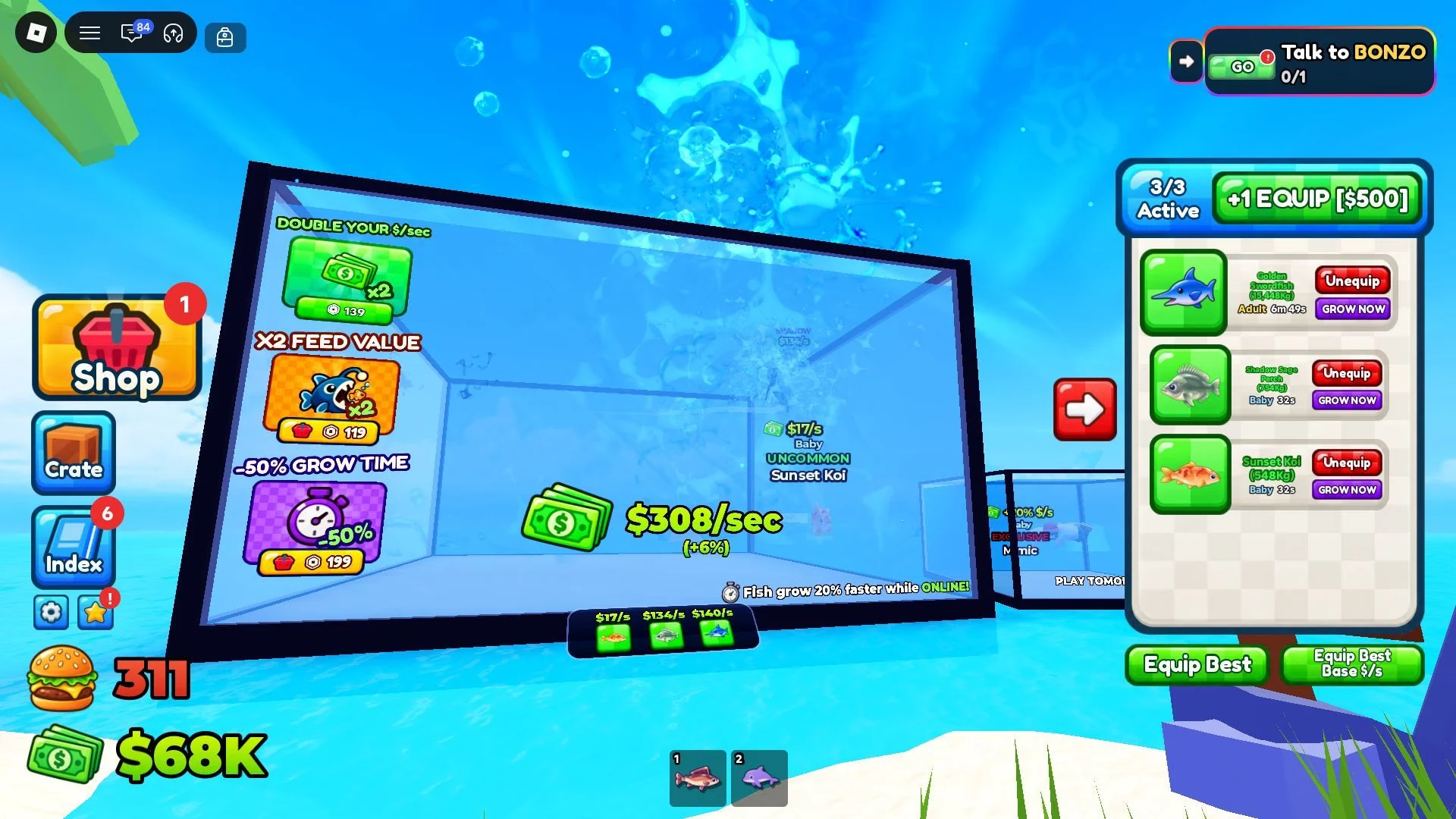
Growth matters too. Every fish starts as a baby and matures the longer it stays in the aquarium. Rarer species take longer to grow up, while common ones mature much faster. Since a fish's Cash output depends on its growth stage, letting fish fully mature is the way to maximize your earnings.
Grow Fish and Spend Cash on Upgrades
Spare fish you don't plan to display can be fed to the fish in your aquarium, which speeds up their growth. Once a displayed fish has eaten enough, an Evolve option appears, and evolving it doubles its Cash per second.
Cash has two main uses. The aquarium upgrade increases how many fish it can hold, so more fish can earn at the same time. The Mukbang Table upgrade gives your character access to better food, which adds a lot of weight, and weight is what opens deeper water. Put some of your Cash into the table so you can keep going deeper.
Deeper Zones Beyond the Starting Waters
Past the starting waters, the game has several named zones:
- Shipwreck
- Ruins
- Toxic
- Lava
- Void
Players usually reach Shipwreck before the others, so it tends to be the first deeper stop. The game warns that danger increases with depth, and sea monsters can be found in these deeper waters. Each zone has its own fish species, and the game advertises more than 1,800 unique fish overall.