Cleaning the starter house is only half of the job in Flip a House!. You also need to remove loose trash, finish the dirty floors and walls, and place the furniture each room requires before using the buyer interaction to sell the house. This beginner guide takes you from the default Bungalow through your first sale and the next upgrade decision.
How to Start Your First Flip a House Renovation
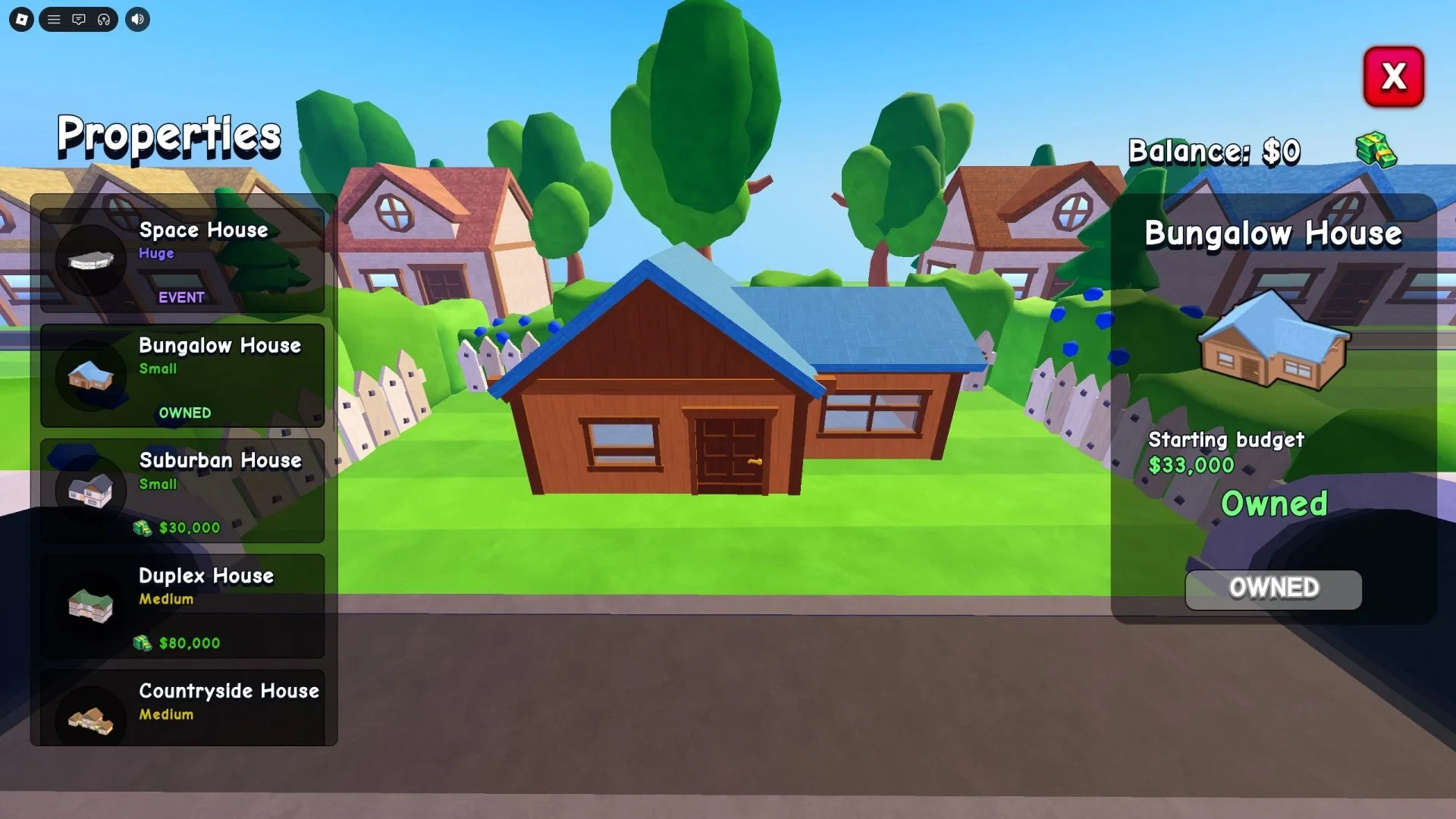
Choose the Bungalow when you start your first renovation. It is the default unlocked property and the smallest starter house, so it also produces the lowest sale Cash. That makes it a useful practice run: you can learn the cleaning, furniture, and sale loop without needing a larger property first.
A completed flip has four connected parts: clear the trash, clean the required surfaces, furnish each room, and sell the house. Do the work one room at a time so it is easier to notice a missed floor, wall, trash item, or furniture requirement before you move on.
Flip a House PC Controls for Cleaning and Furniture
On PC, use these controls as a guide, and follow the on-screen prompt if your game shows a different key because controls can change between versions.
| Action | Listed PC input | Use it for |
|---|---|---|
| Move | W, S, A, D | Walk through the property and check each room |
| Jump | Spacebar | Move around the house and reach the areas you need to inspect |
| Interact | E | Pick up loose trash and use nearby interactions |
| Equip a tool | Number keys 1-0 | Switch between the vacuum, sponge, and other equipped tools |
| Use a tool | Left mouse button | Clean the selected floor, wall, or other dirty surface |
| Open the computer | C | Access the furniture-ordering menu while renovating |
Flip a House Cleaning Steps: Remove Trash, Vacuum Floors, and Scrub Walls
Finish the cleaning pass before spending time on furniture. The house needs more than a quick visual tidy-up, so use the tools and check every room.
- Remove the loose trash. Pick up each piece of trash with the interaction prompt and carry it to the trash can or outdoor dumpster. Leaving even one required piece behind can keep the property from being ready.
- Vacuum the floors. Equip the vacuum and clean the dirty floor surfaces throughout the house. If a floor still shows grime, keep working it instead of assuming the room is finished.
- Scrub the walls and other dirty surfaces. Switch to the sponge and use it on the wall muck and any other surfaces that still need cleaning.
- Recheck the rooms. Walk back through the property after the visible dirt is gone. The renovation requires the house's required surfaces to be sufficiently clean, so look for an overlooked patch or trash item before you start ordering furniture.
How to Buy and Place Furniture in Flip a House
Cleaning does not complete a room by itself. Each room has a furniture requirement list near its doorway, and that list tells you which pieces still need to be supplied.
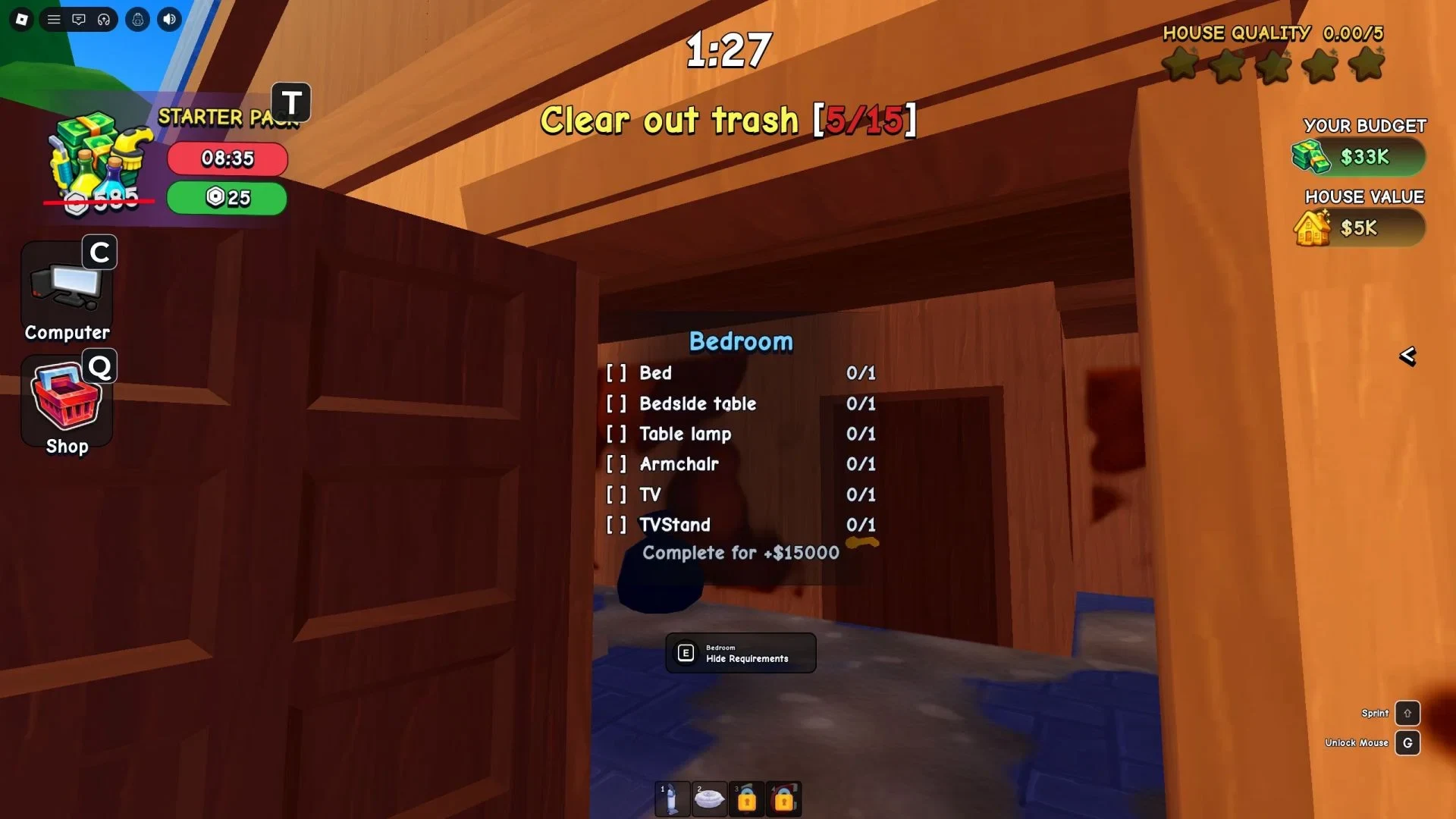
Use the computer to order the pieces shown on the list. On the listed PC layout, press C to open the computer menu, then use your Cash to purchase the required furniture. Check the room list before each order so you do not spend money on a piece that belongs somewhere else.
Buying an item and placing it are separate parts of the job. After the order's delivery step, take the requested furniture to its matching room and place it there. If the house still will not count as complete, walk through each doorway again and compare the list with the items physically sitting in that room. A purchase that has not been delivered or placed does not replace that requirement.
How to Sell Your Renovated House and Earn Cash
Once the required trash, cleaning, and furniture work is complete, use the buyer interaction to finish the sale. The Cash from that sale is what lets you improve your equipment, buy upgrades, and work toward additional properties.
A buyer can contact you before every furnishing task is finished, so an early message is not the same thing as a completed renovation. Do not hold the property for a promised higher offer; finish the listed work and complete the available buyer or sale interaction instead.
What to Buy Next in Flip a House
Return to the hub after the sale and reinvest the Cash in the part of the loop that slowed you down. Better vacuums and sponges make the cleaning pass easier, while upgrades and the Property Shop open up longer-term progression. Larger properties are a later choice, not a requirement for finishing the Bungalow.
For a simple beginner rhythm, improve a cleaning tool before committing to a more expensive property, then repeat the same order: clean, satisfy the room lists, place the furniture, and sell. You can also play with up to four friends, which gives you more help when a renovation has many rooms.
The Bungalow teaches the important sequence that carries into the rest of Flip a House: finish the actual cleaning, verify each room's requirements, place the ordered furniture, and only then treat the sale as complete.