Guilds in Evomon are a Season 2 system for shared progression and member support. The basic loop is simple: join through a leader invite in the same server, contribute to Guild tasks, check Guild-linked shop items, and look for an Assist Evomon before a Dungeon. For party lobbies, waves, and dungeon rewards, see how Raid Mode works in Evomon.
Guilds let players share progression

The current Guild setup shares EXP and Coins across members. The Guild panel also tracks Guild EXP, giving the group a shared progress bar and a clear place to check membership and support.
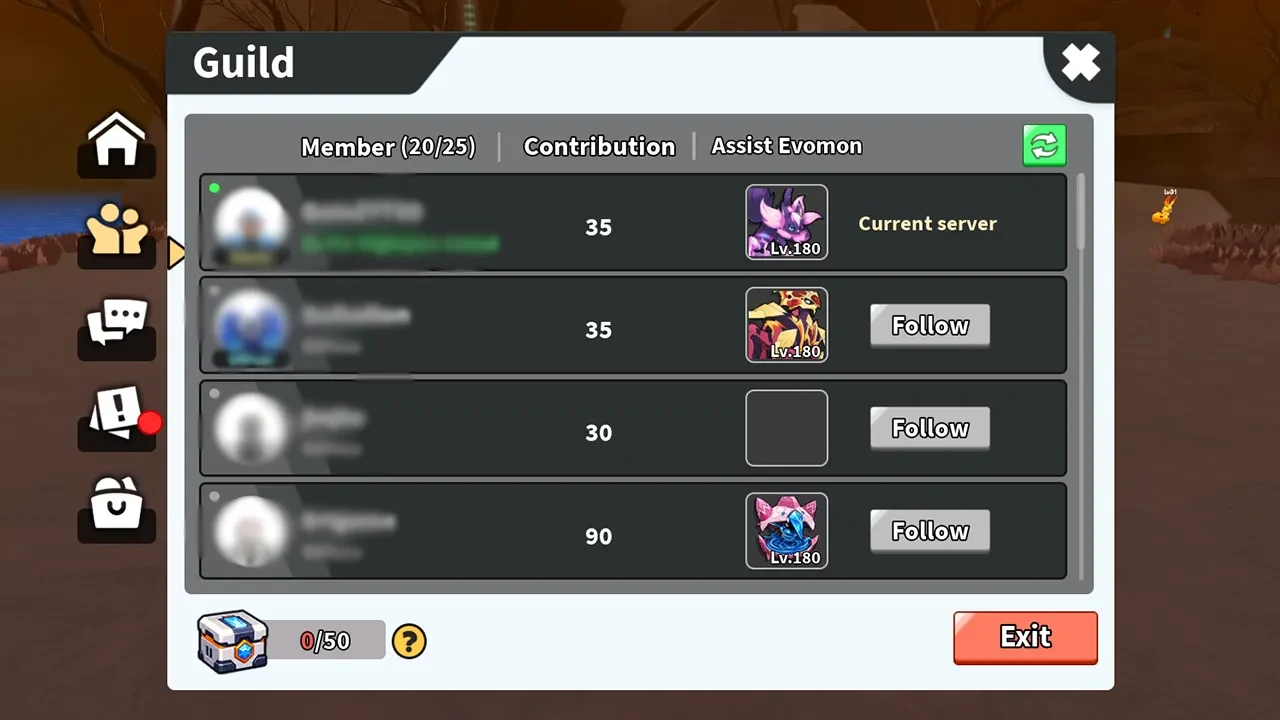
A Level 1 Guild currently shows capacity for up to 25 members. The join flow uses an invite from the Guild leader while you are in the same server. Follow the invite prompt in the Guild panel, then use that panel to check your membership and Guild progress.
Guild limits and invite rules can change with an update, so trust the live Guild panel if it shows different details. Your personal progression still has its own gates. How Ascension works in Evomon covers that separate progression system.
Complete the daily and weekly Guild tasks
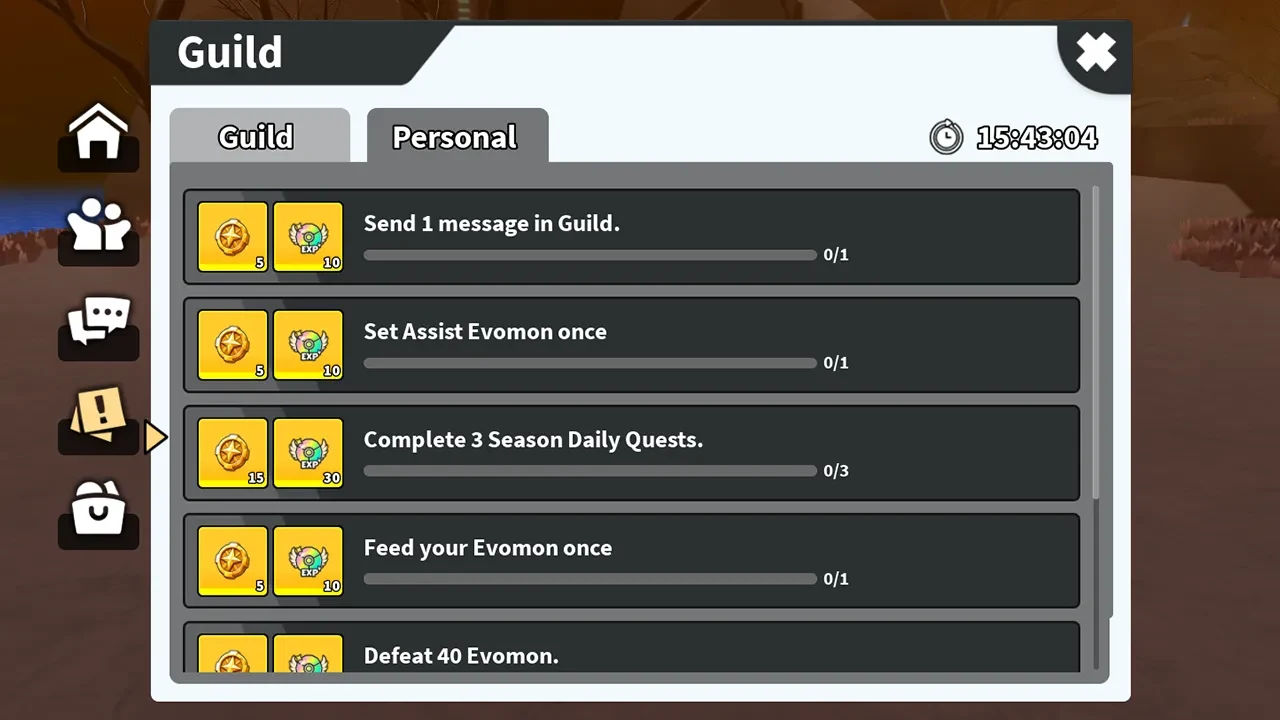
Guild tasks are the main group contribution loop. Open the Guild task area and check both the daily and weekly sections. Work on objectives that fit your normal sessions, then watch the progress and reward area to see what the Guild is building toward.
Objectives, point values, reward amounts, and timers can change, so use the live task panel for those details. A small bit of steady progress is less risky than saving everything for a timer that may have other plans.
Use Guild Shop items and borrow an Assist Evomon
The Guild Shop is where you can inspect Guild-linked items. Check the current item names, costs, and stock in-game before planning a purchase, since the available selection can change.
Before starting a Dungeon, open the Assist Evomon area and check whether a Guild member has support available. Guild members can lend and borrow Assist Evomon, and the player who lends one can earn rewards. Availability depends on what members provide, so the support list may not look the same every time.
Borrowing an Assist Evomon supports a Dungeon run, but it does not promise a specific boost or a guaranteed clear.