Collect one Duck Bot part in House's Farm, one on Mansion's Tennis Court, and one in Gas Station's Back Lot. The revised route uses the Farm's right-corner porch swing, the left side of the Tennis Court, and a rock beside the red car.
After the third pickup, check your hotbar first. The bot should appear there automatically, so select it with a click or hotkey. If it is missing, open the Bots Shop beside the spawn-area leaderboards, choose Duck Bot, and click Equip. Route labels can change after updates, so follow the live unlock prompt when your server shows different names.
Find all three Duck Bot parts in the current route
Unlock each destination through the normal leaf-cleaning progression. The beginner progression guide explains the collect, sell, and upgrade loop if you are still opening areas.
Find the first Duck Bot part in House's Farm
Clear these areas in order: Front Yard > Porch > Garage > Rooftop > Basketball Court > Backyard > Pool > Maze.
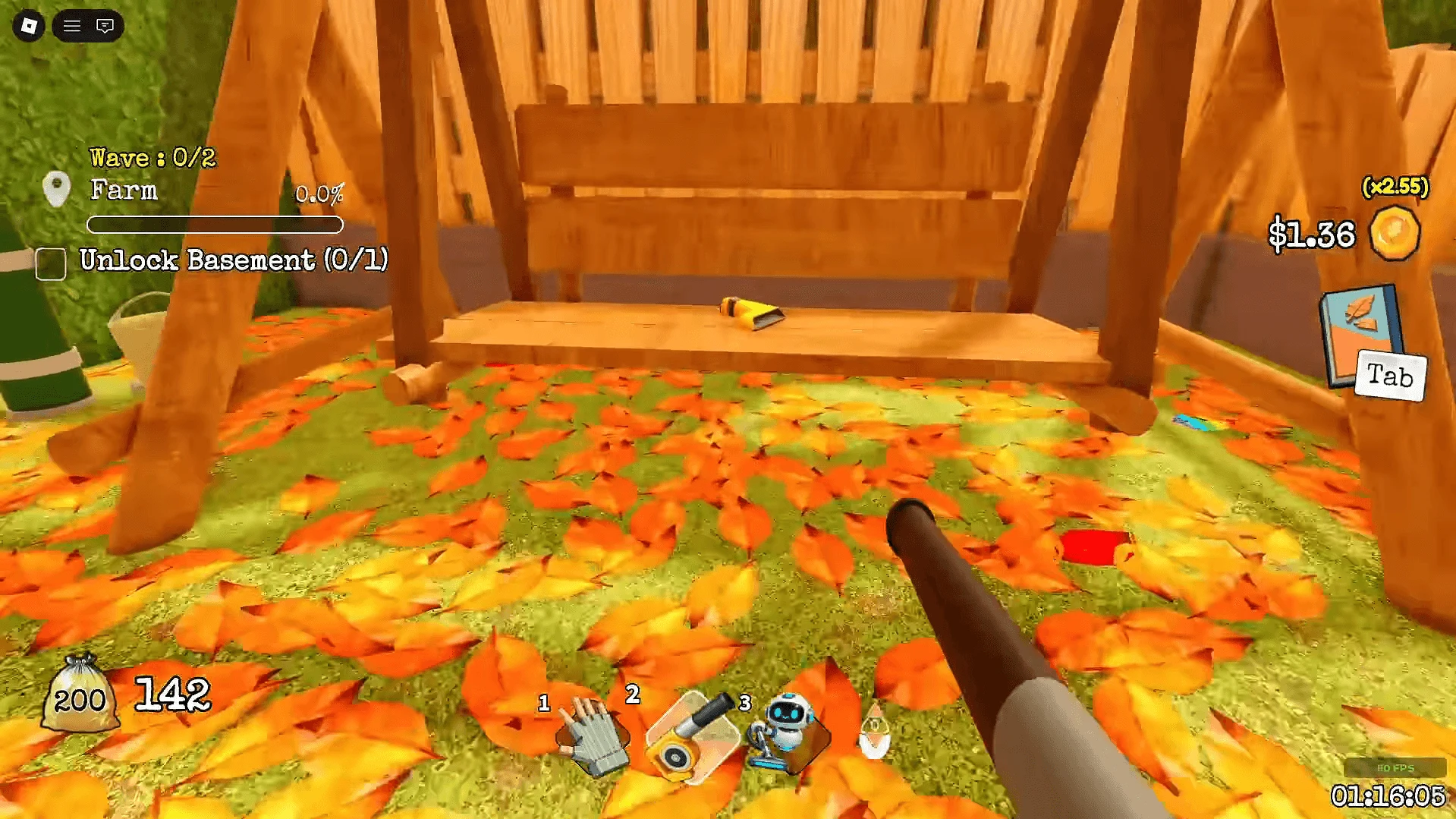
When Farm opens, go to the right corner and check the porch swing. The yellow part is on the swing. Click it to collect it.
The Basketball Court is one of the route landmarks. Its separate Swish 3 Times quest can help if you need to identify that area.
Find the second part on Mansion's Tennis Court
Clear these areas in order: Front Yard > Porch > Left Alley > Right Alley.
When Tennis Court opens, check the left side of the court floor for the Duck Bot head. The pickup moved from the older couch location in the Relaxation Area, so do not search the couch first if an old screenshot sends you there.
Pick up the final part near the red car
Clear these areas in order: Street > Gas Station Entrance > Inside Gas Station > Restroom > Staff Room > Storage Room.
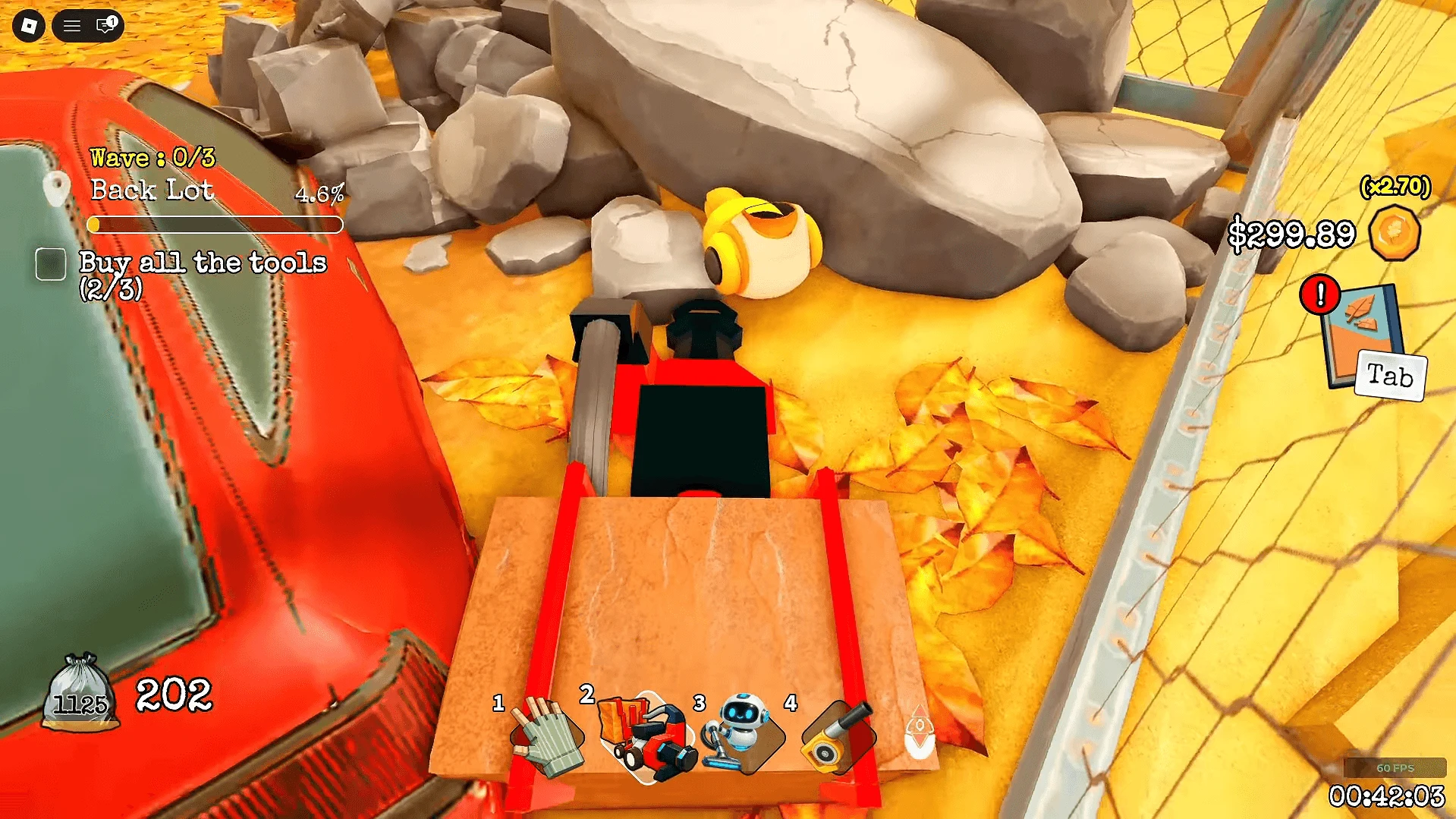
When Back Lot opens, turn right toward the red car. Inspect the base of the nearby rock for the final part.
Some older route lists include Billboard and Bus Stop between the entrance and the Gas Station interior. Try the shorter route above first, then use the live unlock prompts if your server still shows either label.
Equip and deploy the Duck Bot
- Collect the third part. Pick up the Gas Station part to complete the set.
- Check the hotbar. The completed bot should appear there automatically.
- Select Duck Bot. Click its hotbar slot or use its hotkey.
- Use the fallback shop if needed. Open the Bots Shop beside the spawn-area leaderboards, select Duck Bot, and click Equip.
- Start a cleaning run. Confirm Duck Bot is selected before you begin.
The reported cycle is 2 minutes active followed by 1 minute of recharge. The bot is also reported to work passively alongside a Rake or Leaf Blower. Treat both behaviors as guide-reported and recheck the live menu after updates.