Traffic jams in Cities: Skylines 2 almost always start at one bottleneck, so the best fix is usually a change at that spot rather than wider roads everywhere. Cars and delivery trucks pick their own routes through the streets you lay out, so one badly placed exit can back up a whole district. Open the Traffic and Roads info views to find where the queue begins, then cut the conflicting trips at that point with better road links, cleaner junctions, and transit or freight options people will actually use.
| Jam you see | Where to look | Fix to try first |
|---|---|---|
| Cars stacking up at a highway exit | The ramp and the road it feeds | Add a merge or exit lane, or a second way off the highway |
| Trucks queuing outside a cargo terminal | The terminal driveway and its road link | A direct arterial connection, plus rail, ship, or air freight |
| Cars circling for a parking spot | Roadside parking near the destination | More parking nearby, plus walking and transit access |
| Buses stuck behind cars | Stops on congested streets | Bus lanes, bus-only roads, or waypoints around busy streets |
| Stop-and-go at a crossing or turn | The intersection itself | A roundabout, turn restrictions, or an overpass or interchange |
| Slow traffic after a crash or in snow | Road condition and blocked lanes | Maintenance and snow service that can reach the road |
Find Where a Traffic Jam Starts in Cities: Skylines 2
The Traffic info view shows flow and volume across the whole city. Red coloring marks jams, low flow can point to a bottleneck, and volume shows how many vehicles use the network at different times, including rush hour.
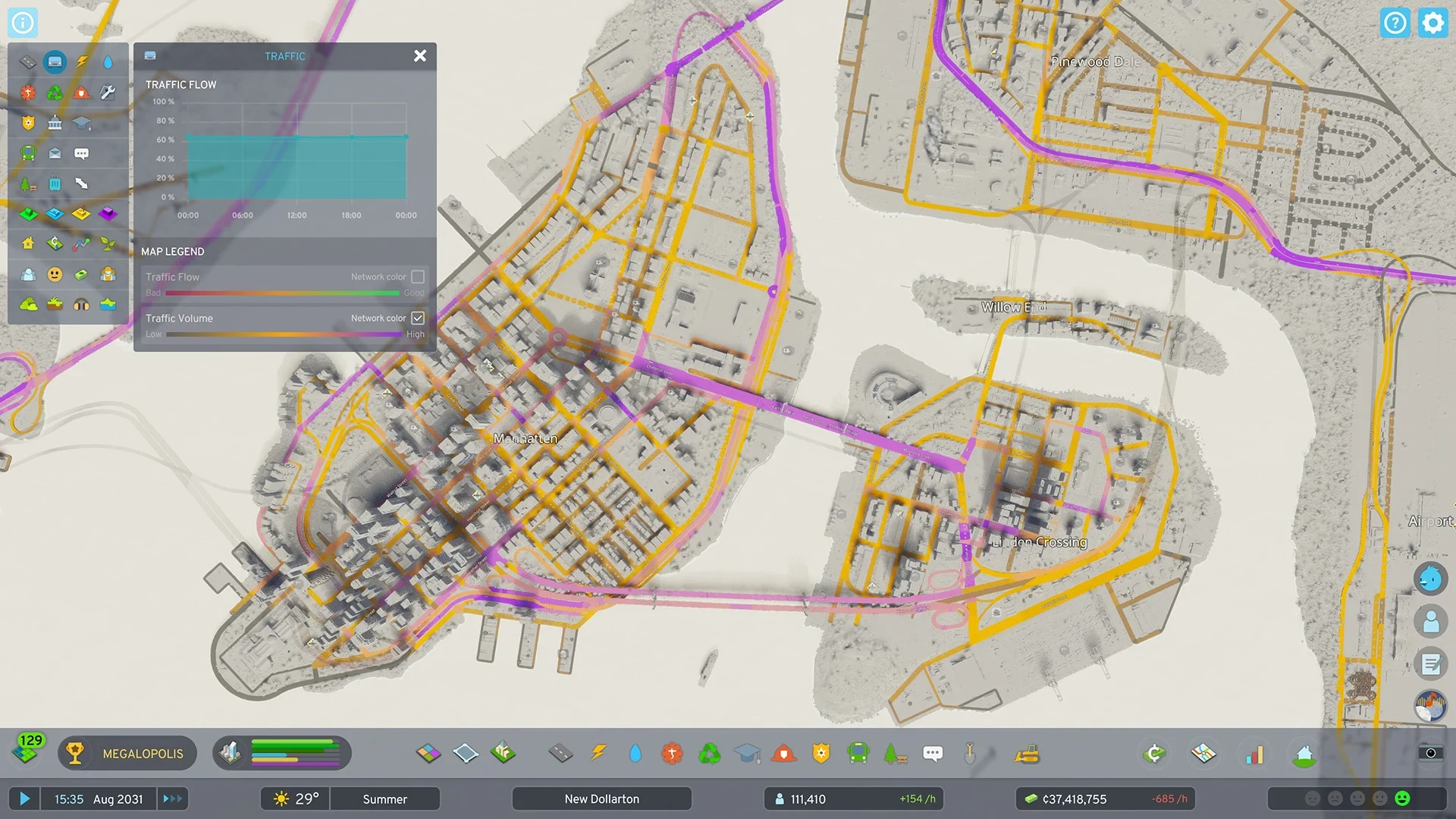
A queue always points back to its cause. The cars at the back are only waiting, so the trouble is usually one movement at the front, such as a turn, a merge, or a ramp. Once you know which movement is holding the line, you can fix that exact spot instead of guessing.
- Open the Traffic info view and find the red stretch.
- Follow the queue to its front. Everything behind it is waiting.
- Inspect what sits there: a junction, ramp, crossing, terminal entrance, or service building driveway.
- Check the next junction too. If it's already full, sending more traffic into the blocked road only makes the jam longer.
Why Widening Roads Often Moves the Traffic Jam
Vehicles use lanes more fully than they did in the first game. They overtake slower traffic, switch lanes around a crash or stopped car, and make room for emergency vehicles. They also pick their turn lane earlier before highway exits and junctions, and they make fewer unnecessary U-turns.
That helps, but a wider road still has to empty into the same exit or junction. If that point can only take so many cars, the extra lanes just deliver them to the same back-up, and the queue moves to the next constrained junction. Widen a road only when the place it leads to can absorb the extra traffic.
Give Local Streets a Second Way Out
Think of your roads in layers. Local streets handle access to homes and shops, collectors feed neighborhoods, arterials link districts, and highways carry longer trips. This is a useful way to plan rather than a strict rule the game enforces, but it keeps each road doing the job it was built for.
Drivers weigh travel time most, along with comfort, which includes fewer unnecessary turns, and cost, which includes fuel and parking fees. That means a new road that saves time will draw traffic toward it. Traffic passing between outside connections will also take a player-built shortcut if it's less costly, so a new highway can pull through-traffic into streets you planned for residents.
- Add a second useful route or a collector connection, so one road isn't the only way out of an area.
- Space out major junctions and keep them simple, so each one has room for its own traffic.
- Make local streets feed into collectors, and collectors into higher-capacity roads. Keep direct access and zoning on local streets where you can, and avoid sending a whole district through one ramp.
Fix Junction Jams With Roundabouts and Turn Rules
Junction jams usually come from cars crossing or merging into the same space. The base game gives you traffic lights, crosswalks, stop signs, turn-lane control, and no-left or no-right-turn restrictions. You can also place roundabouts on existing intersections, use elevated roads, and add pedestrian overpasses to take crossings out of the way.
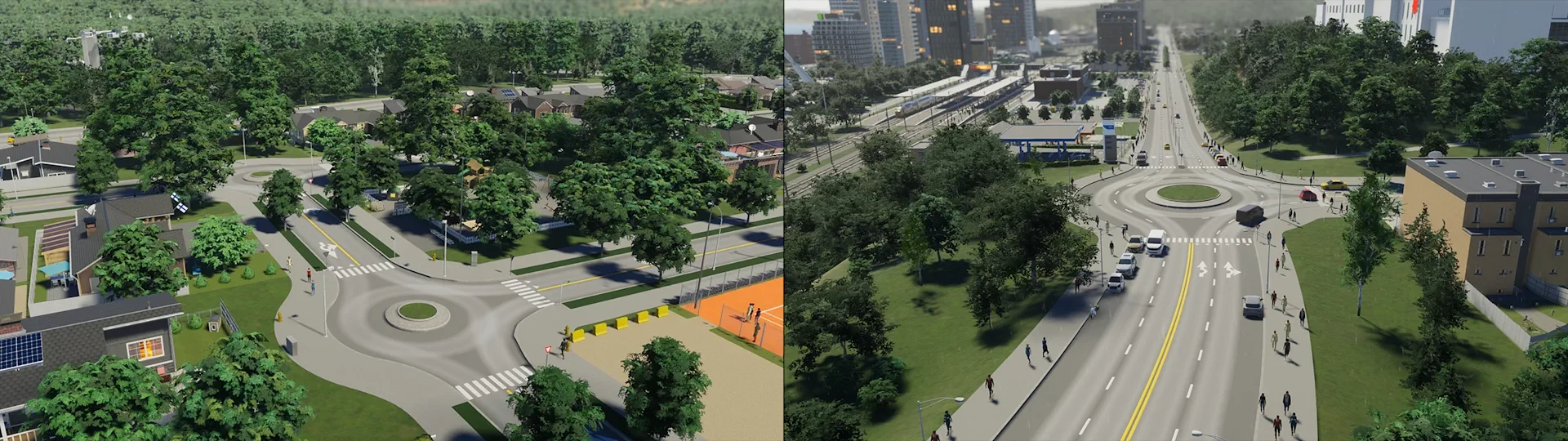
A roundabout comes in four sizes and takes its lanes from the roads that connect to it. Cars entering it give way to traffic already circling. It helps most when one stop-and-go conflict is the problem, but it can't add capacity to a road that's already overloaded past it, so check the road leaving it first.
A turn ban only helps when cars have another way to reach where they're going. Otherwise, you've pushed the conflict onto a detour, and that detour may have its own problem. The base game also can't connect individual lanes, map which lane each turn uses, or set custom timed signal phases. Those controls need mods, so the base game fixes come from the layout itself.
- Start from the conflict you found in the Traffic info view.
- Choose a road size and turn-lane layout that suits the traffic. The Replace tool can change an existing road's type and features, so you can upgrade a road you've already built.
- If one stop-and-go conflict is the problem, try a roundabout. If cars and pedestrians cross the same path, use an overpass or interchange instead.
- Add turn restrictions or traffic lights only where they remove a real conflict.
- Check that every vehicle type still has a complete route through the junction.
Keep Freight Trucks Moving Around Cargo Terminals
Cargo Train Terminals and cargo harbors store freight, send it out by delivery truck, and collect local goods for export, so they create a lot of truck trips. Cargo rail, ship, and air links can move freight to and from outside connections, which cuts the need for long-haul trucks when those lines are in use. Local pickup and delivery still runs on trucks, so the road into the terminal matters a lot.
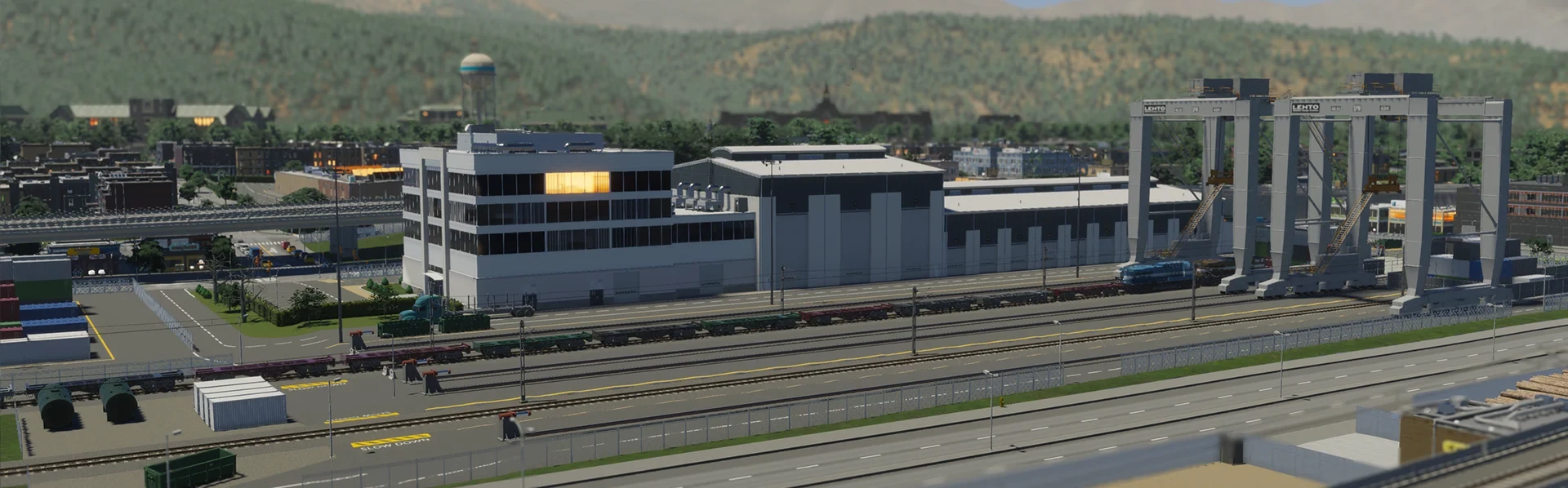
- Give the terminal a direct, clear arterial connection into the city, so trucks don't have to thread through local streets.
- Watch whether trucks get in and out smoothly. If the terminal road is backing up, that road is the choke point, and it's the first thing to fix.
- If trucks still dominate, add rail, ship, or air freight so more goods leave by a route other than the road. Then check the Transportation Overview to confirm the line is being used.
Balance Parking So Drivers Don't Circle
Parking is part of how citizens choose to travel. They compare the cost and availability of parking against transit and other options. Low or no fees make parking attractive, while high fees can push people toward other ways of getting around, though the result depends on the person and the alternatives they have.
Parking comes as roadside spaces, parking lots, and parking structures. Wide sidewalks remove roadside parking, so check that tradeoff before you widen one.
- Open the Roads info view and check parking availability and use on the streets near the problem.
- If cars circle near a destination, add a lot or structure close to it.
- Set parking fees with care, since they change whether people drive or pick another option.
- Improve walking, cycling, and transit access to the same destination, so people have a real alternative.
Parking is a route factor, so more spaces can also make driving more attractive. Add parking where the Roads info view shows demand, and pair it with transit or walking access so the extra spaces don't just bring in more cars.
Give Buses a Route Cars Can't Block
Buses are one of the first transit options you unlock. They're flexible and relatively inexpensive, but they run on the same roads as everyone else, so a bus stuck behind cars stays stuck unless it gets its own lane or road. Buses also need a Bus Depot before they can run, and ticket prices affect whether citizens choose them.
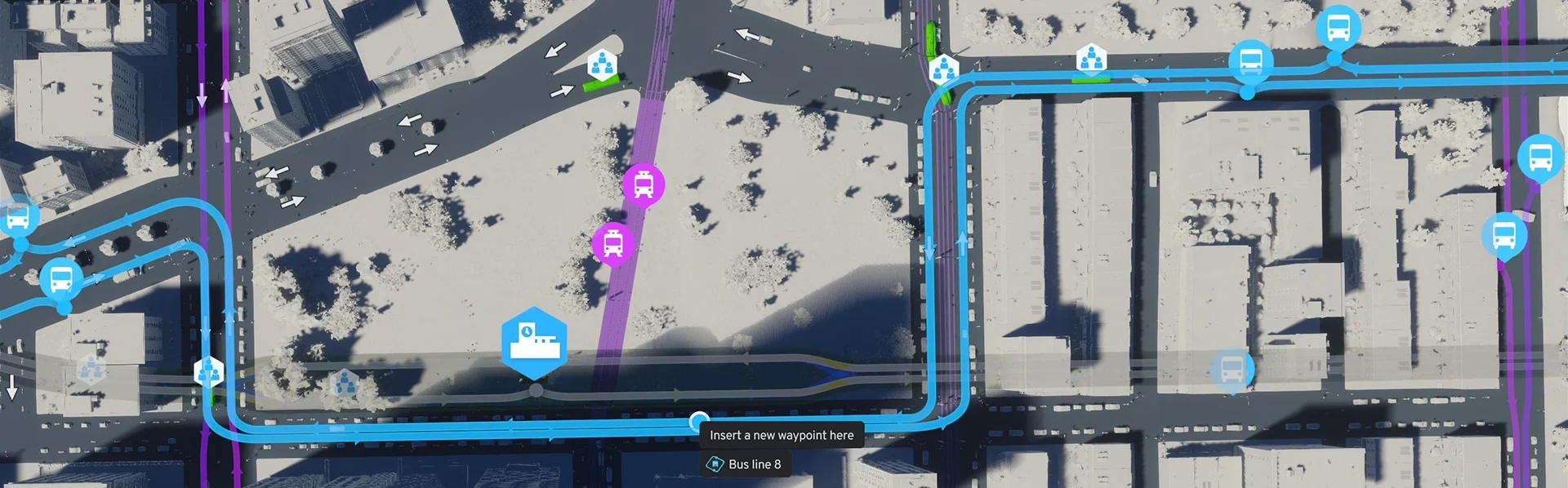
- On a busy corridor, add bus lanes or a dedicated bus road.
- Use waypoints to route a bus line around busy streets and intersections.
- Connect bus routes to dense destinations and to rail, so the line picks up riders where demand is.
- In the Transportation Overview, check line usage and vehicle count. When a line nears full use, add vehicles to cut waits. Several lines sharing one stop can get crowded, so recheck after adding vehicles.
- For the busiest corridors, use trams on their own tracks, which bypass road traffic, or a subway, which is fast and high capacity.
Fix Poor Roads, Snow, and Crash Blockages
Road condition shapes how traffic flows. The Roads info view colors each road from good to poor, and poor condition or heavy snow slows traffic and can start a jam. Poor condition also makes accidents more likely, along with weather, lighting, and disasters, while road maintenance and streetlights help reduce them.
When a crash happens, vehicles in the affected lanes stop until police secure the scene and it's cleared. Road maintenance depots send vehicles to repair roads and clear debris, and snowplows clear roads in winter.
- Use the Roads info view to find poor-condition and snowy stretches.
- Make sure maintenance and snow service can reach those roads. Adding more service buildings won't fix a queue on its own, so check access first.
- Look for crash spots that keep repeating, and improve lighting and upkeep there.
Check Every Fix in the Same Traffic View
After each change, go back to the same Traffic or Roads info view and look at the spot you fixed along with the junction after it. Keep the fix only if the queue clears, or if the traffic spreads onto a road that can handle it. If the jam has simply moved, adjust the change or undo it. Work on one bottleneck at a time, since a single fix can reshape traffic across the whole city.