


Cities: Skylines 2 is a city builder where you zone land, lay roads, and pay for the services residents depend on from a city budget. The fastest way to get your money back in the green is to find where it's leaving, cut the costs you don't need, and then grow income by building only what residents and businesses can use. Exports, service fees, and tax changes can add to your income, but none of them guarantees a profit, so make each change in small steps and watch the results.
| Economy panel tab | What it shows | Use it to |
|---|---|---|
| Budget | Revenue, Expenses, and Monthly Balance | Find the line causing a deficit |
| Loans | Your loans and the interest they cost | Decide whether to borrow or repay |
| Taxation | Tax rates by zone type and subgroup | Adjust one group at a time |
| Services | Budget sliders for each city service | Trim or restore service spending |
| Production | Surplus or deficit of materials and goods | Spot exports and shortages |
Check Your Budget in Cities: Skylines 2 Before Changing Anything
Before the Economy 2.0 rework, government subsidies could help cover some city costs. They were removed from the city budget, so every deficit now traces back to your own choices, and that puts the fix in your hands. Start with the Budget tab under the Economy panel.
The Budget tab splits your money into Revenue and Expenses, and the Monthly Balance shows whether the city is gaining or losing money each month. Select any line to see more detail about that income source or expense. Work through it in this order:
- Open Economy and go to Budget.
- Compare each Revenue and Expenses category against the Monthly Balance.
- Select the largest lines to find the real cause of any deficit.
- Let the simulation recalculate before you make another change.
The last step matters more than it looks. Zoning, tax, and service changes don't show their full effect right away, and a second change made too soon makes it hard to tell which one worked. Reaching a new milestone also pays a lump sum, but it won't fix a city that loses money every month, so sort out the budget first.
Cut the Costs That Repeat Every Month
Recurring costs drain your budget every month, so trimming them is often the quickest way to stop a deficit. Three areas cause most of the drain: land, services, and buildings you aren't using.
Tile Upkeep applies to land you buy after the nine starting tiles, and unused land still costs you. The rate climbs from 5% to 25% of each tile's purchase cost as you buy more, and every new purchase raises upkeep on all the tiles you already own. Hold off on expansion until your income can carry the extra cost.
Service buildings and roads have construction and upkeep costs, and upgrading a service building usually raises its upkeep as well. Build services when residents actually need them, not in advance, and avoid covering an area with buildings that duplicate each other. Those extra buildings add up quickly.
A service building that isn't needed can be switched off to stop its upkeep. The trade-off is that the service is unavailable while the building is off, so switch it back on before residents feel the gap.
Grow Housing and Jobs Only Where Demand Exists
Income comes from residents who work and spend, and from businesses that pay taxes. A building nobody needs produces none of that and still carries upkeep, so grow your city in step with demand instead of zoning large areas at once. Zone in small batches, and add costly services only once residents need them.
Keep jobs matched to the workers you have, and keep commercial, industrial, and office buildings viable so they can stay open. Commercial demand follows what households need, so shops grow as residents spend more. Industry also has more workplaces, which helps it meet demand.
Empty buildings are a signal to investigate, not a reason to zone more. Check jobs, residents' income, available homes, and empty properties before changing anything. Avoid judging affordability by total wealth. The Autumn Breeze update (patch 1.6.2f1) made happiness, shopping, and leisure choices follow income instead of accumulated wealth, so income is the better number to watch. If a very large city seems short on residential demand, the same update corrected how that demand is calculated.
Set Taxes One Group at a Time
Taxes look like the easiest lever, but they shape who moves in and whether businesses stay open, so a higher rate doesn't always mean more money. Rates can be set by zone type, with residential taxes split by education level and commercial, industrial, and office taxes split by product. The slider runs from -10% to 30%.
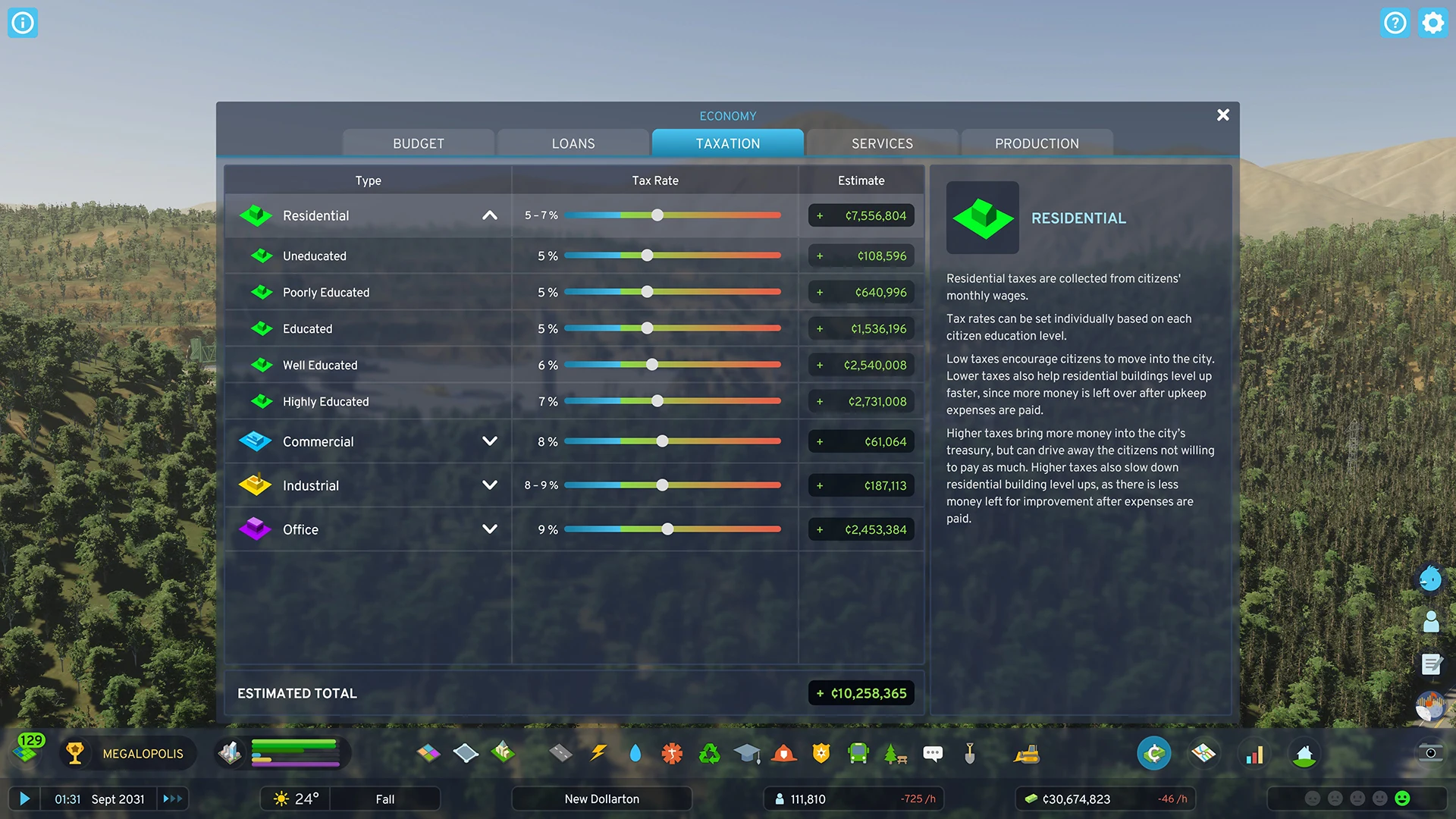
A sharp increase can look like a win at first. If you push industrial tax to 15%, the extra money may arrive quickly, but businesses can leave, buildings sit empty, jobs disappear, and total revenue falls. Residential tax rates also influence which households move in, alongside happiness, homelessness, school spots, and open jobs.
When an office or commercial area is struggling, a modest tax cut for that group can bring businesses and residents back, which can raise tax income even at the lower rate. Make the change, then watch revenue, employment, demand, and happiness before you adjust anything else. Negative rates work the other way. They subsidize a group to draw it in quickly, but they cost city funds, so save them for sectors that are worth the expense.
Fixed rates such as 12% or 18%, and the rule to keep taxes as low as possible, were set before the Economy 2.0 rework and don't apply to every city. Use the Taxation tab and your city's own numbers instead, and raise rates only in small steps when the city can support it.
Trim Service Budgets and Fees Without Hurting Efficiency
Services keep buildings and citizens working, so cutting a service saves money at the cost of how well it works. Each service has a budget slider from 50% to 150%. A lower setting cuts upkeep but also cuts efficiency, so lower a budget only when that service has more capacity than your city needs, then check how it performs.
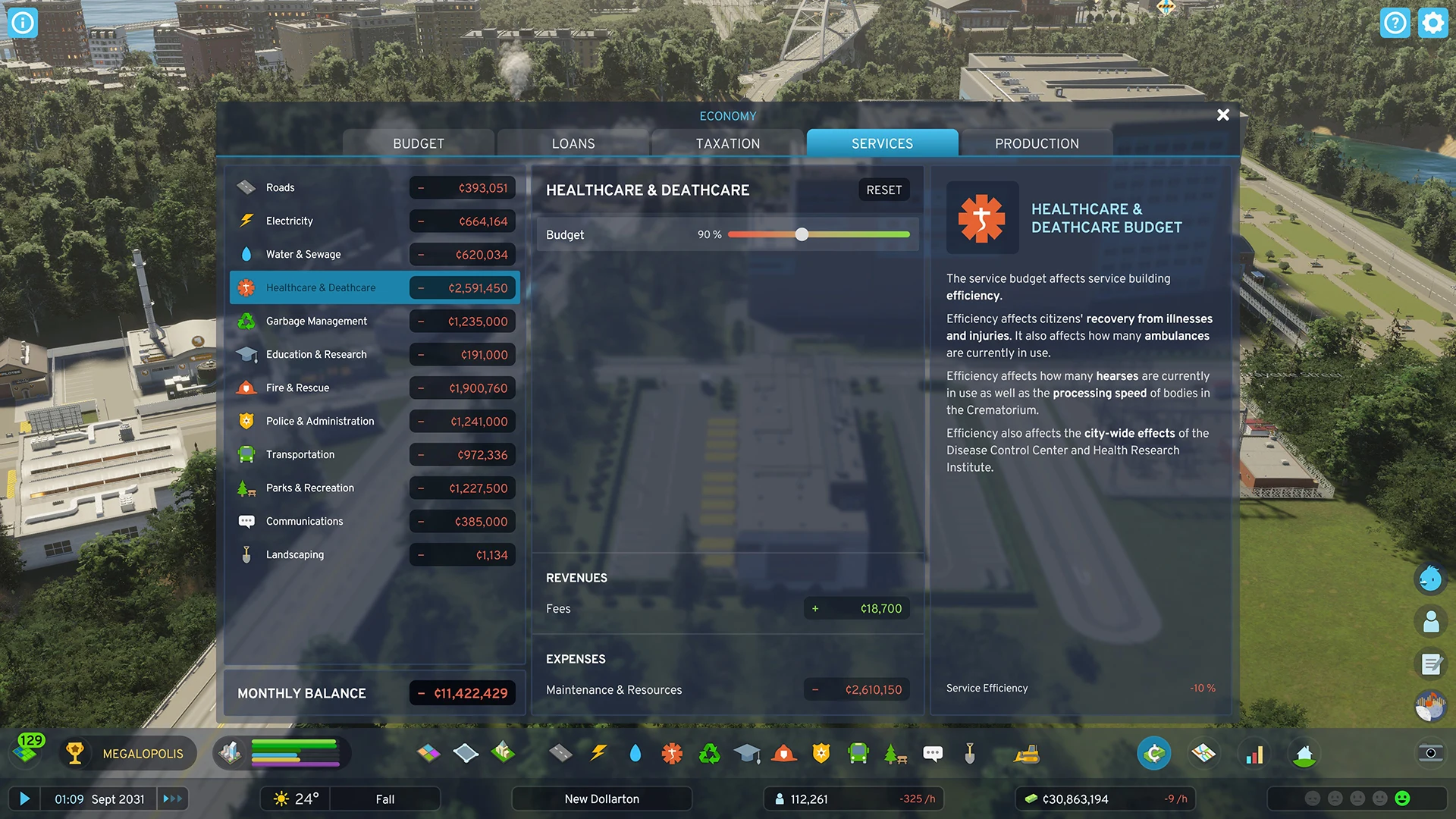
Healthcare is a reasonable place to trim when you have more beds than patients. Garbage needs more care. When trash backs up, power plants and water pumps lose efficiency, and the Autumn Breeze update also made garbage weigh more heavily on citizen happiness.
Electricity, Water & Sewage, Healthcare, Garbage Management, Education, Roads, and Transportation all collect service fees, and parking and passenger-line fares can be adjusted too. Electricity and water fees affect how much residents use, how happy citizens are, and how efficiently companies work, so a fee change is a trade-off, not free profit. Before raising any fee or fare, watch how residents and companies respond.
Sell Surplus Power and Water Through Outside Connections
The Production tab shows materials, material goods, and immaterial goods as surplus or deficit, and it can show where each one is produced, used, or sold. Check it before building anything new, since it shows which resources your city has too much of and which it lacks.
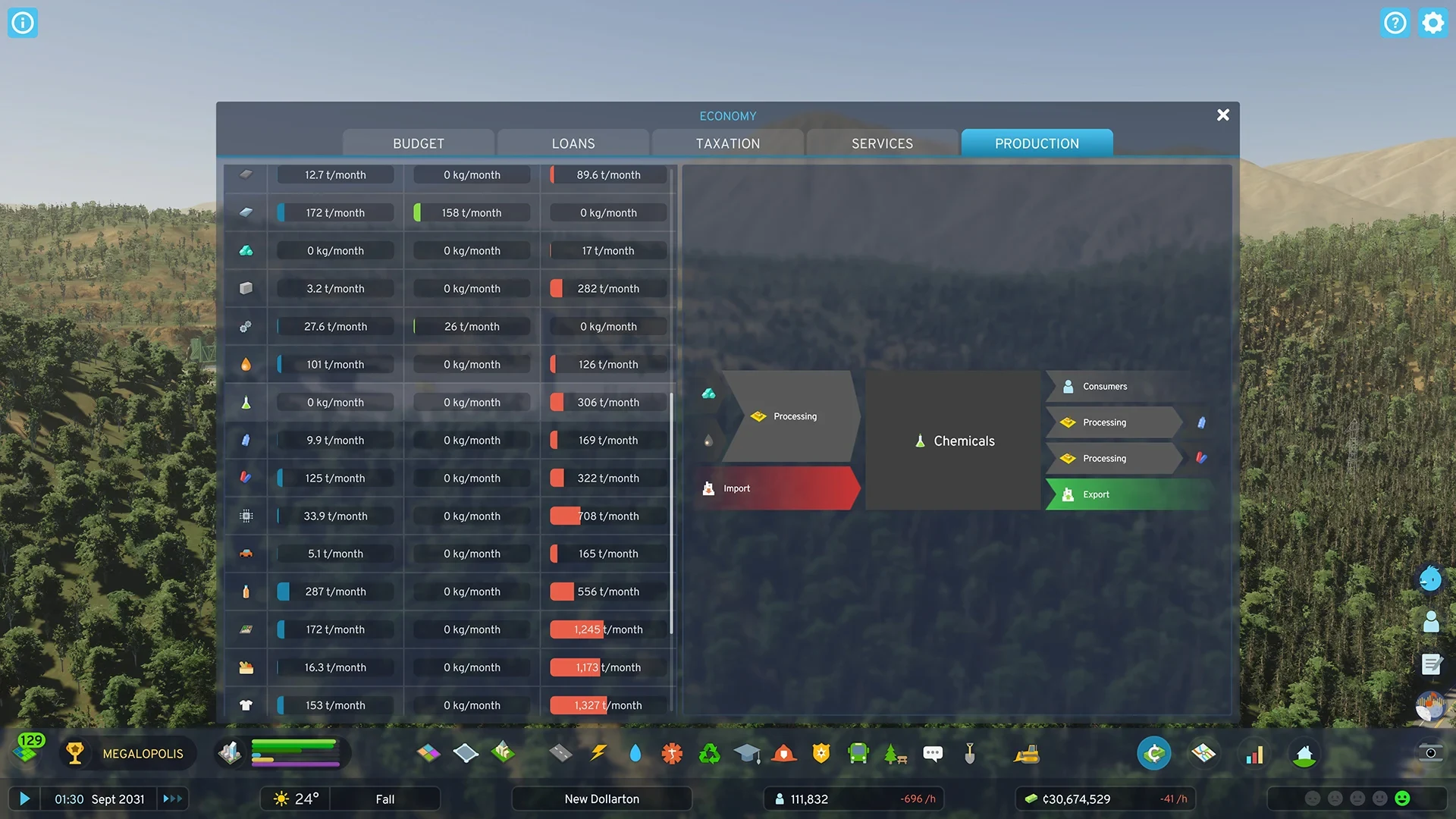
Your city can sell excess electricity, water, and sewage through outside connections. Power uses high-tension wires that lead off the map, while water and sewage require your pipes to reach an edge of the map. Excess goes out only after your own needs are met, so if local use rises, less is sold.
Surplus goods can be exported automatically, but companies pay transportation costs when they export, so overproduction isn't guaranteed profit. Exporting power is a good way to offset what your own grid costs, but building extra plants won't reliably make money on its own. Check the Budget tab before you expand.
Most specialized industries need the right resource underneath them. Grain, vegetable, and cotton farms need fertile land, forestry needs forests, coal and ore mines need ore deposits, and oil drilling needs oil. Livestock farming and stone mining don't need a natural deposit. Build any of these only where the resource, workers, transport, and demand all support it.
The Autumn Breeze update also changed rental priority, so companies making the resources your city needs now get first pick of available properties. That makes a shortage on the Production tab a useful starting point when you decide what to build.
Borrow Only When the Money Can Be Repaid
A loan gives you cash now, but it isn't income, and it adds interest to your expenses. Interest depends on loan size, and a City Hall and a Central Bank both reduce it. Loans are adjustable, so you can repay part or all of one by hand, and they're also paid down in monthly installments.
Borrow only for a clear investment you can afford or to cover a short-term cash need. Look at the loan and interest line after you borrow, and repay as soon as your budget allows. Interest keeps taking from the margin you worked to build.