Anime Zero puts several menus in front of you before your first dungeon: weapon summons, two loadout slots, skill upgrades, Traits, and stage selection. The easiest way to make sense of them is to follow one order: claim the free rewards, prepare a usable pair of weapons, buy an early damage upgrade, and learn the Story mode loop.
This guide covers that first-session route, including the rewards to check after a clear. Anime Zero is still in active development, so a button name or key may change. If your client shows a different prompt, follow the prompt on screen.
How to start Anime Zero and prepare your first loadout
Open Anime Zero [RELEASE], the experience by LY*. Once you are in the lobby, work through these steps before starting a dungeon.
- Claim the free resources. Use the Codes control for any available rewards, then claim the Roblox group reward if it is available to you. These rewards can give you rolls and other supplies. For current code details, use the Anime Zero codes page instead of spending your first session searching for code strings.
- Roll for weapons. Use your Spins or Lucky Spins in the summon or weapon-roll menu. A summon unlocks a weapon with its own moveset, so inspect what you receive before deciding which weapon to use.
- Fill both weapon slots. You can equip up to two weapons and switch between them during a run. Put a usable weapon in each slot before you queue. You do not need to wait for a perfect rarity to learn the first Story dungeon.
- Choose an early damage setup. Power is a sensible early damage-focused enchant when it is available. It gives your first run a clear goal without asking you to build around a full endgame ranking.
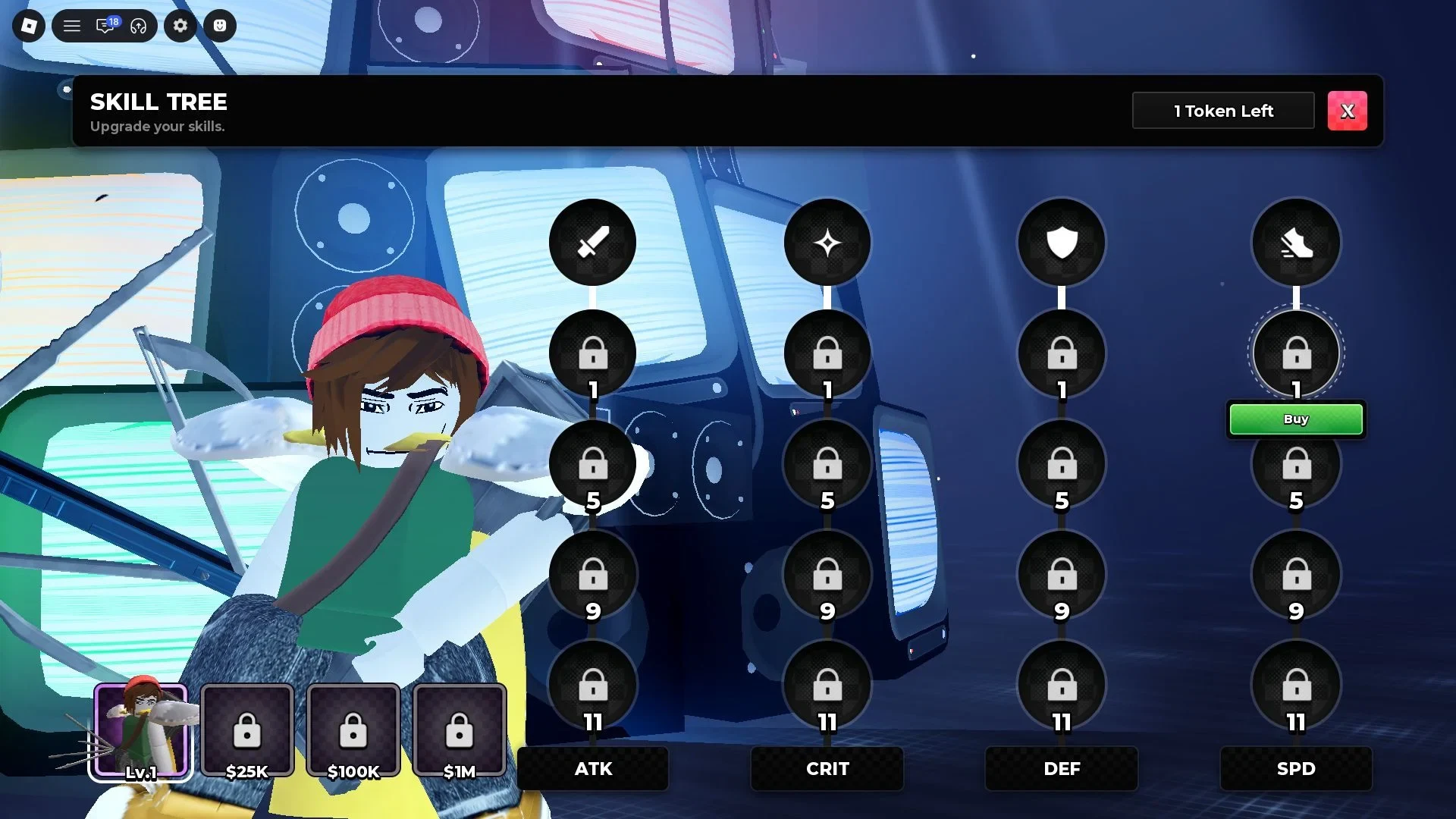
- Spend the first skill token. Each weapon has a skill tree with Attack, Critical Chance, Defense, and Speed paths. The first starting token can buy a damage node worth 15% damage, while later nodes cost more. If your menu shows that node, it is a practical first purchase for a new player.
How weapons and summons work in Anime Zero
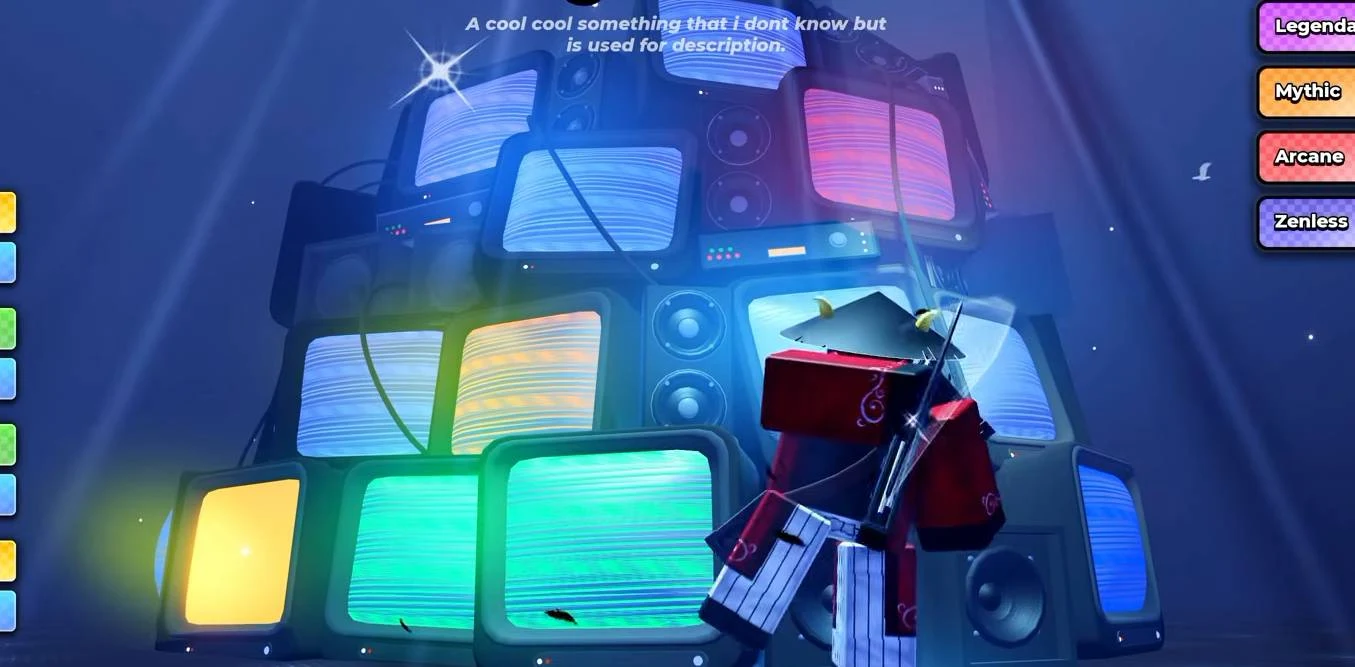
Think of the two slots as a way to keep another moveset ready, not as a reason to reroll forever. Your first goal is to have two weapons you can use and to know which one has the skill you want when a wave starts. You can refine Traits and accessories after you have rewards from a run.
Anime Zero controls and combat basics
The following is a PC reference for the controls listed in the beginner guide. Treat it as a current-build reference. If the game displays another key, or you are playing with touch controls, use the live prompt in your client.
| Action | PC key | What it does |
|---|---|---|
| Move | W, A, S, D | Moves your character. |
| Jump | Spacebar | Jumps. |
| Dash | Q | Creates a quick movement option for avoiding attacks or repositioning. |
| Interact | E | Uses nearby interactions. |
| Regular skills | 1, 2, 3 | Activates your three numbered skills. |
| Swap weapon | T | Switches to your other equipped weapon. |
| Ultimate | G | Uses your ultimate when it is available. |
An ability setup includes normal attacks, three regular skills, an ultimate, and defensive actions. During a wave, group enemies before using an area skill so one cast can reach more targets. Do not stand still while you gather them. Dash away from attacks, and create distance while your skills recharge.
Keep the second weapon ready for an opening or for a skill that is available while the first weapon is waiting on cooldowns. This gives you something to do during downtime without forcing you to trade damage for unnecessary hits.
How to clear your first Anime Zero Story dungeon
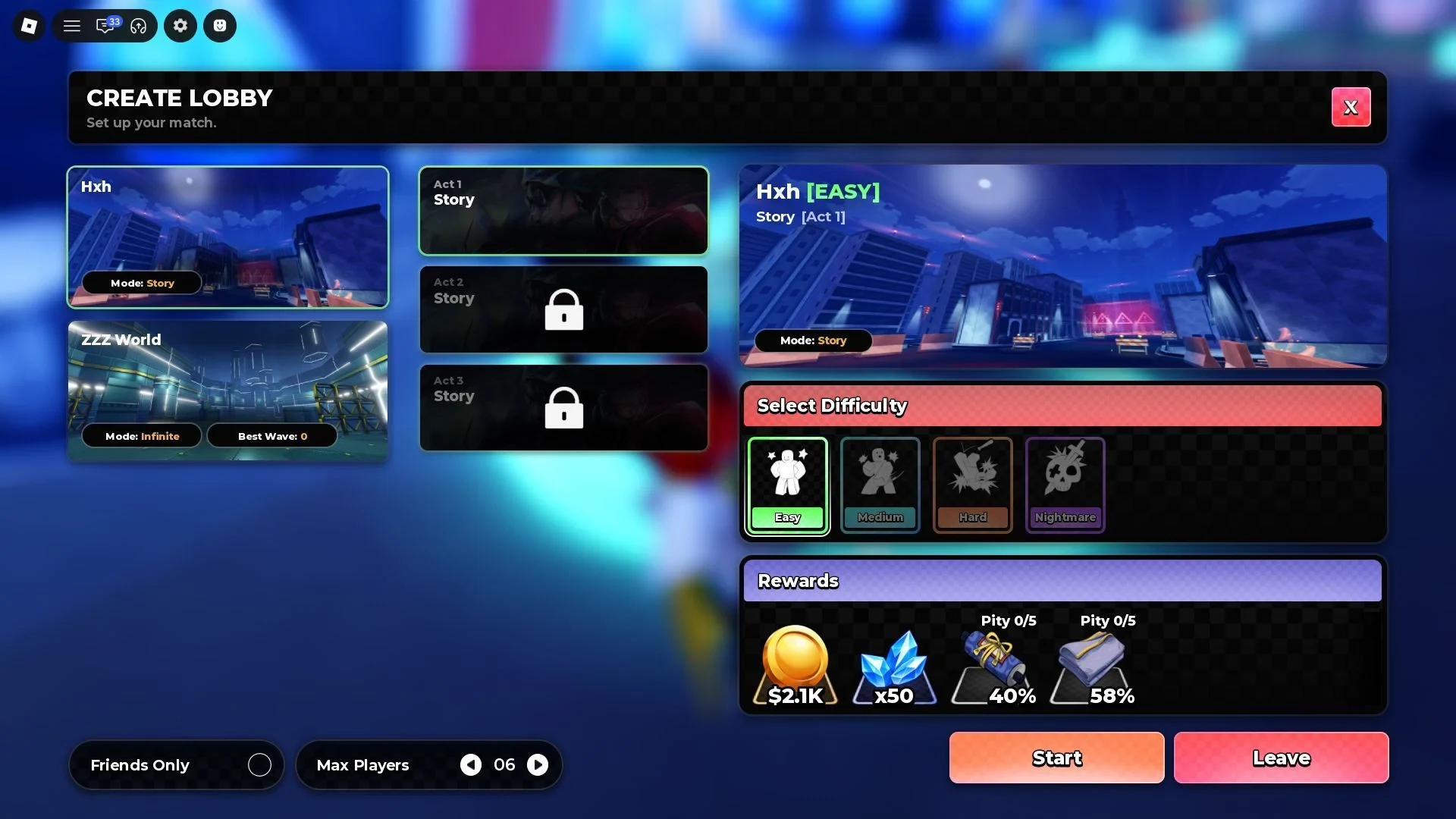
Story is the best place to learn the run structure. The stage selector may show Easy, Medium, Hard, and Nightmare. Higher tiers make enemies tougher and are intended to give better rewards, but start with the option you can finish rather than the highest label you can select.
- Select Story and a completable difficulty. Starting with a clear gives you XP, Coins, and materials to improve the next run.
- Clear each room or zone. Defeat the enemy waves before moving forward. Pull enemies into a group, avoid taking free hits while you do it, then use an area skill when they are close enough.
- Swap and reposition during cooldowns. Use the other weapon when it has a useful ready skill. If both sets are waiting, create space and focus on avoiding attacks instead of forcing a weak exchange.
- Treat the boss as a pattern check. The final boss has a larger health pool and its own attacks. Watch for its movement and attack timing, use your skills after it commits to an attack, and keep moving while your damage tools recharge.
- Finish the run and collect the result. A boss clear can give Coins, Gems, Spins, and other progression rewards. Check the post-run and lobby reward screens before starting another stage.
A failed run still tells you what to adjust. If waves surround you, gather them more carefully and use your dash before you are trapped. If the boss keeps catching you during cooldowns, spend more time at range and switch weapons instead of repeating the same attack.
How to spend early Anime Zero rewards
Once you return to the lobby, check the reward and progression menus in this order.
| System | What you receive or spend | Useful first-session choice |
|---|---|---|
| Run and milestone rewards | Coins, XP, Gems, Materials, Spins or other rolls | Claim the rewards before the next run so you know which upgrade is affordable. |
| Skill tree | XP gives levels and Skill Tokens for permanent Attack, Critical Chance, Defense, and Speed upgrades. | Take the first supported damage node, then consider defense or speed if surviving is the problem. |
| Accessories | Stage materials become accessories with passive damage, health, Coin, or cooldown bonuses. | Check the recipes after a clear and craft toward the stat your current loadout lacks. |
| Traits | Trait Rerolls apply passive stat bonuses. Rerolls can come from stage clears, quests, and code rewards. | Keep a useful setup while you learn the game; save perfection chasing for later. |
| Quests and achievements | Normal play can complete objectives that pay Coins, Materials, Spins, Gems, or other rewards. | Claim completed objectives between runs instead of leaving rewards uncollected. |
| AFK Chamber | Passive rewards while you are away. | Collect its reward when you return, then use the supplies on the next run or upgrade. |
The skill tree is the most direct place to turn XP into a permanent stat change. Accessories can cover a different weakness, such as low health or long cooldowns, while Traits give you another passive bonus through rerolls. You do not need to solve every system before your first clear.
Anime Zero Evolution and what to do after Story
Evolution is a later goal for a weapon. Collect the specified stage items, open the Evolution menu from the lobby interface, and use those items to evolve the weapon. Evolution is tied to unlocking that weapon's ultimate, so it is a good reason to keep clearing Story after your first success.
The exact button used to reach Evolution can change with the client. If your lobby routes you through another menu, follow the button shown there rather than searching for a missing label.
Keep your next session simple:
- Repeat Story until both weapon slots feel usable and you can reach the boss consistently.
- Spend Coins, Skill Tokens, materials, and Trait Rerolls on the problem you actually saw in the last run.
- Save the stage items required for the Evolution shown by your weapon.
- Try Defend or Infinite after the Story loop feels comfortable.
That order keeps the first run focused. You learn the wave-and-boss loop, turn its rewards into permanent upgrades, and then use Evolution or another mode as the next clear goal.