You claim the Trade License at the Safety Hub on Adoption Island after passing a three-question trading test with the agents there. Adopt Me is a Roblox game where players collect pets and trade them with each other, and the license unlocks trades for the rarest ones, Legendary and Ultra-rare pets. Without it, you can only trade pets of lower rarity.
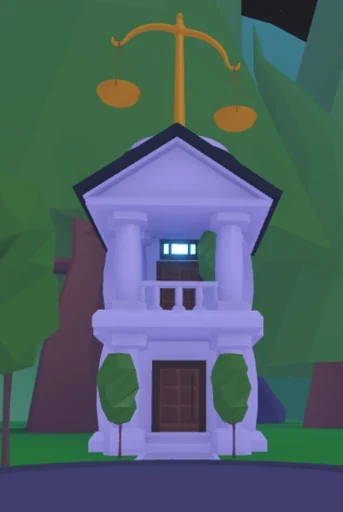
Where to Find the Safety Hub on Adoption Island
The Safety Hub sits on Adoption Island, right next to Green Groceries, which is in the northeast section of the map. The Trade License is unlocked inside, and the test that comes with it is about spotting trade scams. Passing it before your first rare trade means you'll know the warning signs before a Legendary pet is on the line.
For the rest of the map, the full list of locations is a good place to start.
| Image |
|---|
 |
Passing the Trade License Test: What the Three Questions Look Like
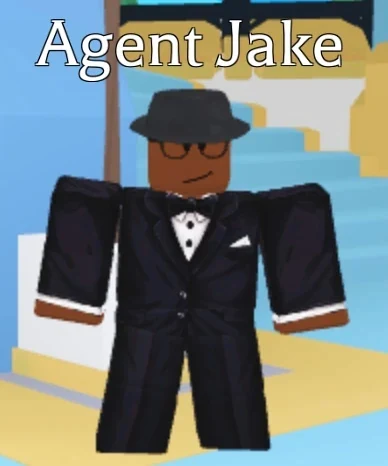
Start downstairs in the Safety Hub with Agent Jake. He explains the test, and the door to the test area is right beside him, so talk to him before you go through it. Inside, Agent Alex is up ahead. Speak with him and press Yes when the pop-up asks, "Begin the Trade License test?"
The test is short, but it's easy to rush. Each question shows a trading scenario, and you answer by stepping on the Safe or Scam button. The questions change from player to player, so your test may not match a friend's, but you need all three answers correct to pass.
If you miss one, you can retake the test as many times as you want. Read each scenario in full before you step on a button, since scammers count on speed.
These examples show the kinds of scenarios you'll see. They aren't answers to memorize, because the questions vary:
- A player says that hitting accept twice on a trade will give you Robux. That's a Scam.
- You give a pet away for free, with nothing in return. That's Safe, because you chose to give it.
- A player asks for your pet now and promises a dragon later from an alt account. That's a Scam.
The two scams share a pattern. Someone pushes you to click through a trade quickly, or asks for your pet now in exchange for a promise. Be wary of any offer that rushes you, and for Legendary and Ultra-rare pets, always ask for a proper trade.
| Image |
|---|
 |
Claiming and Equipping Your Trade License
After the third question, step forward to claim the license. It's a toy item that stays with your account and can't be traded or handed to another player, so a friend can't use it to trade for you.
To use it, open your backpack and equip the Trade License. It moves to your quick bar at the bottom of the screen, where you can reach it fast.
What the Trade License Unlocks in Adopt Me
The main thing the license unlocks is trading Legendary and Ultra-rare pets. Unicorns are one example of pets that need it before you can trade them. To see which pets fall into those rarity groups, look through the full list of pets.
The license is also one of three things you need to enter the Trading Hub, a trading area where listings are posted for players across servers. You'll need all three:
- A Trading Phone, which is free from the Guide after two hours of play
- The Trade License
- Your first Neon pet, made by fusing four matching full-grown pets
Once you have all three, use the Trading Phone to summon a hot air balloon that takes you to the hub.
How to Check Trade History and Report a Suspicious Trade in Adopt Me
Your trade history opens from the Trade License on your quick bar. If a trade looks wrong, report it as soon as you notice, since older records eventually drop out of history and the support team can't review a trade once it's gone. To report it:
- Open the Trade License from your quick bar.
- Select the transaction you want to report.
- Press that transaction's report button.
- Describe what happened as accurately as you can.
- Submit the report.
An in-game report goes straight to the support team, so you don't need a separate Support ticket. Save the report for a trade you believe was a scam or a hack, not one you agreed to and later regret.
| Image |
|---|
 |