

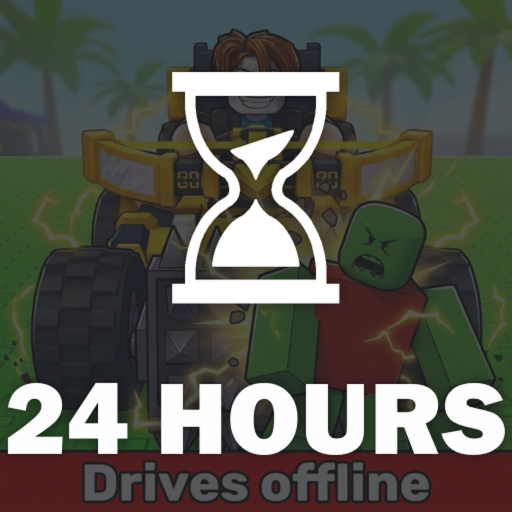
Build a car on your plot, add weapons and defenses, then drive through zombie groups to earn Cash. Each run gives you another chance to adjust the layout and see how far it survives.
Roll vehicle components at Car Parts and mounted equipment at Supports, then buy the offers you want. Spend Cash on parts or Skills before your next drive. If you prefer a preset, Car Builds lists the parts you need to spawn Fast Furious or Blue Monster.
- Creator
- Zombie Car Crusher
- Game Created
- August 19, 2026
- Last Updated On
- October 6, 2026
- Genre
- Simulation
- Subgenre
- Sandbox
Game data
Car parts:
Roll a category at CAR PARTS, then spend Cash to buy the component on offer. Use blocks, seats, engines, wheels and fuel to assemble your vehicle in Build mode. Keep your engine and fuel setup in balance when you work toward longer runs.


Supports:
Supports are the weapons and boost equipment you mount on your car. Roll at the Supports machine, then buy the displayed offer with Cash. Contact weapons need to reach zombies, ranged weapons need a clear firing path, and More Support skills give you room for a larger loadout.


Skills:
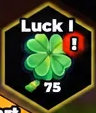
Skills are Cash upgrades for equipment rolls, support capacity, combat and construction. Open SKILLS and follow the branch that helps your next build. Purchased skills stay unlocked between runs, so you keep their benefits for the next drive.


Car blueprints:
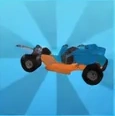
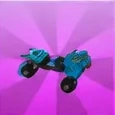
Car Builds has ready-made vehicle designs that you assemble after collecting their required parts. Fast Furious is aimed at speed-focused runs, while Blue Monster offers a heavier weapon-oriented layout. Check your inventory against the preset before using Spawn.
Build and Kill Zombies Controls
| Action | Desktop |
|---|---|
| Place a selected part in the builder | Mouse click |
| Rotate the placement preview | R |
| Cancel placement | X |
| Use Delete in the builder | Q |
| Return from the builder | B |
| Start driving when the Drive prompt appears | F |
Build and Kill Zombies Gameplay Tips
- If your run ends with an empty tank, check your fuel setup before buying another engine.
- Read the Cash price on a rolled offer before buying it. Rolling a part does not mean you already own it.
- Buy More Support when the displayed capacity stops you from mounting equipment you own. Check the builder counter as you place each Support.
- Change one part or placement between runs, then compare both distance and Cash. A longer drive is only part of the result.
Build and Kill Zombies Events
Recent updates, live events, and completed event history for Build and Kill Zombies.
🪦HOLLOW DUNGEON EVENT🪦
Starts in 4 daysStarts (PT): Oct 10, 2026, 7:00 AM.Ends (PT): Oct 17, 2026, 7:00 AM
⚡ZEUS EVENT PART 2⚡
Live nowStarts (PT): Oct 3, 2026, 7:00 AM.Ends (PT): Oct 10, 2026, 7:00 AM
⛈️UPDATE 3⚡
CompletedStarts (PT): Sep 26, 2026, 6:00 AM.Ends (PT): Oct 3, 2026, 6:00 AM
ADMIN ABUSE
CompletedStarts (PT): Sep 23, 2026, 8:00 AM.Ends (PT): Sep 23, 2026, 8:30 AM
NEW UPDATE 2.5!
CompletedStarts (PT): Sep 19, 2026, 6:00 AM.Ends (PT): Sep 26, 2026, 9:00 AM
HACKER PART 2 👾
CompletedStarts (PT): Sep 12, 2026, 8:00 AM.Ends (PT): Sep 19, 2026, 8:00 AM
???
CompletedStarts (PT): Aug 29, 2026, 8:00 AM.Ends (PT): Sep 5, 2026, 8:00 AM