Potion brewing in Wizard Alchemy is easier to judge when the Magic total is visible before you spend rare materials. Pick a target potion, add the ingredients you have, and the planner shows whether the mix reaches the required Magic, how much is missing, and which shard fits the spell route.
Target potion
Wind Blade Potion
6 Magic needed
0 Magic
Missing 6 Magic.
Potion details
Power
24
Shard
Wind Shard
Starter wind attack for the first farming route.
Add this next
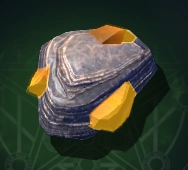
Sulphur Lumps
10 Magic
You can brew now
Add 6 Magic to reach the first potion.
How to use the potion planner
- Pick the potion you want from Target potion. This sets the Magic requirement, potion Power, and the recommended shard shown in the result panel.
- Use Optional shard only when you already plan to add an elemental shard. A shard can help with the spell route, but it does not add Magic to the total.
- Enter the quantity for each material you want to spend. The planner multiplies each quantity by the Magic value for that material, then adds everything into the total Magic number.
- Check the main result card. Missing means the mix is short of the target. Ready means the mix reaches the target, and the extra Magic shows how far above the requirement it lands.
- Use Add this next when the mix is short. It points to the smallest single material that can cover the current gap, so you do not have to waste a stronger drop just to finish a small shortfall.
- Check You can brew now when your mix has more Magic than the selected potion needs. That list shows other potion thresholds your current total already reaches.
The preset buttons are only quick starts. Starter mix fills a low-level example, Late mix fills stronger late-game materials, and Clear resets all quantities and the shard selector.
Treat the result as planning help. It uses listed material Magic, potion thresholds, and shard fit. It does not control hidden brewing RNG, luck behavior, or future balance changes.
What the Magic total tells you
Each normal material adds its listed Magic Power to the brew. Starter ingredients such as Blueberry, Withered Mushroom, and Seagull Egg are enough for early targets like Wind Blade Potion, while late targets such as Molten Core Potion and Solar Flare Potion need much stronger drops. The result panel separates three things that matter during brewing: your total Magic, the target potion's requirement, and the gap or extra Magic after the requirement is met.
How shards fit into the plan
Elemental shards are useful, but they are not a replacement for normal Magic. A Fire Shard can help when a potion route points toward Fire, and a Light Shard fits Solar Flare Potion, but the Magic total still has to come from materials with numeric Magic Power. Keep the shard selector separate from the quantity inputs when you are checking whether the brew is ready.
Planning mixes without wasting stronger drops
The smallest-single-add hint is meant for quick cleanup when a mix is barely short. If no one material can cover the gap cleanly, look at the higher Magic materials listed in the farm targets and decide whether the potion is worth spending them now. A utility or buff potion may show no Power value because its value comes from the effect, such as movement or damage boost, instead of a direct attack number.
FAQ
Does a shard add Magic to my potion mix?
No. In the planner, shards are handled separately because the listed shard effect is element chance, not Magic Power. You still need enough normal material Magic to reach the target potion.
Why do some potions show Utility instead of Power?
Some Wizard Alchemy potions are buffs, movement tools, shields, or counter-style effects instead of direct attack spells. When the potion data has no numeric Power value, the planner keeps the effect text visible instead of forcing a fake number.
Can the planner guarantee the exact potion I will brew?
No. It checks listed thresholds, material Magic, and shard fit. Any hidden brew roll, luck behavior, or later game update can still affect the final result in-game.
Why does the planner show other unlocked potions?
A material mix can overshoot the first target you picked. The unlocked list shows nearby potion thresholds that the same Magic total already reaches, which can help you decide whether to save the mix for a stronger spell.