American Truck Simulator lets you grow from one driver into a trucking company, and hired drivers let you run more trucks than you can drive yourself. To hire one, you need a free garage bay and a truck for them to drive, then pay a one-time $1,500 fee at a recruitment agency. After that, assign the driver and truck to the same garage slot, pick a training focus, and check the results in Driver Manager, since early runs can earn little or even lose money.
| Item | Cost | What it gets you |
|---|---|---|
| Driver hire fee | $1,500, paid once per hire | One driver added to your company |
| Expand the starting garage to three bays | $180,000 | Three truck and driver bays instead of one |
| Buy a new garage | $180,000 | A garage with three bays, found in most cities |
| Expand a three-bay garage to five bays | $100,000 | Two more truck and driver bays |
| Truck | Varies by model and setup | Check prices at the in-game dealer |
Make Room for a Driver With Garage Bays and Trucks
Every hired driver needs two things: a bay in a garage and a truck to drive. You start in a tiny garage with a single bay, and you occupy it yourself, so there is no room for a driver until you expand. Your first purchase is usually either upgrading that starting garage to three bays or buying another garage, which comes with three bays already.
Where a garage sits matters. A garage closer to the center of town, with more cities nearby, gives your drivers more chances at profitable work than one on the outskirts. When you need more room in a three-bay garage, upgrading it to five bays adds two more bays for less than a new garage costs.
Budget for the garage space and a truck together. A driver needs both before they can earn anything.
Find Recruitment Agencies and Compare Driver Candidates
Recruitment agencies appear in most larger cities, but you have to find them first. Drive past an agency to discover it, and after that you can open it from the game menu. Each agency you discover adds one more driver to the candidates you can see, so exploring more of the map gives you a wider choice.
Each applicant shows a rating, the wage they ask for, and their skills. Skills decide what kind of work a driver can take, so they are worth reading closely:
- Long Distance opens longer routes, and it is often the first skill to look for.
- High Value Cargo adds valuable loads such as cars and yachts.
- Fragile Cargo unlocks delicate freight such as glass and electronics.
- Hazardous Materials unlocks dangerous cargo.
- Just-in-Time Delivery covers jobs with strict delivery windows.
- Eco-Driving cuts fuel use, which helps on every run, but it doesn't open new work.
A high rating helps, but it doesn't guarantee profit. Compare each candidate's wage with the skills they bring, and choose the mix that fits the routes you want to run. Most applicants start with similar low ratings and only small differences in skills, so a standout candidate is uncommon. When two options look alike, your own preference is a fair tiebreaker.
The candidate list is also limited. Once enough drivers have been hired from the pool, new applicants stop appearing. The recruitment screen says candidates update daily, but waiting doesn't reliably bring new faces, so don't count on a fresh batch showing up later. Make your choice with the candidates in front of you.
Hire a Driver and Assign Them to a Truck
Hiring takes only a few steps, but the order matters:
- Choose a candidate and pay the one-time agency fee. Because the fee is the same for every applicant, it doesn't change which driver is worth hiring.
- Pick the garage slot where the driver will work.
- Assign a truck to that same slot. If the truck is parked elsewhere, move it into the slot, or relocate the driver to the truck's slot.
Keeping the driver and truck together is the key habit. A driver can be placed in an empty slot before a truck is ready, but they can't work without one, and a driver left without a truck for long can eventually leave. Once they have a truck, you don't choose their jobs. The AI driver takes work on its own, and your part is to check the results.
To move a driver to a different garage, open Driver Manager and choose Relocate. Trucks move separately in Truck Manager, unless you tick the checkbox that relocates a driver along with their truck, which works when both fit in the same slot. Either way, the destination needs an open, compatible slot.
Trailers are optional. If you own one, park it in the same garage and leave it public, and compatible drivers there may use it. The game picks which trailer a driver takes, so you can't tie a specific trailer to a specific driver, and a trailer is not a guaranteed earnings boost.
Train Drivers With a Skill Focus in American Truck Simulator
Drivers earn experience points as they complete jobs. That experience raises their level, and leveling up gives skill points that help their skills grow. The training focus decides which skill a driver builds toward, so it's worth matching the focus to the work you want them doing.
Set the focus for each driver in Driver Manager. A company-wide preferred training policy sets the starting focus for newly hired drivers, so you don't have to set it for each one. Driver Manager also shows an XP bar and skill progress, which lets you see how close a driver is to the next gain.
Training takes time, and the results build gradually. A driver's wage rises as their rating and skills improve, so training makes them more valuable but also more expensive to keep. The training only pays off if their profit grows along with their wage.
Track Driver Profit in Driver Manager and Garage Manager
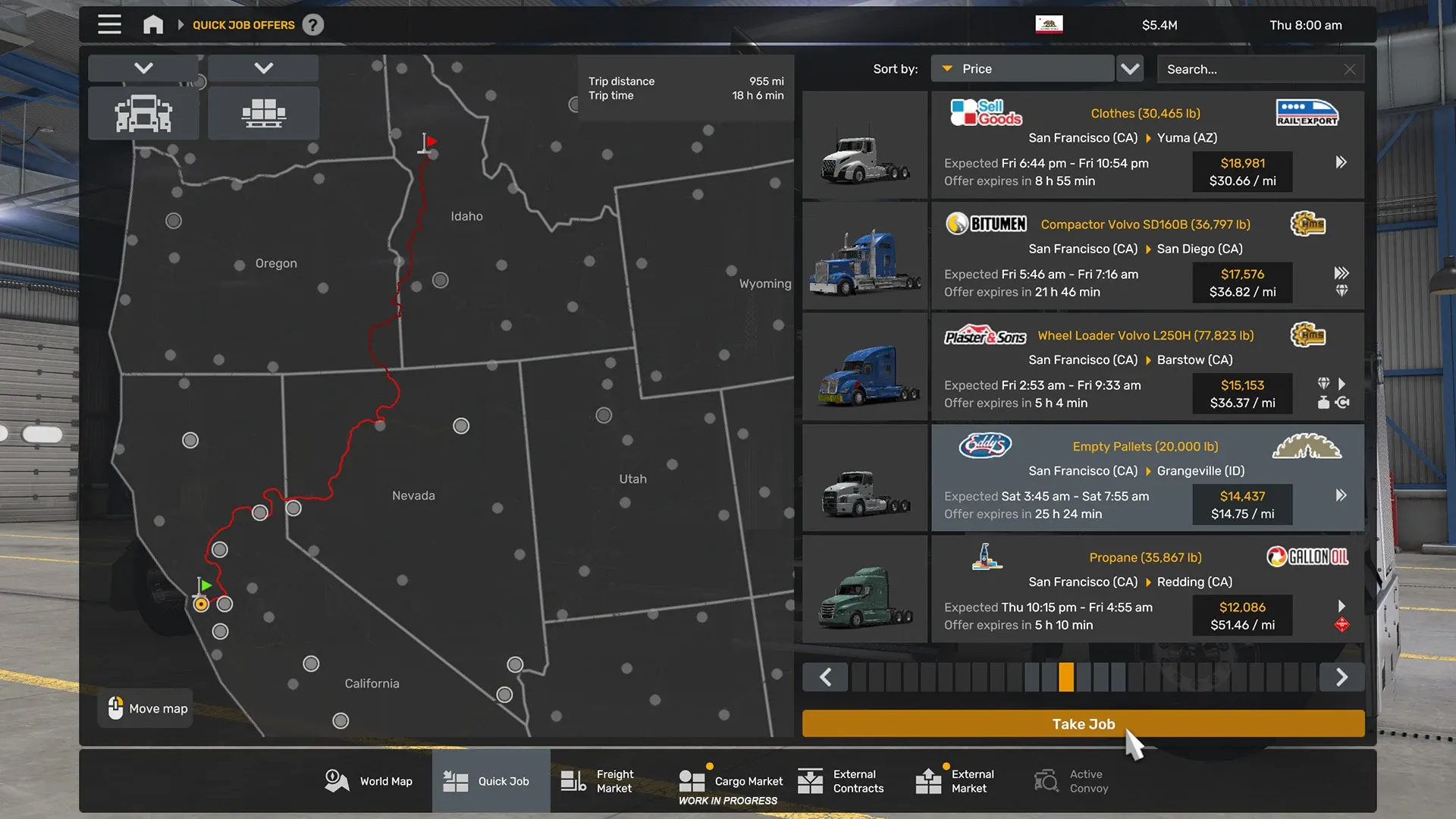
A job's income isn't all profit. The driver's wage comes out of it, along with operating costs such as fuel and tolls. An empty return still burns fuel, so a run that carries no cargo costs money without paying anything back.
That's why a new driver can show a small profit or even a loss. Profit tends to improve as a driver levels up and trains, but no single run is guaranteed to pay. Low-value jobs, empty returns, and expensive routes can each push a driver into the red.
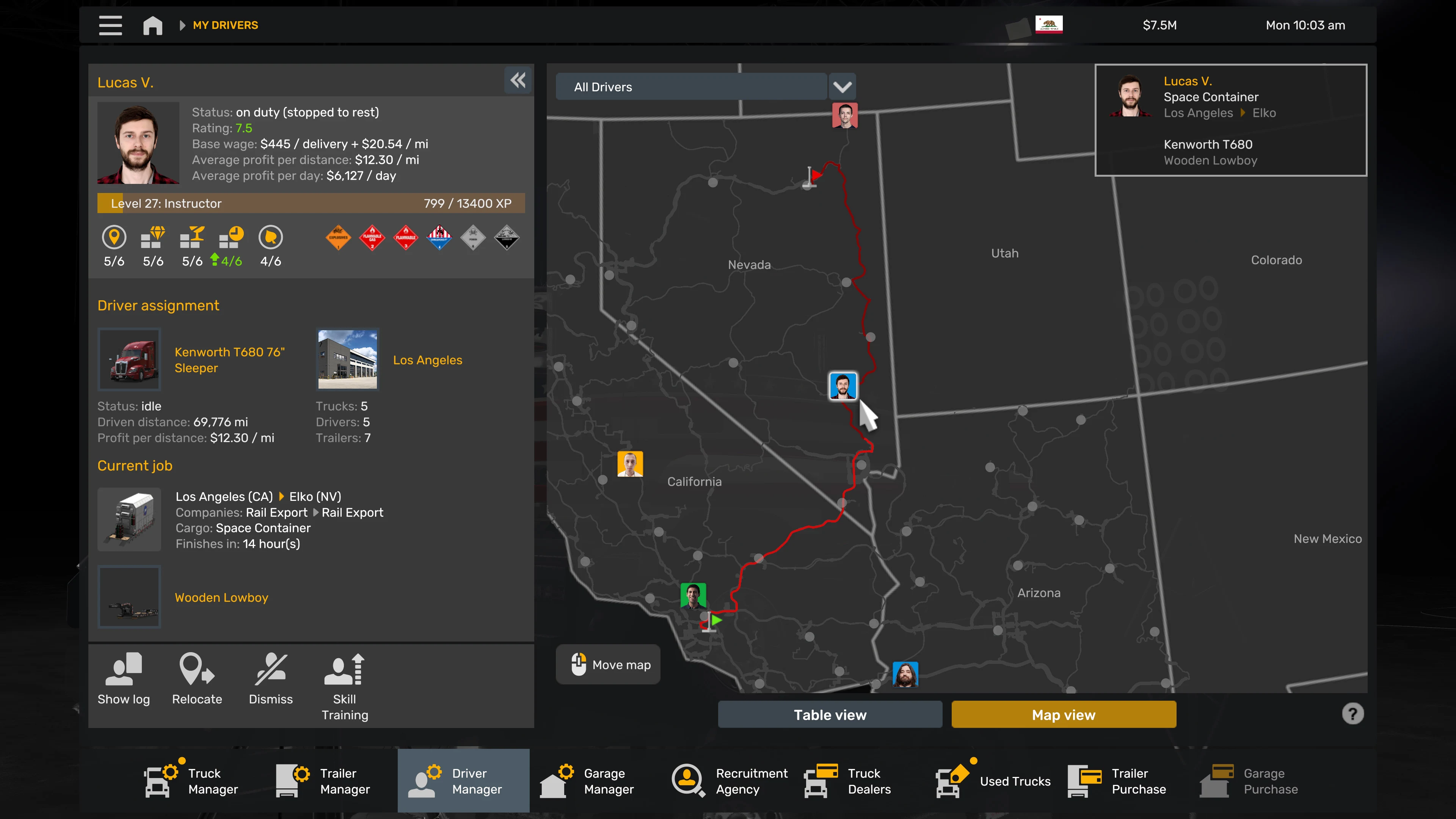
Check the numbers in Driver Manager. It shows each driver's status, level and XP, rating, wage, skills and training, current job, and average profit, along with their logs. For the bigger picture, the company screens include a seven-day profit graph and an economy summary, while Garage Manager shows your garage slots and finances. Use these to spot a trend instead of reacting to one run.
When to Expand Your American Truck Simulator Fleet
An empty bay earns nothing, so filling spare space is a sensible goal. But every new truck and driver adds startup costs, and early results swing up and down. Adding too fast can drain the cash you need to carry a driver through weak runs.
Before you buy another truck or expand a garage:
- Check the job log and average profit for each current driver. A driver who is consistently losing money needs attention before you add more.
- Look at per-day and per-distance profit to see which drivers are earning on the routes you run.
- Add a truck and driver only when your cash can cover the hire fee, the truck, and a few weak runs.