

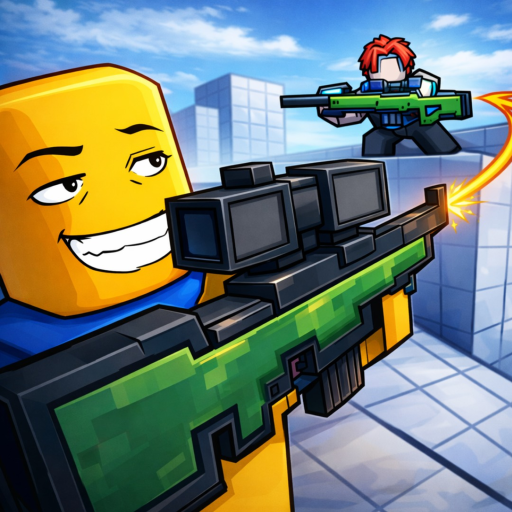
One Tap drops you into a no-team sniper FFA where every fight starts with aim. Use the Sniper class for a clean opening, switch to a Secondary when the first shot does not settle things, and save Melee for close pressure.
Build better rounds by reading angles, taking deliberate shots, and chasing streaks and clean kills. Levels, daily rewards, quests, cases, and cosmetics give you a few reasons to play another round, even when your last shot had other plans.
- Creator
- Stringless Banjo
- Game Created
- December 4, 2025
- Last Updated On
- October 23, 2026
- Age Requirement
- All Ages
- Genre
- Shooter
- Subgenre
- Deathmatch Shooter
- Supported Devices
- DesktopMobileTabletConsoleVR
Game data
Weapon Classes:
One Tap's combat classes shape how you approach each exchange. Sniper is the one-shot choice, Secondary is built for a two-shot exchange with one headshot able to finish, and Melee is the close-pressure option. Melee's exact damage and hit behavior are not stated, so do not assume a one-hit rule or a fixed reach.
One Tap Gameplay Tips
- Take readable openings. Keep your crosshair near head height and wait for a clear Sniper shot. A rushed flick is a generous gift to the other player.
- Plan for a miss. Move or change your angle after firing. Use the Secondary for a follow-up instead of repeating the same exposed peek.
- Respect close range. When an opponent closes the distance, reposition before committing. Melee is for close pressure, not hopeful sightseeing across an open sight line.
- Use small goals. Check daily rewards and quests before a session. Use the current HUD or Tutorial to learn your platform's controls, since fixed bindings are not verified.
One Tap Events
Recent updates, live events, and completed event history for One Tap.
Halloween Update
Live nowStarts (PT): Oct 24, 2026, 7:00 AM.Ends (PT): Oct 31, 2026, 8:00 PM
Game Revert
CompletedStarts (PT): Aug 14, 2026, 10:20 PM.Ends (PT): Aug 15, 2026, 12:15 AM
Revert
CompletedStarts (PT): Aug 9, 2026, 6:20 AM.Ends (PT): Aug 9, 2026, 8:15 AM
Lunar Update
CompletedStarts (PT): Aug 3, 2026, 4:20 PM.Ends (PT): Aug 8, 2026, 1:00 PM
☀️Summer Update!
CompletedStarts (PT): Jun 15, 2026, 7:00 AM.Ends (PT): Jun 29, 2026, 10:00 PM
Update
CompletedStarts (PT): Apr 24, 2026, 9:00 AM.Ends (PT): May 8, 2026, 10:00 AM
Sliding (Testing)
CompletedStarts (PT): Apr 3, 2026, 10:00 PM.Ends (PT): Apr 4, 2026, 11:00 PM