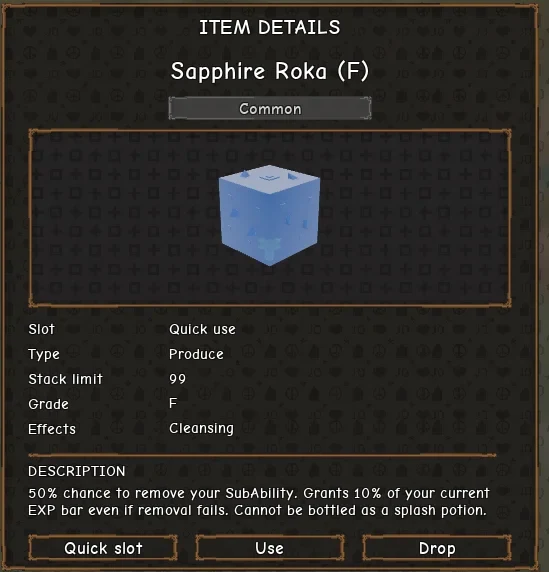
To remove a sub-ability in Stand Out, you need a Sapphire Roka, a special Rokaka fruit that you use from your inventory. At Grade F, it has a 50% chance to remove your current sub-ability, whether that's a Hamon style or Vampire. Stand Out is a Roblox game where Stands are the main fighting power, and a sub-ability is an extra set of moves you can have alongside your Stand.
You get a Sapphire Roka by buying Rokaka Seeds from Big Chop, growing the plant in a garden pot, and waiting for a fruit to mutate.
| What you need | Where to get it | What it's for |
|---|---|---|
| Rokaka Seed | Big Chop, at Big Chop's Garden | Grows Rokaka, which can mutate |
| Garden Pot and Dirt Bag | Big Chop | Hold and fill the seed |
| Sapphire Roka | A mutation from a grown Rokaka | Removes your sub-ability when used |
Buy a Rokaka Seed From Big Chop at Big Chop's Garden
Big Chop sells the seeds and supplies for the whole gardening loop from his shop at Big Chop's Garden. The garden sits beside the Arrow Crafting Table at Jodio's Corner. To get there, open your Phone with Z, use Huber fast travel to Jodio's Corner, and walk over.
Talk to Big Chop to open his shop, then switch to the SEEDS tab. The shop has three tabs, SUPPLIES, SEEDS and SELL, and prices are in Dalas rather than Coins. The seed list has a NEW SEEDS IN countdown, so it refreshes on a timer. The Rokaka Seed may sit below the first few seeds, so scroll before you assume it's sold out.
While you're at the shop, pick up a Garden Pot and a Dirt Bag too. Big Chop sells both, and a seed won't grow until it's planted in a pot filled with dirt. For every seed and supply on his list, see the full gardening item list.
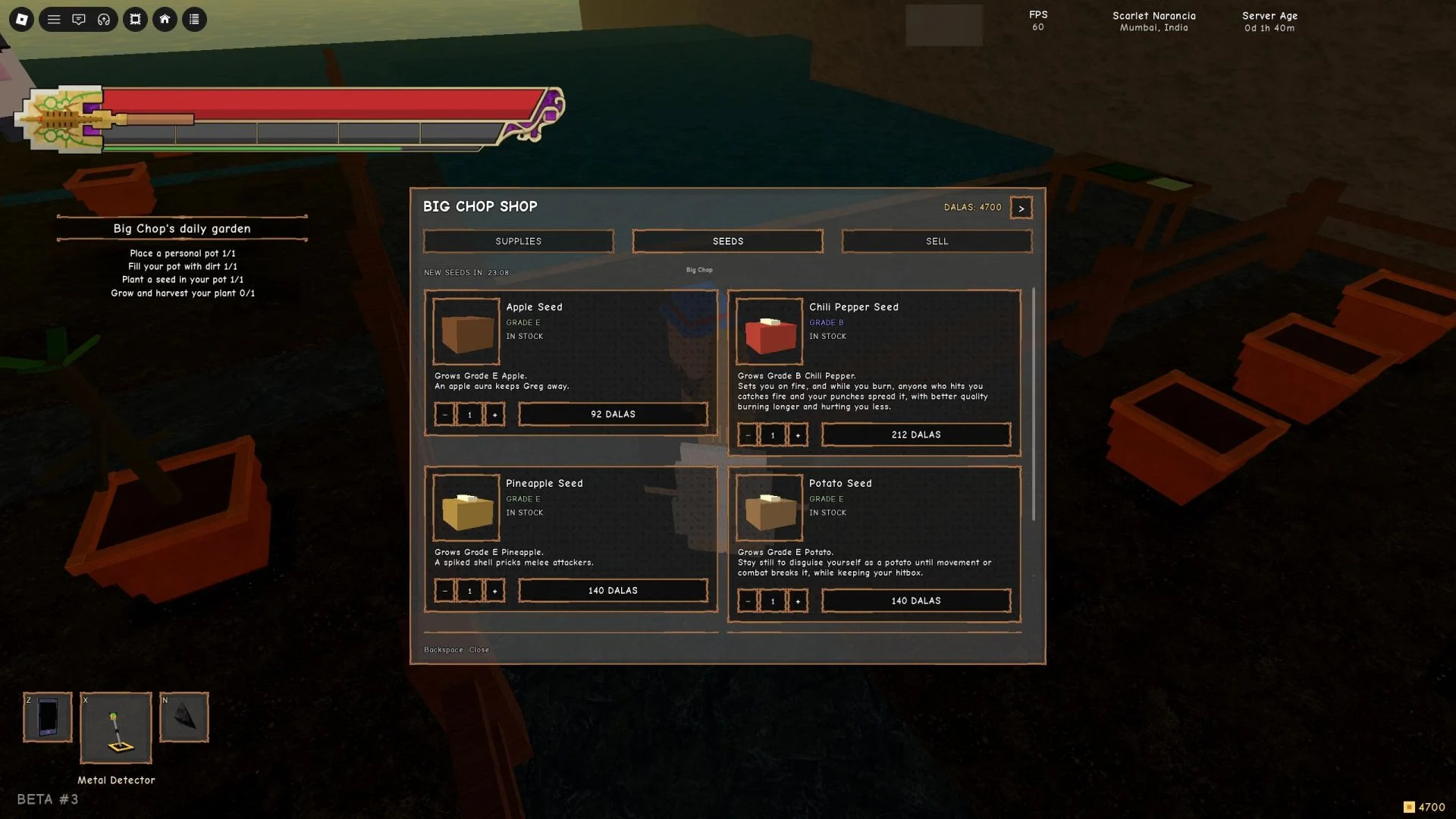
| Item | Image |
|---|---|
| Big Chop, the gardening NPC | 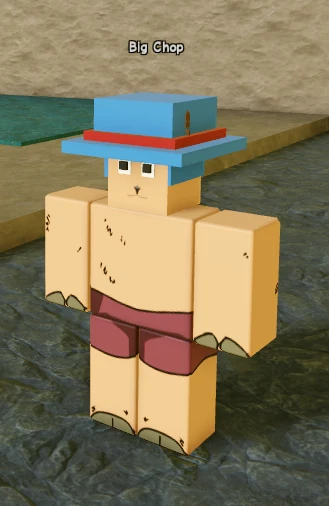 |
Grow Rokaka in a Garden Pot Until a Sapphire Roka Mutates
Planting follows a set order, and each step sets up the next. Seeds only go into a pot with dirt in it, so the dirt always goes in before the seed.
- Place your pot. Hold the interact prompt at a free communal garden spot to place your Garden Pot. It leaves your inventory when placement finishes.
- Fill it with dirt. Use a Dirt Bag on the empty pot and drag to pour. The bag is used up when the fill is complete.
- Plant the seed. Select the Rokaka Seed, interact with the dirt-filled pot, and drop it in so it covers all four planting spots.
- Grow and harvest. Let the plant grow, then harvest it. A harvest may return a seed of the same grade, so you can plant again without buying another.
The mutation is a roll, not a guarantee. Each Rokaka fruit that grows has a 3% chance to mutate. More fruit means more rolls, so plant several seeds instead of one.
That 3% is the overall mutation chance. Emerald, Sapphire, Amethyst, Peridot and Opal are all gem Rokas that can come from a mutation, and no separate Sapphire chance is listed. For the full set, see the full list of Rokaka mutations.
| Item | Image |
|---|---|
| Item panel for the Rokaka Seed (Grade F) | 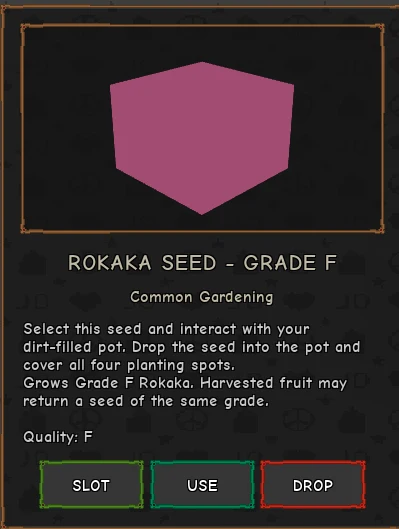 |
Use a Sapphire Roka to Remove Your Sub-Ability in Stand Out
Make sure you have the right Roka first. The Sapphire Roka removes your sub-ability, while the Emerald Roka removes your Stand instead.
- Put the Sapphire Roka in your Quick slot, or select it from your inventory. It stacks up to 99, so keep a few on hand.
- Press Use. A roll decides whether your sub-ability is removed.
- If the roll works, the sub-ability is gone and the slot is empty.
- If the roll fails, you still get 10% of your current EXP bar, and your sub-ability stays put.
The 50% chance applies at Grade F, the grade shown on the Sapphire Roka's item panel. Higher grades may use different odds, so don't count on the same number for every one you find.
Once the slot is empty, you can swap to a different sub-ability or leave it empty. The four you can have are Jonathan Hamon, Caesar Hamon, Zeppeli Hamon and Vampire. Before you pick one, see how to unlock Hamon and Vampire.
If Vampire is the one you want, a Stone Mask makes you a Vampire and replaces your current sub-ability, so you don't need a Sapphire Roka for that swap.