
Guests in Planet Coaster 2 are happiest when your park meets their needs, from food and toilets to shade and fun. To improve their mood, open Park Management > Guests, find the needs that are red and the complaints that come up most, and fix those first. After that, widen your ride mix, make queues more pleasant, and set ticket prices that guests will accept.
Each need drops for its own reasons, so match the fix to the problem.
| Guest need | What makes it drop | What helps |
|---|---|---|
| Hunger | Time spent in the park | Food vendors with options for different diets |
| Thirst | Time in the park, faster in hot weather | Drinks vendors and vending machines spread around |
| Toilet | Time, and drinks | Toilets in busy areas, near drink stalls |
| Entertainment | Little variety in rides | A mix of coasters, flat rides and water rides |
| Energy | Long queues and long walks | Benches, transport rides and coffee vendors |
| Nausea | Intense rides, inversions and high g-forces | Gentler attractions between big rides |
| Panic | Unsafe pools and scary coasters | Lifeguards at water attractions and a mix of rides |
| Souvenir | Prices above a guest's tolerance | Ride and shop prices set with care |
| Warmth | Cold weather | Heaters in queues, plus hot food and drink |
| Suncream | Long time in the sun | Shelters over queues and Guest Services selling suncream |
| Dryness | Rain with no cover | Shelters, umbrellas and Body Dryers |
Why Guest Moods Matter in Planet Coaster 2
Guests arrive Content, and their mood shifts with how well you meet their needs and how much there is to do. The mood they're in decides how long they stay and how much they spend:
- Happy or Excited: guests stay longer and their Souvenir need rises.
- Bored, Uncomfortable or Desperate: guests tire faster and leave sooner.
- Unhappy: guests buy fewer extras from your shops, leave sooner and leave a poorer review.
Content is the baseline, so the goal is to keep guests moving toward Happy and Excited. Every section below is a way to do that.
Find the Needs and Complaints Hurting Your Park
Start with the overview in Park Management > Guests. It shows your Overall Mood, Experience and Thought Assessment scores, along with Top Guest Thoughts, which lists the positive and negative comments guests repeat most. A comment that keeps showing up, such as "too much litter," points to a problem across the whole park, so it's the best place to begin.
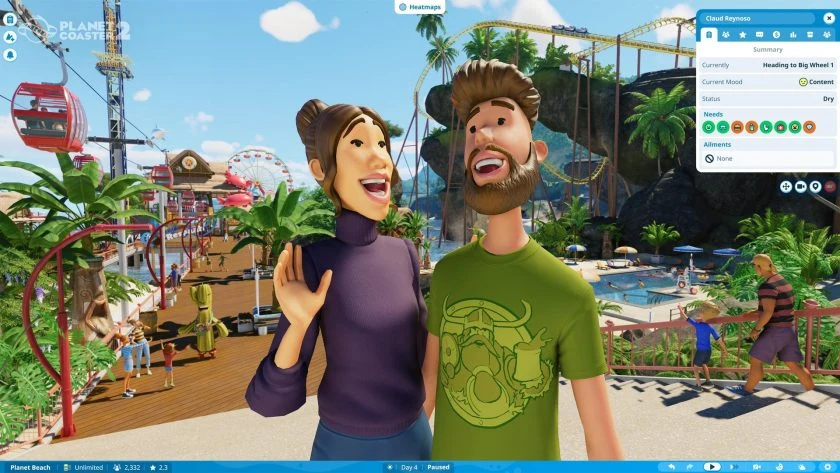
Next, select a guest to see what's happening on the ground. Each need is color-coded: green means fulfilled, yellow means it needs attention soon, and red means it needs urgent attention. Each need also has a percentage showing how well the park meets it, and higher is better. The guest's info panel opens in the top-right corner and shows their needs, thoughts, experience score, mood, what they're doing, and their five most recent thoughts.
One guest only gives you a snapshot, so check several in different spots, such as waiting for rides, leaving them and buying food. Needs change with what a guest is doing, so a pattern across a few guests tells you more than one red need on one visit. Heatmaps, toggled with the Heatmaps button at the top center of the screen, will also show where guest moods are positive or negative.
Guest thoughts cover vendors, rides, mascots, needs and theming, and some suggest an action you can take. Work through what you find in order of urgency, starting with red needs and complaints that keep coming up. Each one gets the nearest matching fix, such as more bins and janitors for litter.
Fix Hunger, Thirst and Toilet Needs First
Guests who can't meet their Hunger, Thirst or Toilet needs leave early, so these three come before everything else. Hunger and thirst drop steadily while guests enjoy themselves, and thirst drops faster when the weather is hot. A thirsty guest will look for a drinks vendor or vending machine, so spread several around the park instead of letting one stall handle a crowd.
Food and drink options need variety too. Some guests avoid caffeine or dislike artificial ingredients, and others have dietary requirements, so offer a mix that suits different tastes. Vending machines are a quick way to give a boost to Hunger when a guest is running low.
The Toilet need builds slowly, and every drink raises it. Place toilets in high-traffic areas and near drink vendors so guests don't have to queue when they're desperate. The game also slows how fast needs drop while guests are stuck in queues, pools and rides, so a guest waiting in line doesn't fall too low before they can leave to deal with it.
Mix Ride Types to Keep Guests Entertained and Calm
Entertainment shows how interested guests are in your attractions. A mix of coasters, flat rides and water rides keeps it steady, and adding new rides gives it a lift when it starts to slide. Repeating the same kind of ride won't do the same job.
Nausea rises with inversions, excessive g-forces and extreme rides. When a guest reaches the red zone, they can be sick, and janitors will need to clean up the mess. Guests also feel queasy after too many rides in a row, so pair intense rides with gentler attractions that let them recover. Your coasters and flat rides receive Nausea, Fear and Excitement ratings when you test them, so use those numbers to decide where an intense ride fits.
Panic is tied to pool safety and to scary coasters. Lifeguards at your water attractions help guests feel safe, and they'll jump in to help anyone in trouble. A varied set of rides also gives guests a break between adrenaline rushes.
Make Queues Worth the Wait
Long queues and long walks drain Energy, and guests with low Energy spend less time in your park and are more likely to head home. Benches and transport rides help guests keep going. Drinks such as coffee, sold by vending machines or drinks vendors, restore Energy quickly.
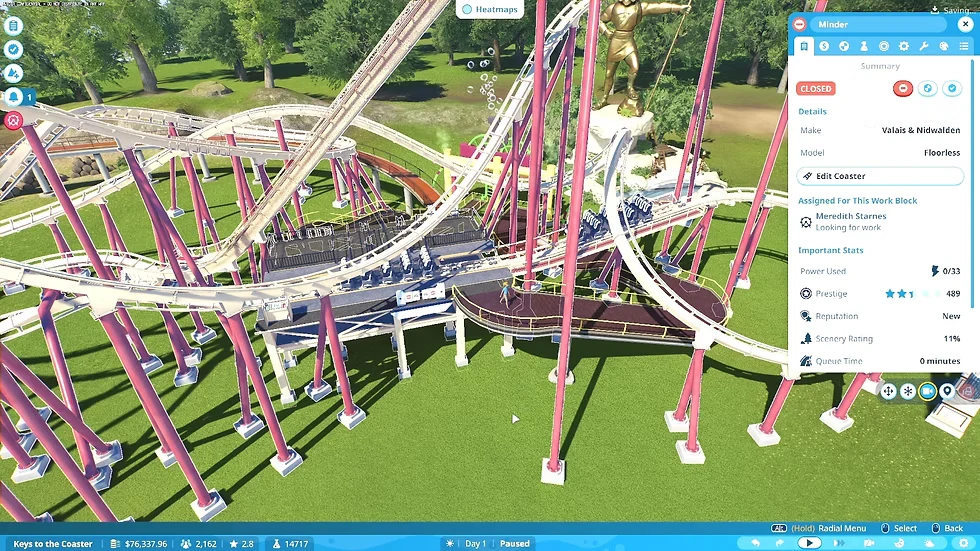
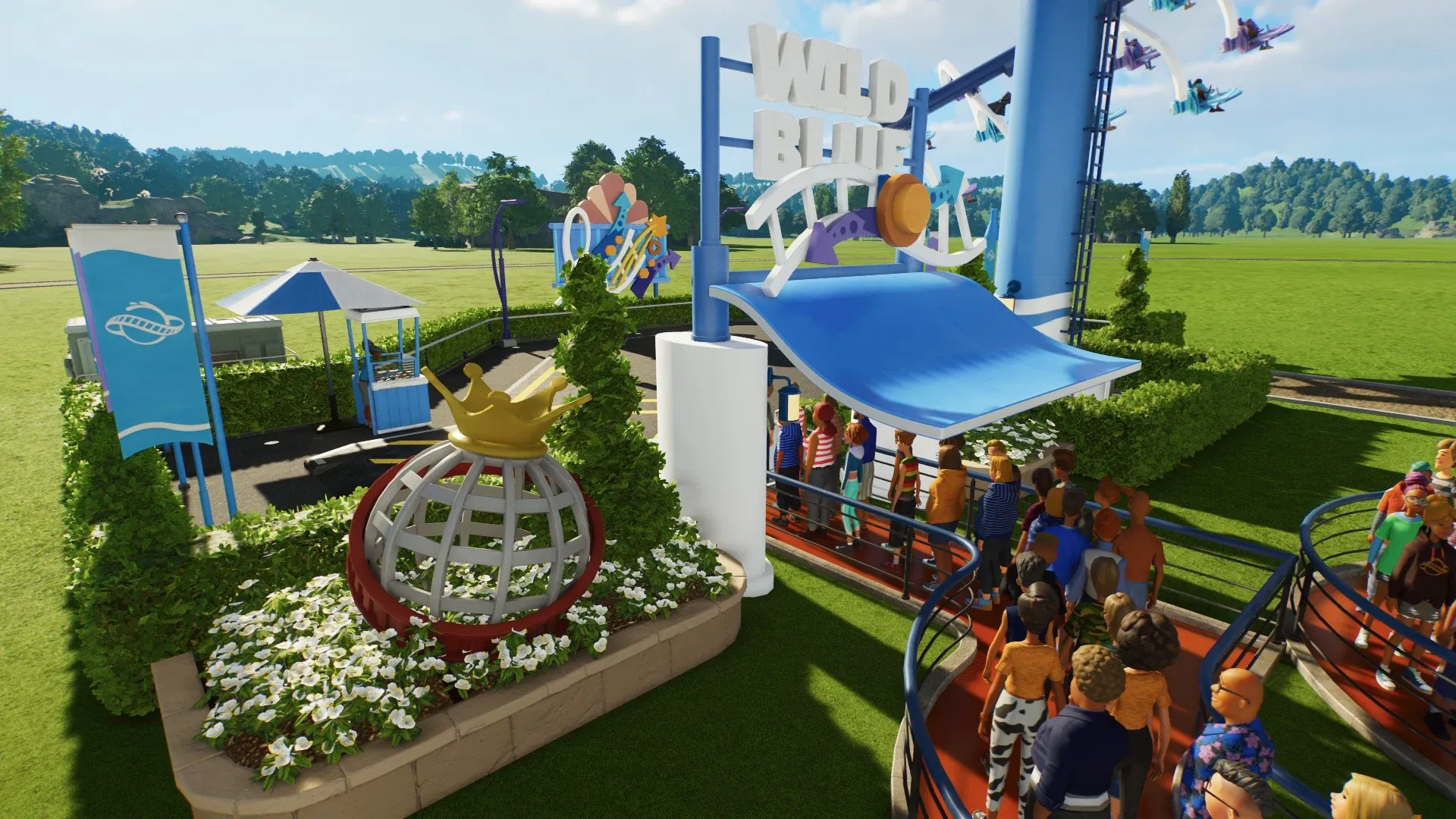
Queues are where many guests lose their good mood. A long wait in a plain line can make them Bored, which sends them home sooner. Queues for prestigious rides or heavily themed attractions can make guests Excited, while very long waits push them toward Bored or Unhappy. Scenery in visible locations raises your Scenery Rating and makes the whole visit more enjoyable.
Attraction Prestige and Scenery Rating are two of the four measures behind your Park Rating, and the lowest of the four has the biggest effect on the overall score. Open the Park Rating sub-menu in Park Management to see which one is weakest. The Queue heatmap, found under Guest Tolerance, also shows which lines are wearing guests down.
Shelter Guests From Heat, Cold and Rain
Warmth, Suncream and Dryness are weather needs, and they fall when guests are exposed to the elements. Guests who stay cold, sunburnt or soaked for too long become Uncomfortable and may leave. Weather also changes what guests want to do, so a swim suits a sunny day better than a coaster in the pouring rain.
Check the Weather Forecast in the bottom-right corner, which shows the weather now, what's coming up today, and what's due over the next two days. That gives you time to put shelters and umbrellas in place before the rain arrives.
When it's cold, place heaters in busy spots like queues, and add shops that sell hot food and drink, since guests want them during a cold snap. In sunny weather, build shelters over busy areas and ride queues, and place Guest Services shops that sell suncream. Suncream has to be bought again and reapplied to keep working, so guests will keep needing it on a hot day.
When it rains, unsheltered guests lose Dryness quickly. Shelters, umbrellas and Body Dryers keep them dry. If guest thoughts keep mentioning rain, that's your sign to start selling umbrellas.
Set Ticket Prices Guests Will Accept in Planet Coaster 2
The Souvenir need shows how much guests want to spend and how they feel about what you charge. Each guest has their own price tolerance, so there's no single price that works in every park. Set prices too low and you give money away, and set them too high and guests stay away.
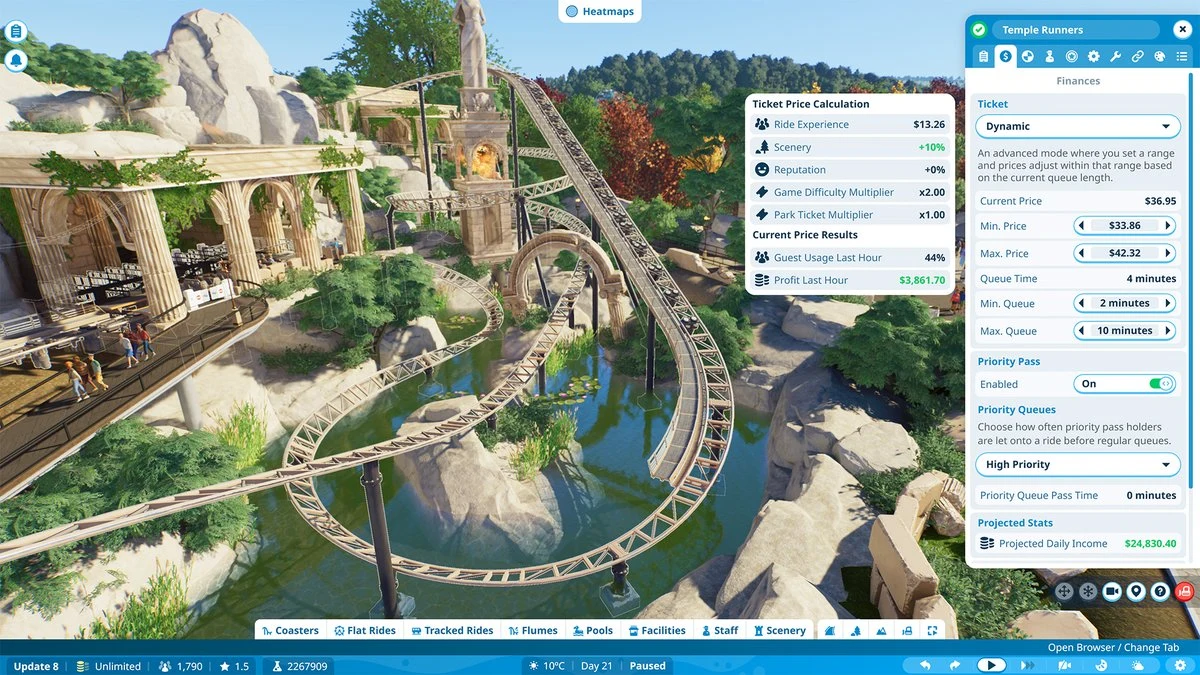
Park Management offers four pricing modes:
- Bargain: the price all of your guests will pay. Use it as your baseline.
- Premium: a higher price that not every guest will tolerate.
- Dynamic: you set a price range, and it moves with the queue length. It works well on busy rides.
- Custom: any price you like, including free.
Dynamic is worth trying on busy rides, but raise prices only while the park and rides stay busy and guests stay happy. A ride priced above Bargain gets a shorter queue, so you'll see the effect in the line. Avoid changing a ride's price while guests are leaving it, because that can make them Unhappy.
Ride scenery and ride experience also feed into how ticket prices are calculated, so a well-decorated ride can support a higher price. Guests in a Family with Children group could have much lower tolerance for long queues and higher prices, so think about who is visiting when you set prices.
Recheck Guest Scores After Every Change
After you make changes, go back to Park Management > Guests and look at Overall Mood, Experience and Top Guest Thoughts. Scores keep moving as guests have new experiences, so even an unhappy guest can turn around if they have enough fun. Check a few individual guests again to confirm that their red needs have turned green.
This matters beyond the mood on your paths. Guest experience feeds into Park Reputation, which feeds into Park Rating, and a higher Park Rating brings more visitors through your gates. Every fix you make helps keep guests happy and helps bring in more of them.