Finish It is Moonrise Interactive’s Roblox construction simulator. Your first useful goal is simple: finish one small surface, collect Coins from the job, and turn that progress into an upgrade that makes the next run easier.
You can work with friends, and the Roblox listing shows a maximum of 20 players per server. Players who enjoy hands-on task loops may recognize the rhythm from Dig and Clean’s beginner route. When you start spending, Sell Ores beginner tips offer a useful comparison for deciding when an upgrade is worth more than saving your currency.
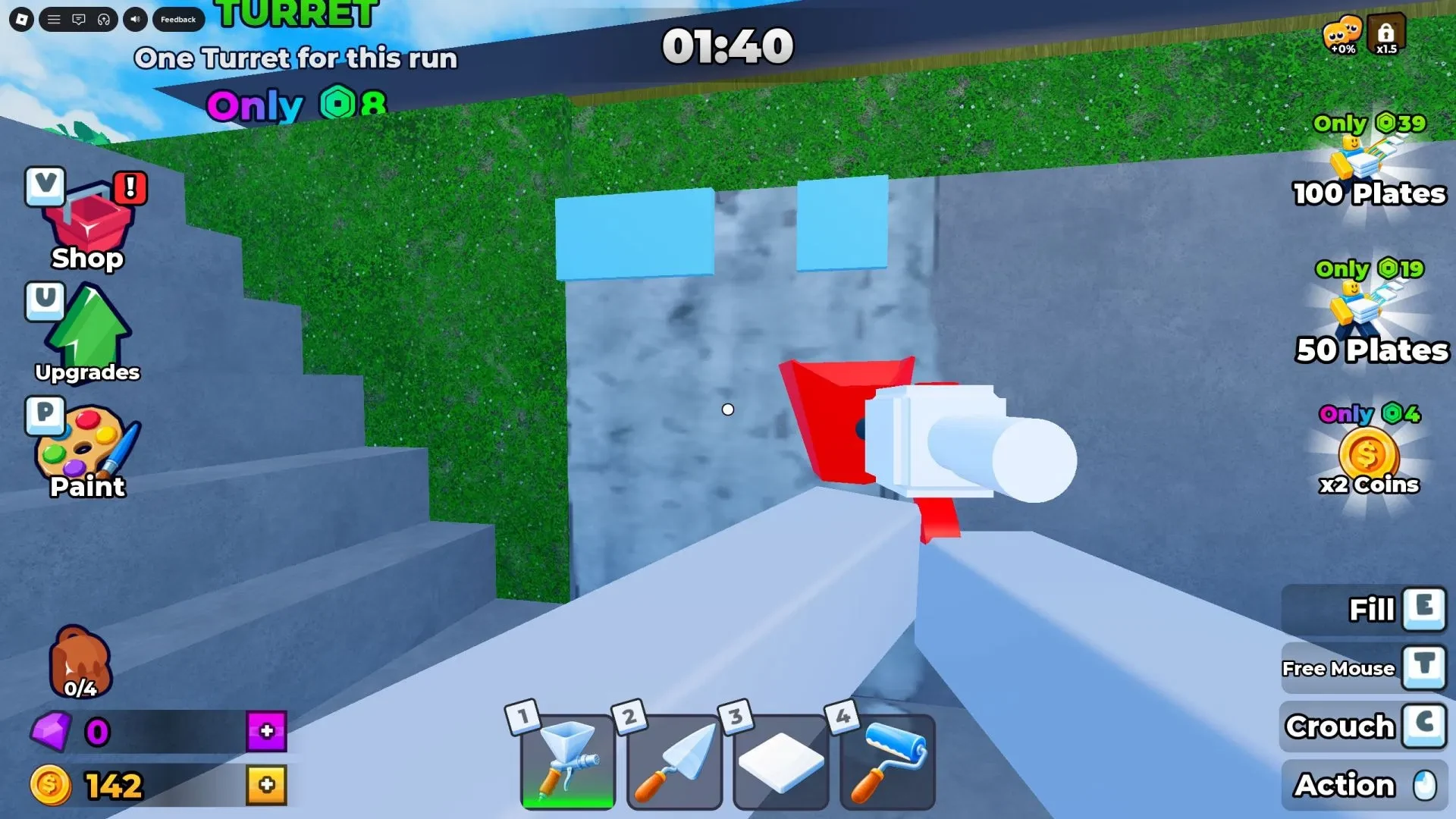
Spray, smooth, tile, and paint each surface
The order matters. A sprayed surface is not ready yet, so do each pass before moving on.
- Refill the sprayer. Use the cement mixer to fill the spray gun before you start the unfinished surface.
- Spray the unfinished surface. Coat the part that needs work. Spraying is the first pass, not the finish line.
- Smooth it with the trowel. Level the coat before trying to add the next material.
- Place the tile or material. Follow the surface prompt and apply the requested finish.
- Paint with the Roller. Paint after the material is in place, then repeat the sequence on the next surface until the project is complete.
The clean mental checklist is spray, smooth, tile or material, then paint. Skipping the trowel leaves the job waiting for one more tool, because plaster has standards.
Choose a stage and learn the controls before you start
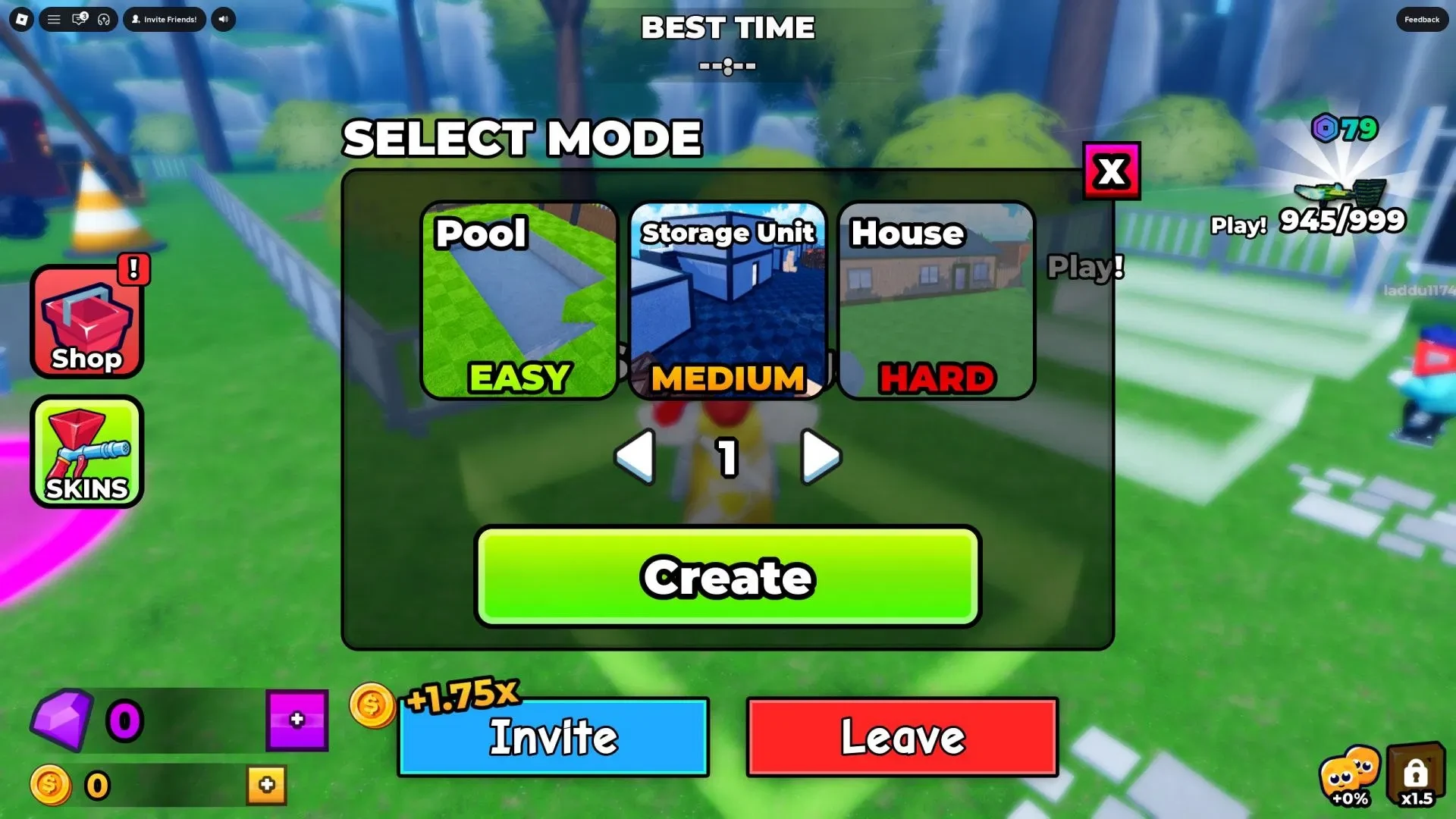
Pool is the best first choice if your live stage menu still labels it Easy. The same layout labels Storage Unit Medium and House Hard. Stage names and labels can change, so check the menu in your session before choosing.
Use these PC inputs as a starting point. Follow the live prompt if your session shows a different binding.
| Action | PC input |
|---|---|
| Move | WASD |
| Jump | Spacebar |
| Interact | E |
| Equip a tool | Number keys 1-4 |
| Use the equipped tool | Hold the left mouse button |
| Open paint customization | P, if the live screen shows that binding |
Use early Coins on upgrades that save time
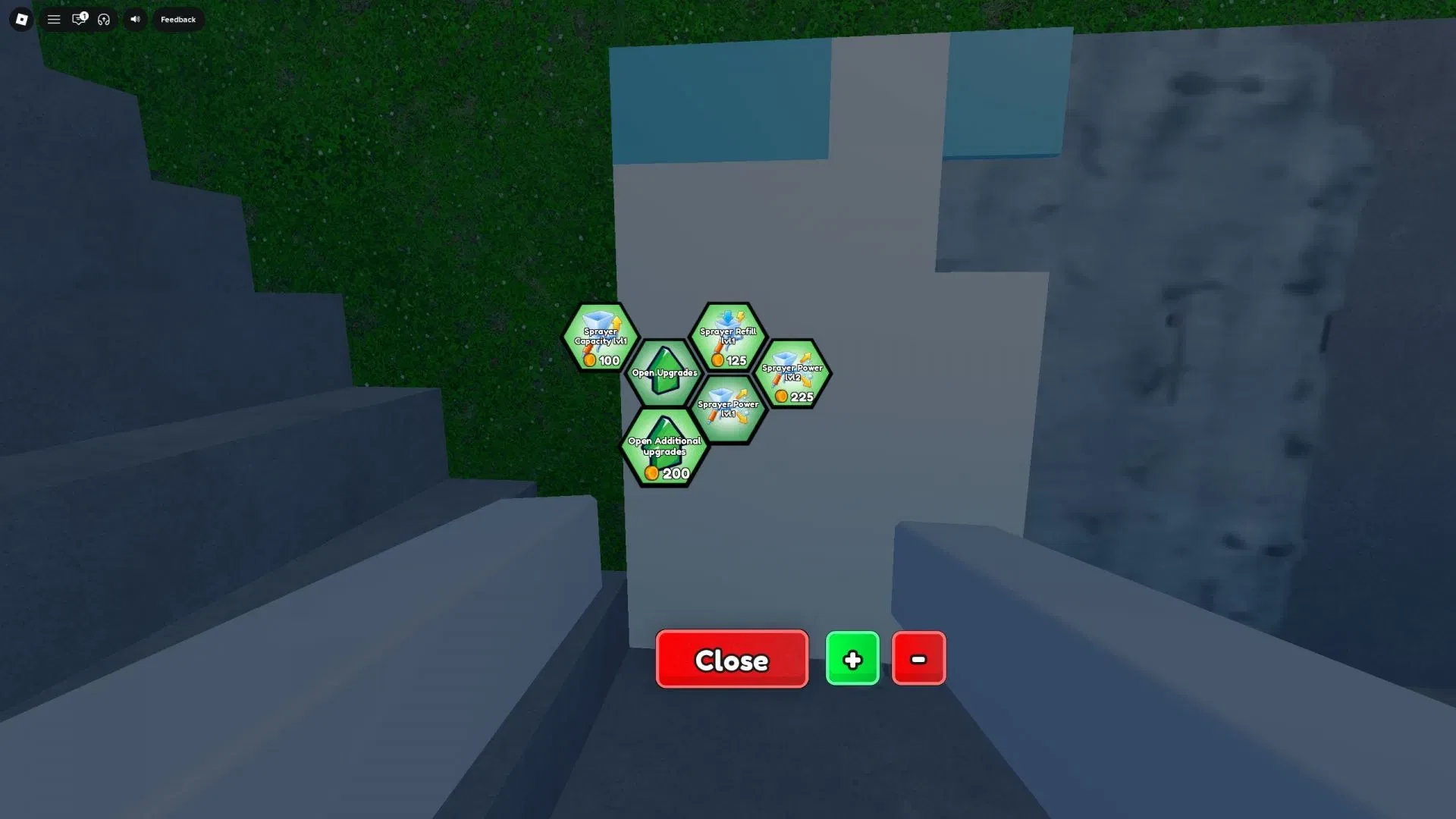
Coins are the run currency for upgrades. On your first spend, look for something that keeps the sprayer working longer or reduces refill trips. Sprayer Capacity and Sprayer Refill are visible choices in the upgrade tree, and movement speed can also save time as you travel between the mixer and work area.
Pick the upgrade that fixes your actual pause. If spraying is stopping you, improve spray uptime or capacity. If walking is eating the run, choose movement speed. Let cosmetics wait until the work loop feels comfortable.
Run the same small job again after your first purchase. The goal is a repeatable rhythm: refill, spray, smooth, place the material, paint, then put the next Coins into the slowest part of the job.
Finish It beginner questions
Which Finish It stage should a beginner choose?
Choose Pool if your live menu labels it Easy. Storage Unit and House may appear as Medium and Hard, but follow the labels shown in your own session.
Do I need gamepasses to start?
No. The basic construction loop is playable without a premium purchase. Learn the tools first, then decide whether optional extras fit how you want to play.
Why is my surface not finished after spraying?
Spraying only applies the coat. Use the trowel to smooth it, place the tile or material, and paint with the Roller afterward.