

Driving Empire Music IDs are numeric Roblox audio asset IDs associated with the Driving Empire experience. Search by title or artist, compare duration and cover details, and copy an ID when the Car Radio control accepts manual audio.
Driving Empire also has built-in radio channels and a custom music flow. The rows below come from Roblox's Music Discovery association feed, so they help identify relevant audio without promising that every ID is playable in every vehicle, server, or version of the radio.
All Music Codes
Broad music ID discovery beyond the daily top list.
Trending
Daily Roblox top songs, capped at 500 music IDs.
Charts
Weekly, monthly, and yearly Creator Store music charts.
Game Specific
Music, radio, and sound IDs organized around supported Roblox games.

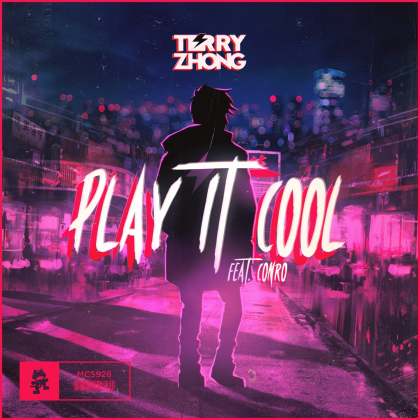
Play It Cool

Low Cortisol




This Is So Thrilling!
What are Driving Empire Music IDs?
A Driving Empire Music ID is the number for a Roblox audio asset. It is sometimes called a song code or radio code, but it is not a redeemable reward and it does not unlock cars, cash, or customization.
Each card can show the title, artist, album when supplied, duration, optional cover art, and the copy-ready asset ID. Use the search box to find a track before copying its number.
How to use Music IDs in Driving Empire
- Join Driving Empire on Roblox.
- Check the shop for the Car Radio access shown by your current server.
- Enter a vehicle and open its radio or custom music control.
- If the control accepts an audio ID, paste the digits from a matching row and confirm the track.
- If it presents built-in channels or a song search, use those controls instead of forcing a manual ID.
Driving Empire's radio UI can vary across platforms and updates. Do not assume an older keyboard shortcut is still the right way to open the radio. The buttons visible in your current vehicle are the reliable instructions.
What these Driving Empire radio songs represent
Roblox's Music Discovery service returned 67 unique songs associated with the Driving Empire universe. The source provides the game association and, when available, title, artist, album, duration, and album-art information.
That association does not prove a song is an official Driving Empire composition, a Car Radio whitelist entry, or a successful live playback test. It also does not make the ID portable to every other Roblox radio.
The Driving Empire experience is the best place to confirm the current vehicle and radio controls. The Driving Empire radio guide provides useful background on the custom music flow, but older directions and pass details may no longer match the live UI.
Why a Driving Empire music ID may not play
- The vehicle control uses channels or search. A manual ID field may not be available in the current version.
- The asset is restricted or unavailable. Roblox audio permissions, moderation, creator settings, and copyright actions can change playback.
- Car Radio access is missing. Check the current shop and vehicle controls.
- The ID was copied with extra characters. Paste only the numeric value when a field asks for an asset ID.
- The audio or vehicle is muted. Check Roblox volume, the game music setting, and device output.
Try a second row and then a built-in radio channel. That comparison helps separate a dead asset from a control or access issue.
How the Driving Empire music list is assembled
The source refresh queries Roblox for experience songs linked to universe 1202096104, follows the paginated response, removes duplicate asset IDs, and stores the returned title, artist, album, duration, album-art ID, source URL, checked time, and use label.
Source verified means Roblox returned the association during the refresh. It does not mean the audio was played through a Car Radio in a live server. The Roblox asset link lets you inspect the underlying audio record, and the copy button gives you only the number needed by a compatible control.
Search covers titles, artists, albums, genres when present, and exact asset IDs. Missing source fields stay empty rather than being filled with guesses.
Driving Empire Music IDs FAQ
Are these guaranteed working Driving Empire radio codes?
No. They are Roblox audio assets associated with Driving Empire through Music Discovery. Car Radio access, the vehicle UI, asset permissions, and moderation status determine playback.
Where do I enter a Driving Empire Music ID?
Open the radio or custom music control inside a vehicle. Paste plain digits only when the current control shows an ID field. Built-in channels and search should be used when that is all the UI provides.
Do I need Car Radio access?
Driving Empire has a Car Radio product for playing tunes on vehicles. Check the shop and the access state shown in your current game because price, sale status, and controls can change.
Why does a Driving Empire song fail in one car?
The vehicle may use a different control, the asset may be restricted, access may be missing, or the game or device may be muted. Test a built-in channel and another row before assuming the ID is wrong.
Are these official Driving Empire soundtrack songs?
Not necessarily. The source feed links the audio assets to the experience, but it does not identify every row as a Driving Empire composition or guarantee that it appears in the built-in radio channels.
What does source verified mean on a Driving Empire row?
It means Roblox returned the association in the source refresh. It is stronger than an unverified copied list, but it is not a live Car Radio playback test.