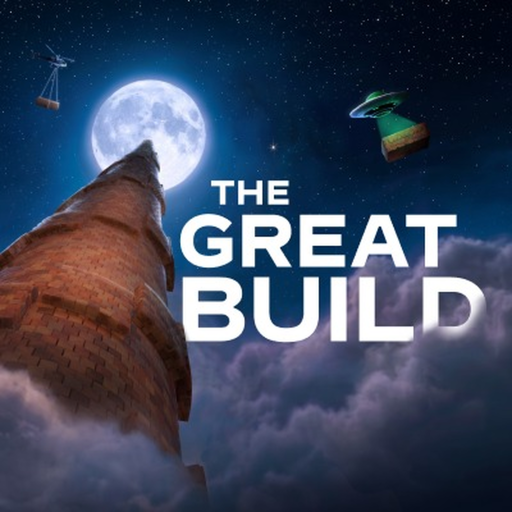
Roblox The Great Build is a free event that runs from November 25 to 30, 2026. It asks a simple question: what can we build when everyone shares a little gratitude? Players answer by adding Gratitude Blocks to one giant tower, built together by players all over the world. Everything happens in one hub, so you never have to switch games to take part.
Each hour, you can grab one free Gratitude Block from the Block Giver lever in the hub. You choose what you're grateful for, from everyday things to your favorite influencers, and how you want to say it. Your username goes on the block, and it joins the tower. Then you can explore the tower and see what everyone else is grateful for.
The tower is one shared build, and as its total reaches new milestones, free avatar items unlock for everyone. Each item has a badge with the same name. Some items come from your own blocks, and others also depend on the tower reaching a milestone. Come back each hour to add another message and see how high the tower has climbed before the event wraps up.
- Creator
- Roblox Presents
- Game Created
- November 24, 2026
- Last Updated On
- November 26, 2026
- Genre
- Entertainment
- Subgenre
- Showcase & Hub
The Great Build Gameplay Tips
- Set a reminder when you place a block. Your next block takes about an hour to be ready. A reminder saves you from checking too early or forgetting to come back.
- Start with Brickle & Pebble. It's the only tower item with no community goal, so it depends only on the five blocks you place yourself. That makes it the item you can finish on your own schedule.
- Place your blocks early. Waiting for the tower to hit a milestone doesn't help, because you still need your own blocks in place before you can claim an item. Placing them early means you're ready the moment the community reaches the next milestone.
- Finish the hub obby early. Completing it earns Skybound Monarch and unlocks flight in the hub for the rest of the event. Flying makes it quicker to reach item pedestals, read messages on the tower and look around the hub.
- Check the boards before you walk to a pedestal. The Tower Information board shows the current block count, and the Community Goal board shows how many blocks remain until the next item unlocks. Checking them first saves a trip, since an item that isn't open yet only returns a "Failed to claim" message.
- Check the creator before you join. The real event is published by Roblox Presents, which has a verified badge. Copycat games use similar names, and nothing in the event costs Robux, so a game that asks you to pay is a warning sign.
More From This Developer
Other Roblox experiences from Roblox Presents on Bloxodes.
 The Hunt: First Edition2 playing · 277,387,242 visitsStats pageTThe Hunt: Roblox 2050 playing · 256,783,768 visitsStats page
 The Hollow204 playing · 197,107,481 visitsStats pageTThe Hunt: Mega Edition12 playing · 194,807,639 visitsStats page
 The Hatch25 playing · 166,622,258 visitsStats pageTThe Classic24 playing · 114,008,959 visitsStats page