Stickers, bookmarks, greeting cards, acrylic charms, luggage tags, and art prints are the original products you make and sell in My Small Business on Roblox. Blankets, plushies, notebooks, rings, necklaces, and bracelets are newer additions from recent updates and events. You design each original product in a theme, print it, cut it out, and ship it to customers who place orders. Some products open as you buy upgrades and gain levels, so knowing how each product is made, unlocked, and shipped will help you plan your shop.
Group
Items
Sticker
- Unlock Requirement
- Available from the start
- Themes
- Animals
- Flowers
- Sweets
- Sky
- Love
- Nature
- Ocean
- Fantasy
- Example Designs
- Ocean Sticker 1
Bookmark
- Unlock Requirement
- Buy Bookmark Cardstock for 30 Coins
- Themes
- Animals
- Flowers
- Sweets
- Sky
- Love
- Nature
- Ocean
- Fantasy
- Example Designs
- Animal Bookmark 1
- Nature Bookmark
Greeting Card
- Unlock Requirement
- Reach business level 5
- Themes
- Animals
- Flowers
- Sweets
- Sky
- Love
- Nature
- Ocean
- Fantasy
- Example Designs
- Sweet Greeting Card 1
Acrylic Charm
- Unlock Requirement
- Reach business level 8
- Themes
- Animals
- Flowers
- Sweets
- Sky
- Love
- Nature
- Ocean
- Fantasy
- Example Designs
- Love Acrylic Charm 1
- Animal Acrylic Charm 1
- Sky Acrylic Charm 1
Luggage Tag
- Unlock Requirement
- Reach business level 13
- Themes
- Animals
- Flowers
- Sweets
- Sky
- Love
- Nature
- Ocean
- Fantasy
- Example Designs
- -
Art Print
- Unlock Requirement
- Reach business level 17
- Themes
- Animals
- Flowers
- Sweets
- Sky
- Love
- Nature
- Ocean
- Fantasy
- Example Designs
- -
Blanket
- Unlock Requirement
- -
Plushie
- Unlock Requirement
- Use the Plushie Workshop, featured during Plushies & Craft Fair (Oct 31 to Nov 6, 2026).
Notebook
- Unlock Requirement
- -
Ring
- Unlock Requirement
- Unlock the Jewelry Studio during the Jewelry! event (Nov 14 to 21, 2026).
Necklace
- Unlock Requirement
- Unlock the Jewelry Studio during the Jewelry! event (Nov 14 to 21, 2026).
Bracelet
- Unlock Requirement
- Unlock the Jewelry Studio during the Jewelry! event (Nov 14 to 21, 2026).
What Products Are in My Small Business?
Products are the items your shop makes and sends to customers. Each original product starts as a design you build yourself in the editor, then gets printed and cut out before it ships. The shapes vary by product: stickers come in options like circles and hearts, while bookmarks are tall strips.
How Do Product Themes Work in My Small Business?
The six original products use the same eight themes: Animals, Flowers, Sweets, Sky, Love, Nature, Ocean, and Fantasy. Each theme has a simple starter idea, such as a cat face stamp on a pastel background for Animals or stars and sparkles for Fantasy. The editor gives you brushes, an eraser, fill and text tools, plenty of stamps like hearts, bows, and fruit, a color palette, and a paper color option.
Orders for the original six ask for a specific theme.
How to Make and Print Products in My Small Business
Making an original product starts with the Designs button, where you pick a theme and build your design. Next, you print the design at the printer and cut the items out on the cutting mat. Bookmarks are printed in batches and then cut on the mat. Finished items go on your shelves, where each order pulls from the slot that matches its theme.
Your saved designs are limited by the catalog, and the Design Binder II adds more slots when you run out of room. If printing feels slow, the Printer Turbo upgrade costs 85 Coins and makes printing 25% faster.
How Orders and Shipping Work for Products
Orders appear on the Orders board, which shows each customer's name, the item they asked for, and their pay. Each order's pay is a base amount plus tips. To fill one, press Start, then select the matching items from your shelves.
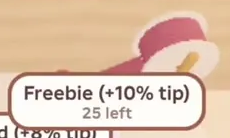
Packing comes next. Pick the smallest box that fits, drag every item into it, then fold and tape the flaps. Shipping labels come from the Label Printer. Choosing the smallest box that fits earns a 10% tip bonus, and goodies such as thank-you cards and tissue paper add a little more. Shipping also pays coins and tips.
No single product wins every time. Prices vary by theme and design, so the best product is whichever one your current orders ask for. Check each order on the Orders board before you print.
How to Unlock New Products in My Small Business
You don't start with every product. Stickers are ready from the start, and bookmarks unlock once you buy the Bookmark Cardstock upgrade for 30 Coins in the Expand menu. The remaining original products have level gates: greeting cards at level 5, acrylic charms at level 8, luggage tags at level 13, and art prints at level 17. Cardstock Feeder unlocks greeting cards, and Acrylic Sheets unlocks acrylic charms.
The newer products came through updates and events. Blankets came with the Commission Orders update. You make plushies at the Plushie Workshop, which was featured during Plushies & Craft Fair (October 31 to November 6, 2026). Notebooks came with the Jewelry! event (November 14 to 21, 2026), and during that event you unlock the Jewelry Studio to design and sell rings, necklaces, and bracelets. Check the game for the unlock steps and prices of the newer products.
Shipping orders earns XP, and XP is what raises your level. Reaching level 2 also unlocks more upgrades, so shipping steadily early on keeps your shop moving.
FAQ
Can you make holographic products in My Small Business?
Yes, but you need the Holographic Products pass, which costs R$199 in Robux, Roblox's own currency.
Where do you buy upgrades in My Small Business?
Upgrades are bought from the Expand menu, which is split into tabs for Bedroom, Studio, Shipping, and Warehouse.
How many orders can you handle at once?
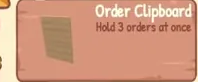
You begin with fewer order slots, and the Order Clipboard upgrade, which costs 15 Coins, raises the limit so you can handle more orders at once. The Cork Order Board, which costs 95 Coins, adds another slot.