

Clans are the team feature in Toilet Tower Defense, the Roblox tower defense game where you place units to stop waves of invading toilets. To join one, press Clans in the bottom-left corner of the screen, browse the Clan Directory, and pick a clan whose type lets you in. Matches and Endless runs both add strength for your clan once you're a member, so it pays to choose the right team before you join.
| Clan type | Who can join | What you need to do |
|---|---|---|
| Public | Any player | Join without an invite |
| Application | Players who meet the clan's requirements | Meet the weekly activity hours, Endless Rank and Wins the owner sets, then apply |
| Private | Only players the owner invites | Wait for an invite |
How to Join a Clan in Toilet Tower Defense
Joining takes only a few presses. The part that matters more is choosing a clan that fits how much you want to play, so take your time in the Directory.
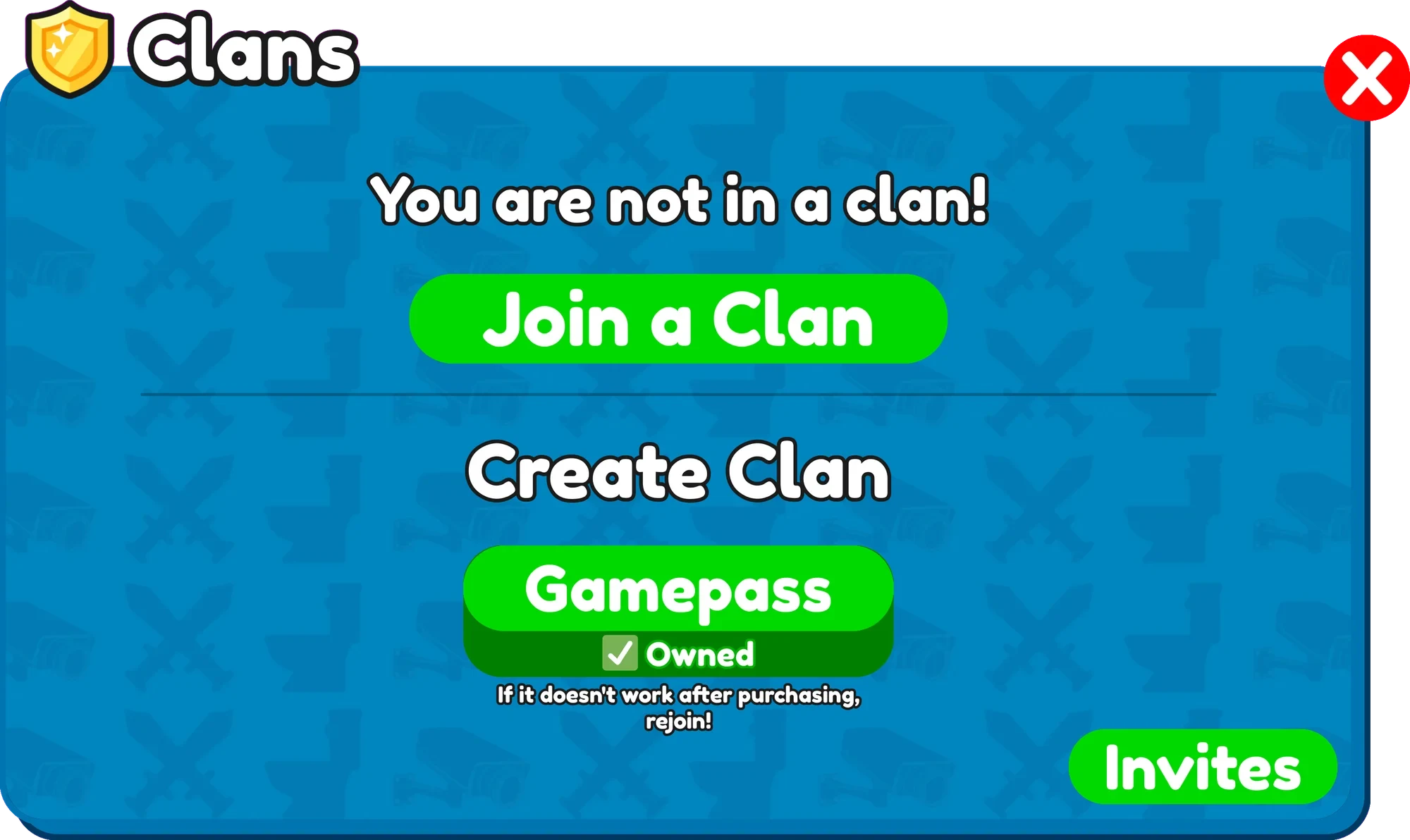
- Press Clans. It's the button in the bottom-left corner of the screen.
- If you aren't in a clan, press Join a Clan. You'll find it on the screen that tells you you're not in a clan yet.
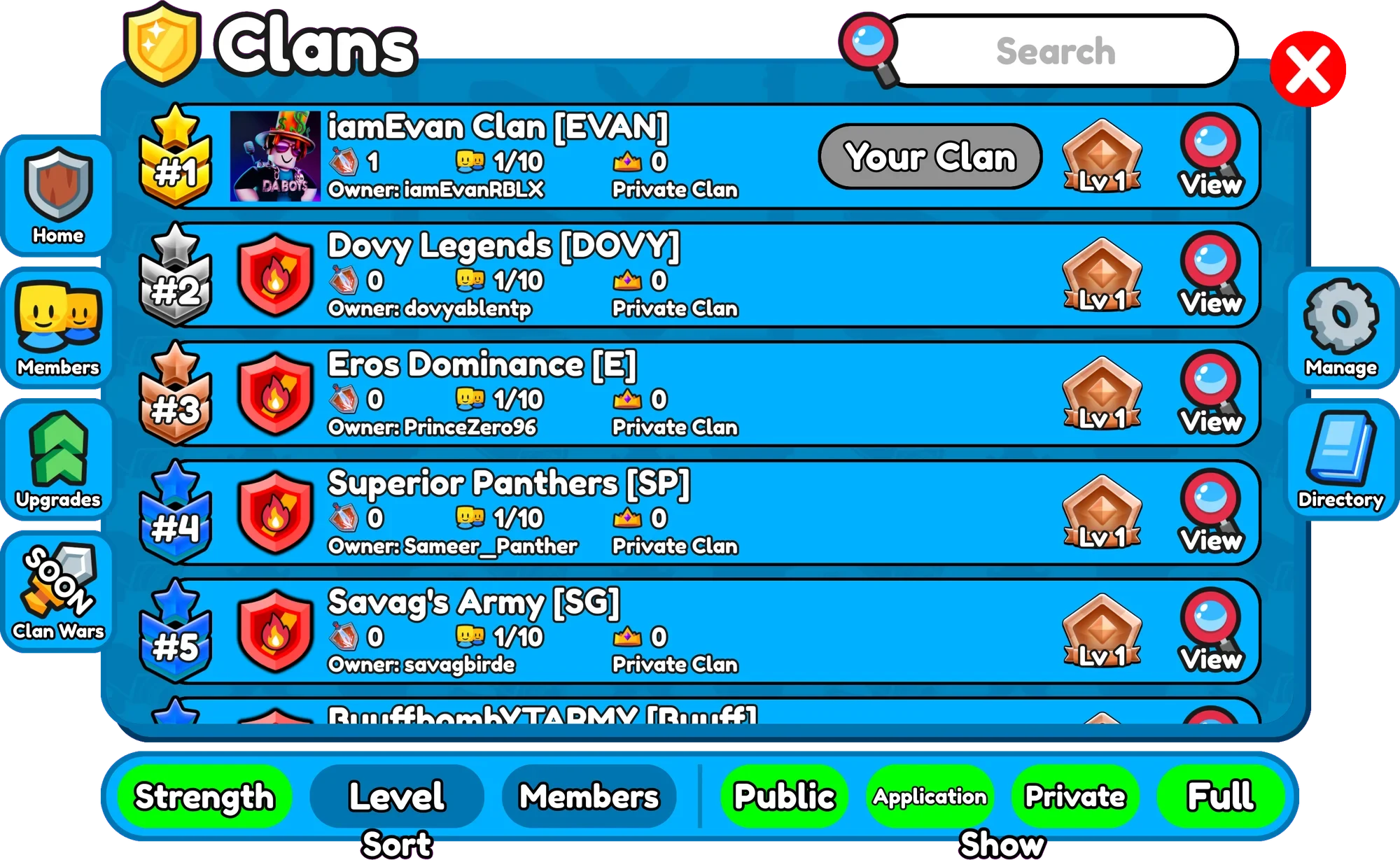
- Browse the Clan Directory. Sort by Strength, Level or Members to see which clans rank highest on each measure. Search by name or tag if you already have a clan in mind, or use the filters to show only Public, Application, Private or Full clans.
Each sort tells you something different. Strength shows how much the members have been playing, Level shows how far the clan has grown, and Members shows how full it is. The filters save time too. If you only want clans you can enter without waiting, filter for Public.
Public, Application and Private Clans Explained
The clan type decides who gets in, and the owner sets it on the Manage Clan screen. Each type suits a different kind of team, so it's worth knowing what each one asks of you.
A Public clan lets any player join. There's no requirement to meet and no approval step, which makes it the quickest way into a team.
Application clans sit in between. Any player can apply, but the owner sets minimums for weekly activity hours, Endless Rank and Wins, and you need to meet them. Those minimums let the clan's leadership screen who applies. Meeting the requirements makes you eligible, and applications are then handled from the Members tab through the Add Members button.
Private clans only let in players the owner has invited. You can't get in by browsing, so these suit groups of friends who already know each other. If you're after one, wait for an invite. The no-clan screen also has an Invites button.
How to Create Your Own Clan
Creating a clan takes one of two things: the Clan Creator gamepass, which costs 499 Robux, or gems. The gamepass is one of the game passes in the game. If you'd rather not spend Robux, how to get gems without spending Robux explains the gem side.
- Unlock creation by buying the Clan Creator gamepass or paying with gems. If the gamepass doesn't work right after you buy it, the game suggests rejoining.
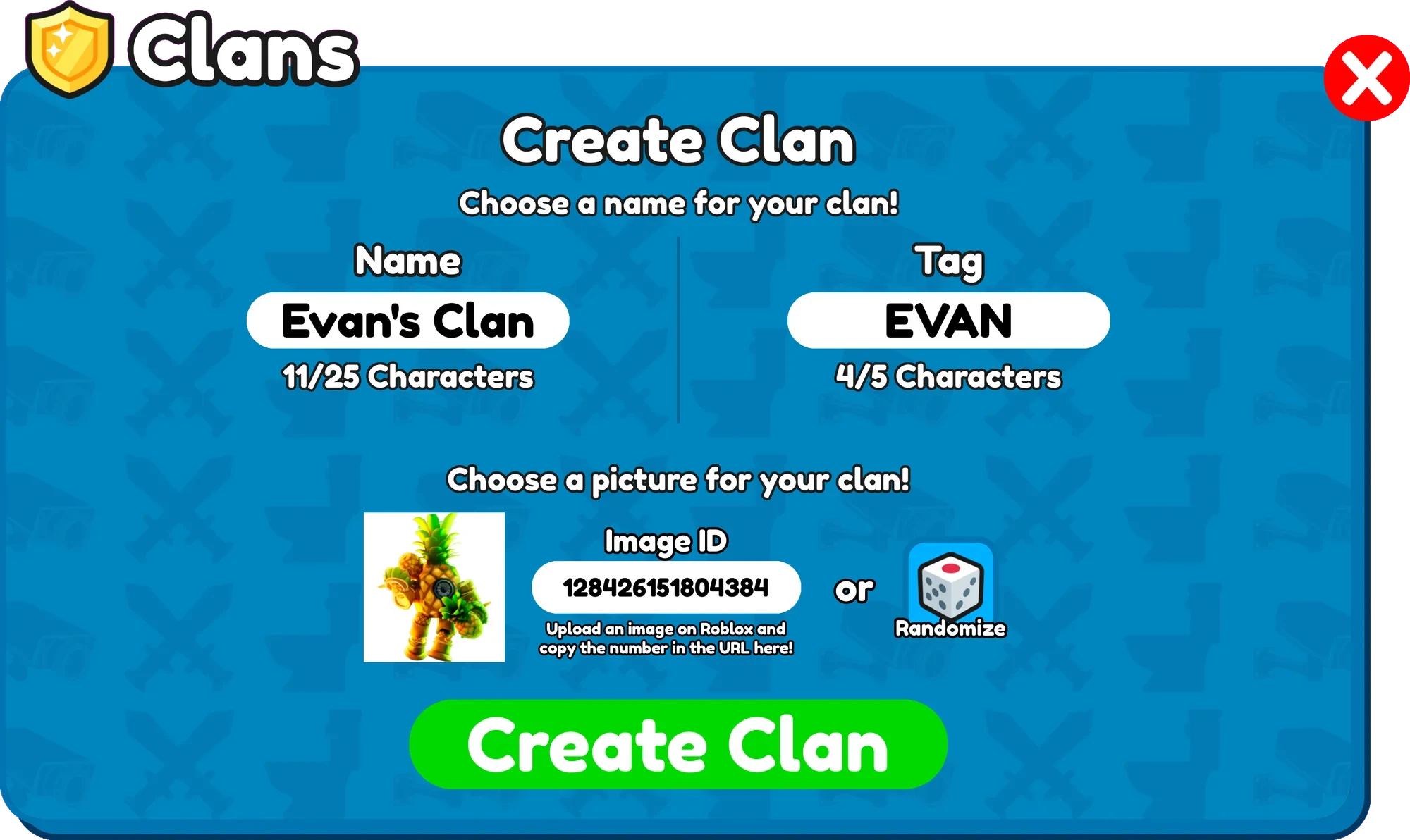
- Press Create Clan, then choose a name and a short tag.
- Pick a picture. Upload an image on Roblox and paste the number from its URL, or press Randomize to use a random unit's picture.
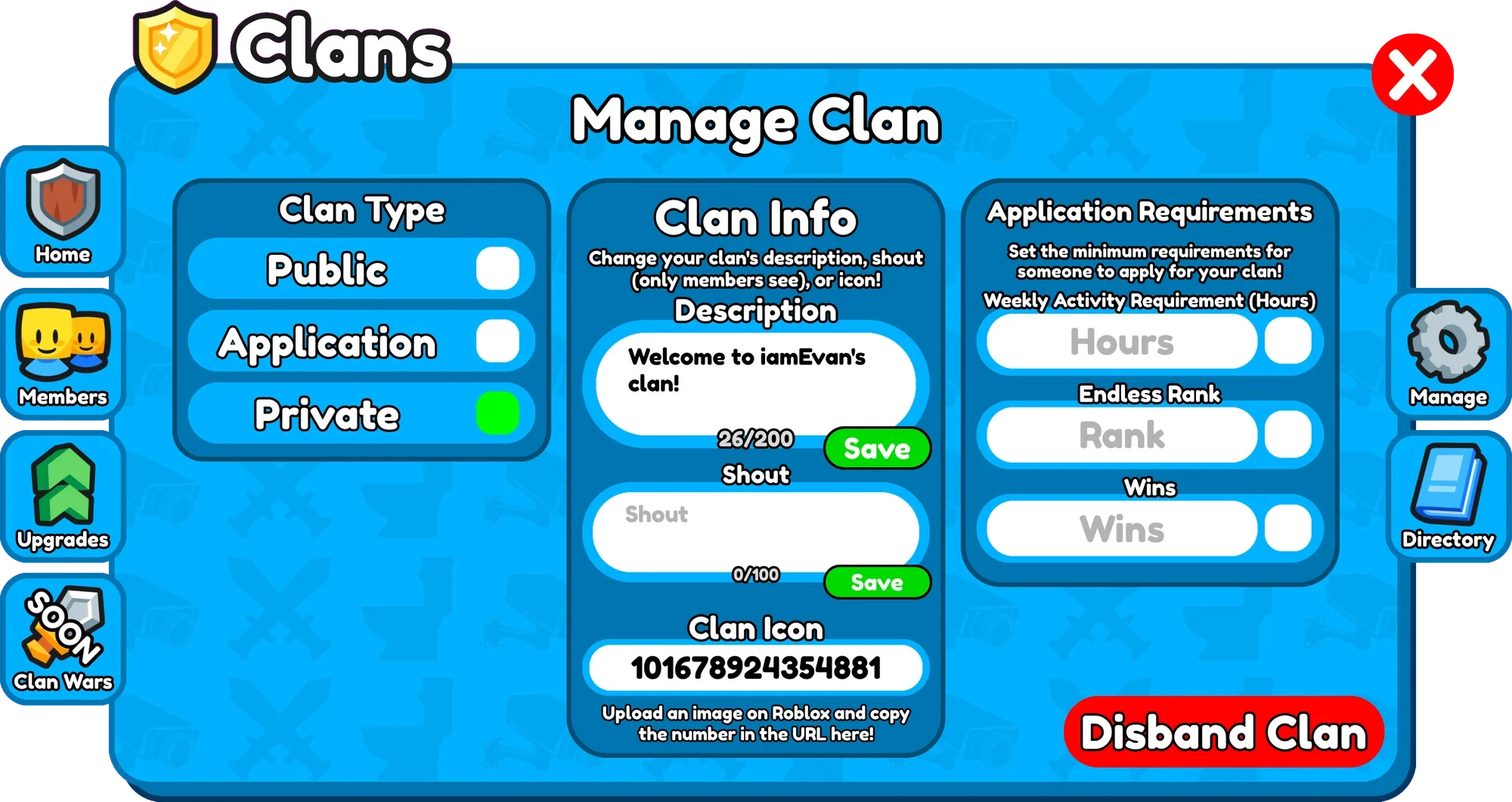
- Set the type in Manage Clan. Choose Public, Application or Private. For Application, set the weekly activity hours, Endless Rank and Wins that players need before they can apply.
Set the type before you start recruiting. A Public clan can fill with anyone who finds it, while a Private clan only grows through invites, so the setting decides how new members reach you. Only the owner and admins can see most of the Manage Clan page.
How Clan Strength Works and How to Earn It
Strength is your personal contribution to your current clan. Matches and Endless runs both add to it, and it's one of the measures the Clan Directory sorts clans by.
Leaving a clan takes your strength away, and it starts over when you rejoin or join a different clan. Settle on a team before you put in serious hours, because switching resets your progress. You can track strength in two places:
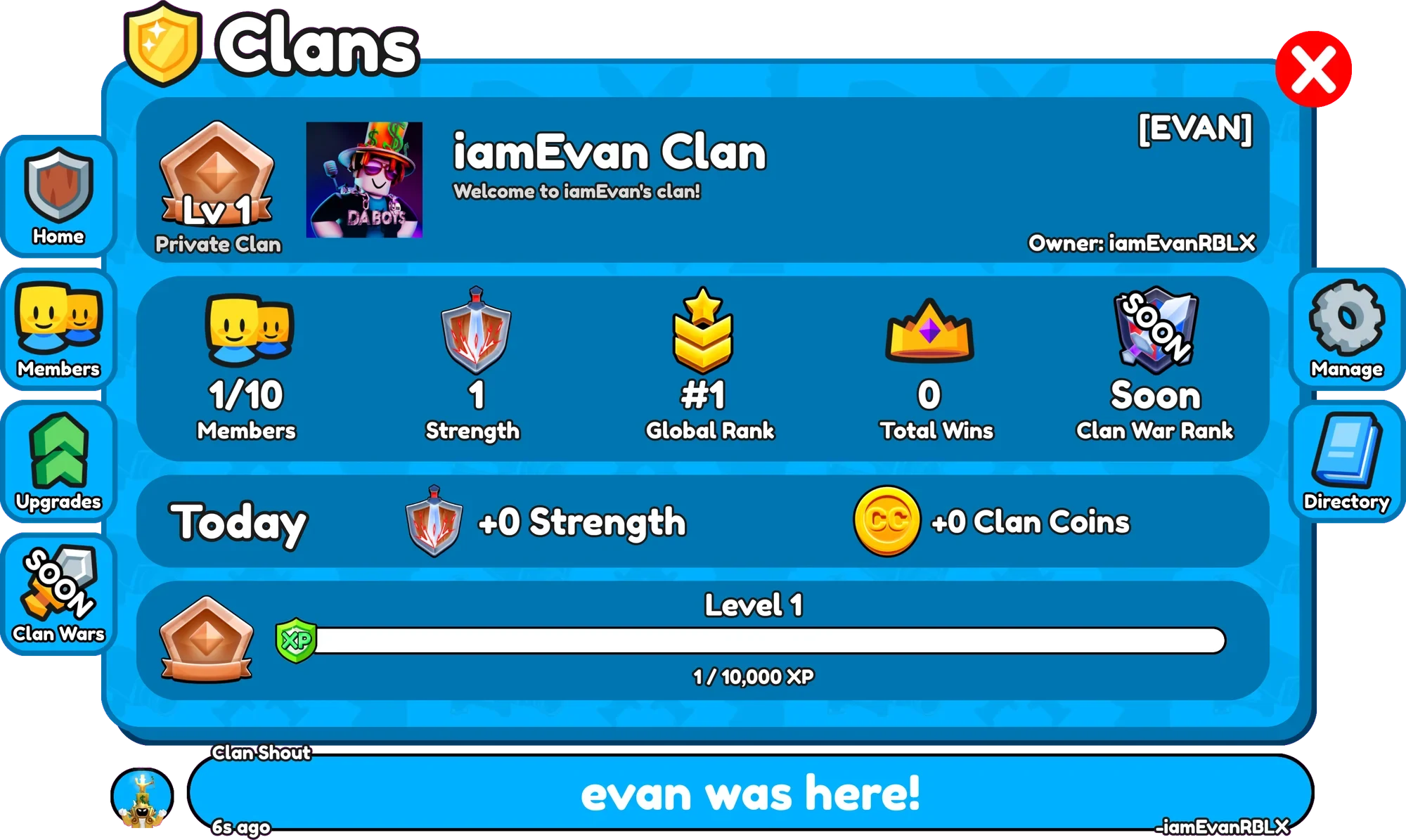
- Clan Home: your clan's Strength, Total Wins, Global Rank and member count
- Members tab: each member's Strength, Past Week strength, Wins and Endless Rank
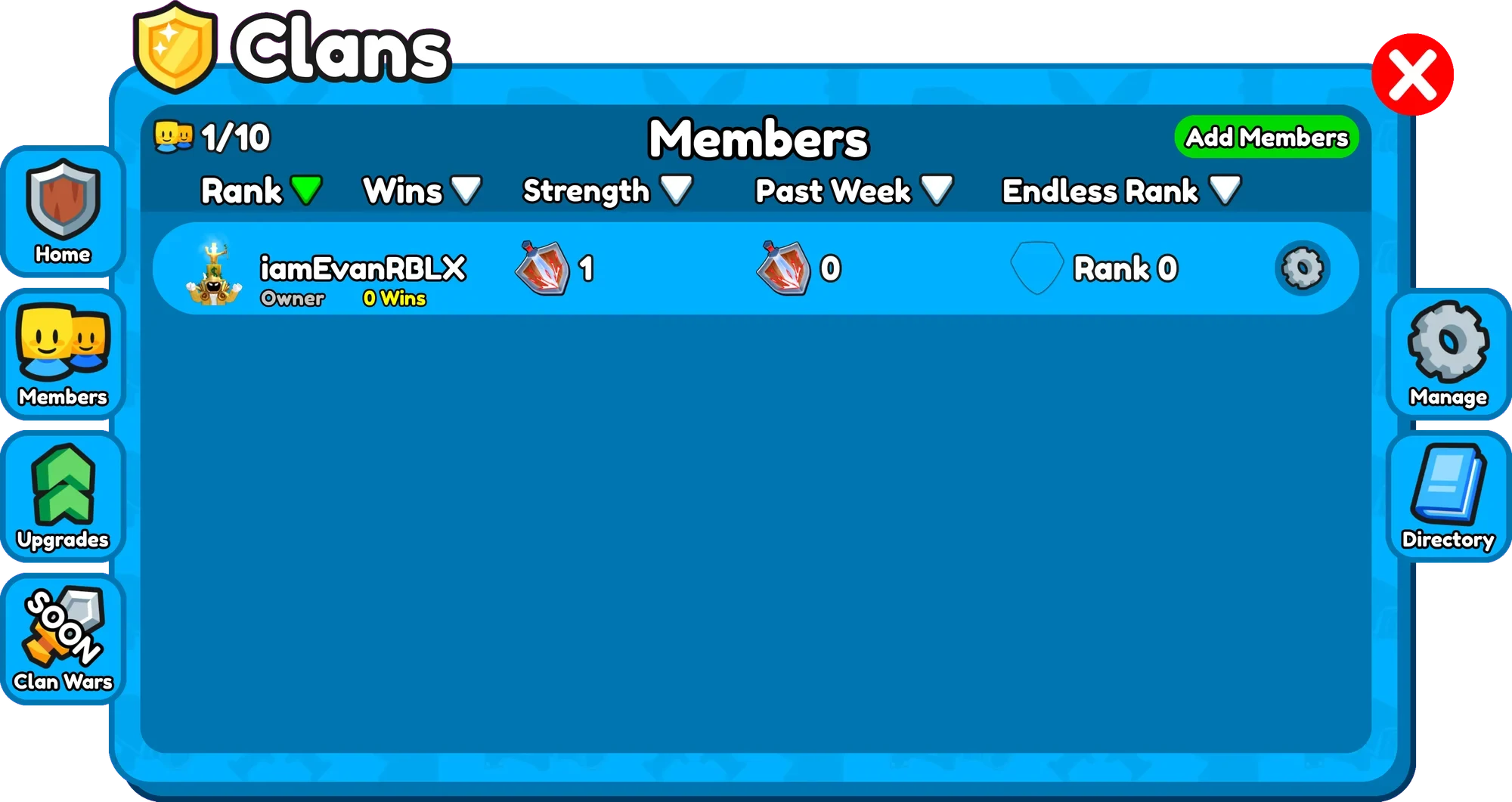
The Past Week column is the quickest way to see who has been putting in time lately. It's worth checking before you decide who to keep in the clan. Endless has no final wave, so your setup matters more the longer a run goes. Endless Mode preparation and strategy goes into how to prepare.
What Clan Coins and Clan Levels Do
Clan Coins are the currency for clan upgrades, and you only earn them while you're in a clan. Winning a match pays them out, and harder difficulties pay more: Easy gives 3, Medium gives 5 and Hard gives 10. Beating the Endless bosses at waves 10, 20 and 30 pays 5, 10 and 15.
Clan Coins go toward three upgrades. The Member Limit starts at 10 members and grows as you upgrade it. The Clan Coins Bonus and Endless XP Bonus boost those two rewards, and only players with upgrade permission can spend the clan's coins.
Clans also earn XP from members killing toilets and winning modes, and that XP raises the clan's level. Level 1 unlocks Easy clan quests, Level 3 unlocks Medium, Level 5 Hard, Level 10 Nightmare and Level 15 Abysmal. From Level 6, the clan earns a Coins bonus that starts at +5% and climbs to +40% by Level 41. Upgrades change what the clan can do day to day, while levels are the longer-term goal.
Clan Roles: Owner, Admin, Recruiter and Member
A clan uses four ranks, and each one controls how much a player can do.
- Clan Owner: owns the clan and can kick players, upgrade clan upgrades and use the full set of clan tools.
- Clan Admin: can use most of what the owner can.
- Clan Recruiter: invites players and may also be able to upgrade the clan.
- Clan Member: can only contribute to the clan.
The Members tab is where the owner and admins promote, demote or kick people, so roles can change as the clan grows. Everyone in a clan gets a chat tag. The clan shout is the only part of Clan Home that only members can see, so it works as the team's private channel.