

A Grade is an income multiplier on a single unit in Steal an Anime Pack, the Roblox game where the characters on your plot earn Cash every second. Each unit can hold one Grade at a time, and the rarer the Grade, the bigger its multiplier and the smaller its chance of showing up. You roll for Grades from the Grades NPC by spending Gems.
| Grade | Chance per roll | Income multiplier |
|---|---|---|
| D | 45.0975% | 1.05x |
| C | 27% | 1.1x |
| B | 14% | 1.3x |
| A | 7.5% | 2x |
| A+ | 3.6% | 3x |
| S | 1.6% | 4.5x |
| S+ | 0.7% | 7x |
| Z | 0.3% | 10x |
| Z+ | 0.12% | 18x |
| 神 (God) | 0.05% | 35x |
| ∞ (Infinity) | 0.02% | 70x |
| Ω (Omega) | 0.008% | 150x |
| 龍 (Dragon) | 0.003% | 250x |
| 皇 (Emperor) | 0.001% | 400x |
| 魔 (Demon) | 0.0004% | 555x |
| Σ (Sigma) | 0.0001% | 777x |
How a Grade changes a unit's income
A Grade multiplies the income of the unit it's on. A unit with a D Grade earns 1.05 times its normal amount, while a unit with a Sigma Grade earns 777 times as much. The multiplier applies on top of the unit's size and mutation, so a high Grade on a large, mutated unit is where the biggest earnings come from.
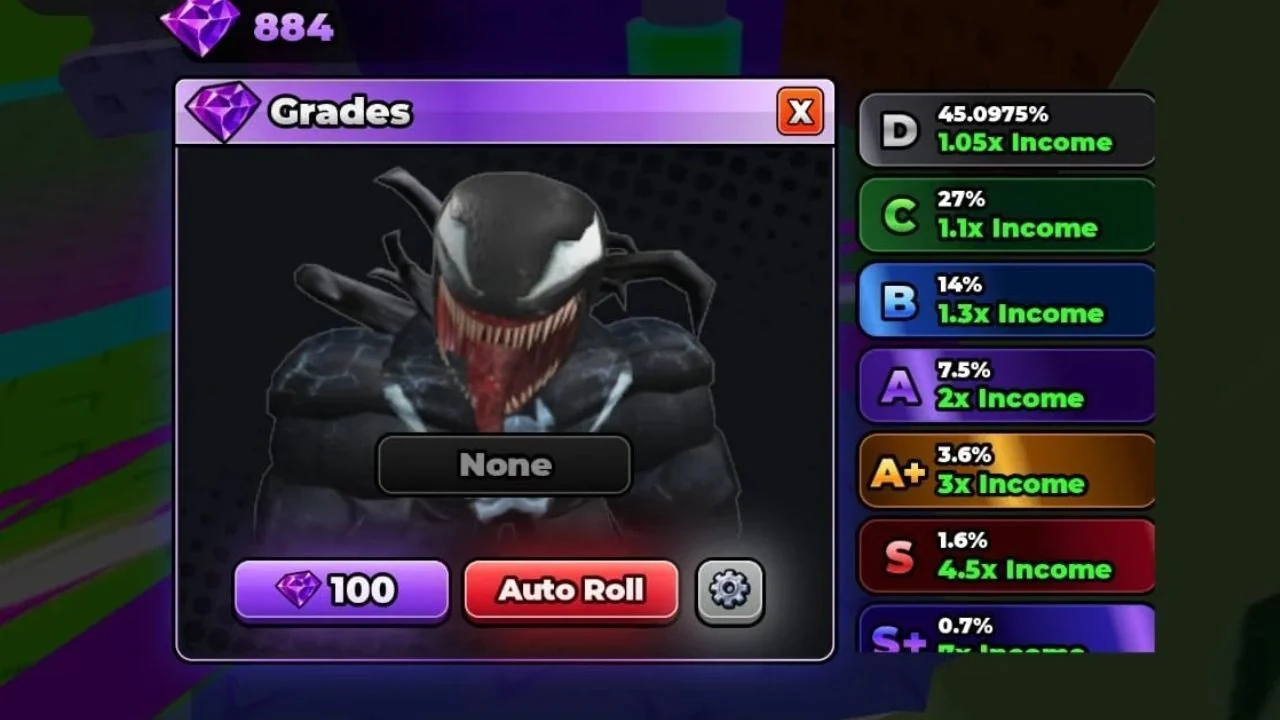
Each unit holds only one Grade at a time. Rolling again doesn't stack a second multiplier on top of the first. The new result replaces the old one, so the unit always runs on a single Grade.
Where to find the Grades station in Steal an Anime Pack
Every Grade roll starts with the Grades NPC at the Grades station, which sits between the Merge + Mutate Machine and the SELL area. Look for the Grades sign between those two stations, then open the roll menu in three steps:
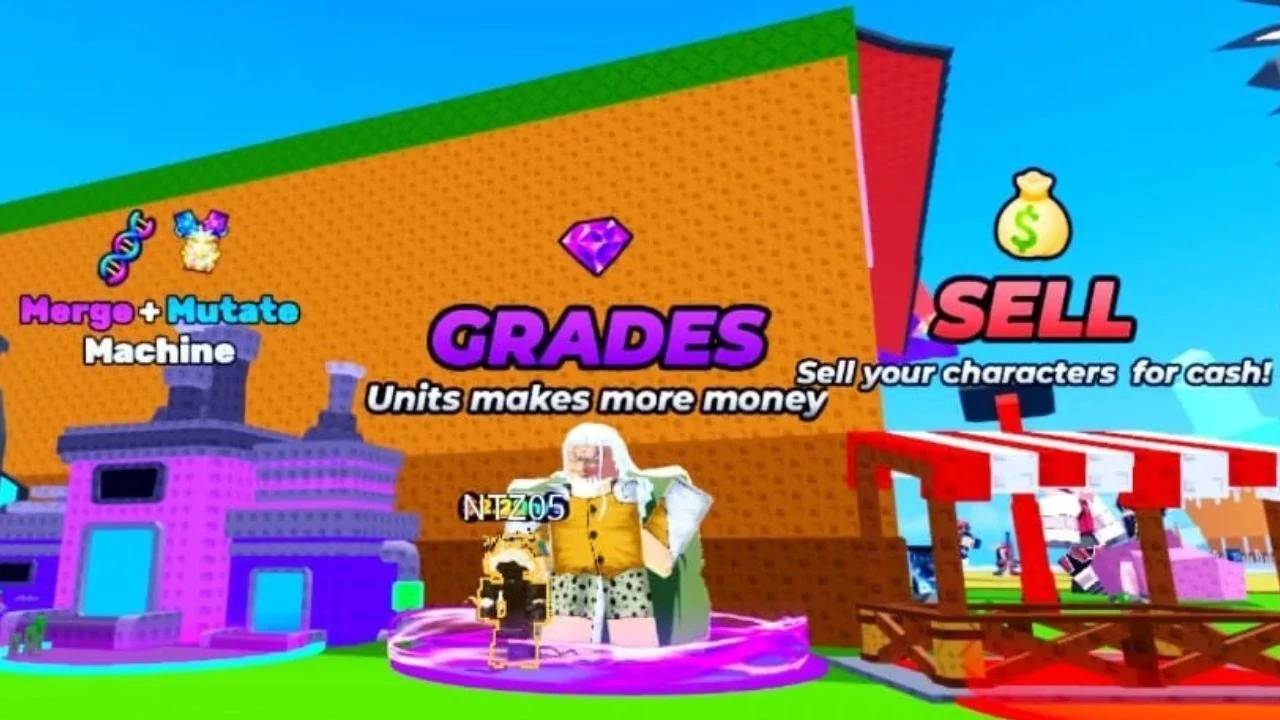
- Walk to the Grades station.
- Interact with the Grades NPC to open its dialogue options.
- Choose "Unlock their potential." This opens the Grades roll menu.
How to roll a Grade on a unit, step by step
Once the menu is open, the steps are the same for any unit. Read the Gem numbers before you press anything, since each roll spends Gems.
- Check your Gem balance, which sits in the top-left corner of the window.
- Select the unit that needs a new Grade. The window shows that unit's current Grade under its preview.
- Check the Gem cost on the roll button before spending. A roll can cost 100 Gems; read the price for your chosen unit.
- Press the roll button. The unit receives its new Grade.
Why most Grade rolls land low and when to stop
The chance column explains why most results are small. D comes up in 45.0975% of rolls, and each step up the table is rarer than the one before it. The top Grades are rare enough that most rolls will never reach them.
Rolling also carries a risk. Each roll replaces the current Grade, so a unit holding an S Grade can roll a D and end up with the lower result. A reroll is not a guaranteed upgrade, and the result can go down as well as up.
A simple rule helps here. Once a unit holds a Grade you're happy with, stop rolling it. Another roll could replace that Grade with a lower one, and each roll spends Gems that could go toward another unit.