Beachcombing in ARC Raiders means searching the ground for buried items with a gadget that works like a metal detector. You can do it on every map, and the detector you need depends on which map you're on. Use the Dockmaster's Detector everywhere except Pendola Pass, which requires the Mountaineer's Detector.
| Map | Detector you need |
|---|---|
| Dam Battlegrounds | Dockmaster's Detector |
| The Spaceport | Dockmaster's Detector |
| Buried City | Dockmaster's Detector |
| The Blue Gate | Dockmaster's Detector |
| Stella Montis | Dockmaster's Detector |
| Riven Tides | Dockmaster's Detector |
| Pendola Pass | Mountaineer's Detector |
Where Beachcombing Works in ARC Raiders
Beachcombing started as a map condition tied to Riven Tides, the beach map. Live Update 2.6.0 removed that condition and expanded buried-item searches to every map, so you don't need to be on Riven Tides to dig. The only thing to track is which detector each map calls for. The full Live Update 2.6.0 patch notes list the other changes in that update.
How to Get the Right Detector in ARC Raiders
The Dockmaster's Detector is an Uncommon Quick Use gadget, and there are three ways to get one:
- Finish the Shoring Up Defenses quest. It hands out one detector.
- Buy one from Apollo. It costs 1,920 Raider Coins, and Apollo has two for sale each day.
- Scavenge for it. Looting can turn one up.
The Mountaineer's Detector is the one Pendola Pass requires. Scavenging is the only route listed for it, and no quest grants it, so looting is where to look. The rest of the game's basics are on the ARC Raiders wiki.
How to Use a Detector to Find Buried Items
- Equip the right detector in a Quick Use slot. Put it in your loadout before you deploy.
- Activate it once you're in the raid. The detector only works when it's switched on.
- Walk slowly. Detecting slows your Raider to a slow walk, so cover the ground in steady passes.
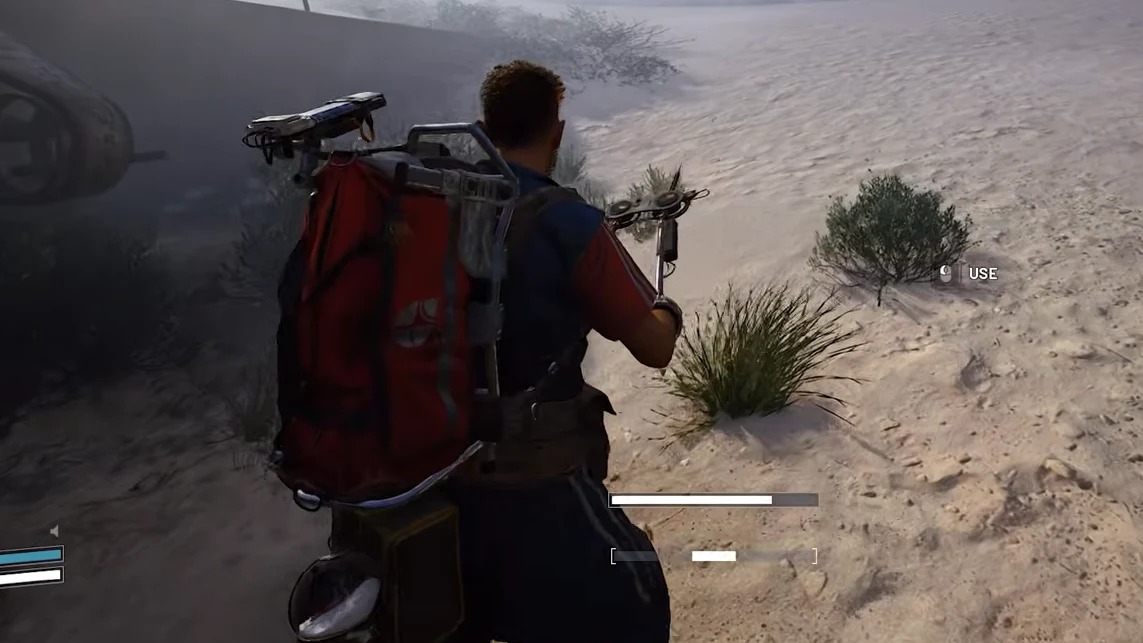
- Follow the beeps and visual feedback. The antenna signals how close you are. Beeps come faster as you get nearer to the buried item. If nothing responds, move to a new spot and sweep again.
- Dig when prompted. When you're directly over the item, the dig prompt appears.
Managing the Detector's Energy Meter
The detector runs on an energy meter that shows on screen. Each time you start using it, a small part of that meter is used up right away, so several short sessions drain more energy than one longer session. Switch it on for longer stretches when you can. The meter gradually recharges while the detector is off.
If you carry more than one detector, they all share the same meter, so a second one won't extend how long you can search.
What Buried Items Can Turn Up on Riven Tides
Digs on Riven Tides have turned up:
- Weapon Cases
- Suitcases containing Basic Materials or Ship Models
- Fruit
- Fertilizer
Not every dig pays off, though, and some finds call for a quick response.
Handling Landmines and ARC Ticks While Digging
Landmines and ARC Ticks are the dangerous finds. If you uncover a landmine, stop moving and hold the interact key to deactivate it. Moving away sets it off, so staying still is the safe move. ARC Ticks can also emerge from a dig, so be ready to deal with them when they do.