Each unit in Anime Crusaders X has three stat potentials, Damage, SPA (seconds per attack) and Range, and each one has its own percentage and letter grade. To reroll all three, open Stat Potential at the Stat Reroll facility, select the unit from Collection, and press Reroll, which spends one Stat Cube and replaces all three. If two of them already meet your target, spend a Perfect Stat Cube to reroll only the third and leave the other two as they are.
| Current potentials | Method | Cube |
|---|---|---|
| All three need replacing | Full reroll | Stat Cube |
| Two meet your target | Single-stat reroll | Perfect Stat Cube |
| Several units need rerolls | Multi | Stat Cubes (1 per unit per roll) |
How Anime Crusaders X Stat Potential Grades Work
Each potential has its own percentage, letter grade and roll chance. The grades run from lowest to highest: C-, C, C+, B-, B, B+, A-, A, A+, S-, S, S+, SS and SSS. A letter doesn't tell the whole story, so when two results share a grade, compare their actual percentages.
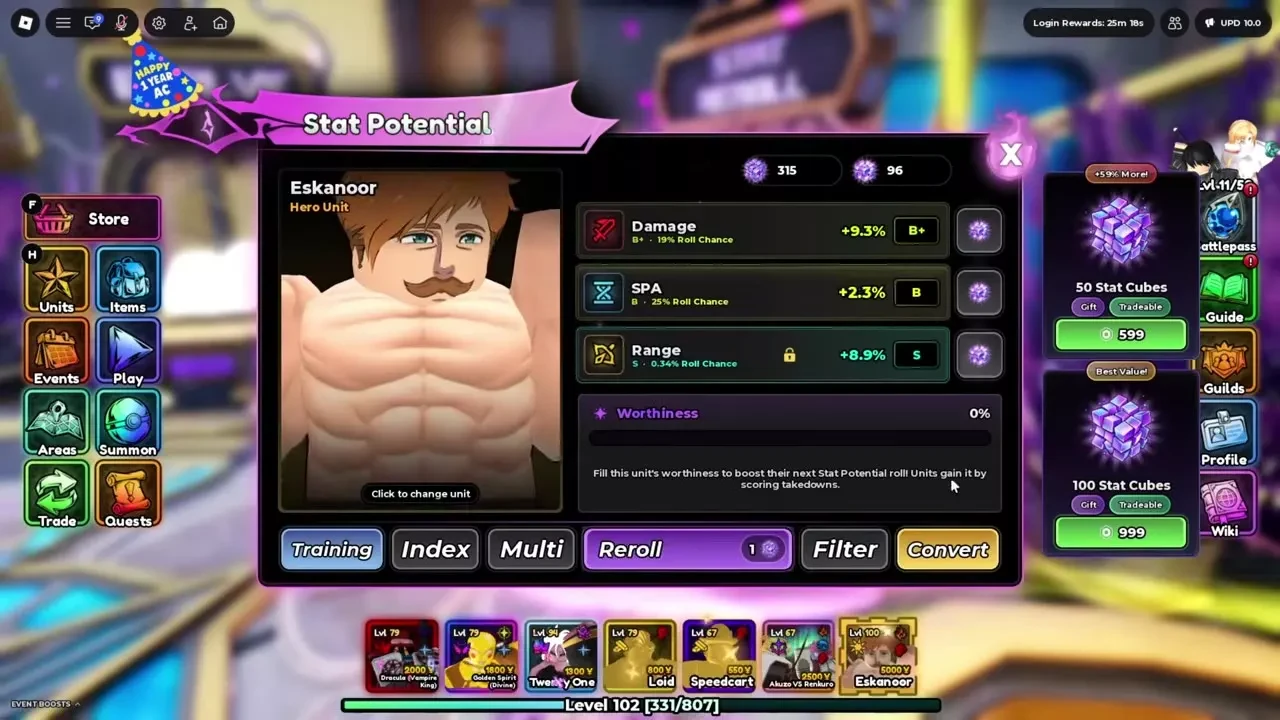
Equal letters don't mean equal odds. At 0% Worthiness, one Damage roll lands S with a 0.28% chance, while one Range roll lands S with a 0.34% chance. Each attribute has its own percentage ranges too, so don't use Damage's numbers to judge SPA or Range.
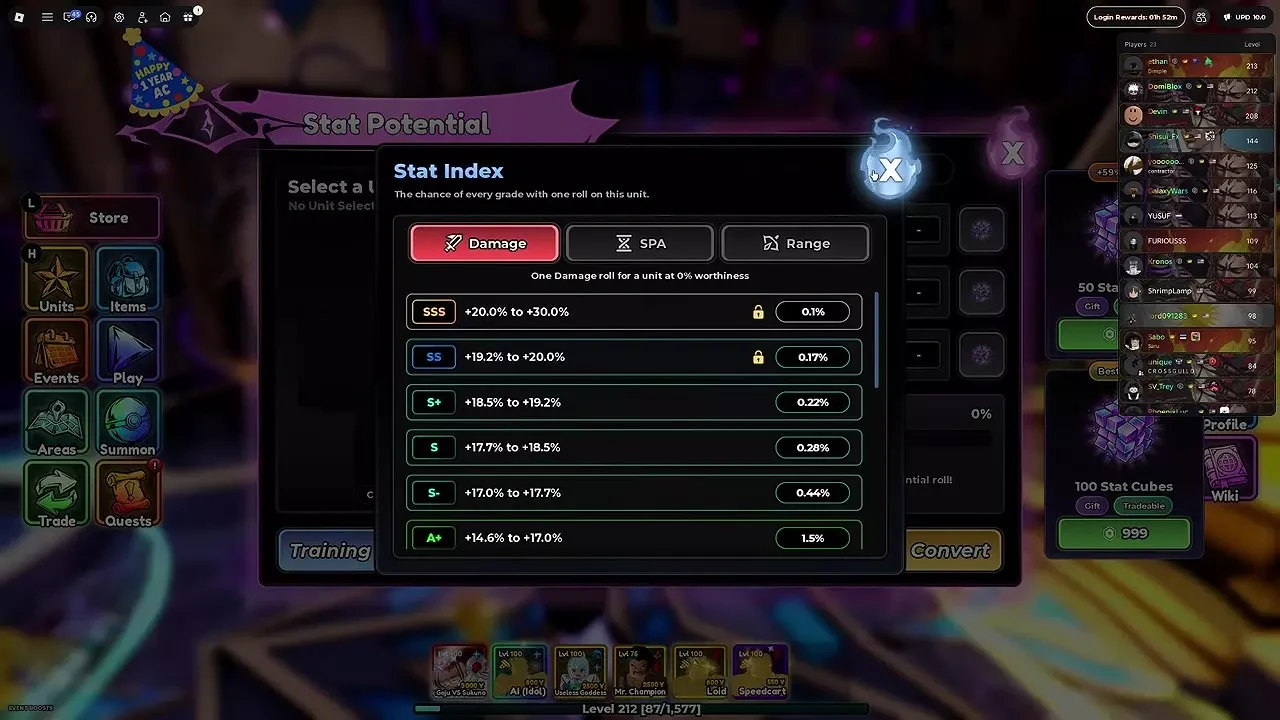
Damage rolls cluster in the middle of the scale. At 0% Worthiness, the three most likely Damage grades are B-, B and B+, with roll chances of 25.5%, 25% and 19%. SSS is listed from 20% to 30%, but it can go past 30% up to the attribute's cap, with most results landing near the bottom of that range.
To see each attribute's exact ranges, open Index from the unit's Stat Potential screen and choose Damage, SPA or Range. Hover over a grade to read its exact roll percentage.
Build Worthiness Before You Spend Cubes
Worthiness belongs to one unit at a time, so build it on the unit you plan to reroll. A unit gains Worthiness by scoring takedowns with it or by being assigned to Training. Filling Worthiness improves the next Stat Potential roll, so it's worth building up before you spend cubes on a result you're aiming for.
Each Stat Cube roll and each Perfect Stat Cube roll uses 100 percentage points of Worthiness after the roll. Worthiness can go above 100%, so a full reroll at 136% leaves 36%. You don't have to wait for a full bar, though, because you can roll at 0%.
Use Training to Build Worthiness on a Unit
Training builds Worthiness in the background, which makes it a good fit for units you want to develop without spending spare copies or XP Food on them.
- Open Stat Potential, then select Training.
- Assign up to 3 units.
- Leave them assigned. Each one gains 100% Worthiness and 25 levels per hour, stopping at 400% Worthiness and Level 100.
- Remove any unit from Training whenever you like.
Training keeps running while you play or log out, and you can keep using trained units in play. Choose units you already plan to reroll, since Worthiness only counts for the unit it's built on. If you're still deciding which units are worth cubes, the full unit list covers every unit in the game.
Set Filter Grades to Protect Good Potentials
Filter lets you choose which grades to keep for each attribute, so a roll can't quietly replace a result you want. Open Filter and select grades separately for Damage, SPA and Range. The grades don't need to be next to each other, so you could keep SSS, SS and A+ for Damage while keeping SS and above for SPA. The Filter header shows your setting, such as "Keeping 3 grades" for Damage or "Keeping S+ and better" for Range, and Reset Filters clears all of them.
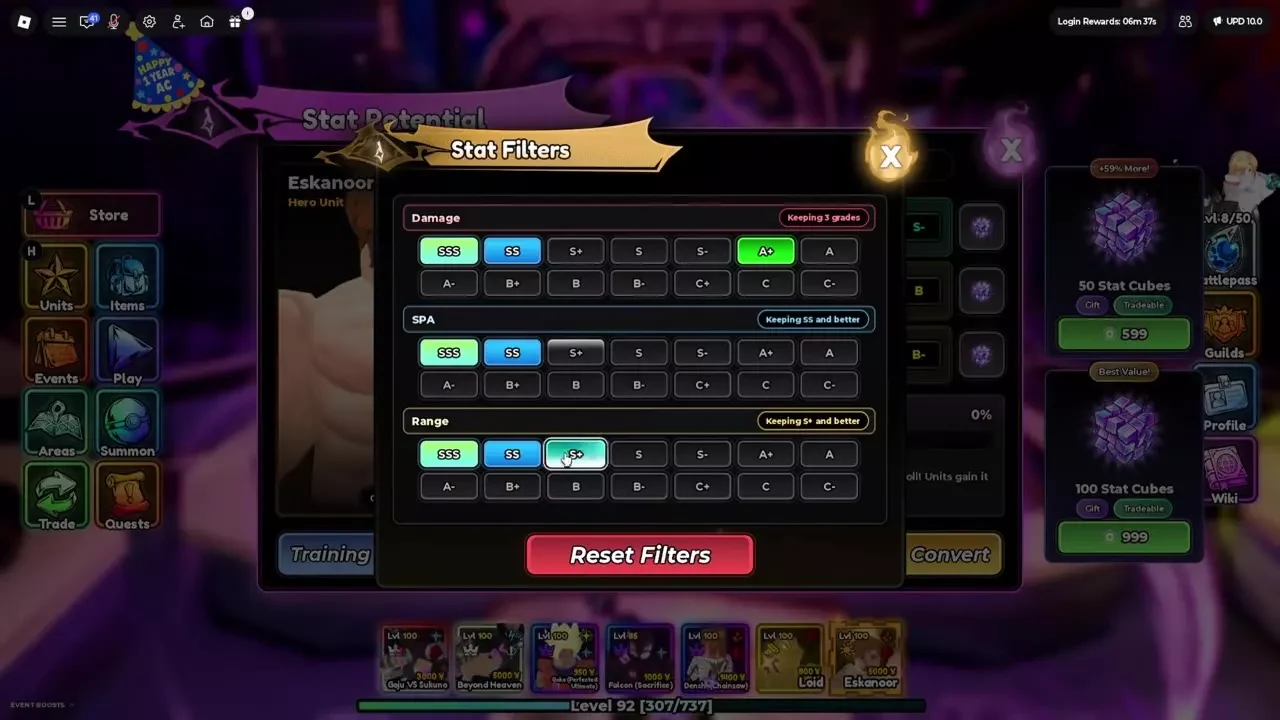
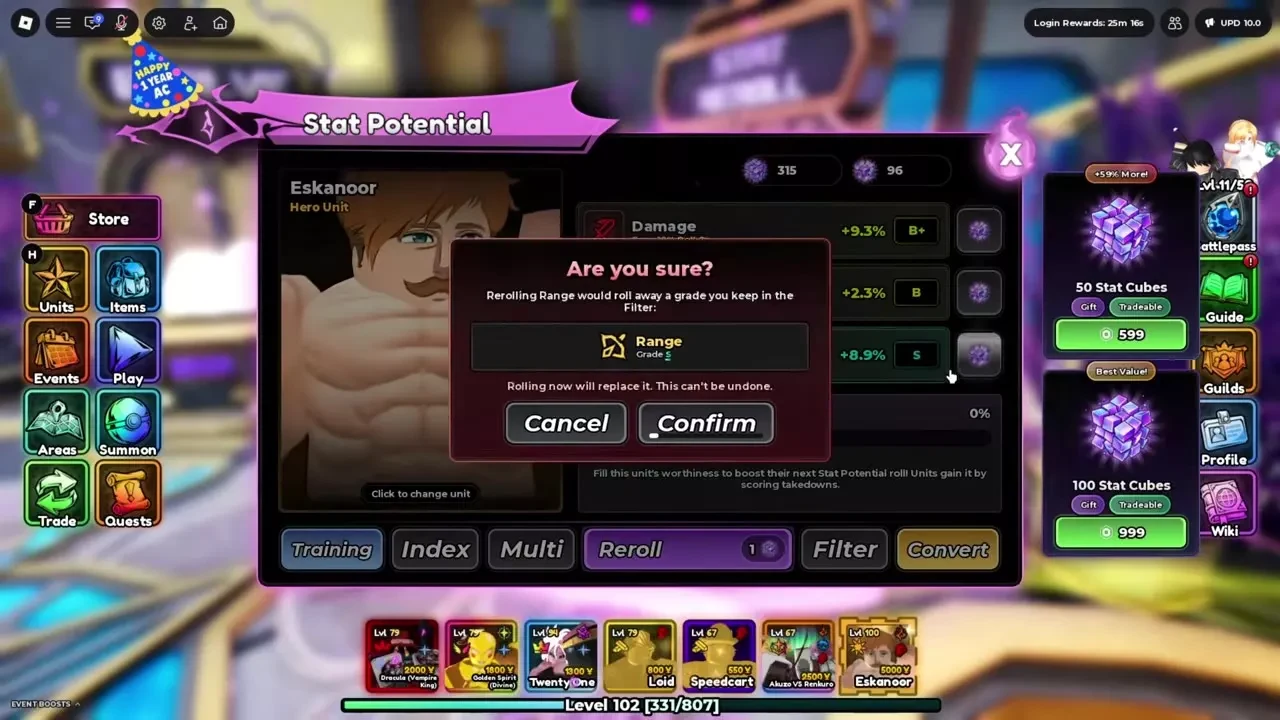
If a roll would replace a grade you chose to keep, the game shows an overwrite warning. Cancel keeps the current result, and Confirm replaces it permanently. Both full and single-attribute rerolls can trigger the warning, and the lock-shaped icon on a result won't stop a replacement you confirm.
Set your filters before you roll, because the warning only covers grades you've chosen to keep. A full reroll touches all three attributes, so a confirmed full reroll can replace a kept Range S along with Damage and SPA. Rerolling Damage alone leaves Range unchanged.
Reroll All Three Potentials with a Stat Cube
Use the full reroll when all three potentials need work. It rolls Damage, SPA and Range together for one Stat Cube, so it's the only method that changes all three at once.
- Open Stat Potential at the Stat Reroll facility and select the unit from Collection.
- Check its three potentials and its Worthiness.
- Set Filter first if there are grades you want to keep.
- Press Reroll. It costs 1 Stat Cube and replaces all three potentials.
- If an overwrite warning appears, press Cancel to keep the result or Confirm to replace it.
Reroll One Potential with a Perfect Stat Cube
Each attribute has its own Perfect Stat Cube button. Pressing one rerolls only that attribute for 1 Perfect Stat Cube, and the other two stay exactly as they are.
- Check which two potentials already meet your target.
- Press the Perfect Stat Cube button beside the third attribute. Click for one roll, or hold it to auto-roll.
This is the right move once two results are good. A full reroll puts both of them at risk, while a single-attribute roll leaves them alone. If you're stuck between two results with the same grade, compare their exact percentages and keep the stronger one.
Reroll Several Units at Once with Multi
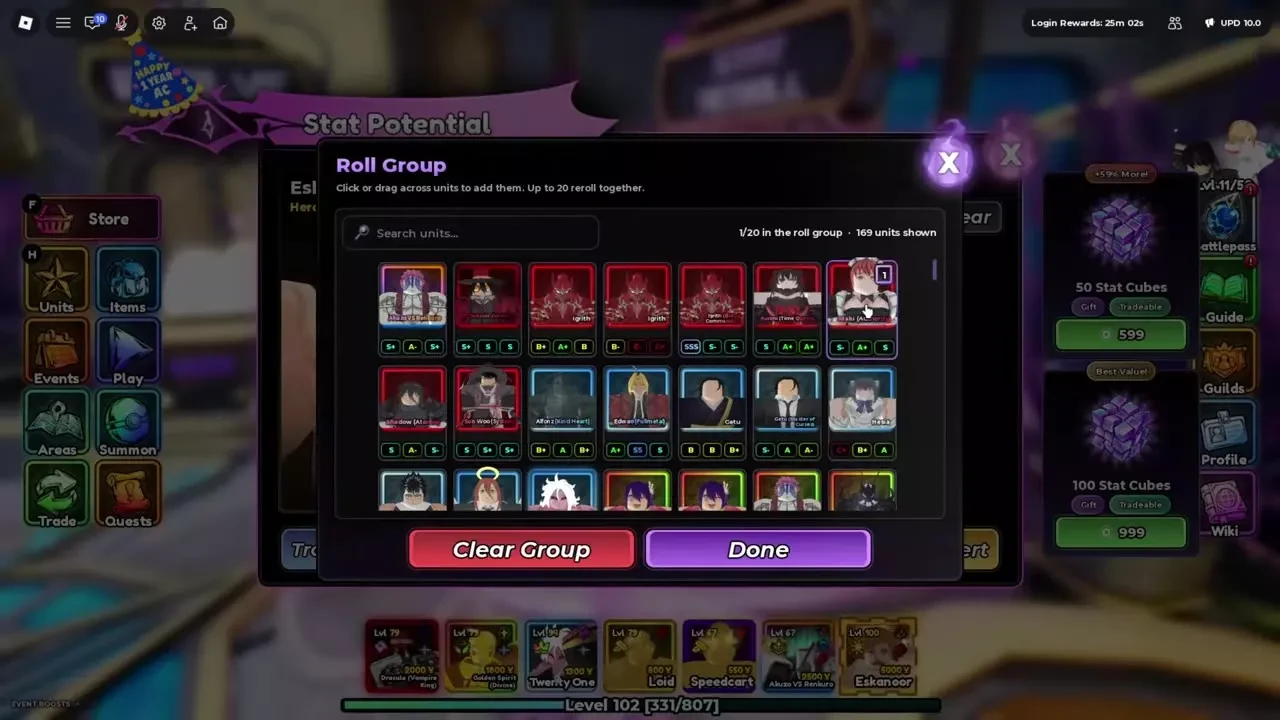
Multi lets you roll a group of units in one go. The Roll Group window holds up to 20 units, and each unit costs 1 Stat Cube per roll, so a six-unit group costs 6 Stat Cubes each time it rolls.
- Set your keep grades in Filter.
- Open Multi and view Roll Group. Press Clear if you want to empty the current group.
- Choose Add Units, then search Collection and click or drag across units to select up to 20. Clear Group resets the selection, and Done returns you to Roll Group.
- Check the group cost shown.
- Hold Reroll to keep rolling. Each unit stops once it reaches its keep grades.
Every unit in the group pays for each roll, so trim the group to the units you actually want before you hold Reroll.
Where to Get Stat Cubes and Perfect Stat Cubes
Stat Cubes and Perfect Stat Cubes come from shops, and each shop takes its own currency. The prices in each one are:
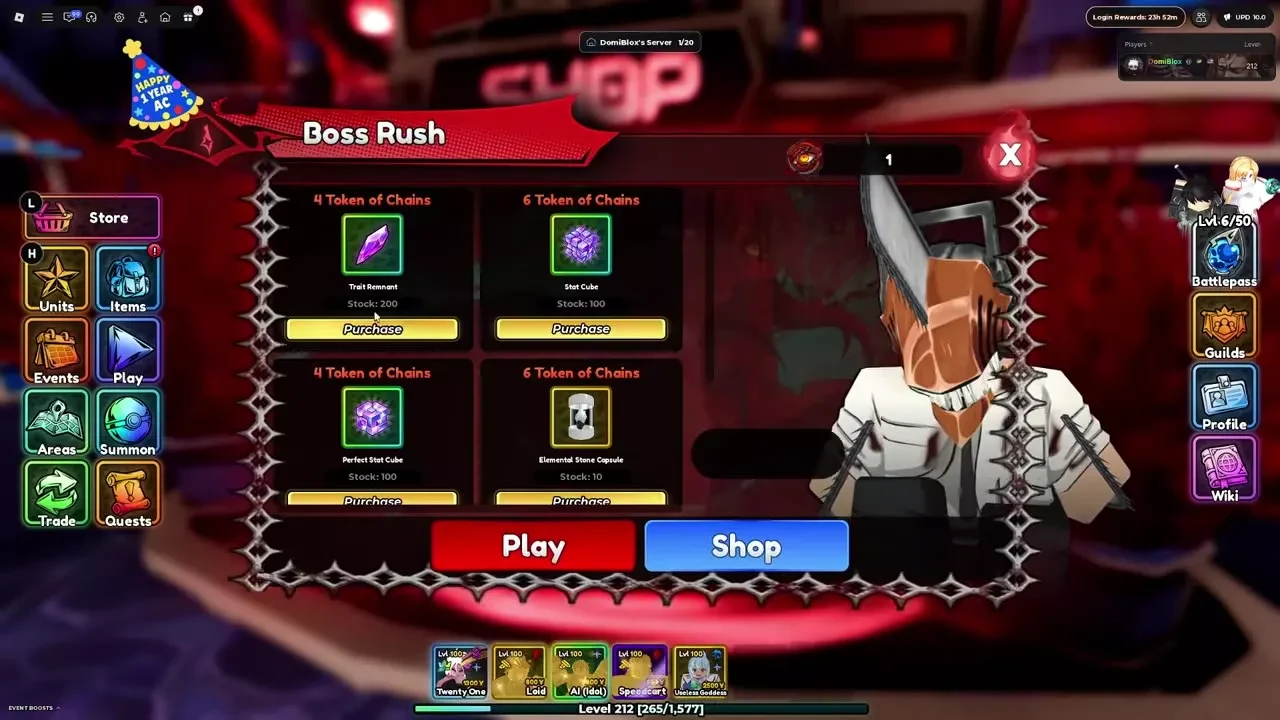
- Boss Rush: Control shop, paid in Tokens of Chains: 6 for a Stat Cube, 4 for a Perfect Stat Cube.
- Boss Rush: Perfection shop, paid in Tokens of Resonance: 40 for a Stat Cube, 25 for a Perfect Stat Cube.
- Mely's Shop, paid in Wrath Tokens: 6 for a Stat Cube. Wrath Tokens come from Kitchen Madness clears, and you open the shop by talking to Mely and choosing Shop.
- Event Shop, on the Bounty Board: 1 Event Token buys 2 Stat Cubes, with no limit on purchases.
- Gold Shop: a Stat Cube is listed at 2,626 Gold. Check Materials in the Gold Shop, since its stock refreshes daily.
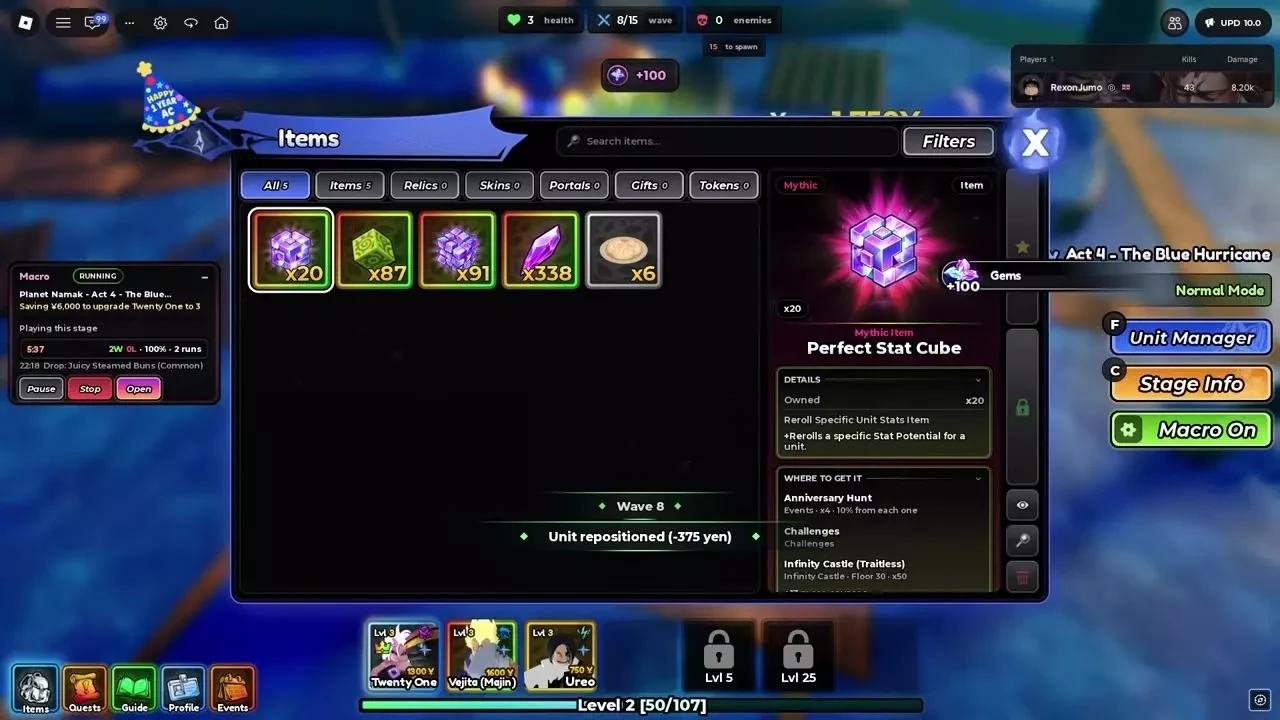
Perfect Stat Cubes cost less than Stat Cubes in both Boss Rush shops, so they're the cheaper buy when only one attribute needs work. Challenges and the Traitless Infinity Castle also give out Perfect Stat Cubes. Trait rolls run on their own system with Trait Remnants or Trait Tokens, so keep them out of your cube budget, and the full trait list shows every trait and how to get it.

Convert a Unit's Potentials into a Stat Token
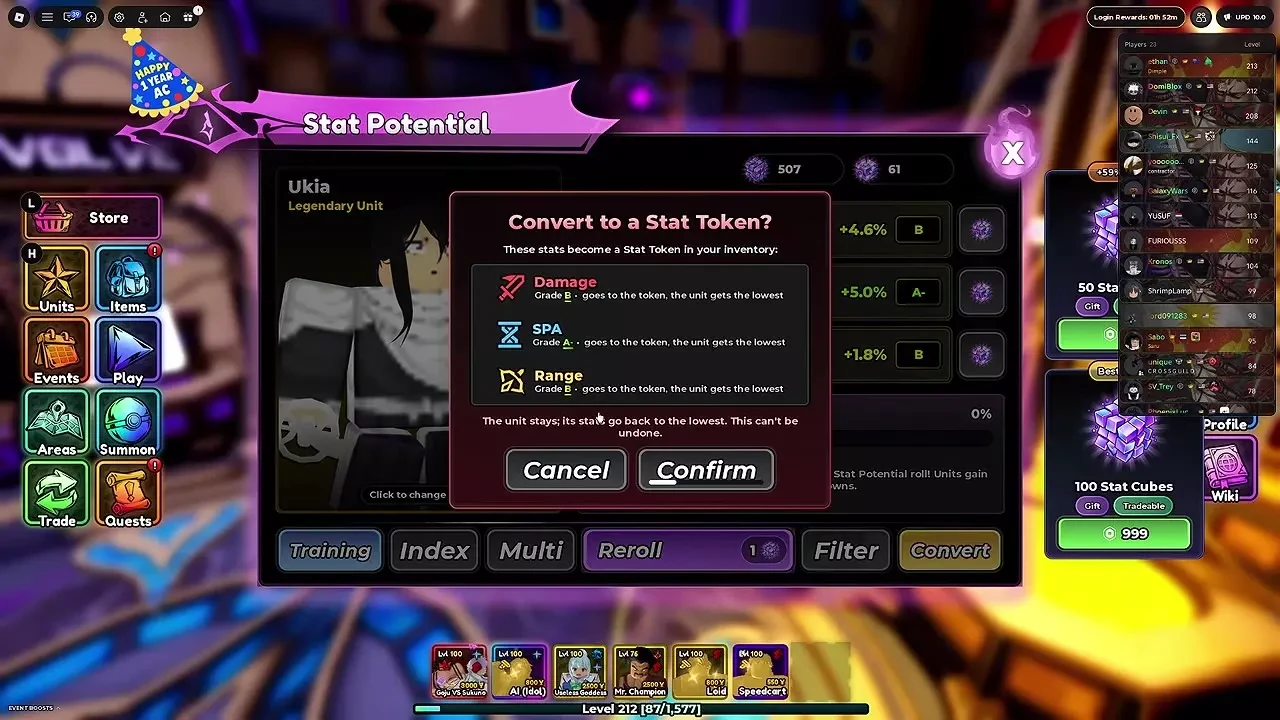
Convert saves a unit's Damage, SPA and Range potentials in a Stat Token, so a strong set can move to another unit later. You keep the source unit, but all three of its potentials reset to their minimum values. Conversion can't be undone, so check the numbers in the confirmation before you commit.
- Open Stat Potential at the Stat Reroll facility and select the source unit from Collection.
- Choose Convert and read the confirmation, which lists its three potentials.
- Confirm to create the token and reset the unit's potentials.
- After the success message, open Items → Tokens to see the token's stored Damage, SPA and Range values.
Apply a Stat Token to Another Unit
A Stat Token is applied through Wish Girl in the lobby, and the token can go to any unit you choose.
- Talk to Wish Girl in the lobby and open Transfer Potential.
- In the Stat Transfer window, apply the token to the intended recipient unit.
- The token's stored Damage, SPA and Range transfer over, and the token is used up.
Stat Transfer keeps the recipient unit itself, so you only move the potentials and keep the unit you already have.